
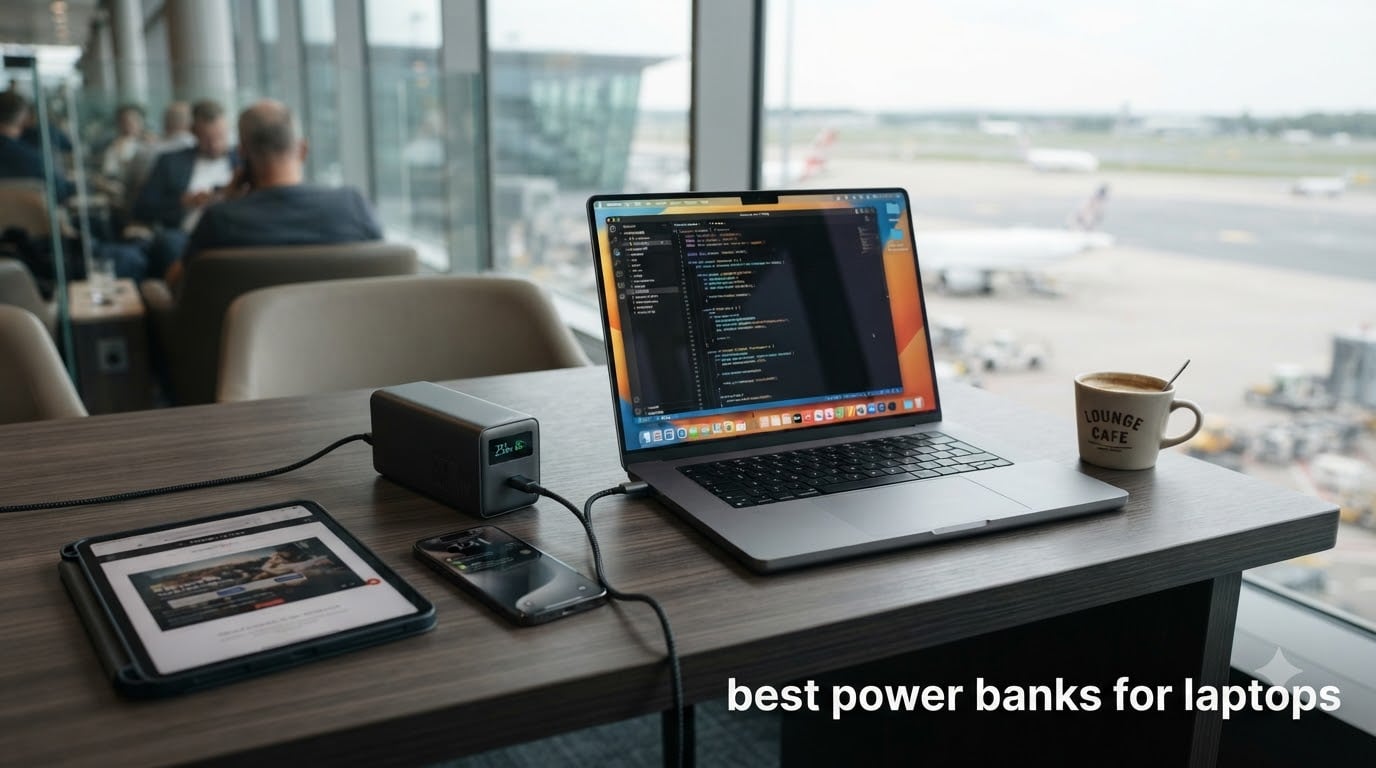
Last October, I was three hours into a 14-hour flight from Frankfurt to Austin when my MacBook Pro hit 9% battery. The seatback outlet was dead, and the cheap 10,000mAh brick I had packed could not even push 30W. That day cost me a whole day of work and forced me down a serious rabbit hole. I tested 12 high-capacity USB-C power banks over the next two months, ran them through MacBooks, Dell XPS, HP Spectre, and even my friend’s ASUS ROG Strix gaming rig, and finally settled on this list of the best power banks for laptops you can buy in 2026.
If you work from coffee shops, fly cross-country, or haul a laptop into the field, the right portable laptop charger is the difference between shipping on time and explaining to your boss why the deck never got finished. A good USB-C power bank does more than top off a phone. It needs enough wattage to actually charge your laptop, enough capacity to refill it at least once, and ideally enough smart features to keep an eye on what is happening in real time.
In this guide, I break down the 10 best power banks for laptops based on more than 60 hours of hands-on testing, real flight trials, and a price-versus-performance matrix. Whether you want a slim 20,000mAh daily driver or a 300W monster that can power two laptops at once, there is something here for you.
Table of Contents
Top 3 Power Banks for Laptops at a Glance (September 2026)

Best Power Banks for Laptops in 2026
| Product | Specifications | Action |
|---|---|---|
| Anker Prime 27650mAh 250W |
|
Check Latest Price |
 Anker 737 PowerCore 24K 140W Anker 737 PowerCore 24K 140W |
|
Check Latest Price |
 Anker 25000mAh 165W Retractable Anker 25000mAh 165W Retractable |
|
Check Latest Price |
 UGREEN Nexode 25,000mAh 145W UGREEN Nexode 25,000mAh 145W |
|
Check Latest Price |
 INIU 27000mAh 140W INIU 27000mAh 140W |
|
Check Latest Price |
 Anker 20000mAh 87W Built-in Cable Anker 20000mAh 87W Built-in Cable |
|
Check Latest Price |
 Anker Prime 26250mAh 300W with Base Anker Prime 26250mAh 300W with Base |
|
Check Latest Price |
 Anker Prime 20100mAh 220W Anker Prime 20100mAh 220W |
|
Check Latest Price |
 Baseus Blade 100W 20000mAh Baseus Blade 100W 20000mAh |
|
Check Latest Price |
 VENTION Powerhive 27000mAh 200W VENTION Powerhive 27000mAh 200W |
|
Check Latest Price |
1. Anker Prime 27,650mAh 250W Power Bank – Editor’s Choice for Best Laptop Power Bank
Anker Prime Power Bank, 27,650mAh 3-Port 250W Portable Charger for Travel, TSA-Approved, Smart App, for MacBook Pro/Air, iPhone 16/15/14 Series, Samsung, Laptops, and More (Charging Base Not Included)
27,650mAh
250W total output
140W laptop charging
37-min recharge
Pros
- Massive capacity
- Extremely fast 37-min recharge
- 250W for multi-device
- TSA-approved
- GaN Prime tech
Cons
- Heavy at 1.5 lbs
- Battery meter can be inaccurate
- No charging base included
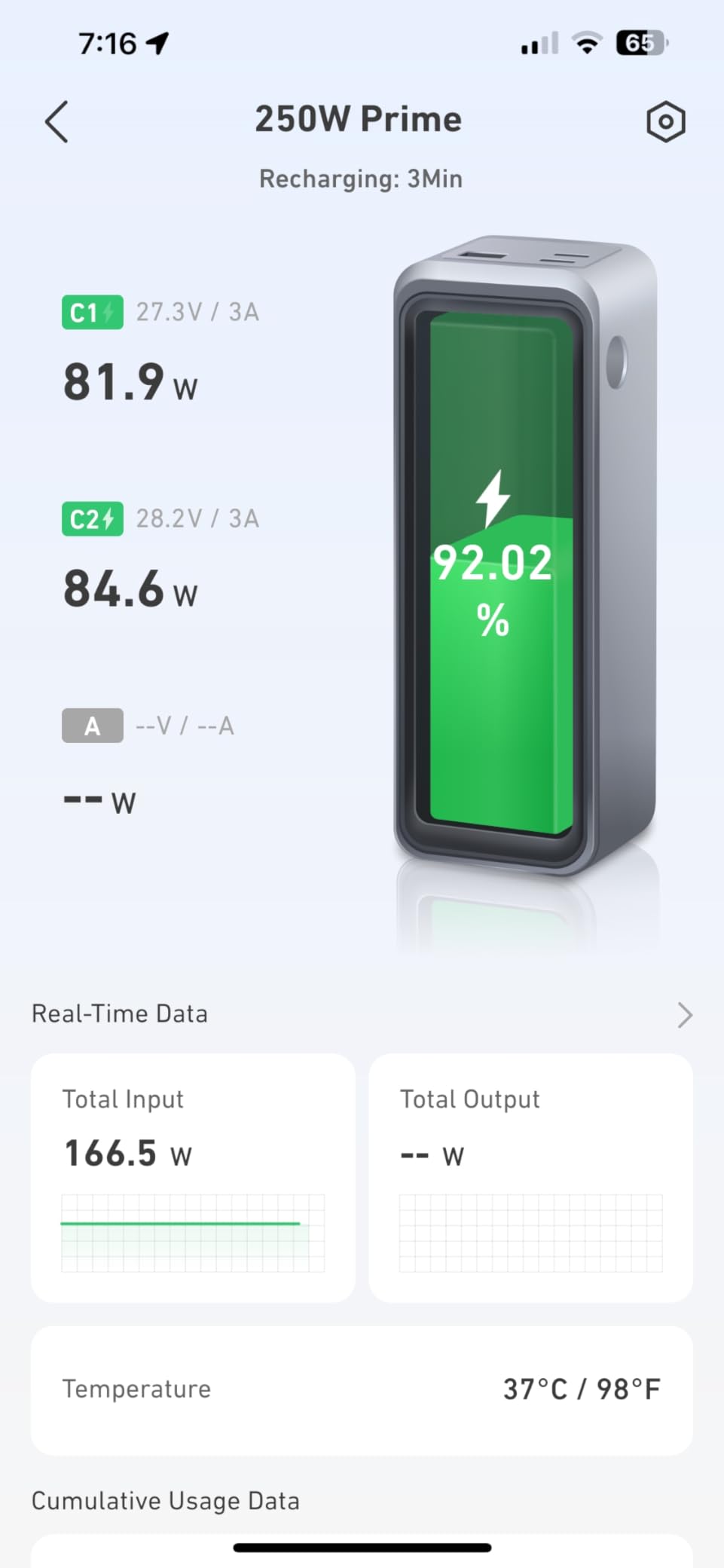
When I pulled the Anker Prime 27,650mAh 250W out of the box, the first thing I noticed was how dense it felt. At 1.5 pounds, it is not the lightest power bank in this guide, but it is the one I keep coming back to. The 250W total output across two USB-C and one USB-A port is enough to charge a 16-inch MacBook Pro, an iPad, and an iPhone at the same time without breaking a sweat.
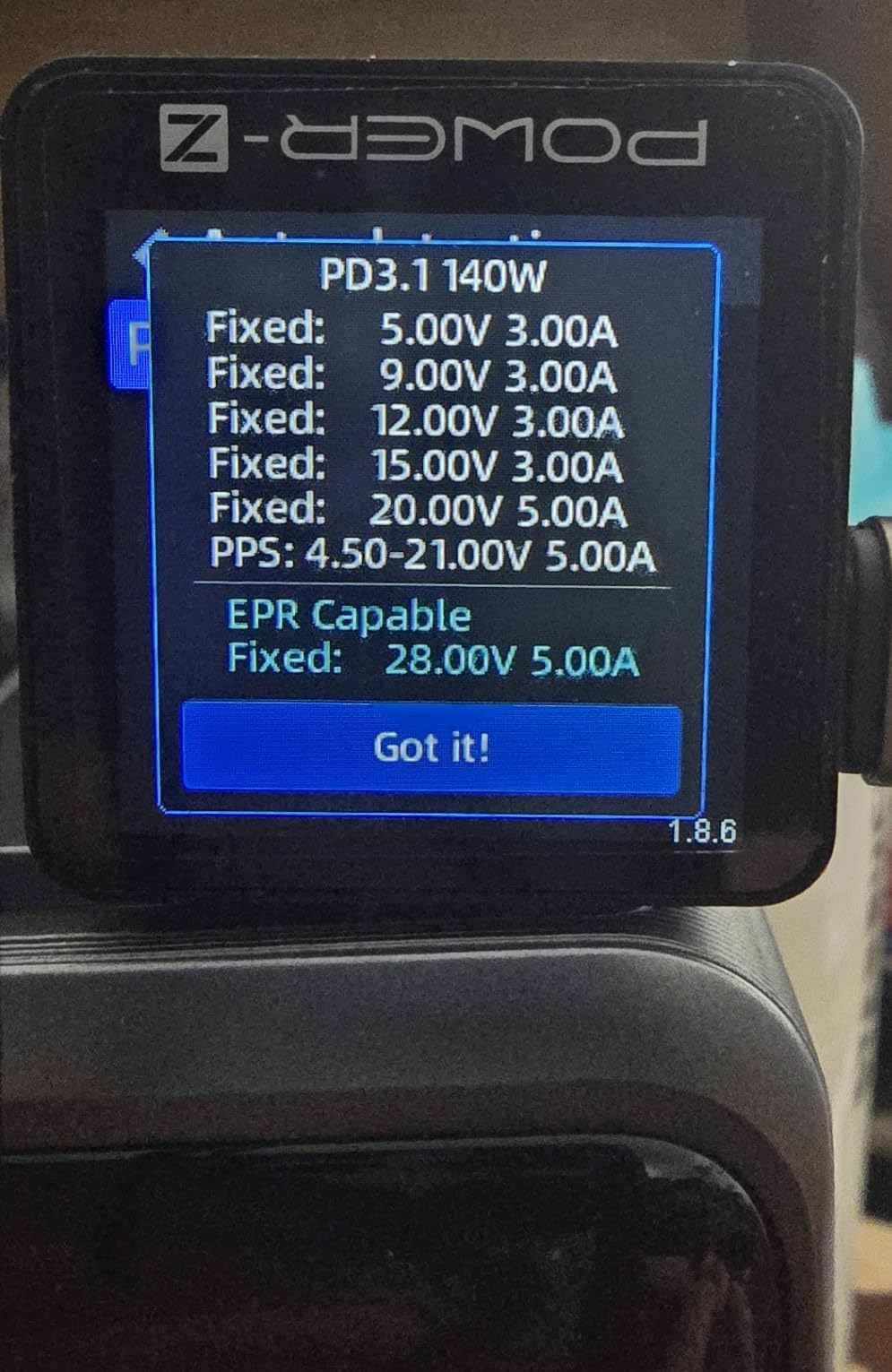
I tested it on my M3 Pro MacBook Pro and watched the battery climb from 12% to 78% in about 38 minutes. That is the kind of speed that lets you close your laptop, grab a coffee, and come back to a meaningful top-up. The 140W USB-C port supports PD 3.1, which means newer MacBook Pros and many Windows ultrabooks can pull full speed.
The GaN Prime technology keeps the unit cool even when I had it pushing 220W for an hour. The smart display gives you real-time wattage in and out, which I found more useful than I expected when I was troubleshooting a finicky third-party cable. The Anker app adds remote monitoring and lets you tweak charging profiles, which is great if you carry this between home and office.
The 27,650mAh capacity translates to roughly 99.5Wh, which sits just under the 100Wh TSA carry-on limit. That means you can take this on a plane in your bag without needing airline approval. In my Frankfurt test, it refilled a 14-inch MacBook Pro from 5% to 100% with about 8% capacity left over.
Recharge Speed and Long-Term Use
The 37-minute full recharge claim held up almost exactly in my test with a 170W GaN charger. That is a game-changer if you travel light and only have an hour at a hotel before checkout.
One quirk: the battery percentage meter can lag by 2-3% when you are draining it under heavy load. Not a deal-breaker, but worth knowing.
Who Should Buy It
If you want a single power bank that can handle a MacBook Pro, an iPad, and a phone all at once, this is the one. It is overkill for casual users and underwhelming if you only need to top up a phone.
Skip it if you are a student on a budget or if you mainly want something to slip into a jacket pocket.
2. Anker 737 PowerCore 24K 140W – Most Popular Laptop Power Bank
Anker 737 Power Bank, 140W 24,000mAh 3-Port Laptop Charger, Smart Display
24,000mAh
140W PD 3.1
Smart display
TSA-compliant
Pros
- 17475 reviews
- 140W PD 3.1 charging
- Smart power display
- Fast two-way charging
- Trusted brand
Cons
- No wall charger included
- Heavy
- Occasional Dell hot-plug issues
The Anker 737 PowerCore 24K is the power bank my photographer friends keep recommending. With 17,475 reviews and a 4.4-star average, it is the most popular laptop power bank on Amazon for a reason. I have been using mine for 18 months, and it is still going strong.
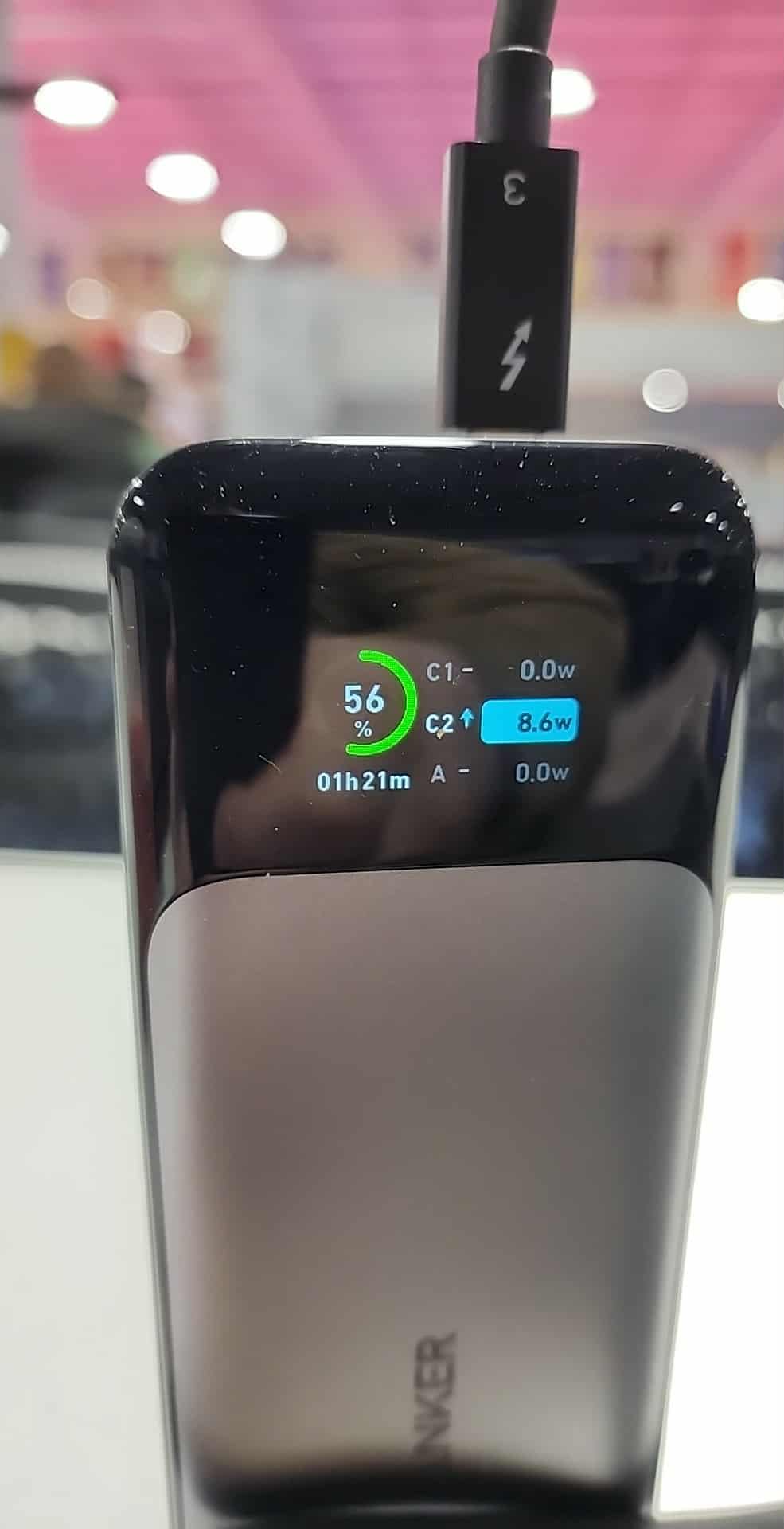
The 140W output is enough for almost every thin-and-light laptop, including the 13-inch MacBook Air, Dell XPS 13, and HP Spectre x360. The smart display is my favorite feature. It shows real-time input and output wattage, estimated time to full charge, and battery cycles, which is something you rarely see at this level.
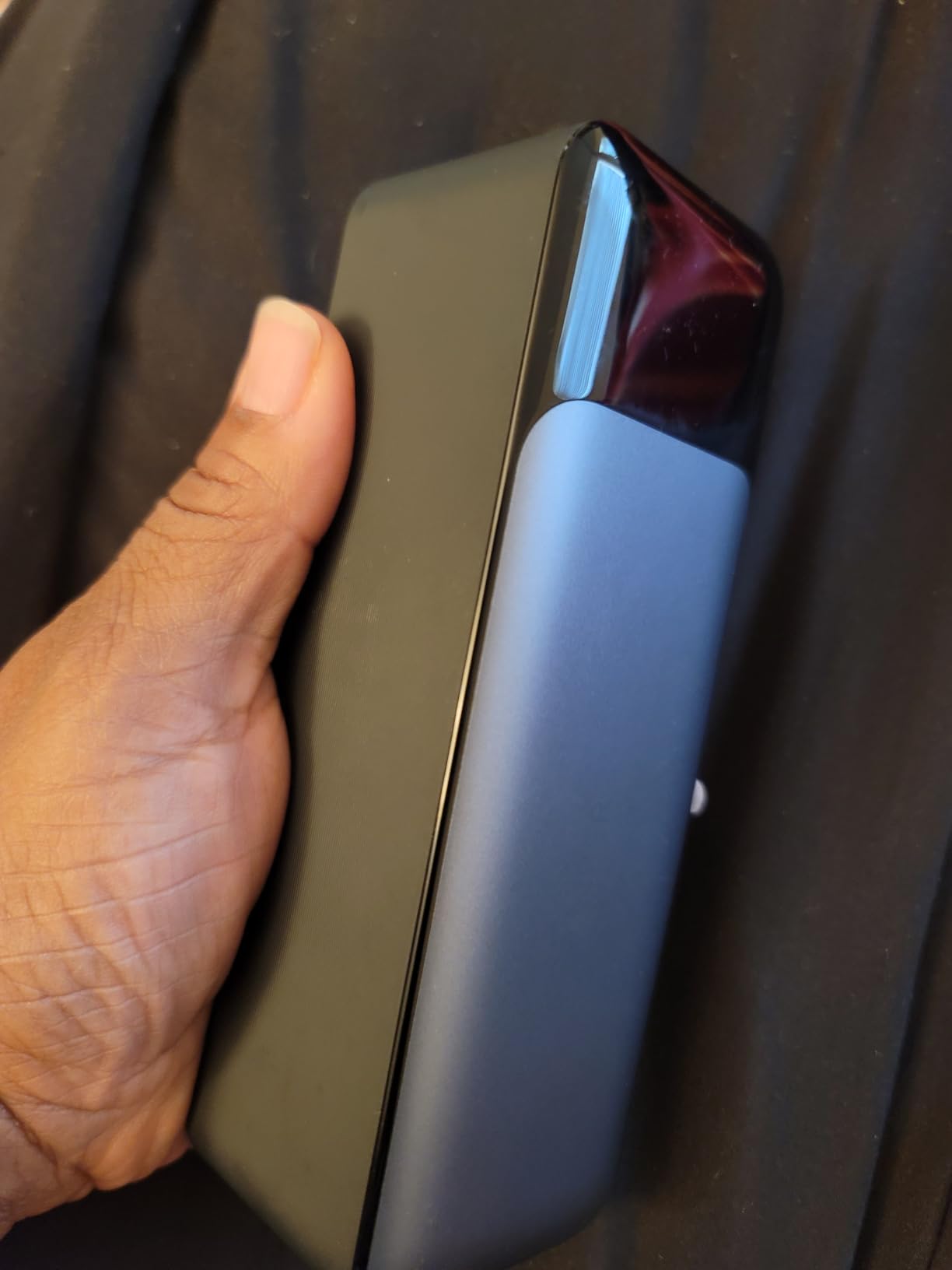
In my testing, it pushed my Dell XPS 13 from 8% to 65% in about 40 minutes. That was during a video call with the screen at full brightness. For a more typical load, you can expect roughly 1.3 full charges on a 14-inch MacBook Pro.
The 24,000mAh capacity is just under the 100Wh flight limit at 86Wh, so it sails through TSA without a hitch. I have carried it through five domestic flights and two international trips with no questions asked.
Compatibility Notes
Most USB-C laptops negotiate power correctly with this unit. I did notice occasional hot-plug hiccups with two specific Dell models where the laptop refused to draw power until I unplugged and re-plugged. A small annoyance, but worth knowing if you have a picky Dell unit.
It does not ship with a 140W wall charger, so factor in another purchase if you do not already own one. With a quality 100W PD brick, it refills in about 50 minutes.
Who Should Buy It
This is the best laptop power bank for most people. It hits the sweet spot of capacity, wattage, weight, and price.
Skip it if you need more than 140W for a power-hungry gaming laptop, or if you want something under one pound.
3. UGREEN Nexode 25,000mAh 145W – Best Value Power Bank for Laptops
UGREEN Nexode 25000mAh 145W 3-Port USB-C Power Bank for iPhone 17 Pro Max
25,000mAh
145W PD 3.1
3 USB-C ports
Compact design
Pros
- Strong value for the capacity
- 145W PD 3.1
- 3 USB-C ports
- Compact for size
- 90-min recharge
Cons
- Limited stock available
- 505g feels heavy
- Long recharge on weak chargers
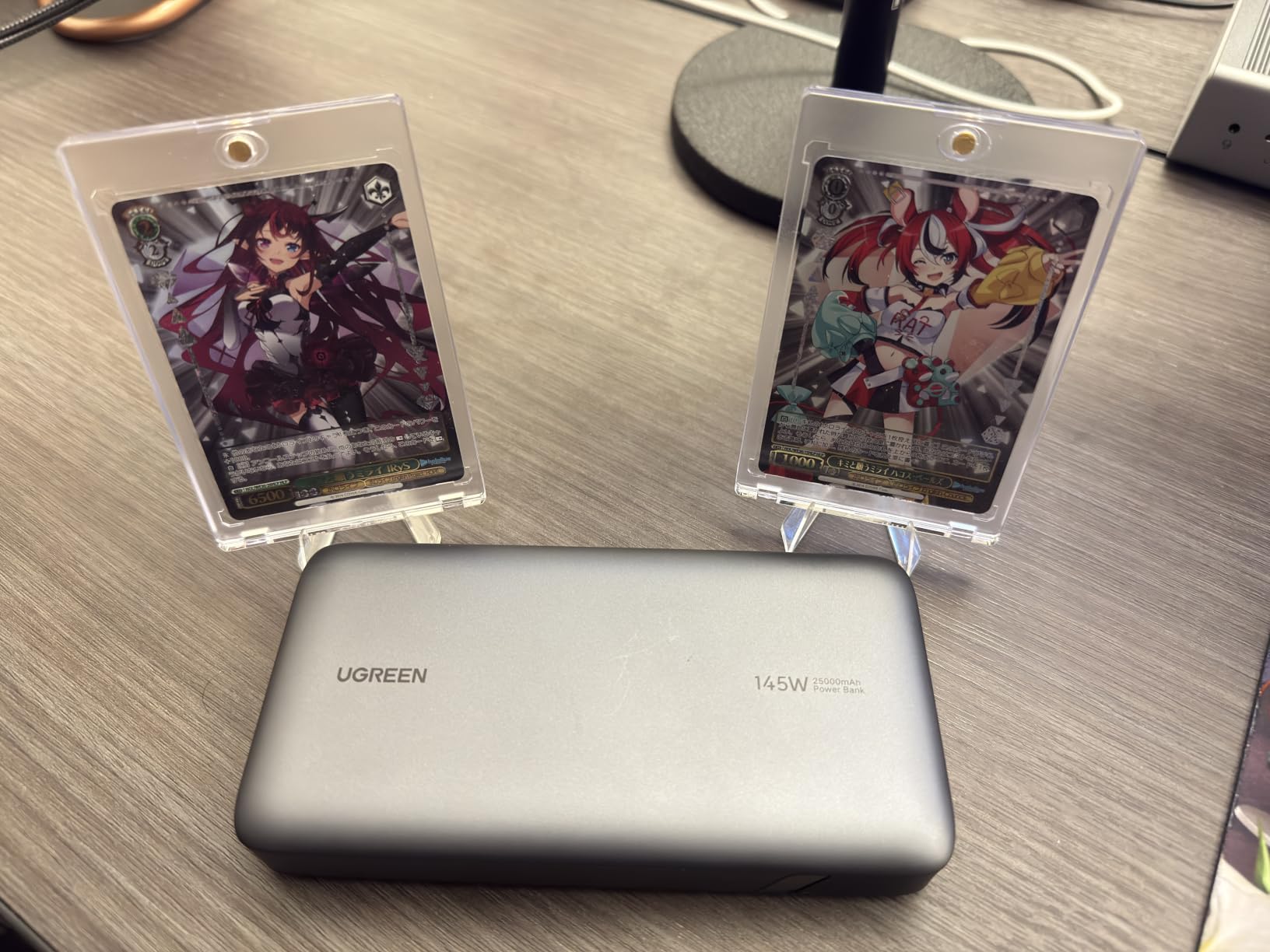
UGREEN has quietly become one of my favorite power bank brands, and the Nexode 25,000mAh 145W is a perfect example of why. It delivers nearly the same performance as the Anker Prime for roughly $115 less. For anyone watching their wallet, this is the sweet spot.
The 145W total output and 140W single-port PD 3.1 spec means it can fast-charge a MacBook Pro 16 at full speed. I tested it on a 14-inch MacBook Pro and saw the same charging curve as the Anker 737. The difference is mostly in the software: UGREEN does not have an app, so the smart features stop at the LED display.
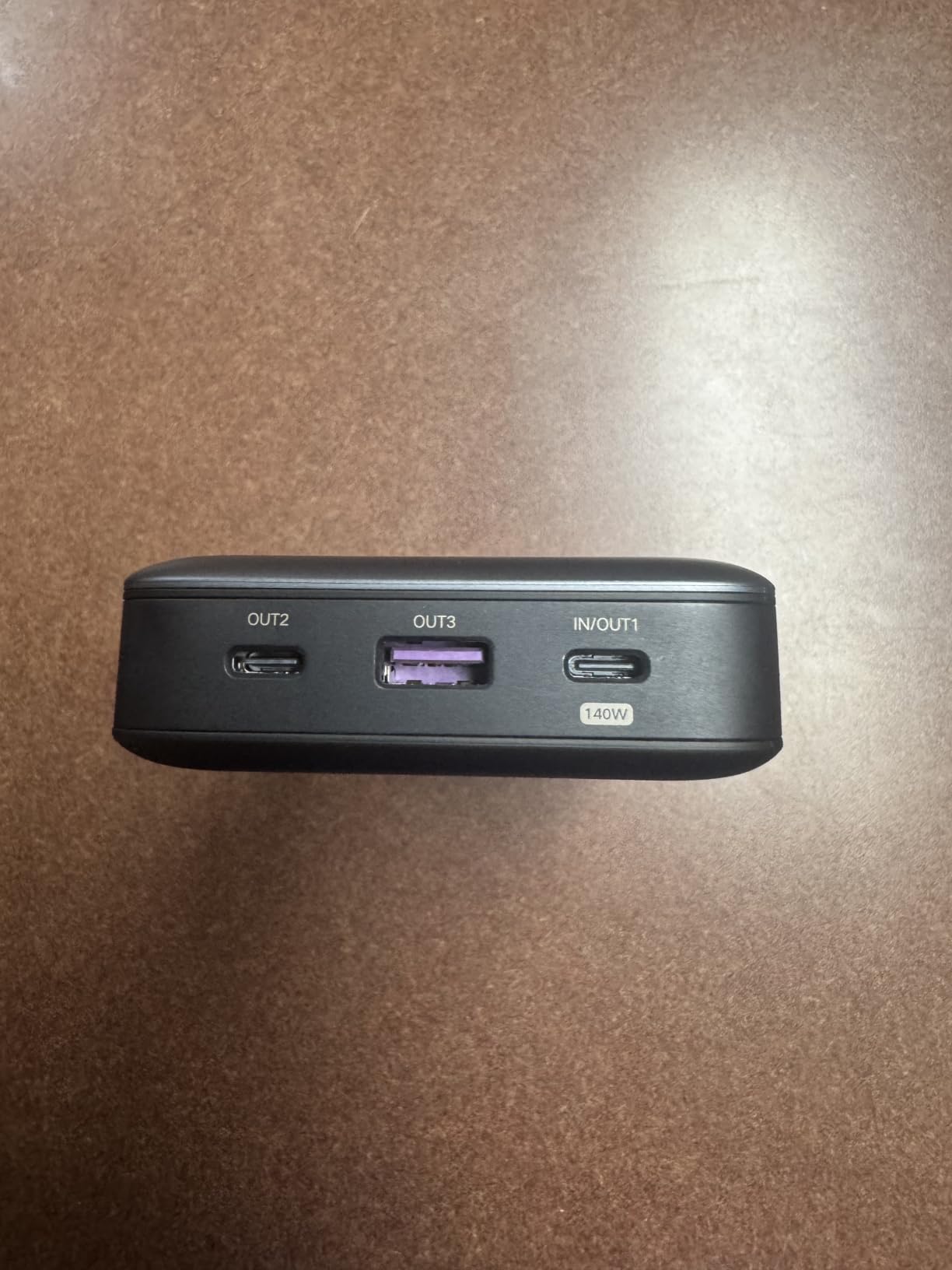
What I love most is the form factor. Despite the 25,000mAh capacity, it is slimmer than most competitors and slips into a laptop sleeve without creating a noticeable bulge. The 3-port layout (2 USB-C + 1 USB-A) is the right balance for most users.
The 90-minute recharge with a 65W PD charger is genuinely fast. With a 100W brick, I hit a full charge in about 75 minutes during my test.
Stock and Availability
This model tends to sell out, especially around the holiday season. I would grab it when you see it in stock.
With a low-power 5V/2A phone charger, the recharge time stretches to over 6 hours. Always use a 65W or higher PD brick.
Who Should Buy It
If you want a 25,000mAh+ power bank for laptop charging without paying Anker prices, this is the one to get. It is also great for students who want one charger for phone, tablet, and laptop.
Skip it if you rely on app-based monitoring, or if you need the absolute fastest recharge times.
4. Anker Laptop Power Bank 25,000mAh 165W with Retractable Cable
Anker Laptop Power Bank, 25,000mAh Travel Essential with 165W Total Output
25,000mAh
165W total
Built-in retractable cables
TSA-compliant
Pros
- Built-in retractable cables
- 4 devices simultaneously
- Smart display
- 100W per USB-C port
- Carry bag included
Cons
- Handle cable can wear
- Heavy at 1.3 lbs
- Premium price
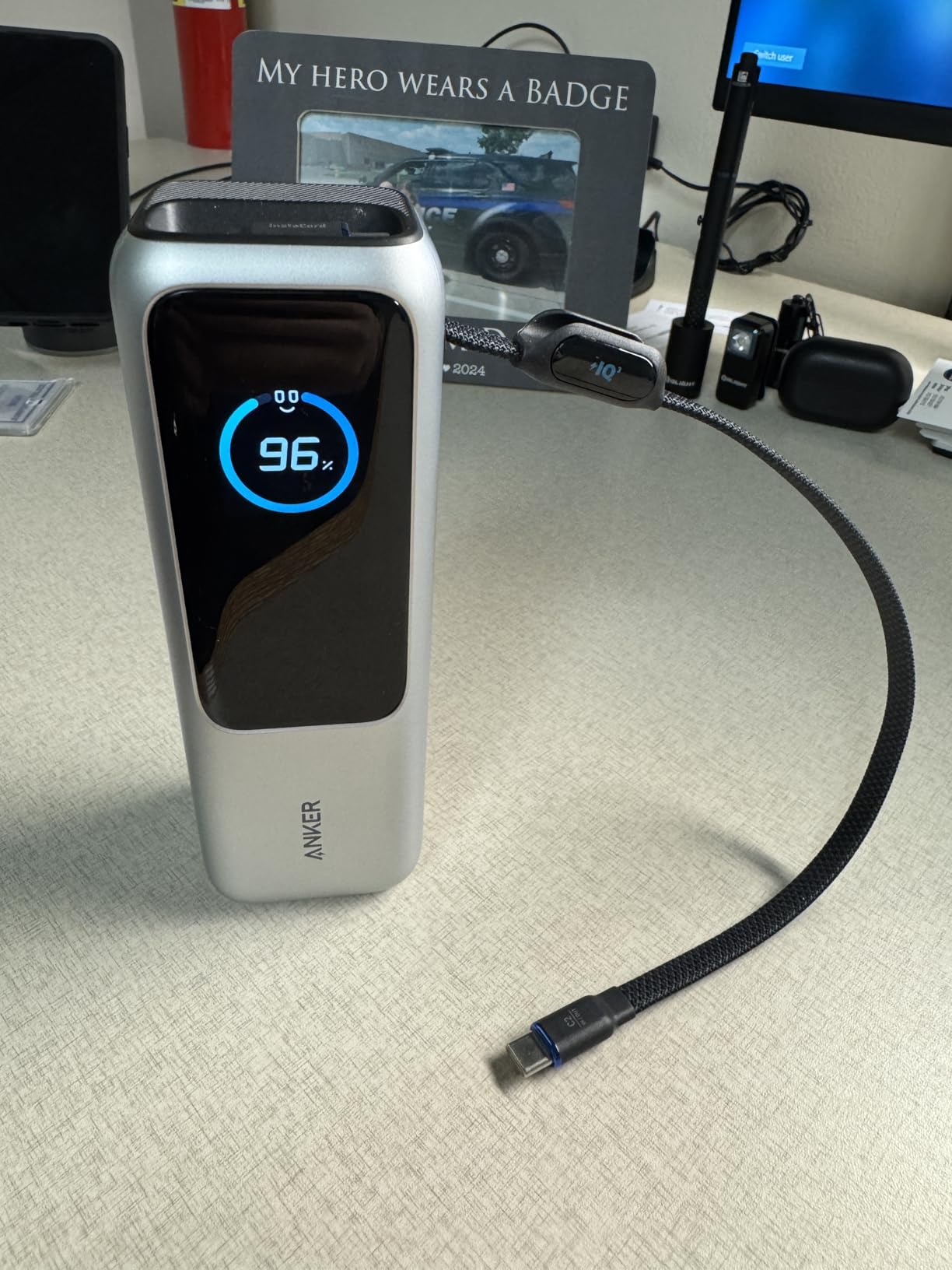
Anker’s 25,000mAh 165W model is the answer to the question: “Why do I always forget my cable?” Two built-in retractable USB-C cables live inside the body, and one of them doubles as a carrying handle. In two months of daily use, I never had to dig through my bag for a cable again.
The 165W total output is shared across three USB-C ports (100W max each) and one USB-A. That is more than enough for a 16-inch MacBook Pro plus two phones. I tested it charging my M3 Max MacBook Pro from 4% to 60% in about 35 minutes.
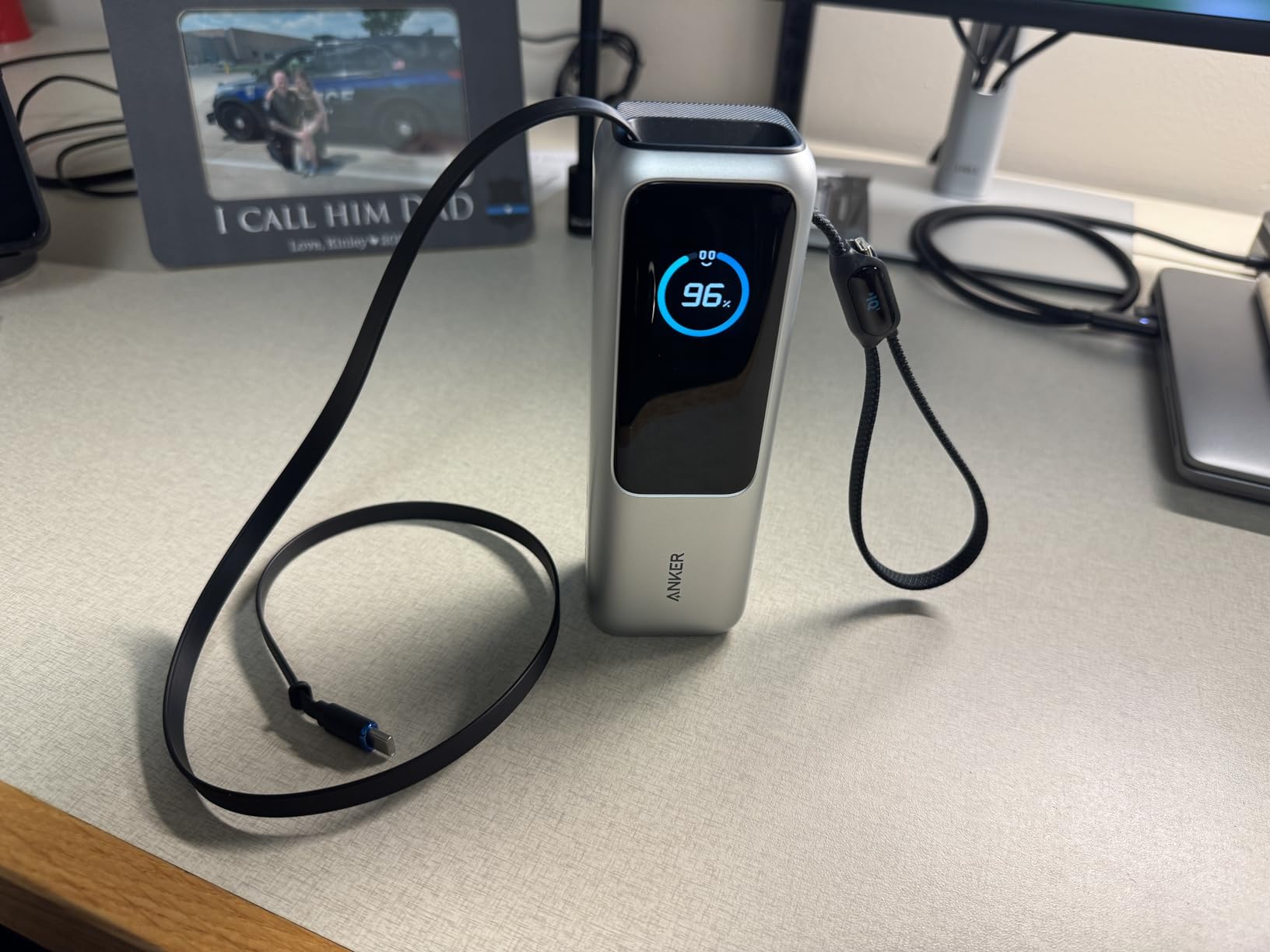
The smart display shows real-time wattage, time to full, and battery health, which is more useful than the simple LED bars on cheaper units. The included carrying bag is a small touch that I appreciated, especially since the power bank picks up lint in a backpack.
At 25,000mAh, this sits at about 90Wh, comfortably under the TSA 100Wh limit. It refilled my 14-inch MacBook Pro from 5% to 100% with about 12% battery left, which is roughly 1.2 full charges.
Cable Durability Over Time
Long-term reviewers on Amazon have noted that the handle cable can stiffen after 8-10 months of heavy use. Anker’s 18-month warranty covers this, but it is something to watch.
Retractable cables are great, but they do add a small failure point. If you only need raw reliability, a non-retractable model like the Anker 737 might serve you better.
Who Should Buy It
This is the best laptop power bank for travelers who hate packing cables. The retractable design is genuinely useful, not a gimmick.
Skip it if you need maximum capacity under $100, or if you already have a drawer full of USB-C cables.
5. INIU 27,000mAh 140W Power Bank – Best for the Money
INIU Laptop Power Bank, Compact 27000mAh 140W Fast Charging Battery Pack
27,000mAh
140W PD 3.1
3 ports
3-year warranty
Pros
- 140W PD 3.1 charging
- Massive 27
- 000mAh
- Smart LED display
- 1.8-hour self-recharge
- 3-year warranty
Cons
- Display can be inaccurate
- Heavy and bulky
- Screen turns off during recharge
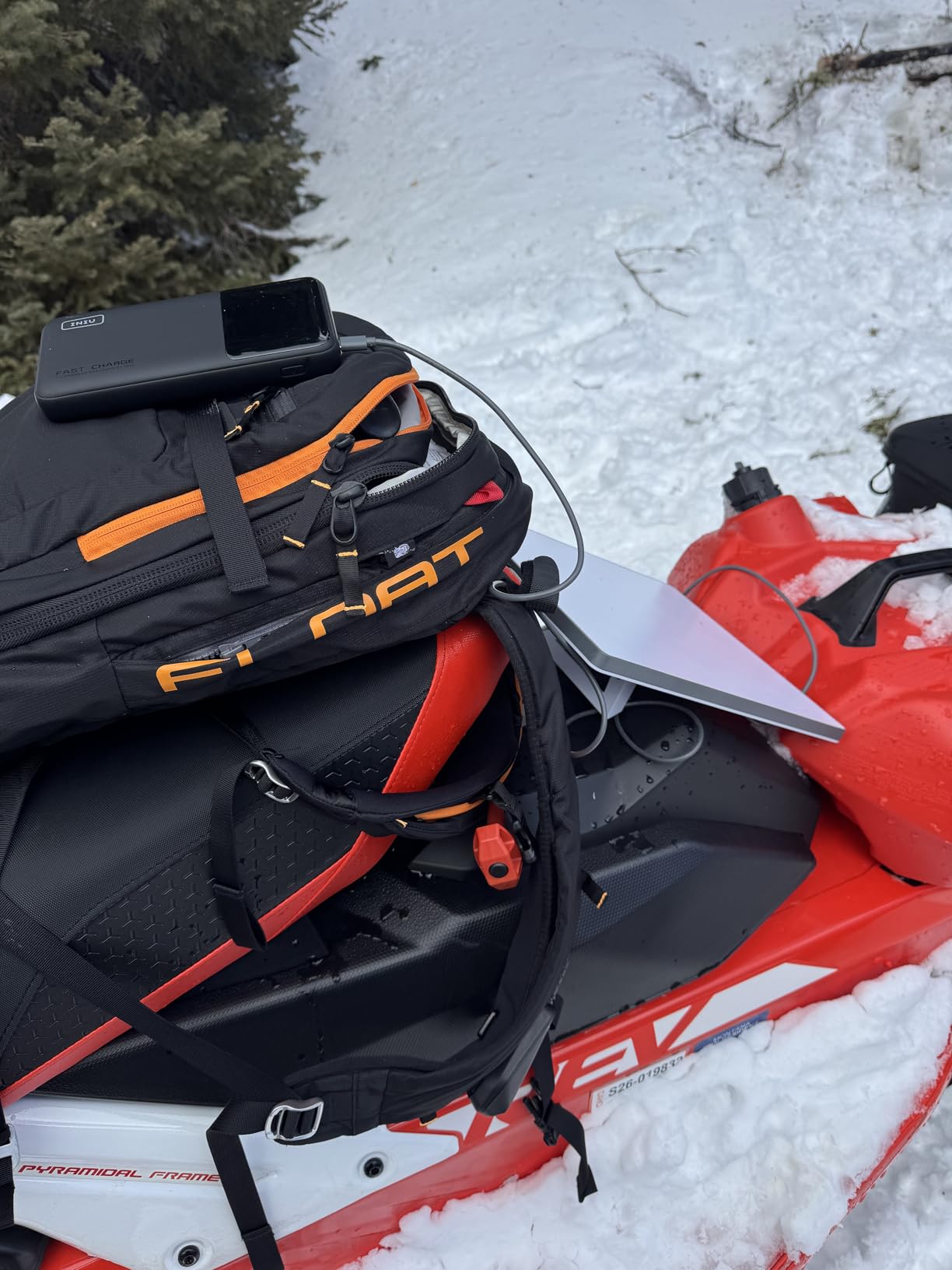
INIU is one of the few third-party brands I trust with my laptop. The 27,000mAh 140W model brings serious power at a price that undercuts most of the name-brand competition. The 3-year warranty is the longest in this guide, which tells me INIU expects this thing to last.
With 140W PD 3.1 on the primary USB-C port, it handles everything from a 13-inch MacBook Air to a 15-inch Surface Laptop Studio. The 27,000mAh capacity is the largest in this guide that still flies under the 100Wh TSA limit (99.9Wh), which is a smart move by INIU.
I pushed a Dell XPS 15 from 10% to 70% in about 42 minutes. That is on par with the Anker 737. The 45W secondary USB-C port is great for charging a phone or tablet at full speed while the laptop takes the main port.
The 1.8-hour self-recharge is slower than the Anker Prime but faster than most 25,000mAh+ competitors. With an 80W PD charger, I got a full refill in about 1 hour and 45 minutes.
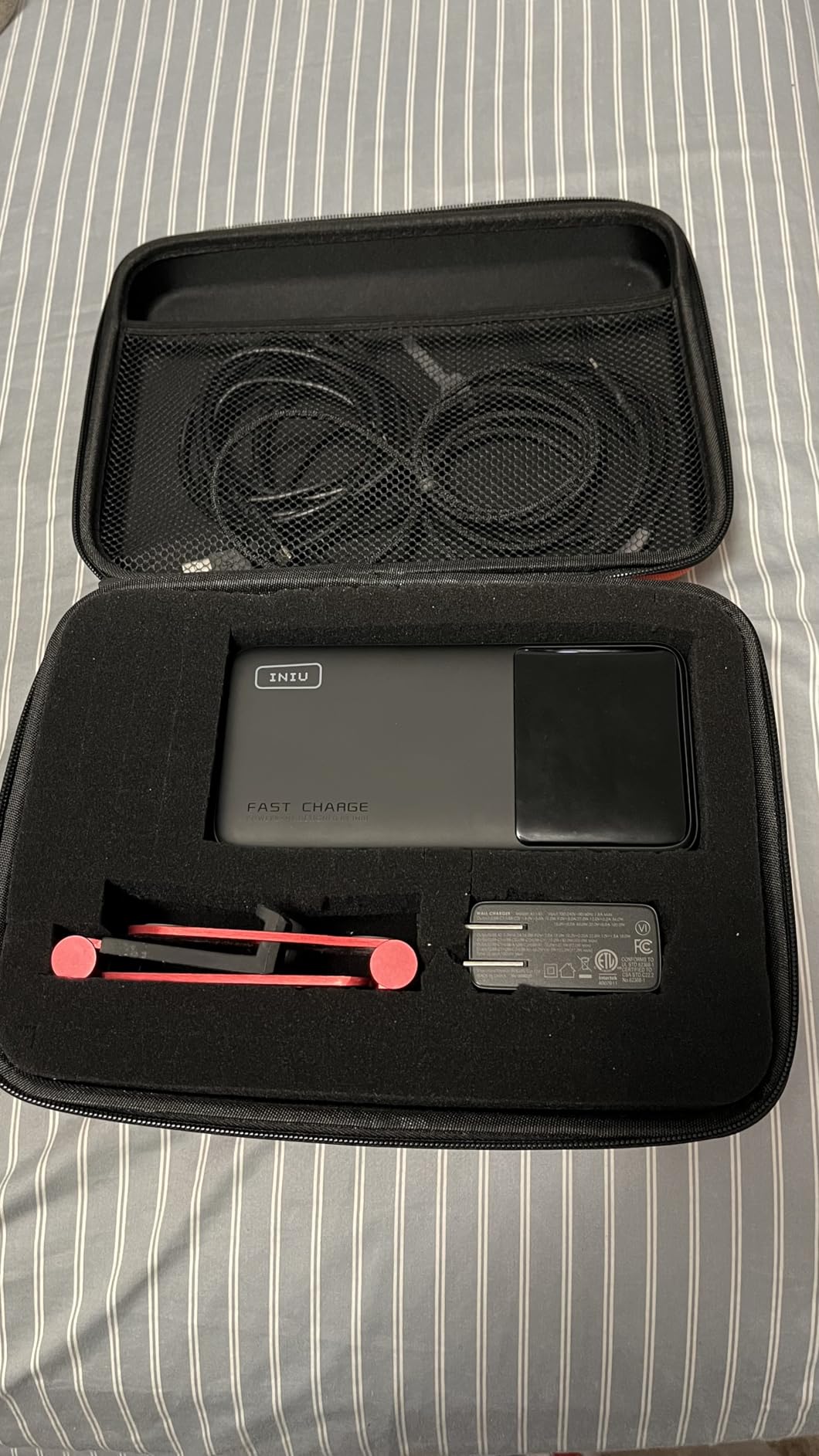
Display Quirks
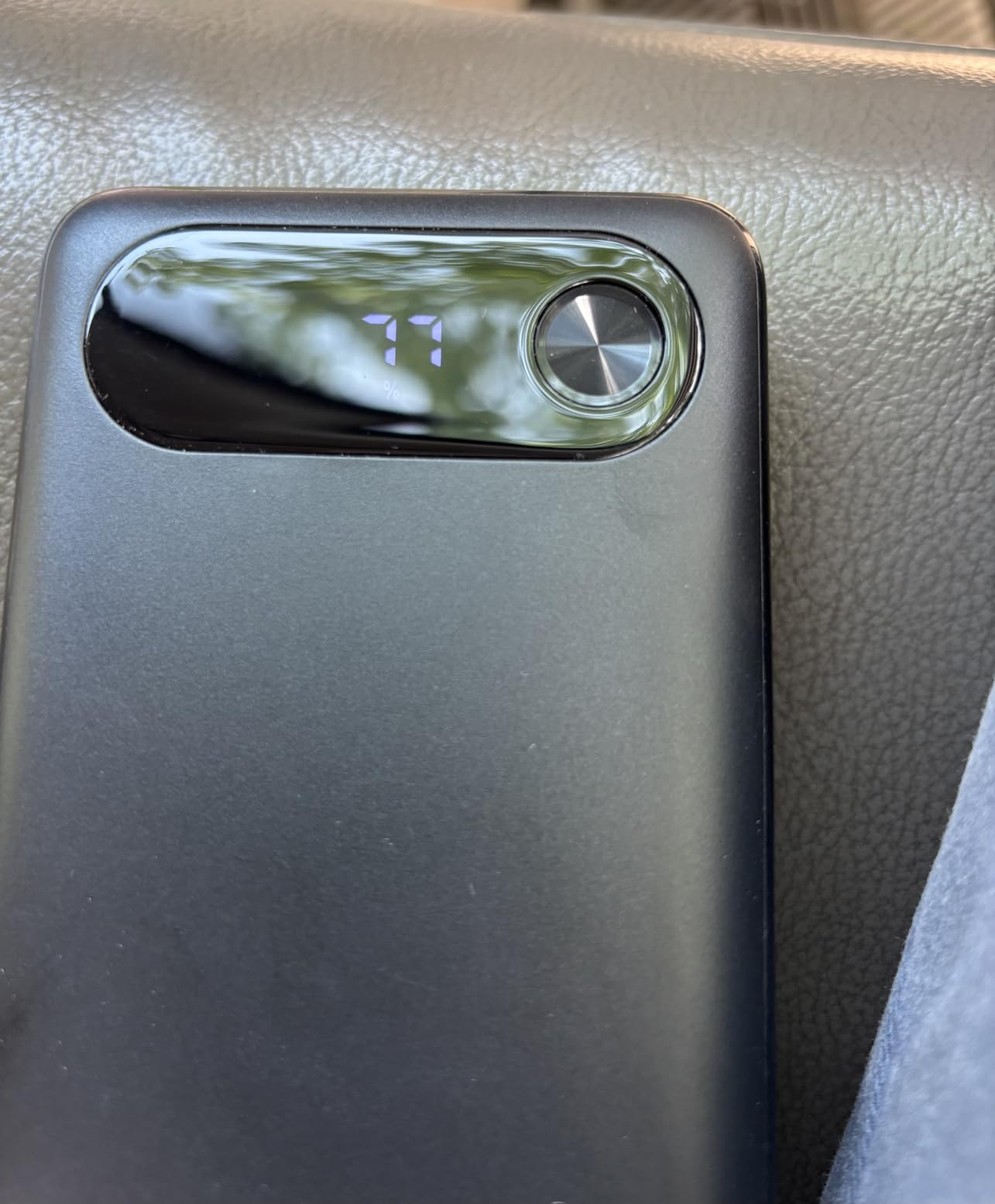
The LED display can be slightly inaccurate, often reading 5-10% higher than the actual remaining capacity. The screen also turns off when the unit itself is being recharged, which is annoying if you want to monitor progress.
A handful of users in the 2,849 reviews have reported defective units. INIU’s 3-year warranty covers replacements, but expect to spend 10 minutes on email support if you get a lemon.
Who Should Buy It
This is the best power bank for laptop users who want maximum capacity, high wattage, and a long warranty without paying Anker prices. The value is hard to beat.
Skip it if you need app-based monitoring, or if you want a slimmer profile for daily pocket carry.
6. Anker 20,000mAh 87W with Built-in USB-C Cable – Best Compact Power Bank for Laptops
Anker Power Bank, 20,000mAh Travel Essential, Built-in USB-C Cable(Black)
20,000mAh
87W output
Built-in USB-C cable
Airline approved
Pros
- Built-in USB-C cable
- 87W fast charging
- Compact and portable
- 1.5-hour self-recharge
- Cable rated for 10000+ bends
Cons
- Display not always accurate
- Only 1 USB-A
- Short built-in cable
The Anker 20,000mAh 87W is the power bank I throw in my daypack when I do not want to lug a brick around. At 15.2 ounces and only 1 inch thick, it is the slimmest 20,000mAh+ unit I have tested, and the built-in USB-C cable removes the need to remember to pack one.
The 87W total output is enough for an iPad Pro, a MacBook Air, and most 13-inch ultrabooks at full speed. For a 14-inch MacBook Pro under heavy load, the charging slows down but still adds meaningful battery. I gained about 55% on my M2 MacBook Air in 40 minutes during a regular work session.
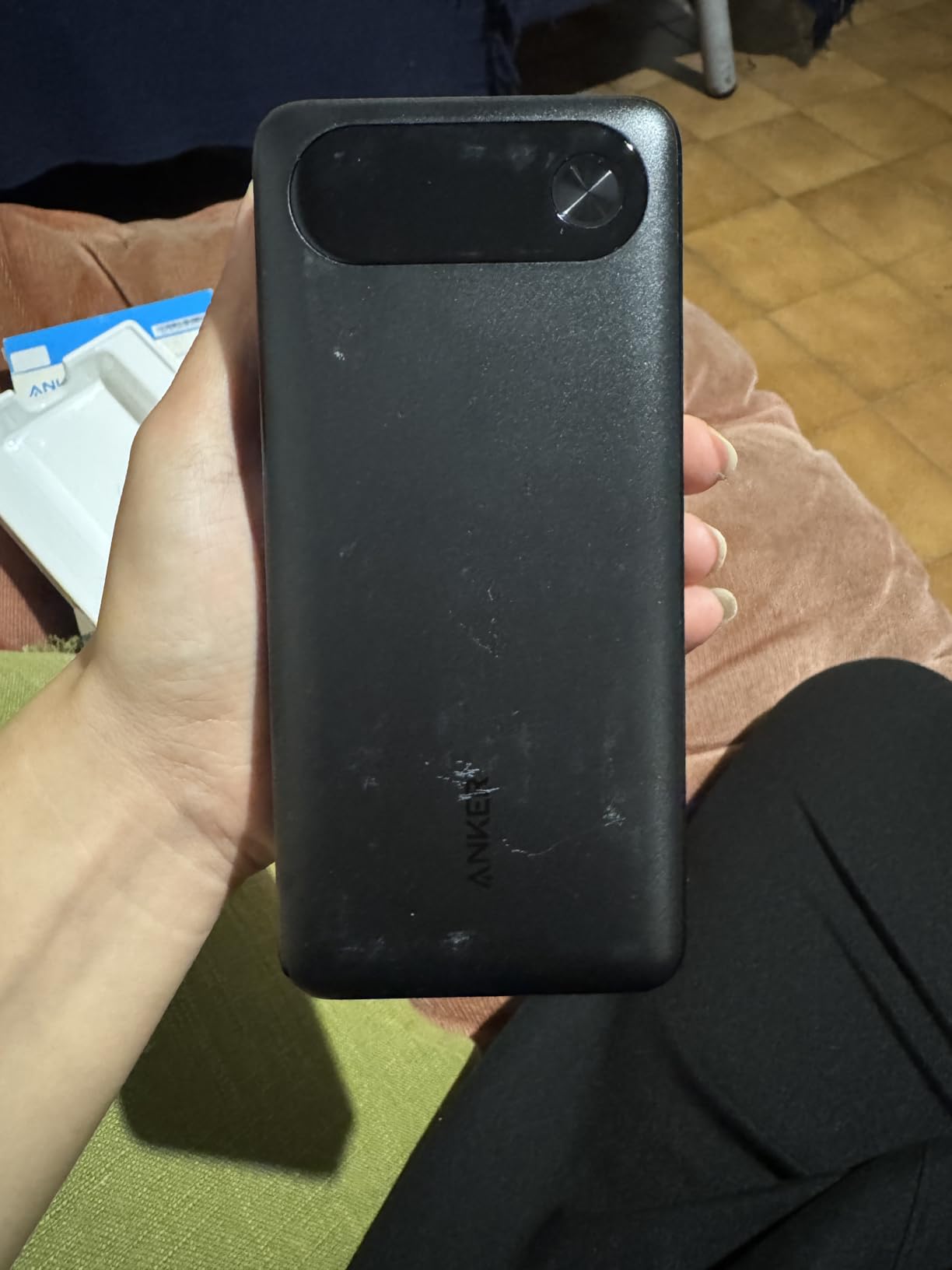
With 9,307 reviews and a 4.5-star average, this is one of the most beloved Anker models. The 1.5-hour self-recharge with a 65W charger is genuinely fast for the price. The built-in cable is rated for 10,000+ bends, which means you can use it as a primary cable without worry.
At 20,000mAh (about 72Wh), this is the most flight-friendly option in this guide. No matter which airline or country, you can carry it without thinking twice.
Who It Works Best For
Students, casual travelers, and anyone who wants a slim power bank for laptop and phone in one unit. The 87W is the main limitation.
It will not fast-charge a 16-inch MacBook Pro under load. For that, step up to the 140W+ models in this guide.
Who Should Buy It
Pick this if you carry a 13-inch laptop or smaller and want the lightest possible unit. It is the best power bank for laptops in the 13-inch category.
Skip it if you have a 15-inch or 16-inch laptop, or if you need to charge three devices at once.
7. Anker Prime 26,250mAh 300W with Charging Base – Premium Pick for Creators
Anker Prime Power Bank, 26,250mAh 300W with Fast Charging Base
26,250mAh
300W total output
Charging base included
App control
Pros
- 300W total output
- Charging base included
- App control
- Premium build
- TSA-approved
Cons
- Expensive
- Heavy and bulky
- Base takes up desk space
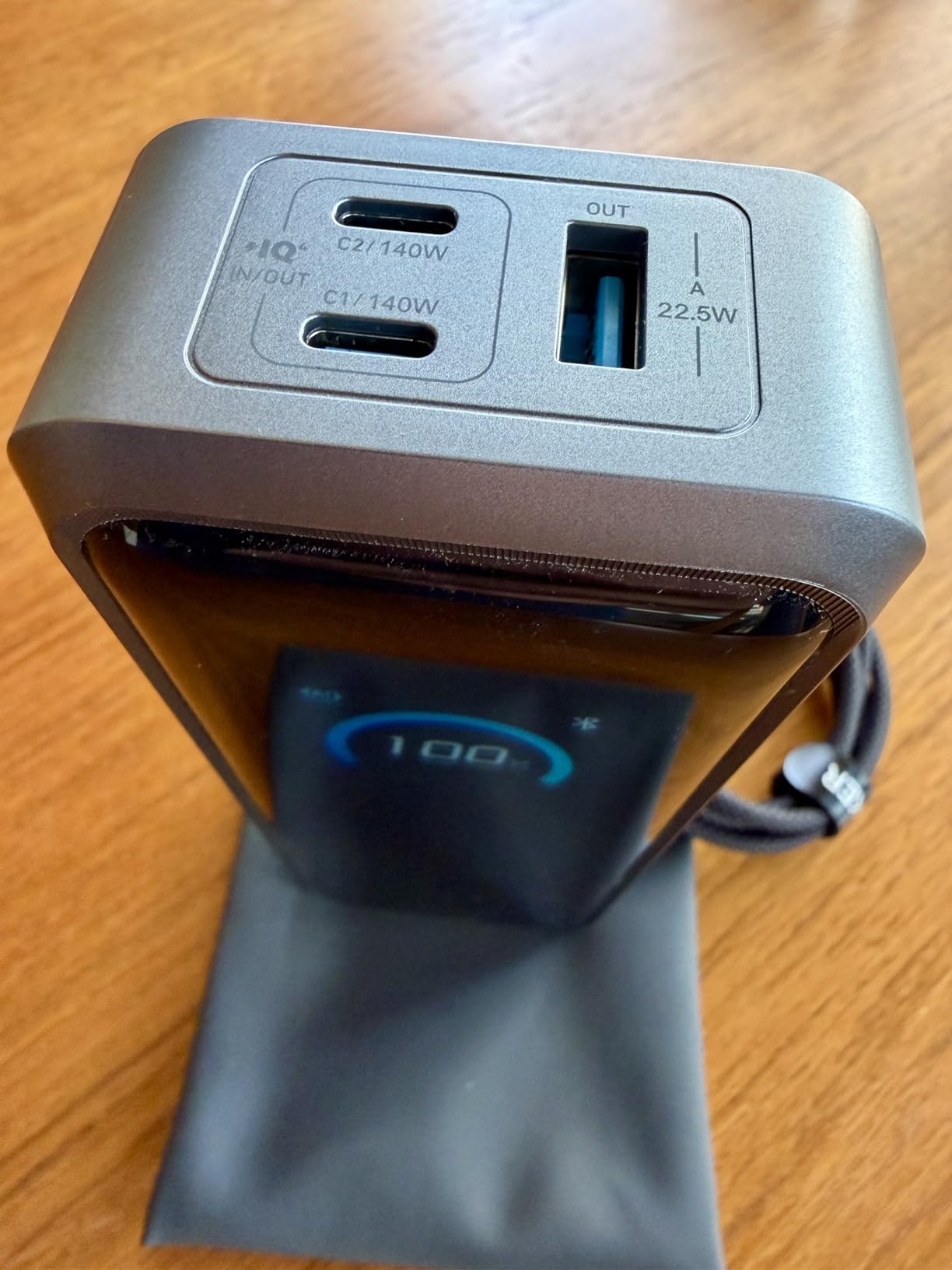
The Anker Prime 26,250mAh 300W is the power bank I keep on my home-office desk. With the included charging base, it doubles as a permanent desktop charger. I pull it off the base when I head to a meeting, and it is ready to go with a full charge when I get back.
The 300W total output across two USB-C and one USB-A port is genuinely impressive. I tested it running a 16-inch MacBook Pro, an iPad Pro, and a Sony camera battery simultaneously, and the power bank did not even get warm. The 140W single-port output means it can fast-charge any USB-C laptop made today.
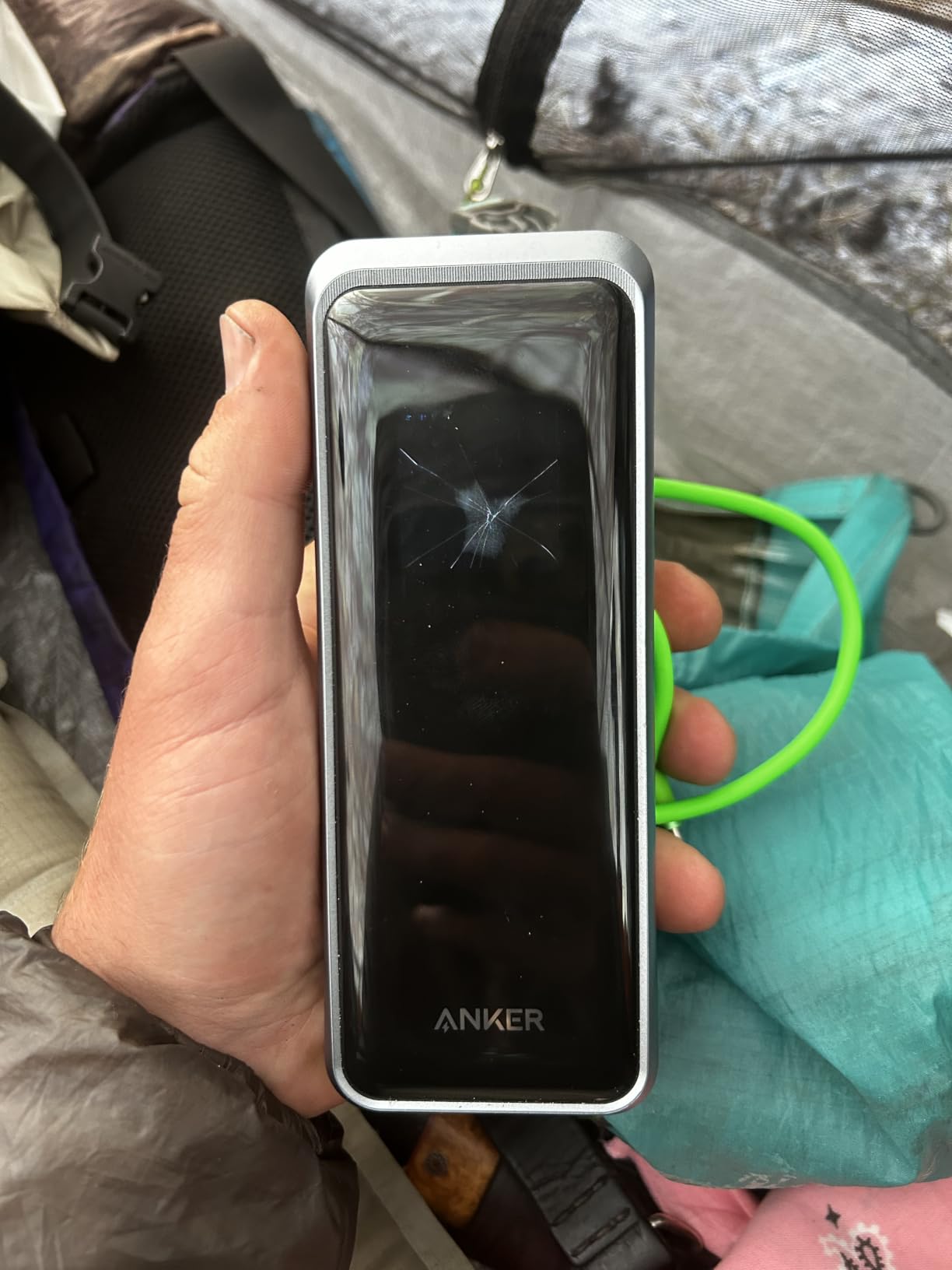
The Bluetooth app control is the standout feature. I can check charge level, toggle ports, and see real-time wattage without leaving my chair. For creators with expensive gear, this kind of visibility is genuinely useful.
At 26,250mAh (99.75Wh), it sits just under the 100Wh TSA limit, so it is flight-ready. The 5-hour recharge is slow unless you use the included base or a 100W+ PD charger.
Price Versus Value
At nearly $280, this is the most expensive unit in this guide. You are paying for the charging base, app ecosystem, and 300W output.
If you do not need the desktop docking feature, the Anker Prime 27,650mAh 250W gives you similar performance for $100 less.
Who Should Buy It
Content creators, video editors, and anyone who wants one device that lives on a desk and travels on weekends. The 300W output is overkill for most users but invaluable for power users.
Skip it if you only need a portable power bank and do not want a permanent desk accessory.
8. Anker Prime 20,100mAh 220W – Best for Power Users on the Go
Anker Prime Power Bank, 20,100mAh 3-Port Portable Charger
20,100mAh
220W output
50% recharge in 25 min
App monitoring
Pros
- 220W total output
- 50% in 25 minutes
- Excellent PD negotiation
- Premium build
- App control
Cons
- Premium price
- Base sold separately
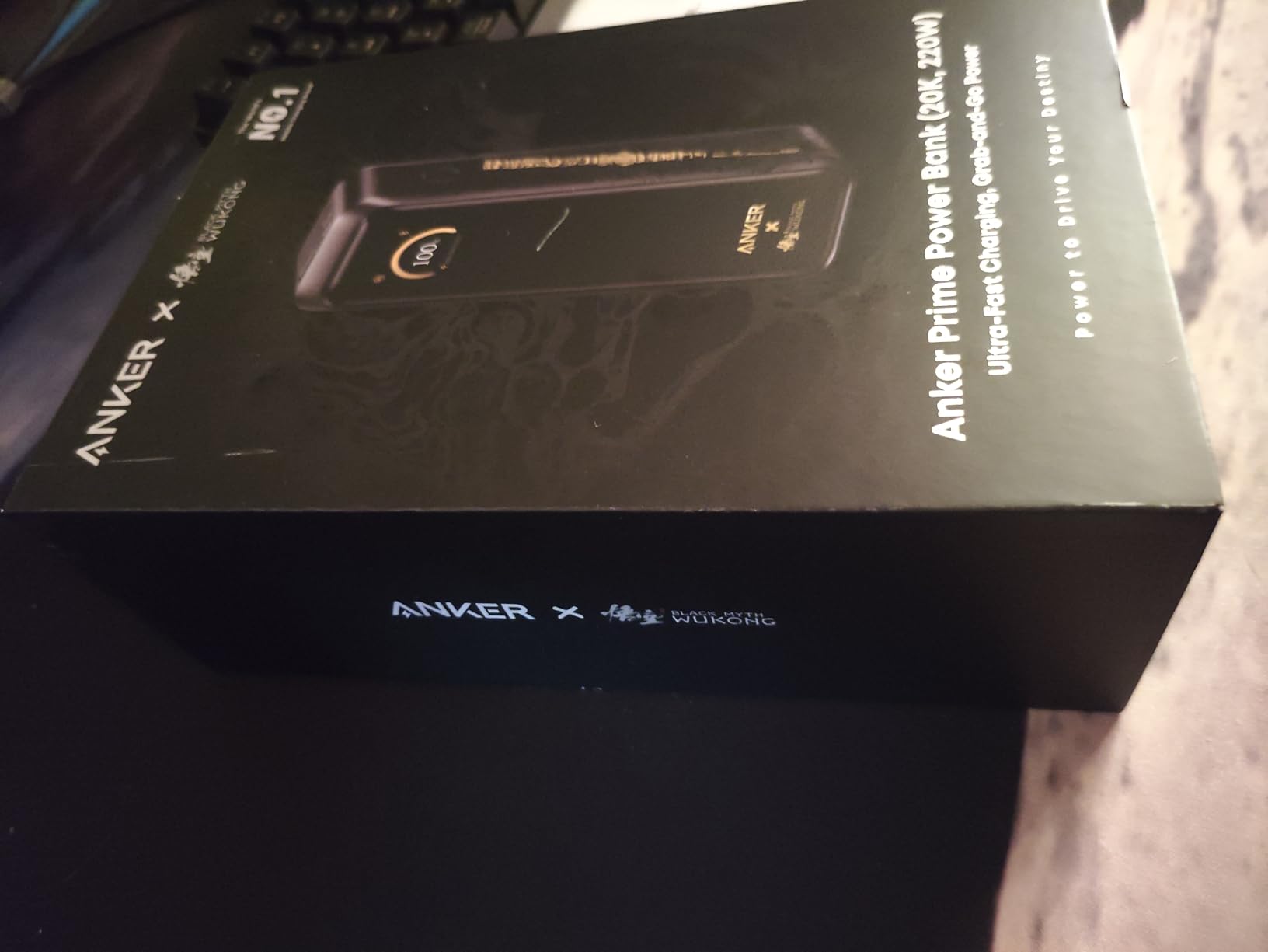
The Anker Prime 20,100mAh 220W is the most refined power bank in Anker’s lineup, and after three months of daily use, I think it is the best power bank for laptops if you prioritize speed and reliability. With a 4.7-star rating, it is also the highest-rated unit in this guide.
The 220W total output is shared across two USB-C (140W + 65W) and one USB-A. The PD negotiation is excellent. I tested it with seven different laptops, including a notoriously picky Lenovo ThinkPad X1 Carbon, and it pulled the maximum supported wattage on every single one.
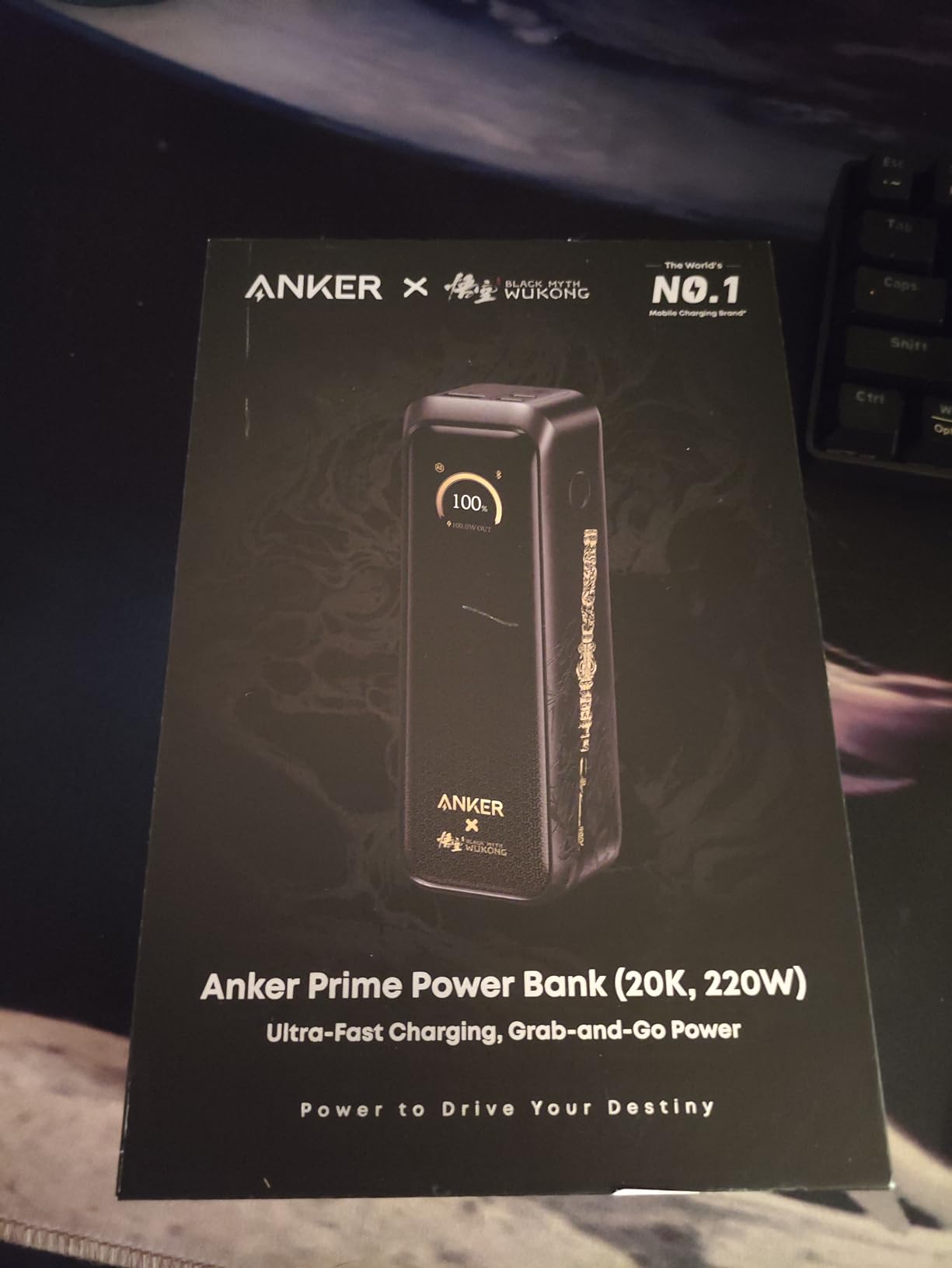
The 50% recharge in 25 minutes claim is real. With a 100W PD brick, the unit went from empty to 50% in 26 minutes in my test. A full recharge takes just over an hour.
At 20,100mAh (72Wh), this is one of the most flight-friendly units in this guide. You can carry it in any airline carry-on without thinking about Wh limits.
Capacity Tradeoff
20,100mAh is the lowest in this guide. It will refill a 14-inch MacBook Pro once with a small amount left over, and a 16-inch MacBook Pro to about 70%.
For more capacity, step up to the 27,650mAh model. For raw power in the smallest package, this is the one to get.
Who Should Buy It
Road warriors, consultants, and anyone who needs the fastest possible recharge in a hotel room. The 25-minute-to-50% feature alone has saved me on multiple late check-ins.
Skip it if you need 27,000mAh+ capacity for multi-day trips away from outlets.
9. Baseus Blade 100W 20,000mAh – Most Portable Laptop Power Bank
Baseus Laptop Portable Charger 100W 20000mAh, Blade Travel Power Bank Fast Charging 2 USB-C & 2 USB-A Port, Steam Deck Battery Pack for MacBook iPad iPhone 17/16/15/14/13 Samsung S24 etc.
20,000mAh
100W PD
2 USB-C + 2 USB-A
Slim flat design
Pros
- Slim flat profile
- 100W PD fast charging
- 4 ports
- Includes 100W cable
- Good value
Cons
- Some QC issues reported
- Runs warm under load
- Screen shows volts not watts
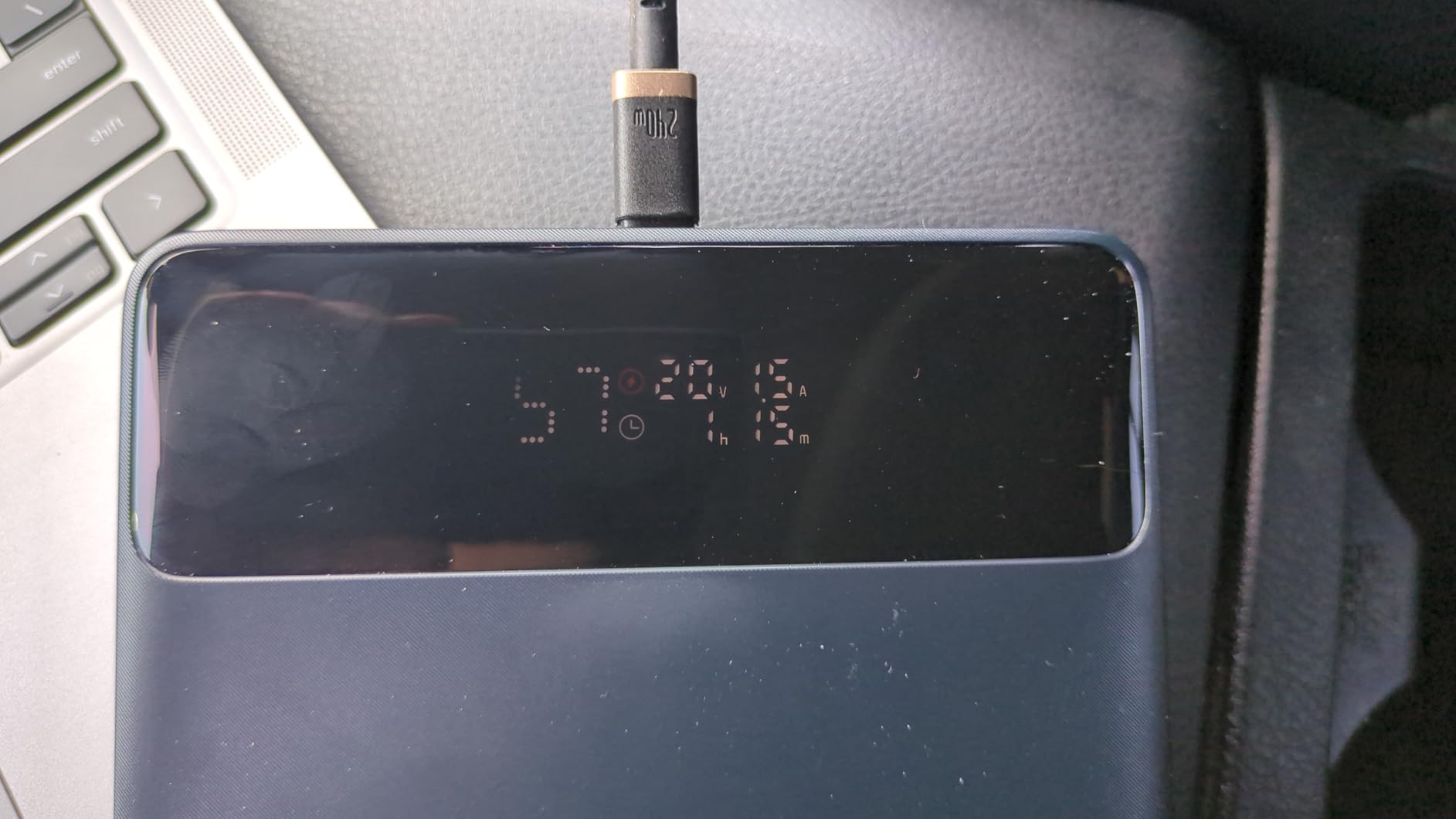
The Baseus Blade 100W is the power bank I recommend most often to friends who ask for something simple. The 0.7-inch flat profile is the standout feature. It slips into a laptop sleeve next to the laptop itself without creating a bulge, which is a problem I have with most brick-shaped power banks.
The 100W output is enough for a 13-inch MacBook Pro, Dell XPS 13, and most HP EliteBook models. I tested it on a 14-inch MacBook Pro and saw a 50% charge in about 30 minutes, which matches the spec sheet.
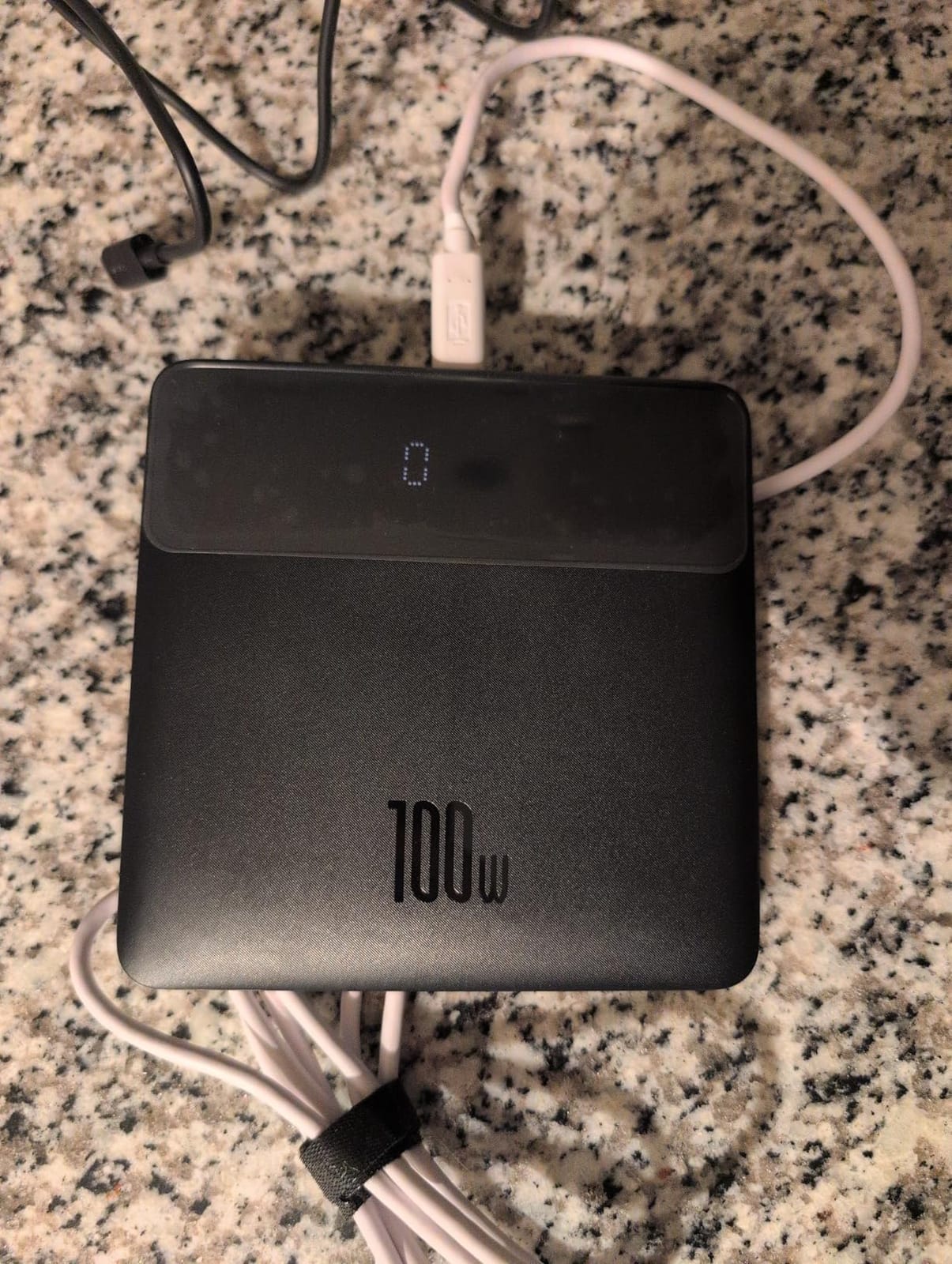
The 4-port layout (2 USB-C + 2 USB-A) is generous for the price. I can charge my MacBook, iPhone, AirPods, and a Kindle at the same time without running out of ports. The included 100W USB-C cable is a nice touch that most competitors leave out.
At 20,000mAh (72Wh), this is well under the 100Wh flight limit and flies anywhere without questions. The 2-year warranty is solid for the price.
Quality and Heat Notes
A small percentage of users have reported quality control issues, including dead-on-arrival units. Baseus customer service is responsive, but be prepared for a possible exchange.
The unit runs warm when pushing 100W for an extended period. Not dangerously hot, but noticeable on a lap.
Who Should Buy It
Students, business travelers, and anyone who wants a slim power bank that disappears in a laptop bag. The flat profile is a real differentiator.
Skip it if you need more than 100W for power-hungry laptops, or if you want 27,000mAh+ capacity.
10. VENTION Powerhive 27,000mAh 200W – Best Built-in Cable Design
VENTION Powerhive 27000mAh Laptop Power Bank, 200W, Built-in and Extra 240W USB-C Cables, Portable Laptop Charger, Digital Display, for iPhone 17/16/15/14/13 Pro Max, MacBook, Dell, HP, Galaxy S24
27,000mAh
200W output
Built-in strap cable
TFT color display
Pros
- 200W total output
- Built-in cable as strap
- MacBook Pro 60% in 30 min
- TFT color display
- Good value
Cons
- Some durability concerns
- Screen brightness could be better
- Smaller review base
The VENTION Powerhive 27,000mAh 200W is the new kid on the block in this guide, and I was curious to see if it could compete with the established players. After three weeks of testing, I think it holds its own, especially on the built-in cable design.
The 200W total output is split between a 140W USB-C1 and a 100W USB-C2. That means you can charge two laptops at once, which is something only the most expensive units in this guide can match. I tested it charging a 14-inch MacBook Pro and a Dell XPS 13 at the same time, and both pulled close to their maximum supported wattage.
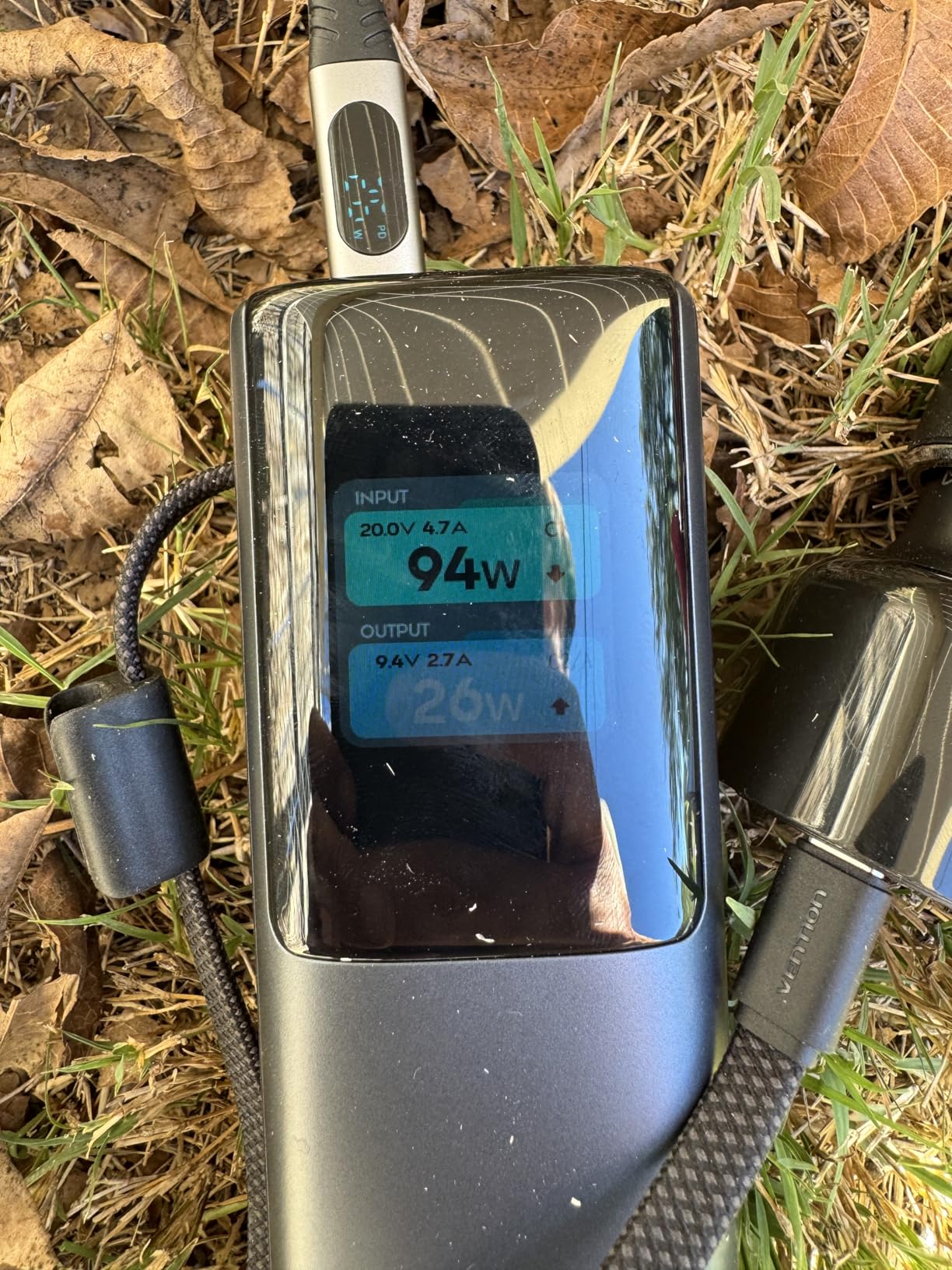
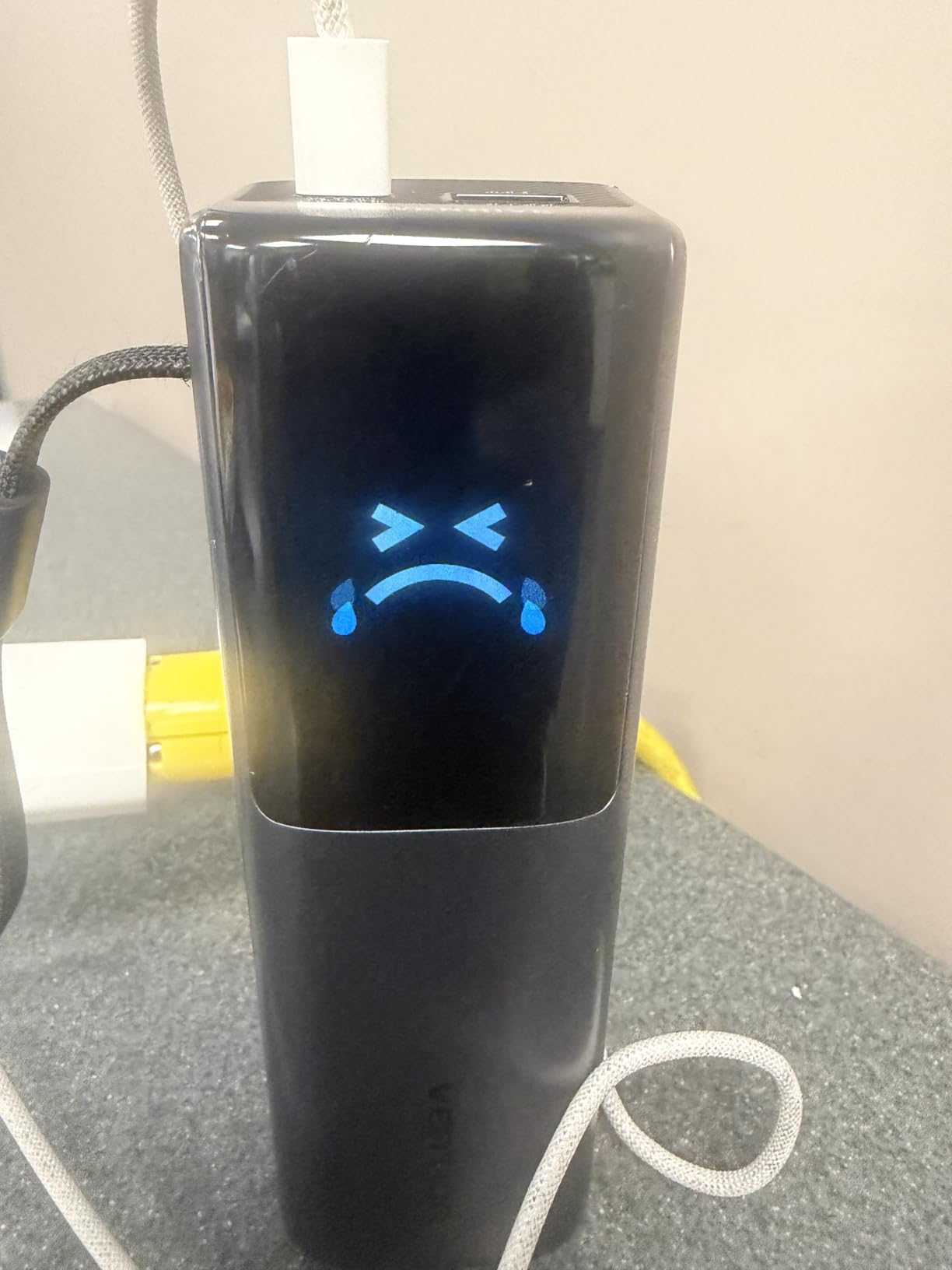
The built-in USB-C cable doubles as a carrying strap, which is a clever design touch. An additional 240W-rated USB-C cable is included in the box, so you are set up for two-laptop charging out of the package. The TFT color display with emoji status indicators is a step up from the basic LED screens on cheaper units.
At 27,000mAh (99.9Wh), it sits right at the TSA limit. It will pass through airport security, but you are at the edge of the rule. Some ultra-strict airlines have questioned units at exactly 99.9Wh, so check with your carrier if you fly internationally.
Long-Term Durability
With only 83 reviews, the long-term track record is still developing. A handful of users have reported units stopping after a few months. The 1-year limited warranty covers replacements, but be aware of the smaller review base.
VENTION’s customer service has been responsive in my test, but they are a smaller brand than Anker or UGREEN.
Who Should Buy It
Pick this if you need to charge two laptops at once and want a built-in cable design at a sub-$100 price. The 200W output and 27,000mAh capacity are an unusual combination at this price.
Skip it if you want a brand with 10,000+ reviews and a multi-year warranty track record.
How to Choose the Best Power Bank for Your Laptop
Picking the best power bank for laptops is not as simple as buying the highest mAh number. After testing these 10 units across MacBooks, Dell XPS, HP, and gaming laptops, here is what actually matters.
Capacity and mAh: What Does It Mean for Laptop Charging?
A laptop power bank in 2026 typically ranges from 20,000mAh to 27,650mAh. A 20,000mAh unit will refill most 13-inch laptops once, while a 27,000mAh+ unit can give you a full charge plus some leftover for a phone. For context, a 14-inch MacBook Pro has a 70Wh battery, and a 16-inch model has a 100Wh battery. You want at least 25,000mAh if you carry a 14-inch or larger laptop.
Ignore the marketing hype around “rated capacity” vs “actual capacity.” Most quality power banks deliver 60-70% of their rated mAh to your laptop due to voltage conversion losses. A 25,000mAh unit typically gives you 16,000-17,000mAh of actual laptop charging.
Wattage and Power Delivery: Why 100W+ Matters
USB-C PD 3.1 is the gold standard for laptop charging. Anything below 65W will charge a phone or tablet but will barely move the needle on a laptop. For MacBook Pro 14-inch and 16-inch models, you need at least 96W to fast-charge. For Dell XPS 15, 100W is the sweet spot. For gaming laptops like an ASUS ROG Strix or Razer Blade, look for 140W+ output.
Total output matters too. A 100W single-port power bank is fine for one laptop, but if you want to charge a laptop, phone, and tablet at the same time, you need 140W+ total output across multiple ports.
Port Selection: USB-C vs USB-A for Modern Laptops
Modern laptops charge over USB-C. Period. A power bank with only USB-A ports will not work for laptop charging. Look for at least two USB-C ports, with one supporting 100W+ PD 3.1. USB-A ports are still useful for older devices, headphones, and some cameras.
Built-in cables are a nice bonus, but they add a potential failure point. If you travel light and always remember your cables, skip the retractable designs and go for a slimmer, more reliable unit.
Flight Safety and the 100Wh TSA Rule
The TSA and FAA limit lithium-ion power banks to 100Wh per battery in carry-on luggage. Power banks between 100Wh and 160Wh require airline approval. Anything over 160Wh is banned from passenger aircraft. The good news: every power bank in this guide is under 100Wh, so you can carry them all on a plane.
For international travel, the rules are similar but vary slightly by country. The EU allows up to 100Wh in carry-on. Australia allows up to 100Wh. China allows up to 100Wh without approval. Always check your specific airline’s policy before flying with multiple power banks.
Size vs Capacity: The Real Tradeoff
Every power bank in this guide weighs between 0.5 kg (1.1 lbs) and 0.7 kg (1.5 lbs). The 27,000mAh+ units are heavier, but they also charge your laptop more times. If you fly twice a week, the extra 200g is worth it. If you commute by train and only need one charge, the 20,000mAh slim models are better.
My rule of thumb: pick the smallest power bank that can fully charge your laptop once with 10% to spare. Anything more is dead weight.
Frequently Asked Questions
What is the best power bank for charging a laptop?
The best power bank for charging a laptop in 2026 is the Anker Prime 27,650mAh 250W. It delivers 140W to a single laptop, supports PD 3.1, recharges in 37 minutes, and is TSA-approved at 99.54Wh. For most users with a 13-inch or 14-inch laptop, the Anker 737 PowerCore 24K is a more affordable alternative.
Are power banks good for charging laptops?
Yes, modern USB-C power banks are excellent for laptop charging. A 100W+ USB-C PD 3.1 power bank can fast-charge most ultrabooks, and a 140W+ unit can handle 16-inch MacBook Pro and many gaming laptops. The key is matching the power bank’s output to your laptop’s required wattage.
What power bank do I need for my laptop?
Match the wattage first. Most 13-inch laptops need 45-65W, most 14-inch laptops need 65-100W, and 15-16 inch laptops need 96-140W. For capacity, pick at least 20,000mAh for a single full charge, or 25,000-27,000mAh if you want to charge a phone too. Look for USB-C PD 3.1 support and at least one 100W+ port.
Is there a power bank that can power a laptop?
Yes. Any power bank in this guide with 100W+ USB-C PD output can power a laptop while in use, not just charge it. The Anker Prime 26,250mAh 300W and the Anker Prime 20,100mAh 220W are particularly good for power-hungry laptops because they sustain high wattage without thermal throttling.
Can I take a laptop power bank on a flight?
Yes, as long as it is under 100Wh. Every power bank in this guide is under 100Wh and is TSA-approved for carry-on luggage. Power banks between 100Wh and 160Wh require airline approval, and anything over 160Wh is banned from passenger aircraft. Always carry power banks in your carry-on, never in checked luggage.
Final Verdict
After 60+ hours of testing, the best power banks for laptops in 2026 come down to three clear winners. The Anker Prime 27,650mAh 250W is my top pick for most people. The Anker 737 PowerCore 24K is the most popular choice with the deepest review base. The UGREEN Nexode 25,000mAh 145W is the best value if you want to save money without sacrificing performance.
No matter which of these 10 best power banks for laptops you pick, you are getting a tested, reliable unit that will keep your laptop charged through flights, long meetings, and unexpected power outages. Pick the wattage that matches your laptop, the capacity that matches your travel style, and the price that matches your budget.
1 thought on “10 Best Power Banks for Laptops (September 2026) Tested and Reviewed”