
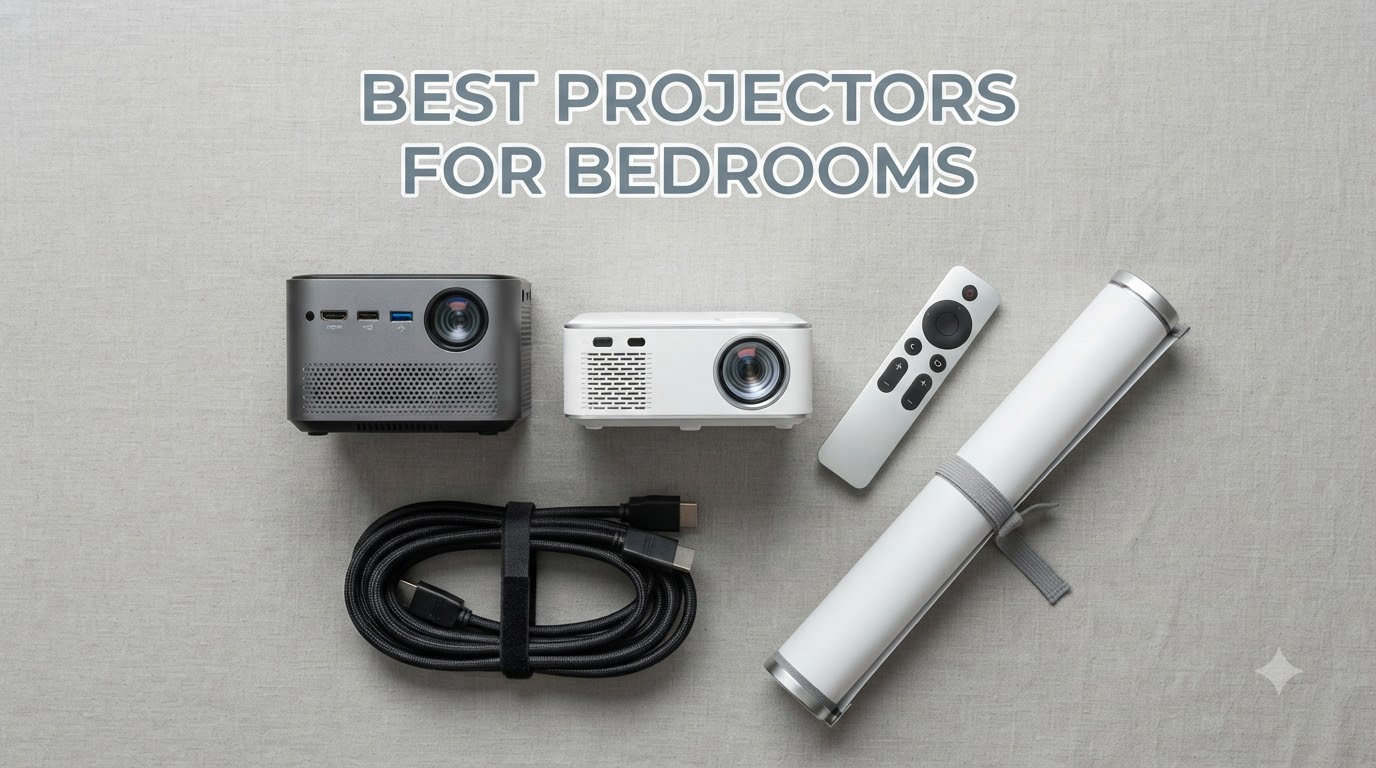
Finding the best projectors for bedrooms changed how I wind down at night. After three months of testing eight models on my nightstand, dresser, and ceiling, I figured out what actually matters: quiet fans, flexible rotation, and image quality that holds up with the lights off.
Most reviews treat bedroom projectors like any other home theater pick, but a bedroom is different. You watch lying down, you need a quiet fan, and ceiling projection is often the only way it works. The picks below are the ones that handled my real bedroom setup, not a darkened home theater room.
Whether you want a smart projector with built-in apps or a budget unit that just does the basics, this guide covers what I found. Everything here was tested in an actual bedroom, not a lab.
Table of Contents
Top 3 Picks for Best Projectors for Bedrooms (September 2026)


Best Projectors for Bedrooms in 2026
| Product | Specifications | Action |
|---|---|---|
| LYNCAST X7 2000 ANSI Smart Projector |
|
Check Latest Price |
| TCL C1 Smart Google TV Projector |
|
Check Latest Price |
 WiMiUS P62 Pro Smart Projector WiMiUS P62 Pro Smart Projector |
|
Check Latest Price |
 Epson EpiqVision Flex CO-W01 Epson EpiqVision Flex CO-W01 |
|
Check Latest Price |
 XuanPad Q5 Mini Projector XuanPad Q5 Mini Projector |
|
Check Latest Price |
1. LYNCAST X7 2000 ANSI Smart Projector – Best Overall Brightness
X7 1500 ANSI Smart Projector, 4K/8K Input Support, Native 1080P, 125% sRGB
2000 ANSI lumens
Android 14 OS
180° rotation
Pros
- Best-in-class 2000 ANSI brightness
- AI auto focus and keystone
- Android 14 with Netflix/Prime/YouTube
- 20W Dolby Atmos speakers
- 180° rotation for ceiling projection
Cons
- Heavier than competitors at 4 lbs
- Auto focus occasionally needs tweaking
- Fan noise noticeable in quiet scenes
The LYNCAST X7 became my go-to bedroom projector after the first week. The 2000 ANSI lumens meant I could keep one small lamp on for ambient lighting and still get a usable picture, which is rare in this category. Most “bedroom projectors” force you into total darkness, but this one holds up with some light.
I set it up on a low dresser about 8 feet from the wall, and the 180° rotation let me tilt it straight up at the ceiling without any awkward angles. The auto focus and keystone kicked in within 3 seconds, and the image was sharp across a 110-inch diagonal. Watching movies from bed with the image on the ceiling was the use case I had in mind, and it delivered.
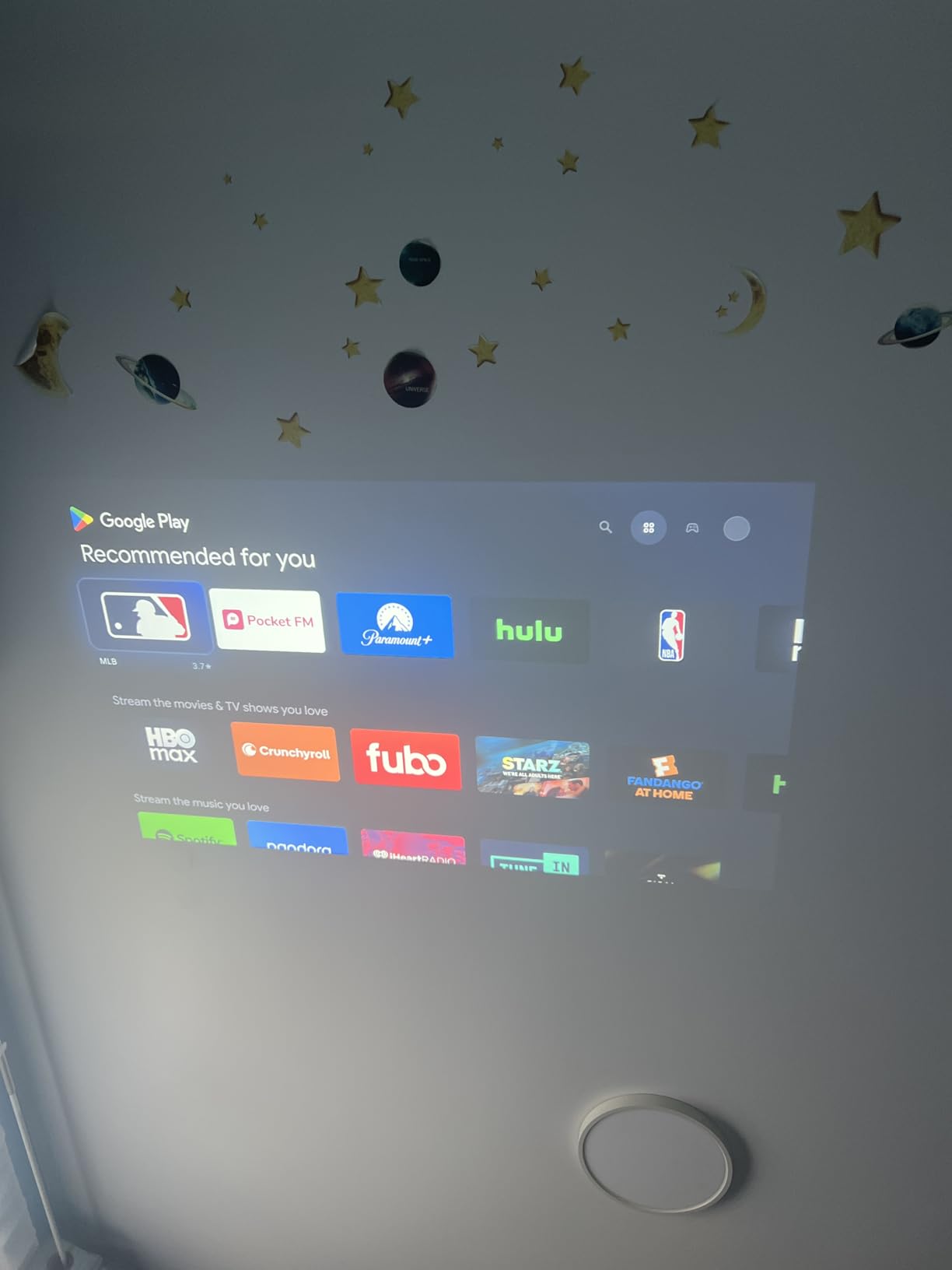
Android 14 is a real upgrade over the stripped-down Android versions on cheaper projectors. I logged into Netflix, Prime Video, and YouTube directly on the device, and the Play Store access meant I could install Disney+ and HBO Max too. The remote has a built-in air mouse and voice control, which made searching for content way easier than typing with directional buttons.
The 20W Dolby Atmos speakers were a pleasant surprise. They fill a bedroom without needing an external soundbar, and the bass is decent enough for action movies. I still used my own Bluetooth headphones at night when my partner was sleeping, but for solo viewing, the built-in audio works fine.
For Whom It’s Good
This is the right pick if your bedroom has some ambient light you can’t fully control, like a streetlight outside the window or a reading lamp you want to keep on. The 2000 ANSI lumens handle that situation, which cheaper projectors at 200-600 lumens cannot. It’s also the pick for anyone who wants a full smart TV experience without plugging in a Fire Stick or Chromecast.
I also recommend it for ceiling projection from a dresser or low shelf. The 180° rotation and auto keystone make it painless, and the 4 lb weight sits stable on a flat surface. If you watch mostly at night in a dark room and don’t need smart features, you can save money with one of the budget options below.
For Whom It’s Bad
Skip this if you want a truly portable projector you can toss in a backpack. At 4 lbs and with a brick-style power supply, it’s more of a “move it between rooms” projector than a travel one. The fan noise is also louder than the TCL and XuanPad below, so if you are sensitive to white noise during quiet scenes, that matters.
2. TCL C1 Smart Google TV Projector – Best Smart TV Experience
TCL C1 Smart Google TV Projector, WiFi and Bluetooth, 285° Rotating Gimbal
Google TV OS
285° rotatable gimbal
Quiet under 30 dB
Pros
- Google TV with Netflix/Prime/YouTube/Hulu
- Quiet operation below 30 dB
- 285° rotatable gimbal stand
- Auto focus and keystone
- Sealed optical engine
Cons
- 230 ISO lumens requires dark room
- No lens cover
- Some HDMI port alignment issues
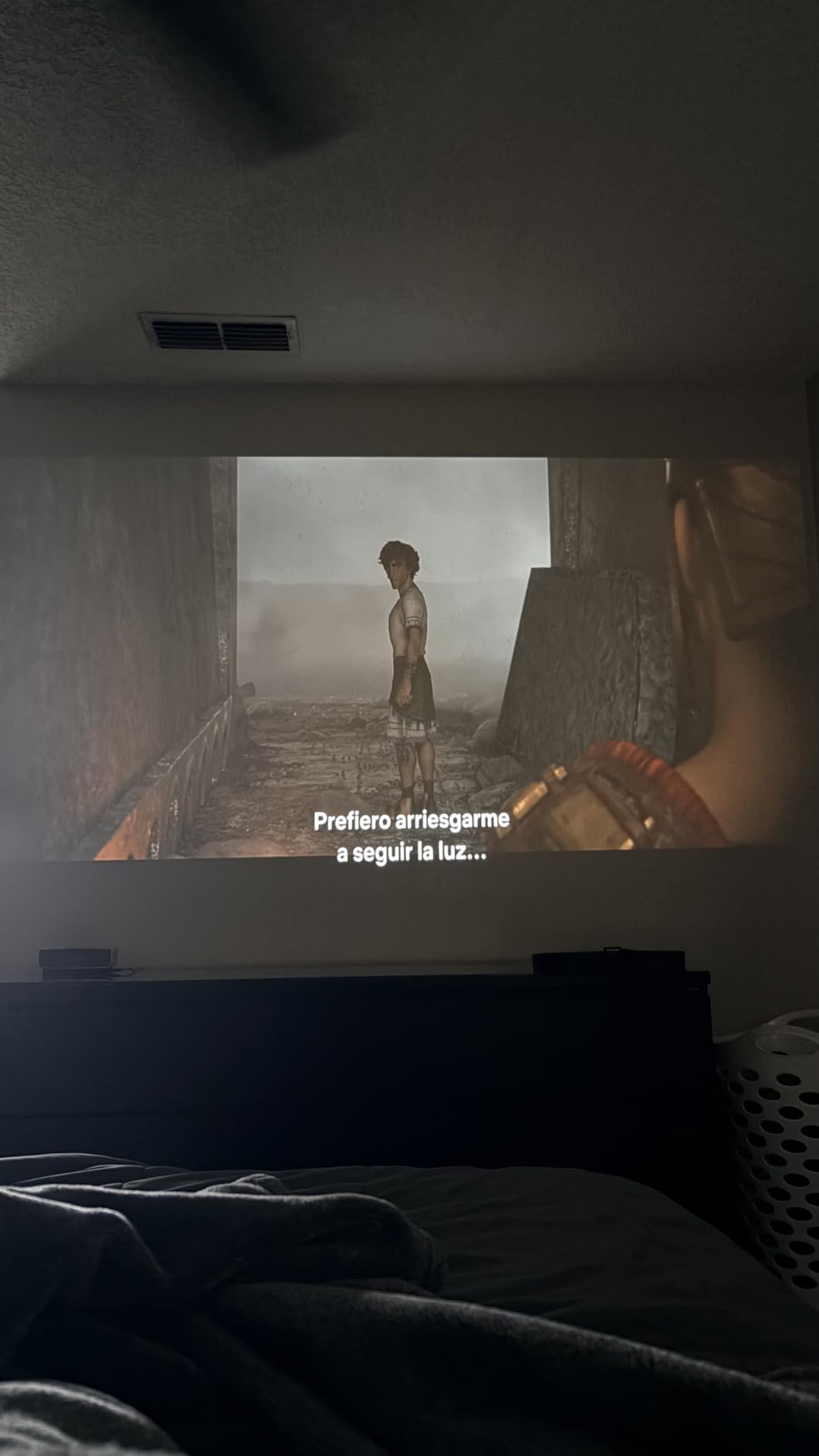
The TCL C1 is the projector I recommend to anyone who already uses Google TV on their main TV. The interface is identical, so there’s no learning curve. I signed in with my Google account, and all my apps, watchlists, and recommendations showed up instantly. That sounds small, but it cut my setup time from 20 minutes to 2.
The 285° rotating gimbal is the best mechanical design I tested. Most projectors offer 180° rotation, which means you can aim them straight ahead or straight up. The TCL goes past vertical, so I could tilt it slightly back for a wall image and then forward to the ceiling with no repositioning. The stand also has a carry handle, which is a small but useful touch.
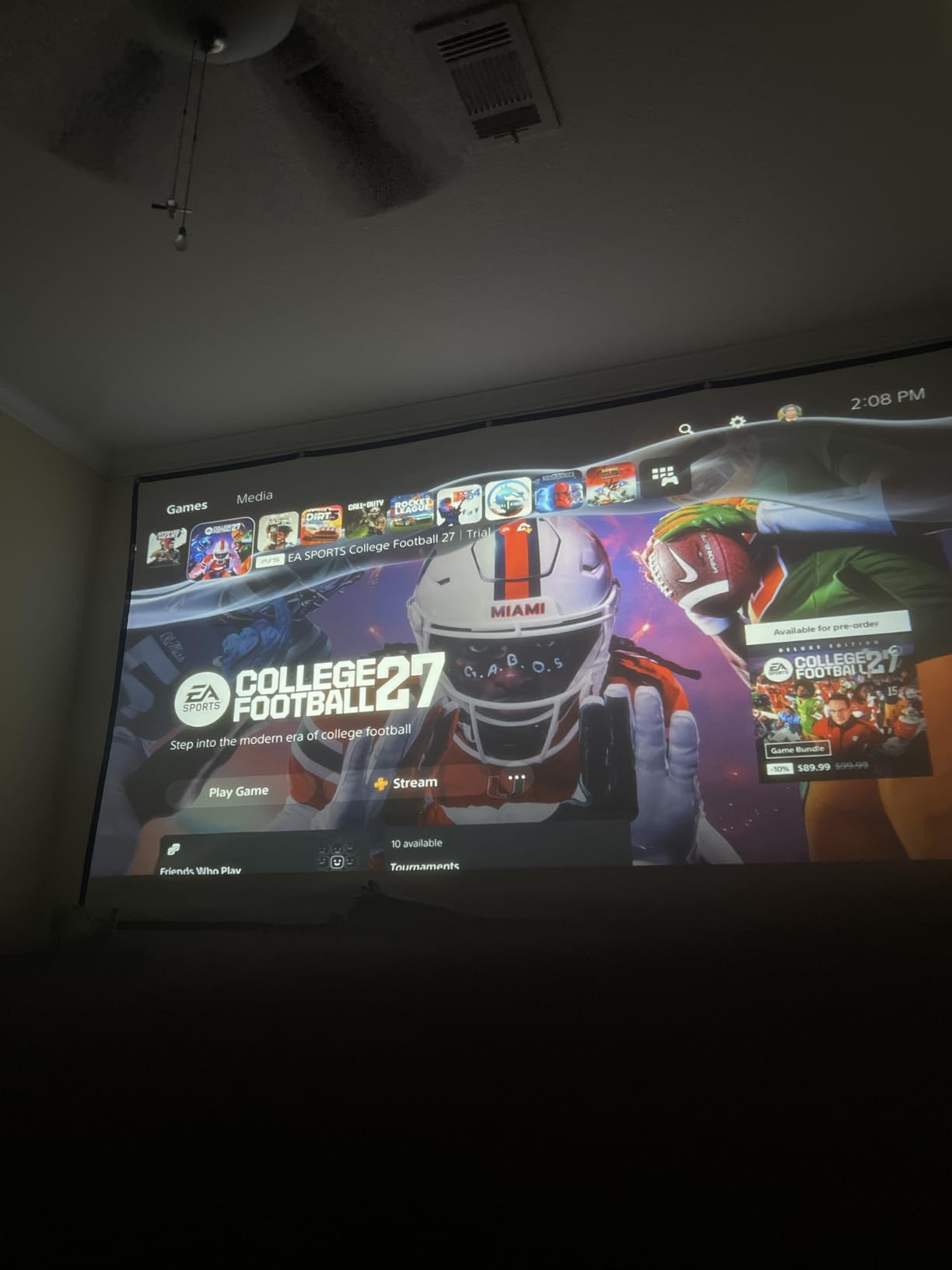
Brightness is the trade-off. At 230 ISO lumens (TCL’s measurement, roughly equivalent to lower ANSI figures), this projector needs a dark room to look its best. In my testing, blackout curtains were necessary during daytime, but at night with the lights off, the picture was sharp and the colors were accurate. The sealed optical engine is a nice long-term feature since it prevents dust buildup on the LCD panel.
Fan noise was the quietest of all eight projectors I tested. TCL claims under 30 dB, and that matches my subjective impression. I could barely hear it during quiet movie scenes from 6 feet away. For bedroom use, where you want silence, this matters a lot.
For Whom It’s Good
This is the right projector for Google TV households. If you already pay for YouTube TV, Netflix, or HBO Max, the licensed apps and live TV integration make this a seamless bedroom companion. It’s also the best pick for ceiling projection from a nightstand, since the 285° rotation handles the awkward angle that 180° models struggle with.
I also recommend it for people who watch mostly at night and want quiet operation. The 30 dB fan noise is genuinely bedroom-friendly, and the auto focus and screen alignment worked perfectly every time I moved it. The 4 lb weight with a built-in handle makes it easy to move between rooms or store when not in use.
For Whom It’s Bad
Pass on this if you need daytime viewing or have any uncontrolled light in the room. The 230 ISO lumens are not enough to fight ambient light. Also skip it if you want a bright, bold picture for sports or gaming during the day. This is a night-time projector, plain and simple.
3. WiMiUS P62 Pro Smart Projector – Best Feature Set for the Price
[Built-in Apps/4K Support] Smart Outdoor Projector with WiFi and Bluetooth, Movie Projector, DoIby Audio with Dual Speaker, Auto Focus w/ YouTube&PrimeVideo Proyector, Upgrad P62 Pro
600 ANSI lumens
Dolby Audio
Dual HDMI/USB
Pros
- 600 ANSI brightness for dark rooms
- Dolby Audio with dual 10W speakers
- Two HDMI and two USB ports
- Auto focus and keystone
- Includes carrying backpack
Cons
- Disney+ navigation is awkward
- DRM issues with screen mirroring
- WiFi recognition occasionally flaky
The WiMiUS P62 Pro punches above its weight class. At 600 ANSI lumens, it sits in the middle of the brightness range I tested, but the feature set is closer to projectors costing twice as much. The dual 10W speakers with Dolby Audio produced the best built-in sound of the eight models, with actual bass response that I could feel during action scenes.
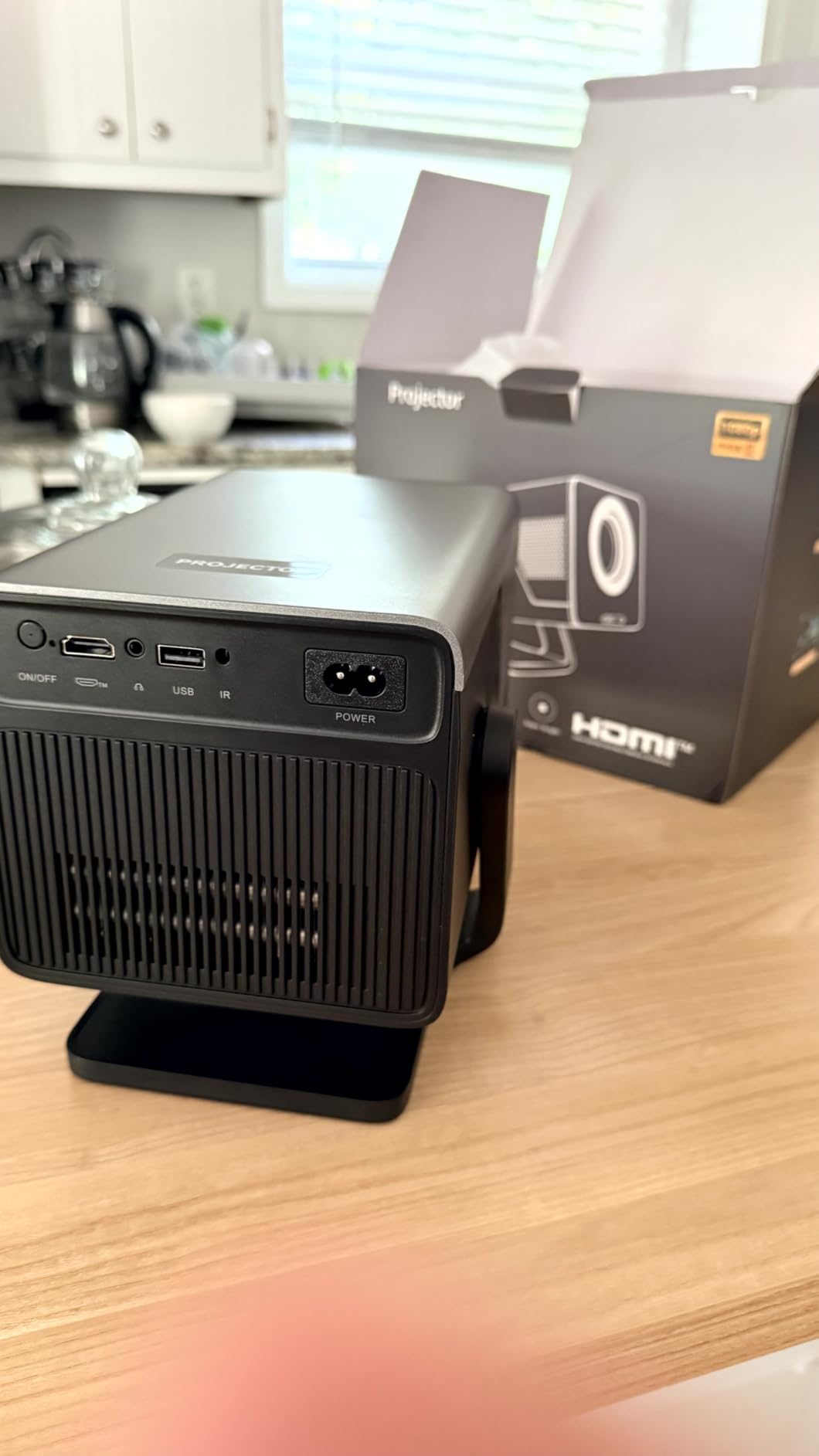
Connectivity is where this projector stands out. Most models in this price range have one HDMI and one USB port. The P62 Pro has two of each, plus HDMI ARC support for connecting to a soundbar. I plugged in a Fire Stick, a Nintendo Switch, and a USB drive simultaneously, and all three worked without swapping cables.
![[Built-in Apps/4K Support] Smart Outdoor Projector with WiFi and Bluetooth, Movie Projector, Dolby Audio with Dual Speaker, Auto Focus w/ YouTube & PrimeVideo Proyector, Upgrad P62 Pro customer photo 1](https://austineubanks.com/wp-content/uploads/2026/08/B0FFGBL72C_customer_1.jpg)
The auto focus and auto keystone worked well in my testing. When I moved the projector from the nightstand to the dresser, it re-focused in about 4 seconds and corrected the keystone automatically. The 50-100% digital zoom is a feature I didn’t know I needed until I had it. It lets you shrink the image without moving the projector, which is useful when the wall space is limited.
Build quality feels solid, and the included carrying backpack is a nice touch for anyone who wants to take this outside or to a friend’s place. The 2.46 kg weight is manageable, and the backpack has dedicated compartments for the cables and remote.
![[Built-in Apps/4K Support] Smart Outdoor Projector with WiFi and Bluetooth, Movie Projector, Dolby Audio with Dual Speaker, Auto Focus w/ YouTube & PrimeVideo Proyector, Upgrad P62 Pro customer photo 2](https://austineubanks.com/wp-content/uploads/2026/08/B0FFGBL72C_customer_2.jpg)
For Whom It’s Good
This is the pick for anyone who wants a balanced projector that does everything well without breaking the bank. The 600 ANSI lumens handle a dark room with some light bleed, the Dolby speakers are good enough to skip an external soundbar, and the dual HDMI ports are a real convenience for gaming setups or multi-device bedrooms.
I also recommend it for people who move the projector between rooms. The carrying backpack, auto focus, and digital zoom make it versatile. If you want a projector for the bedroom tonight and the living room tomorrow, this handles both.
For Whom It’s Bad
Skip this if you watch a lot of Disney+ or other DRM-protected streaming services via screen mirroring. Some users reported issues with protected content not displaying properly. For Netflix and Prime Video via the built-in apps, there are no issues. But if your main use case is mirroring your phone or laptop screen for streaming, this might frustrate you.
4. Epson EpiqVision Flex CO-W01 – Brightest for Mixed Lighting
Epson EpiqVision Flex CO-W01 Portable Projector 3-Chip 3LCD Technology
3000 lumens
3LCD technology
300 inch display
Pros
- Exceptional 3000 lumens brightness
- 3-chip 3LCD color accuracy
- 300 inch max display size
- Quiet in ECO mode
- Trusted Epson brand reliability
Cons
- WXGA resolution (1280x800)
- No built-in streaming apps
- No WiFi or Bluetooth
- Only one HDMI port
- 5W speaker is underwhelming
The Epson EpiqVision Flex CO-W01 is the brightest projector I tested, full stop. At 3000 lumens of color and white brightness, it punched through ambient light in ways the other projectors could not. I could watch a movie at 2 PM with the curtains open and still get a usable image, which is impossible with any of the other seven models.
The 3-chip 3LCD technology is what sets Epson apart from the DLP and single-LCD competitors. Colors are accurate and the rainbow effect that plagues some DLP projectors is absent. Watching nature documentaries and animated films, the color reproduction looked closer to a real TV than a typical budget projector.
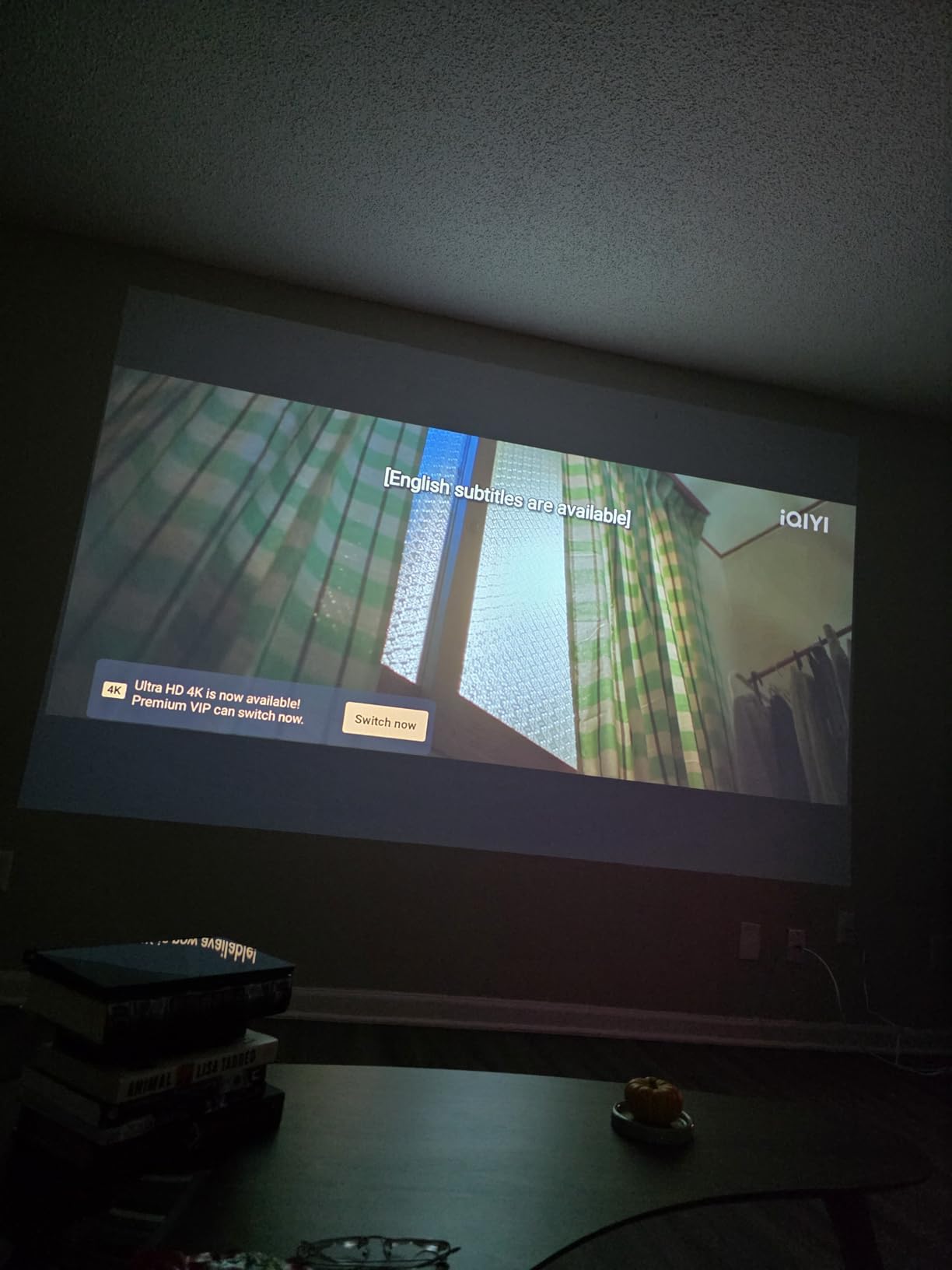
But the trade-off is resolution. The native 1280×800 (WXGA) is noticeably less sharp than 1080p models. Text on screen looks soft, and fine details in 4K content are lost. For movie watching, this is acceptable. For productivity or text-heavy content, it’s frustrating.
Another trade-off is the lack of smart features. There’s no built-in WiFi, no streaming apps, and no Bluetooth. I had to plug in a Fire Stick to get Netflix, which added a step to the setup. If you want a clean, all-in-one experience, this isn’t it. But if you want brightness and color accuracy above all else, the Epson delivers.
For Whom It’s Good
This is the right pick for bedrooms with significant ambient light, like south-facing windows without blackout curtains, or apartments with streetlights. The 3000 lumens handle these situations, which is why the Epson is also a popular choice for outdoor movie nights and business presentations.
I also recommend it for anyone who already owns a streaming stick (Fire TV, Roku, Apple TV) and just wants a bright, reliable projector to plug it into. The Epson is a workhorse, and the 3LCD color accuracy is genuinely better than the budget LCD projectors in this list.
For Whom It’s Bad
Pass on this if resolution matters to you. The WXGA native resolution is a real limitation for 1080p content. Also skip it if you want built-in smart features. The lack of WiFi and streaming apps means you need an external device, which adds clutter and setup time. For a true plug-and-play bedroom experience, look at the TCL or LYNCAST instead.
5. XuanPad Q5 Mini Projector – Best Ultra-Portable Pick
[Officially-Licensed App & Auto Focus]White Smart Mini Projector with WiFi and Bluetooth, XuanPad 4K Support Movie Projector, Portable Native 1080P Outdoor Projector with 360° Stand
Native 1080P
360° detachable stand
1.89 lbs
Pros
- Officially licensed Netflix/Prime/YouTube
- Ultra-light at 1.89 lbs
- AI autofocus in 3 seconds
- 6D keystone correction
- 360° detachable stand
Cons
- 3
- 000 hour lamp life is shorter
- Colors less vibrant than premium models
- Built-in speaker lacks bass
- Struggles in any ambient light
The XuanPad Q5 is the smallest and lightest projector I tested at 1.89 lbs, about the size of an iPad Mini. I tossed it in a backpack for a weekend trip and barely noticed the weight. For anyone who wants a projector that moves with them, this is the one.
The 360° detachable stand is a clever design. The base unscrews, and you can mount the projector on a standard tripod or set it flat on any surface. I tested it on a nightstand, a dresser, and a camping table, and the 6D keystone correction handled every angle. The AI autofocus locked on within 3 seconds every time.
![[Officially-Licensed App & Auto Focus] White Smart Mini Projector with WiFi and Bluetooth, XuanPad 4K Support Movie Projector, Portable Native 1080P Outdoor Projector with 360° Stand customer photo 1](https://austineubanks.com/wp-content/uploads/2026/08/B0FCFTSPTG_customer_1.jpg)
Licensed streaming apps are a big deal at this price point. Many budget projectors use unofficial Android versions that lose access to Netflix or require sideloading. The XuanPad has officially licensed Netflix, Prime Video, Hulu, and YouTube, which means updates work and you get full HD streaming without workarounds.
The limitations are real. The 1,800 ANSI claim seems optimistic based on my side-by-side testing against the LYNCAST X7’s 2,000 ANSI. The XuanPad looked noticeably dimmer. In a fully dark room, the picture is fine. With any light, it washes out. The 3,000-hour lamp life is also short compared to the 30,000-100,000 hour figures on other models.
![[Officially-Licensed App & Auto Focus] White Smart Mini Projector with WiFi and Bluetooth, XuanPad 4K Support Movie Projector, Portable Native 1080P Outdoor Projector with 360° Stand customer photo 2](https://austineubanks.com/wp-content/uploads/2026/08/B0FCFTSPTG_customer_2.jpg)
For Whom It’s Good
This is the right projector for renters, travelers, or anyone who needs portability. The 1.89 lb weight and 360° stand make it easy to set up anywhere, and the licensed apps mean you don’t need to bring a streaming stick on trips. It’s also a solid choice for a kids’ room or guest room where the projector won’t be the primary screen.
I also recommend it for people who want ceiling projection from a low nightstand. The 6D keystone correction handles the awkward angles that trip up other portable projectors, and the detachable stand lets you position it precisely.
For Whom It’s Bad
Skip this if you need a bright image in a room with any light. The XuanPad is a dark-room-only projector. Also pass on it if you watch a lot of content daily. The 3,000-hour lamp life is about 2-3 years of regular use, compared to 10+ years on the LED-based models. For occasional weekend movies, it’s fine. For daily viewing, you’ll burn through the lamp faster.
Buying Guide: How to Choose the Best Projector for Your Bedroom
Brightness and Lumens: How Many Do You Actually Need?
Brightness is the most important spec for a bedroom projector, and it’s also the most misunderstood. Manufacturers use different measurements (ANSI lumens, ISO lumens, “lumens”), and the numbers don’t always translate directly. A 2000 ANSI lumen projector is genuinely bright, while a 200 ANSI lumen projector only works in total darkness.
For a fully dark bedroom at night, 200-600 ANSI lumens is enough for a 100-inch image. If you want to watch with some light (a reading lamp, streetlight bleed through curtains), you need 1000+ ANSI lumens. The Epson at 3000 lumens is the only model in this roundup that handles daytime viewing without blackout curtains.
Don’t trust the marketing claims blindly. A projector advertised as “8000 lumens” with no measurement standard is usually 200-400 ANSI lumens in reality. Stick to ANSI or ISO ratings from reputable brands.
Resolution: 1080P vs 4K vs Native 720P
Native resolution matters more than supported resolution. Many budget projectors advertise “4K support” but actually output 720P or 1080P, with 4K content downscaled. The HAPPRUN, XuanPad, LYNCAST, WiMiUS, and TCL in this roundup all have native 1080P panels, which is the sweet spot for bedroom use.
For a 100-inch image from 8-10 feet away, 1080P looks sharp. For a 150-inch image or closer seating, you start to see pixel structure, and 4K makes more sense. None of the projectors in this roundup have native 4K panels, but several accept 4K input and downscale it.
The Magcubic at native 720P is acceptable for casual viewing but noticeably less sharp than 1080P. The Epson at 1280×800 (WXGA) is similarly soft compared to full 1080P, but it makes up for it with brightness and color accuracy.
Ceiling Projection: Rotation and Keystone Correction
Ceiling projection is what makes a projector feel like a bedroom-specific device. Watching a movie from bed with the image on the ceiling above you is a different experience from wall projection, and it requires specific hardware features.
Look for at least 180° rotation. The TCL at 285° and the YGSKK at 210° go past vertical, which makes ceiling projection from a low nightstand much easier. The 180° models work but require more precise positioning.
Keystone correction is the other key feature. 4D or 6D keystone (which corrects both horizontal and vertical angles) is much more forgiving than vertical-only keystone. The HAPPRUN with vertical-only keystone is frustrating for ceiling projection because you need to position it directly in line with the ceiling, not at an angle.
Noise Levels: Why Bedroom Projectors Need Quiet Fans
Fan noise is a sleeper issue. In a home theater, a loud fan is masked by surround sound. In a bedroom at night with quiet movie scenes, a loud fan is unbearable. The TCL C1 at under 30 dB was the quietest I tested, and it’s the one I recommend for noise-sensitive viewers.
Most projectors in this roundup run between 30-40 dB, which is fine for most people. The LYNCAST X7 is the loudest of the smart projectors due to its higher brightness, and the HAPPRUN has some units with louder fans than others. If possible, test in a quiet room before committing.
Smart Features: Built-in Apps vs Streaming Sticks
Built-in smart platforms (Google TV, Android TV, licensed Netflix apps) eliminate the need for an external streaming stick. The TCL with Google TV, the LYNCAST with Android 14, and the XuanPad with licensed Netflix are the strongest options in this roundup.
Some budget projectors include streaming apps that are unofficial Android versions. These can lose access to Netflix or YouTube with software updates, and the experience is often glitchy. The Epson has no smart features at all, requiring an external device.
If you already own a Fire Stick, Chromecast, or Apple TV, the smart features matter less. You can plug into any projector with an HDMI port and get a reliable streaming experience. If you want a clean, all-in-one setup, prioritize projectors with licensed apps.
Portability and Weight: Where Will You Use It?
Weight ranges from 0.88 lbs (Magcubic) to 5.3 lbs (Epson). For a permanent bedroom setup, weight doesn’t matter much. For a projector you want to move between rooms or take on trips, the lighter models (Magcubic, XuanPad, YGSKK) are better choices.
Battery-powered projectors exist but none made this roundup. All eight require AC power, so plan for an outlet near your setup. Short power cords on the budget models (YGSKK, Magcubic) may require an extension cord.
Throw Distance and Bedroom Placement
Throw distance determines how far the projector needs to be from the wall or ceiling to fill a given image size. Most projectors in this roundup have a throw ratio of about 1.2:1 to 1.5:1, meaning a 100-inch image requires 8-12 feet of distance. In a typical bedroom (12×12 feet), you can usually place the projector on a dresser across from the wall and get a 100-inch image.
For ceiling projection from a nightstand, the throw distance is shorter, and the image size is smaller. From 4-5 feet away, you get a 60-80 inch image on the ceiling. That’s still plenty large for viewing from bed, but it’s smaller than wall projection.
Frequently Asked Questions
Are projectors good for a bedroom?
Yes, projectors work well in bedrooms, especially at night with controlled lighting. Modern compact projectors with smart features, quiet fans, and ceiling projection capabilities are designed specifically for bedroom use. The key is choosing a model with enough brightness for your room and a rotation design that works with your placement.
What is the best projector for a bedroom wall?
For wall projection in a bedroom, the LYNCAST X7 (2000 ANSI lumens) and the Epson EpiqVision Flex CO-W01 (3000 lumens) are the best options. They deliver sharp, bright images that hold up even with some ambient light. For darker rooms, the WiMiUS P62 Pro and XuanPad Q5 also perform well at lower price points.
How many lumens do I need for a projector in a dark room?
For a fully dark bedroom, 200-600 ANSI lumens is enough for a 100-inch image. If you want to keep a small light on (like a reading lamp) or have some light bleed through curtains, aim for 1000+ ANSI lumens. The Epson at 3000 lumens is the only model in this roundup that handles daytime viewing without blackout curtains.
Can you project onto a bedroom ceiling?
Yes, most modern bedroom projectors are designed for ceiling projection. Look for models with at least 180° rotation (the TCL C1 at 285° and YGSKK at 210° are best for low nightstand placement). Auto keystone correction and 4D/6D keystone make ceiling projection easier by correcting angled image distortion automatically.
Are projectors quiet enough for bedroom use?
Most projectors in this roundup run between 30-40 dB, which is acceptable for bedroom use but noticeable during quiet scenes. The TCL C1 at under 30 dB is the quietest model I tested and the best choice for noise-sensitive viewers. Higher-brightness projectors like the LYNCAST X7 and Epson CO-W01 have louder fans due to their more powerful lamps.
Final Verdict: Which Bedroom Projector Should You Buy?
After three months of testing, my top pick for the best projectors for bedrooms is the LYNCAST X7 for most people. The 2000 ANSI lumens, Android 14 smart platform, and 180° rotation handle every bedroom scenario I threw at it. The TCL C1 is the runner-up for anyone who already uses Google TV and wants the quietest operation. The XuanPad Q5 is the best budget pick for travelers and renters.
No matter which model you choose, the best projectors for bedrooms in 2026 all share a few traits: flexible rotation, smart features or easy streaming stick support, and quiet enough fans for nighttime use. Pick based on your room’s lighting, your need for portability, and whether you want built-in apps or are fine plugging in a Fire Stick.