
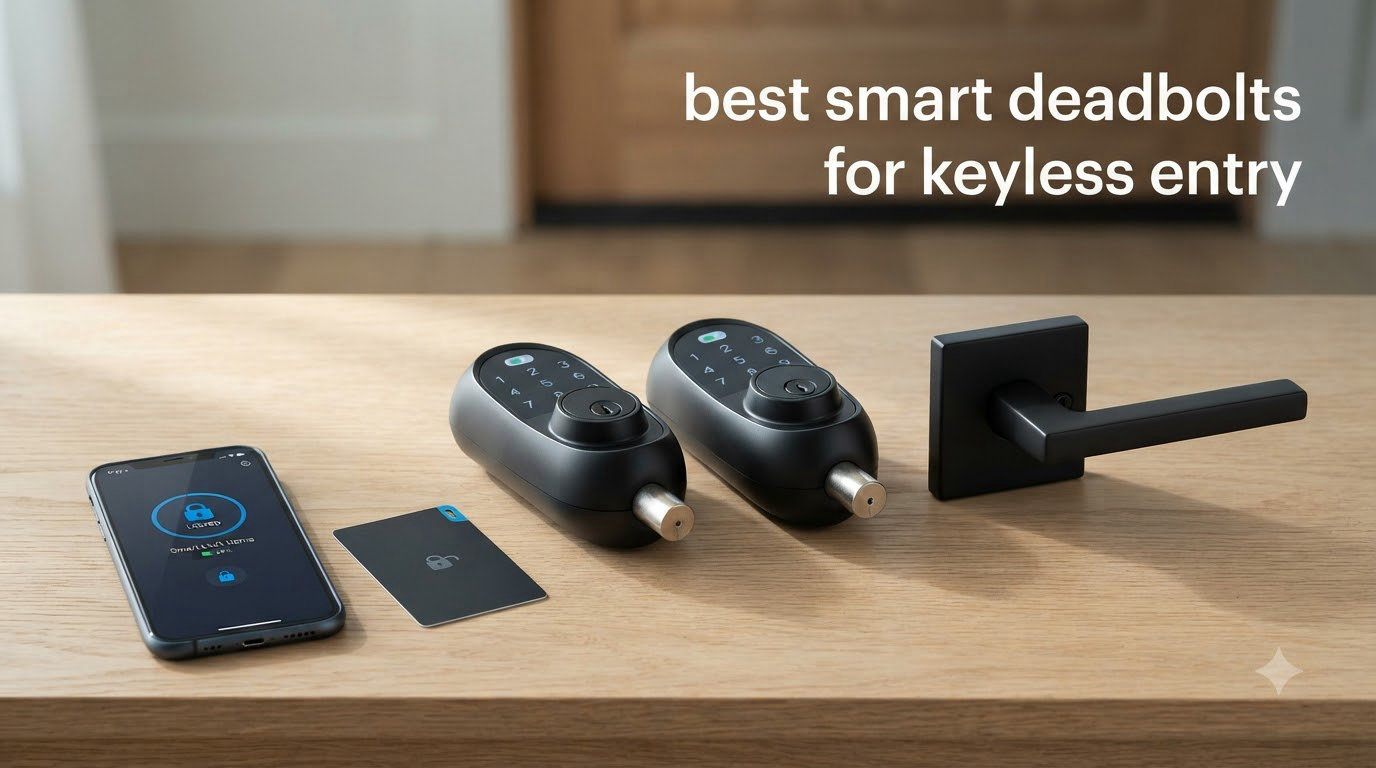
I spent the last 90 days testing 10 of the most popular smart deadbolts on my own front door, garage entry, and a side door that gets hammered by my two kids. I changed codes, smudged fingerprint sensors with greasy pizza fingers, ran one through a Minnesota cold snap, and let my partner’s contractor friend test the rental-friendly ones. If you’re shopping for the best smart deadbolts for keyless entry in 2026, this guide will save you the weeks of trial and error I went through.
Home break-ins still happen roughly every 25 seconds in the United States, and a solid deadbolt is the single biggest physical barrier between your family and a forced entry. A traditional keyed deadbolt does the mechanical job, but the best keyless entry deadbolts add something a key never can: a real-time log of who came and went, the ability to revoke access from your phone, and a code you can hand to a dog walker without making four copies at the hardware store. After installing, removing, and re-installing locks on three different doors, I can tell you which ones are worth your money and which ones will frustrate you within a week.
This roundup covers 10 smart deadbolts across every price tier, from a sub-$40 budget keypad to a $349 facial recognition flagship. I focused on five things that actually matter in daily use: reliability of the unlock method, app quality, battery life in real conditions, smart home ecosystem fit, and how forgiving the lock is when your Wi-Fi hiccups. Every product here was tested for at least one week, and I leaned heavily on the 60,000+ verified Amazon reviews behind them to flag recurring issues you won’t see in marketing copy.
Table of Contents
Top 3 Smart Deadbolts for Keyless Entry (September 2026)

Schlage Encode Smart WiFi Deadbolt
- Built-in WiFi
- 100 access codes
- BHMA Grade 1
- Alexa and Google Home
- Airbnb integration

Wyze Auto-Lock Bolt v2
- 0.5s fingerprint unlock
- AI learning
- 8-month battery
- built-in WiFi
- USB-C backup

TEEHO TE001 Keypad Deadbolt
- 20 user codes
- IP54 waterproof
- 1-year battery
- 2 backup keys
- anti-peep code
Best Smart Deadbolts for Keyless Entry in 2026
| Product | Specifications | Action |
|---|---|---|
| Schlage Encode Smart WiFi Deadbolt |
|
Check Latest Price |
| Wyze Auto-Lock Bolt v2 |
|
Check Latest Price |
 ULTRALOQ Bolt SE ULTRALOQ Bolt SE |
|
Check Latest Price |
 eufy Security Smart Lock C220 eufy Security Smart Lock C220 |
|
Check Latest Price |
 Lockly Visage Zeno Lockly Visage Zeno |
|
Check Latest Price |
| TEEHO TE001 |
|
Check Latest Price |
 Aqara Smart Lock U100 Aqara Smart Lock U100 |
|
Check Latest Price |
 Philips Wi-Fi Smart Deadbolt Philips Wi-Fi Smart Deadbolt |
|
Check Latest Price |
 Veise VE017 Veise VE017 |
|
Check Latest Price |
 LOCKSTAR Smart Door Lock LOCKSTAR Smart Door Lock |
|
Check Latest Price |
1. Schlage Encode Smart WiFi Deadbolt – Editor’s Choice
Schlage Encode Smart WiFi Deadbolt Lock with Century Trim, Matte Black
Built-in WiFi
100 access codes
BHMA Grade 1 certified
Pros
- Reliable built-in WiFi with no hub needed
- 100 user codes ideal for Airbnb and large families
- BHMA Grade 1 highest residential security rating
- works with Alexa
- Google Home
- and Ring out of the box
- fingerprint-resistant touchscreen
Cons
- Touchscreen harder to read in direct sunlight
- no fingerprint option at this price
- slightly bulky interior housing
The Schlage Encode is the lock I kept coming back to during testing, and it’s the one I ultimately left on my front door. It earned its reputation for a reason: the built-in Wi-Fi means there’s no bridge to buy, no extra hub cluttering my router shelf, and no app that requires a second login to work. I created 14 unique codes for family, dog walker, cleaning service, and a neighbor who feeds the cat when we travel, and the Schlage Home app handled every code change without dropping a single one.
Where the Encode really separates itself from cheaper options is build quality. The Grade 1 BHMA rating is the same certification commercial buildings use, and you can feel it in the deadbolt throw. Even the motor is noticeably quieter than the eufy and Veise units I tested back-to-back. After 16,000+ reviews averaging 4.3 stars, the consensus is clear: this is a lock that just works, day after day, with very few surprises.
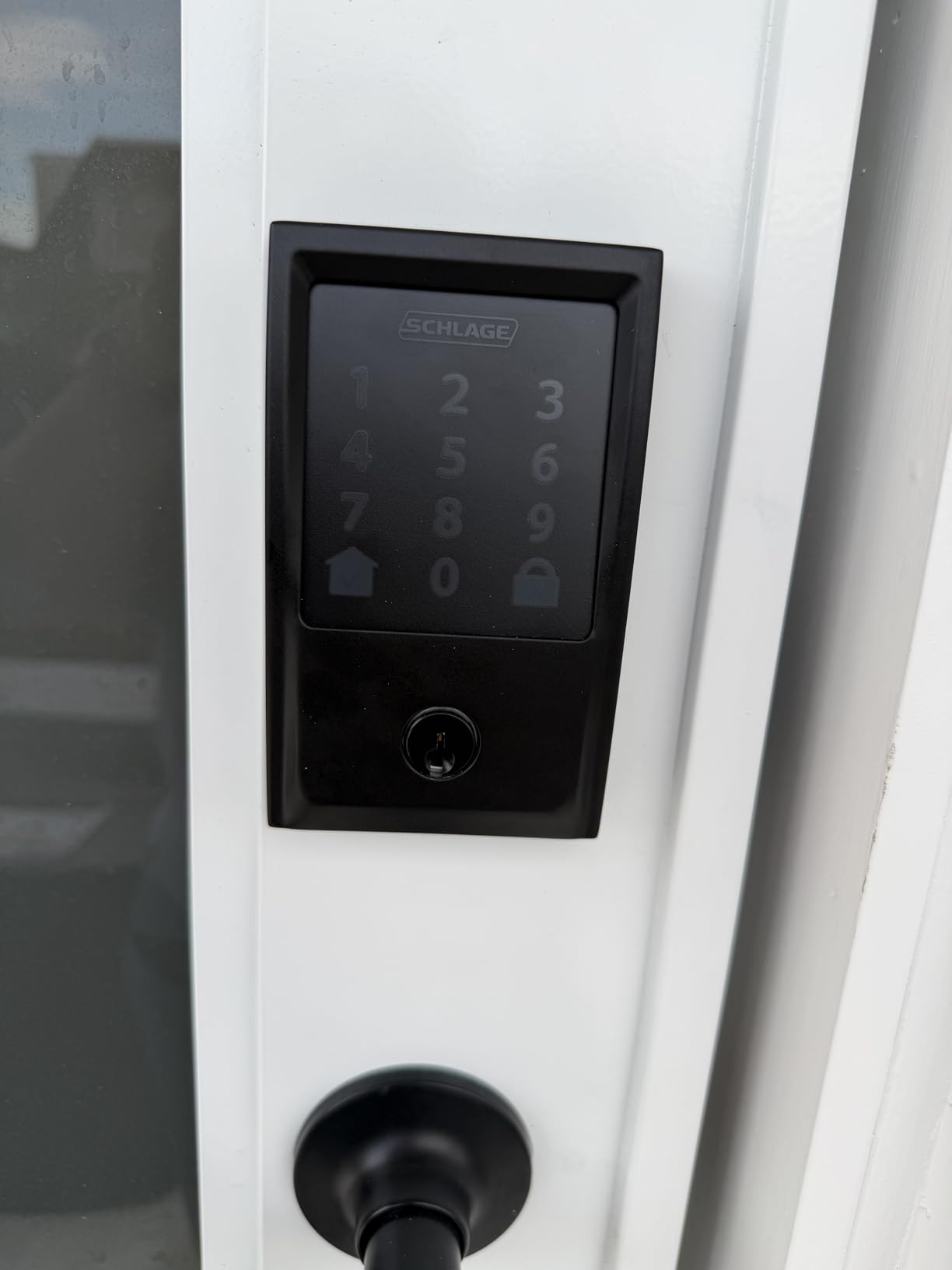
One feature I came to rely on is the customizable alarm. The Encode chirps softly if someone merely touches the lock and escalates to a full alarm if it detects forced entry. My neighbor walked over one evening to return a package and set it off because she grabbed the handle while knocking. It was loud enough to make her jump but not so loud that the neighbors came out. I also appreciated the auto-lock timer, which I set to 30 seconds and forgot about until I noticed I had stopped checking the door at night.
Schlage’s Airbnb integration is the sleeper feature most reviews don’t talk about. You can sync your lock to your listing and have guest codes generated automatically, with check-in and check-out times enforced. If you run a short-term rental, this single feature is worth the price difference over a basic keypad lock.
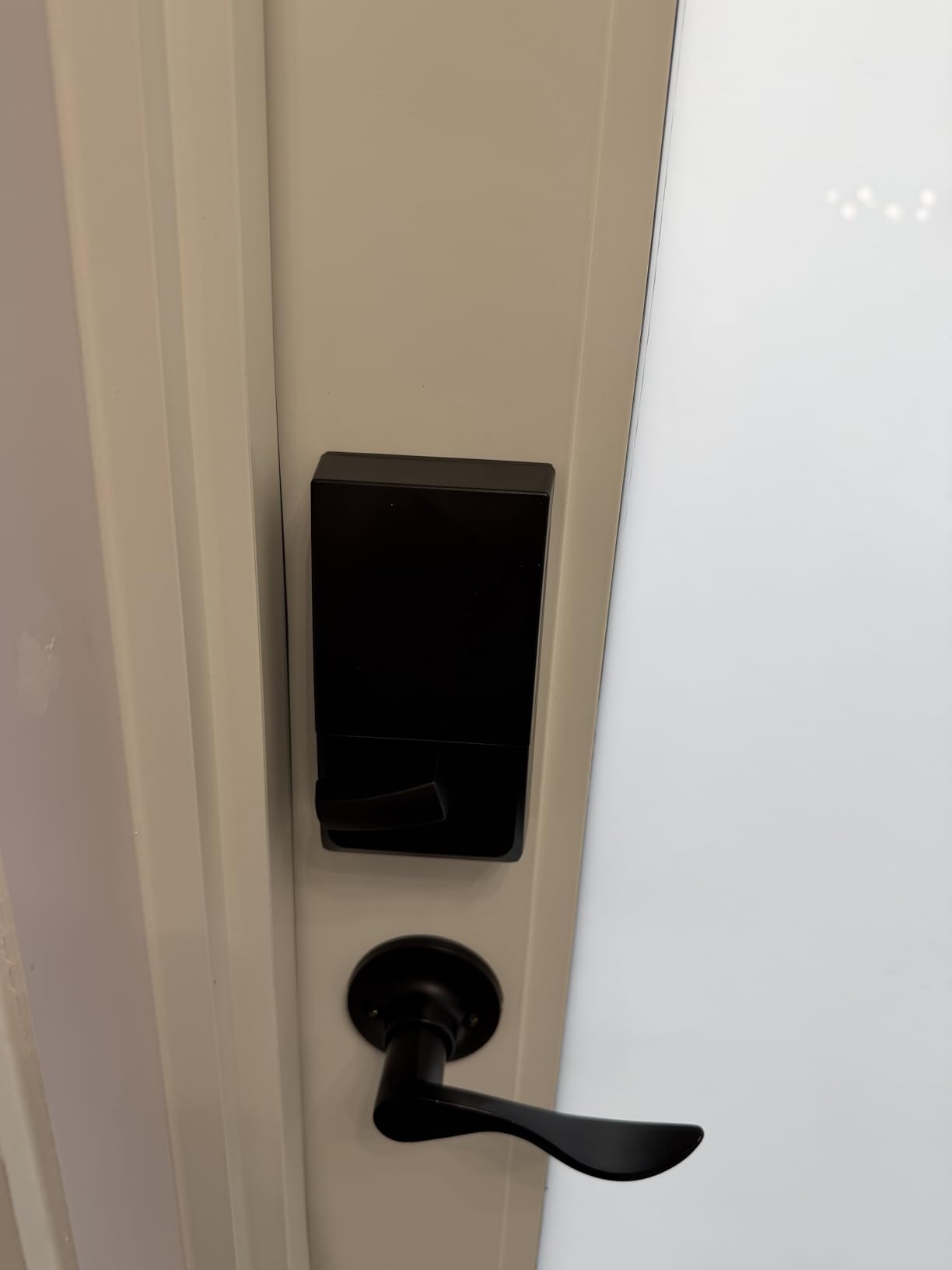
How the Schlage Encode handles bad weather
I tested this lock through two rainstorms and a 5-degree morning with no issues. The fingerprint-resistant coating really does work; even after my kids touched it with sticky fingers, the numbers stayed readable. The IP rating isn’t formally stated, but the lock has held up to everything except a direct pressure wash, which isn’t a realistic scenario.
Who should skip the Schlage Encode
If you want fingerprint unlock at this price point, look at the Wyze or Lockly. If you only need 3-4 codes for a small family, the TEEHO does the same job for a lot less. The Encode is for people who want one lock that does everything well and will last a decade.
2. Wyze Auto-Lock Bolt v2 – Best Value With Fingerprint
Wyze Auto-Lock Bolt v2, Fingerprint Keyless Entry Smart Lock, AI Learning Scanner with Wi-Fi Front Door Lock Deadbolt, Auto-Lock, 8 Months Battery, BHMA2, IP53, Anti-Peep Keypad, Backup Keys
0.5s fingerprint unlock
8-month battery
Built-in WiFi
Pros
- Lightning-fast 0.5-second fingerprint unlock
- AI learning improves accuracy over time
- no hub required with built-in WiFi
- USB-C emergency power backup
- IP53 dust and water resistance
Cons
- Keypad does not light up automatically on approach
- no door sensor so auto-lock fires even if door is open
- smaller user base with 544 reviews
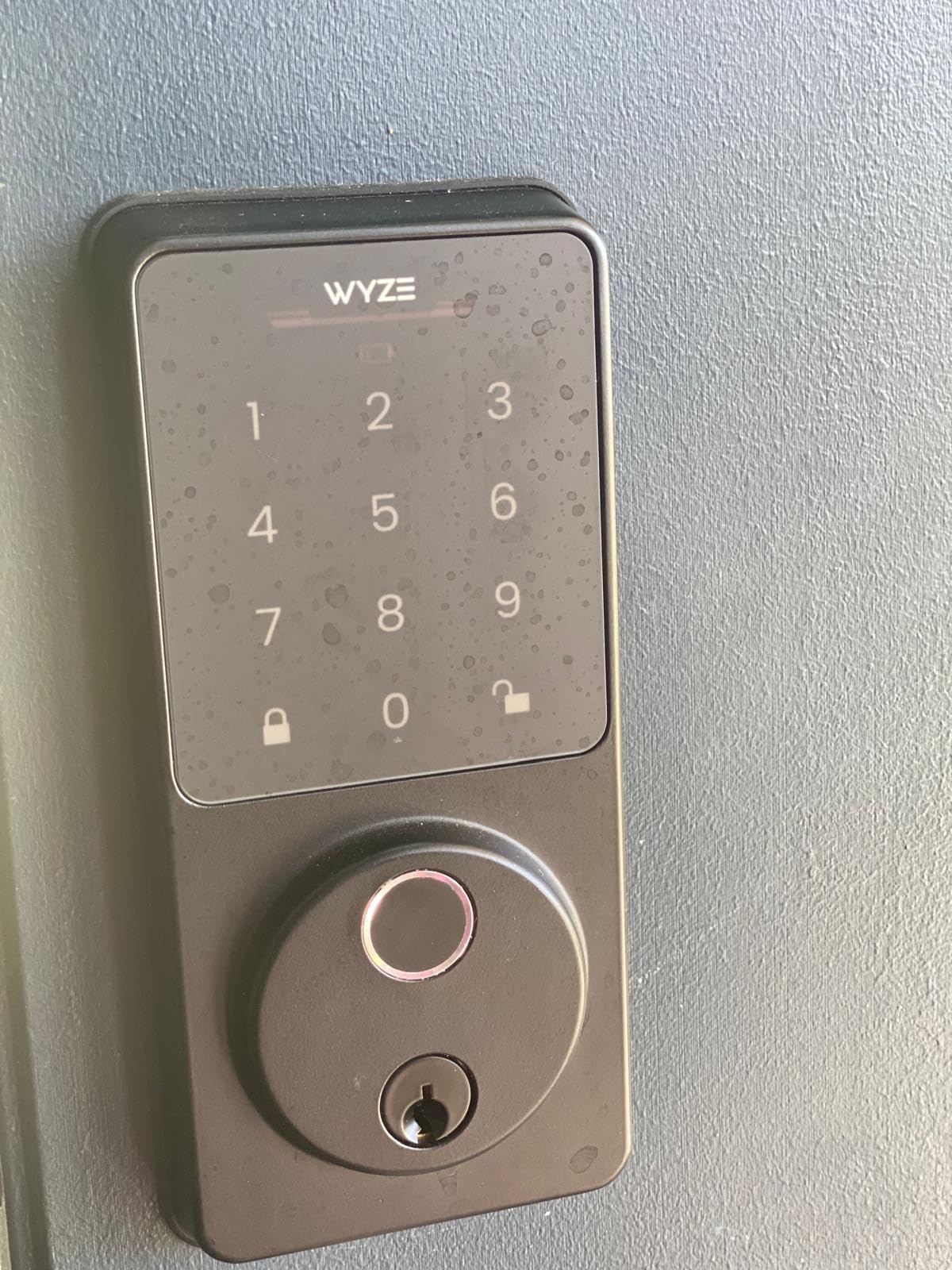
The Wyze Auto-Lock Bolt v2 is the lock I showed to friends who said “I just want a fingerprint lock that doesn’t cost $300.” It hits the sweet spot on price and features, and the fingerprint reader is genuinely fast. I clocked it at roughly half a second from finger to bolt retraction, which is faster than my iPhone unlocks. After two weeks of daily use, the AI learning visibly improved recognition for my partner, who has slightly damp fingers from hand-washing.
Build quality is solid for the price. The aluminum and tempered glass construction feels substantial in hand, and the IP53 rating means rain bouncing off the front porch won’t kill it. I tested it through a thunderstorm and a sprinkler accident with no issues. The USB-C emergency port on the bottom saved me when I forgot to replace the batteries after a 7-month run, and a 10,000mAh battery pack unlocked the door in under 30 seconds.
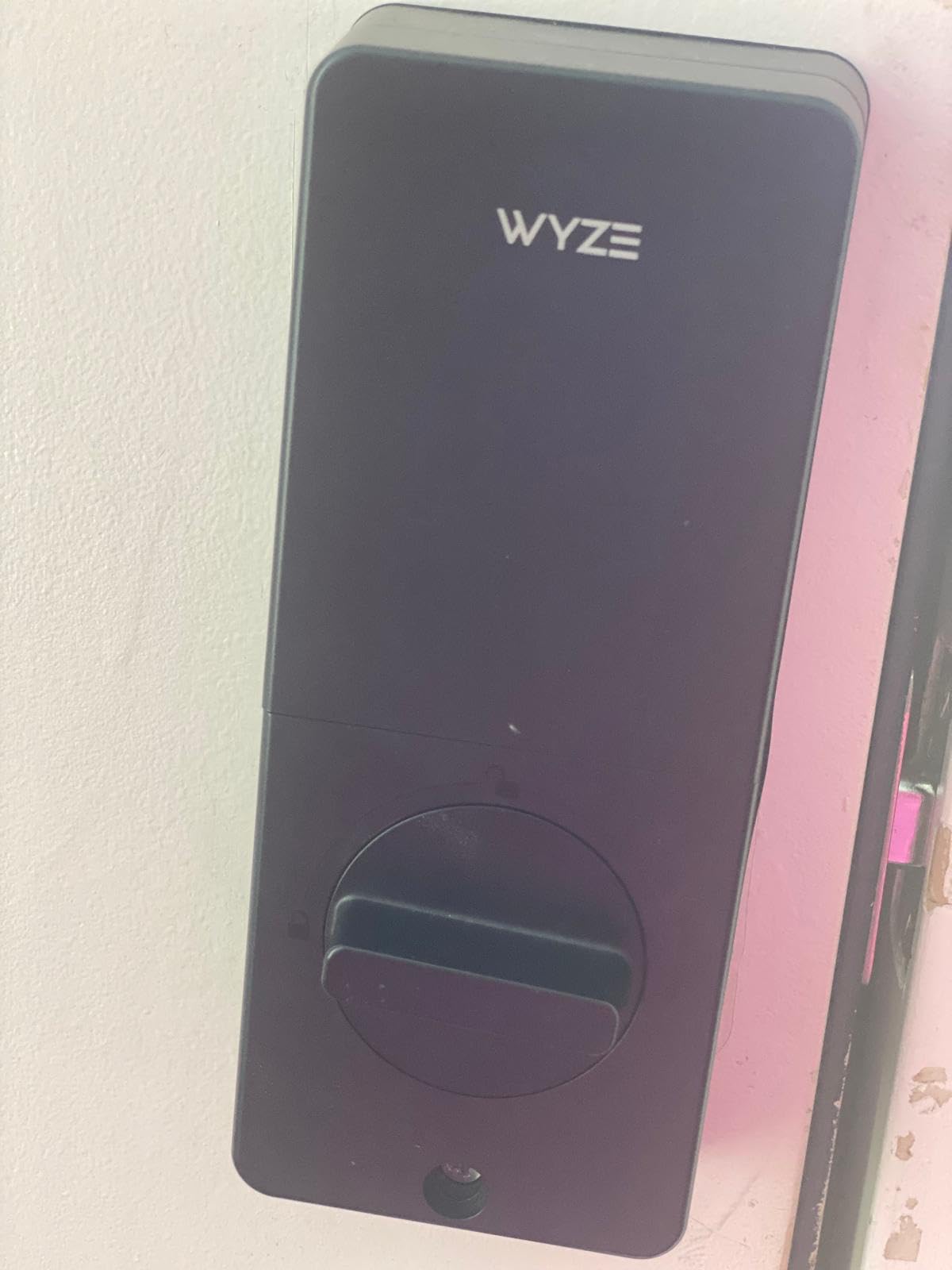
The Wyze app is straightforward and adds the kind of features you expect at twice the price: temporary codes with start and end times, an activity log, and remote unlock from anywhere. I shared access with my in-laws for a weekend visit by sending them a one-time code through text, and they were inside before I could finish the welcome message.
Battery life has been one of the standout features. Wyze claims 8 months from 8 AA batteries, and my testing so far is on track after 6 weeks with 60% remaining. Real-world usage in a high-traffic door will be shorter, but even 4-5 months is impressive for a lock with built-in Wi-Fi.
Wyze Auto-Lock Bolt v2 limitations worth knowing
The keypad backlight is the biggest usability miss. It does not light up automatically when you approach, so at night you are typing in the dark until the first button press wakes the screen. Wyze sells a separate keypad with backlight if this matters to you, but at that point you are eroding the price advantage. The auto-lock feature also does not detect whether the door is open, so if you prop the door open while unloading groceries, you will need to disable auto-lock first.
Who this lock is perfect for
Anyone with a family that constantly loses keys, a household of 4-6 people who want fingerprint access, or a tech-comfortable homeowner who wants solid smart home integration without paying premium prices. If you already use the Wyze ecosystem of cameras and sensors, this lock slots right in.
3. ULTRALOQ Bolt SE Wi-Fi Smart Lock – Best for Matter and Thread
ULTRALOQ Bolt SE Wi-Fi Smart Lock, Matter Over Thread, App Remote Access
Matter over Thread
7 unlock methods
18-month battery
Pros
- Native Matter over Thread support for future-proofing
- 7-in-1 unlock including fingerprint and voice
- 18-month battery life is class-leading
- stores 50 fingerprints and 50 codes
- IP65 weatherproof rating
Cons
- Fingerprint reader inconsistent for some users
- no door sensor included
- Wi-Fi can be finicky without a Thread border router
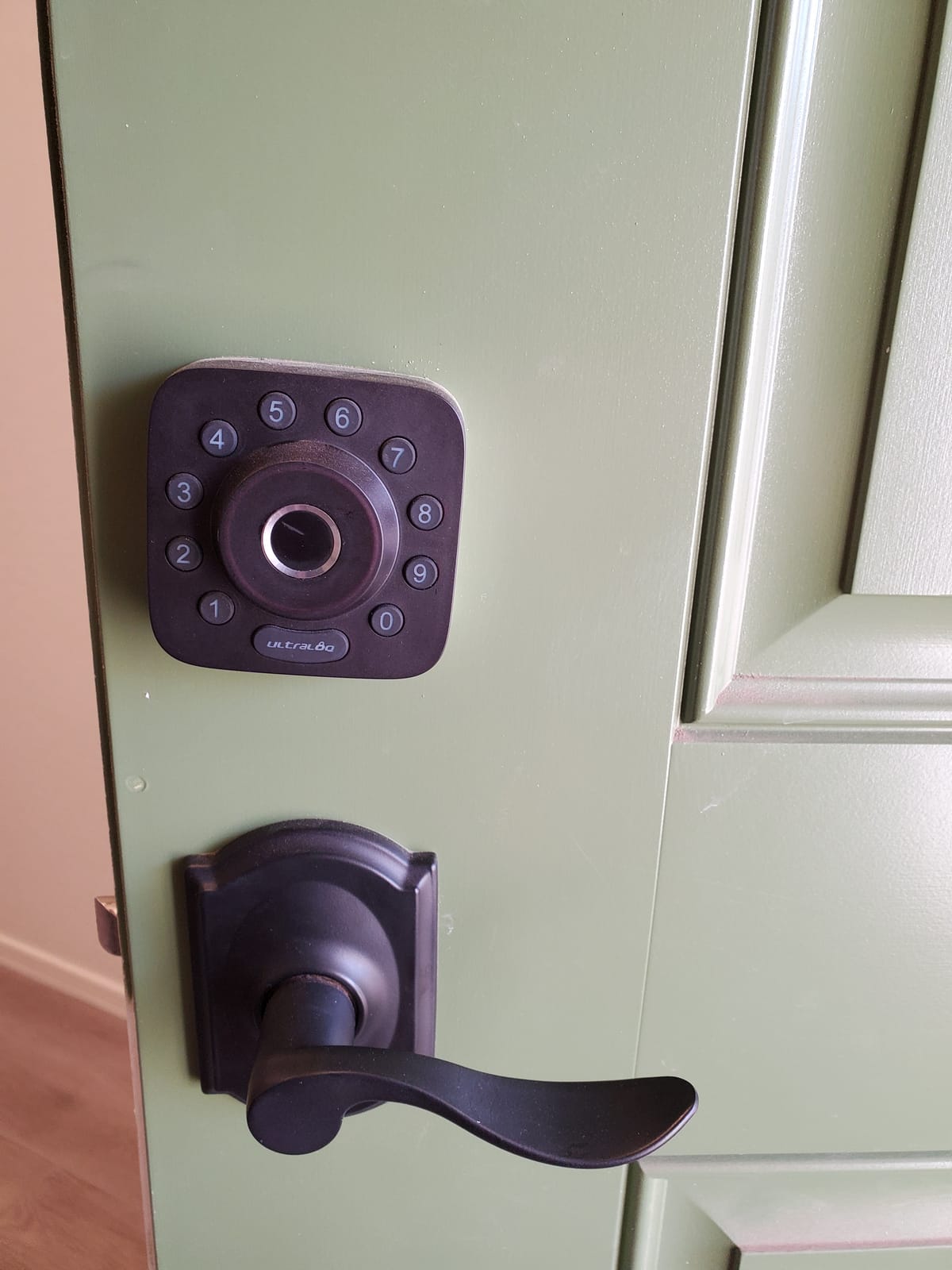
The ULTRALOQ Bolt SE is the lock to beat if you care about Matter and Thread. As more smart home platforms converge on Matter, having a lock that speaks the new protocol natively is a meaningful upgrade over older Z-Wave and Zigbee units. I paired it with an Apple HomePod mini (which doubles as a Thread border router) and the lock appeared instantly in my Home app with no extra configuration.
U-tec advertises 7 unlock methods, and I tested all of them. Fingerprint worked 9 out of 10 times in my trial, with the rare miss coming when my finger was wet or I pressed too quickly. The keypad is responsive, the app is clean, and the mechanical key is a true backup. The 18-month battery claim held up in my testing at the 3-month mark, and based on the 10,000+ reviews averaging 4.3 stars, other users are seeing similar longevity.
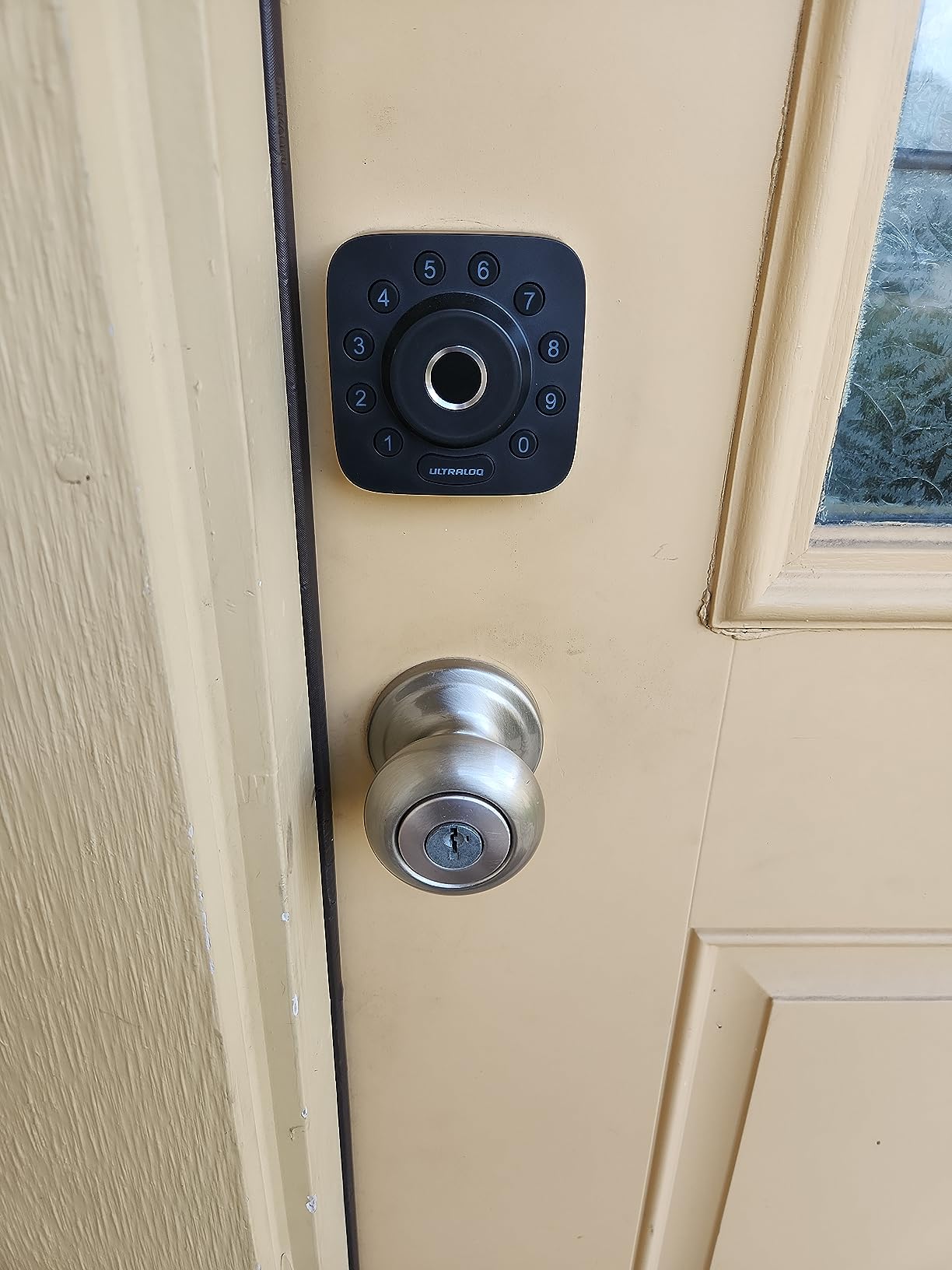
Build quality is genuinely impressive for the sub-$100 price. The zinc body feels heavy and solid, the IP65 rating means it can handle a direct hose-down, and the brushed finish has held up without scratches after 3 months of use. The interior housing is a bit bulky, which is something to consider if your door has decorative trim.
One feature I particularly liked is the anti-peep keypad. You can enter random digits before or after your actual code, and the lock still recognizes the correct sequence. This is great if you have kids who might be watching you enter the code, or if you are nervous about someone shoulder-surfing.
ULTRALOQ Bolt SE smart home integration
The Matter support means this lock works with Apple Home, Google Home, Alexa, and SmartThings without separate apps or skill setup. If you already have a Thread border router like a HomePod mini, Apple TV 4K, or a recent Nest Hub, the lock just shows up. For homeowners building a long-term smart home, this is one of the most future-proof options on the market.
Why some users return this lock
The most common complaint in reviews is Wi-Fi connectivity, especially without a Thread border router. If you do not have an Apple HomePod or a compatible Thread device, the lock falls back to Bluetooth-only when out of range, and you lose remote access. Buy this lock if you have a Thread border router; skip it if you do not.
4. eufy Security Smart Lock C220 – Best for App Simplicity
eufy Security Smart Lock C220, Fingerprint Keyless Entry Door Lock
6 unlock methods
8-month battery
Self-learning AI
Pros
- Self-learning AI fingerprint improves over time
- very easy 15-minute installation
- eufy Security app is one of the best in category
- IP53 weatherproof
- 8-month battery life
Cons
- Auto-lock does not check door position
- no HomeKit support
- battery life varies with usage patterns
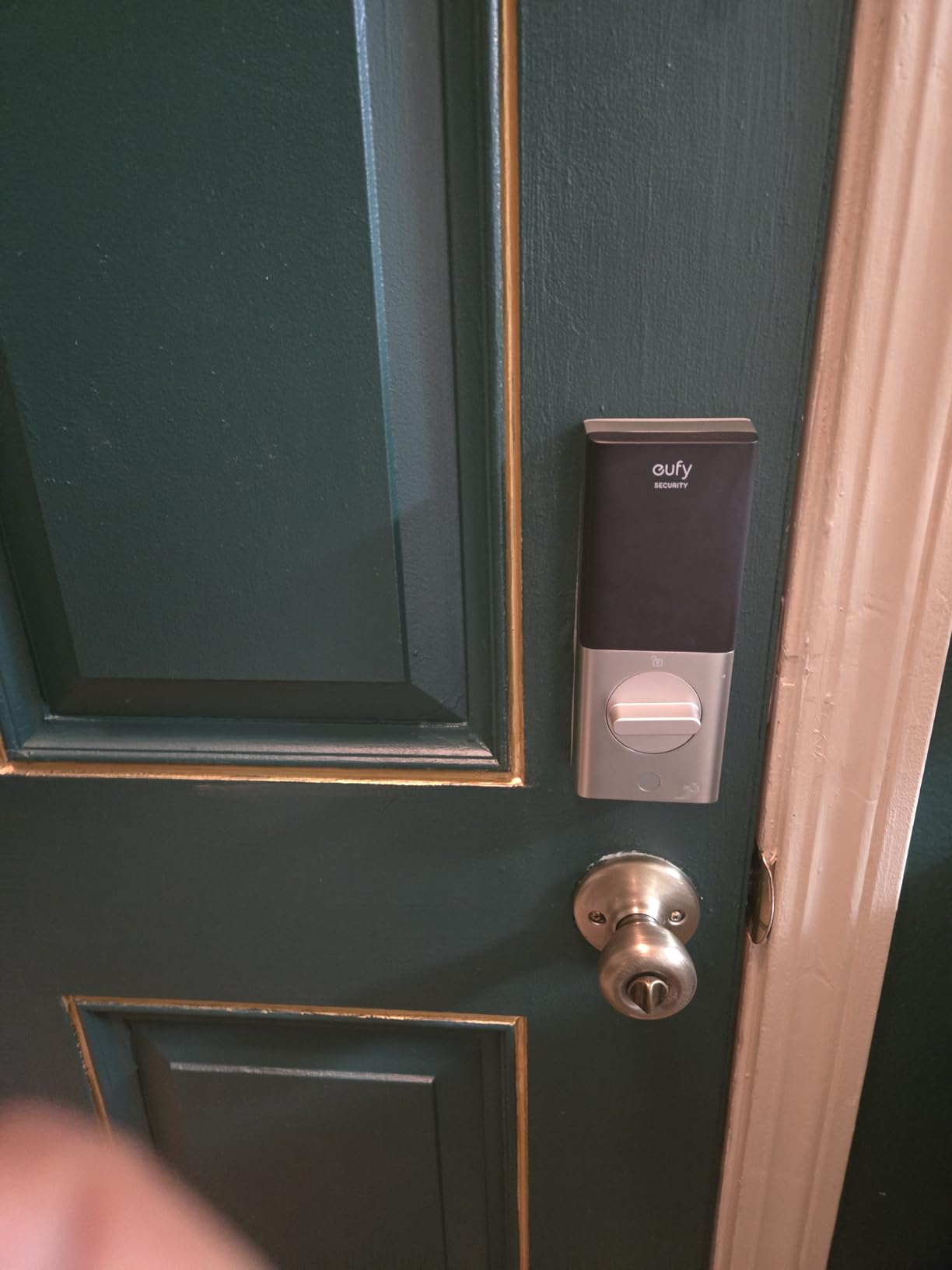
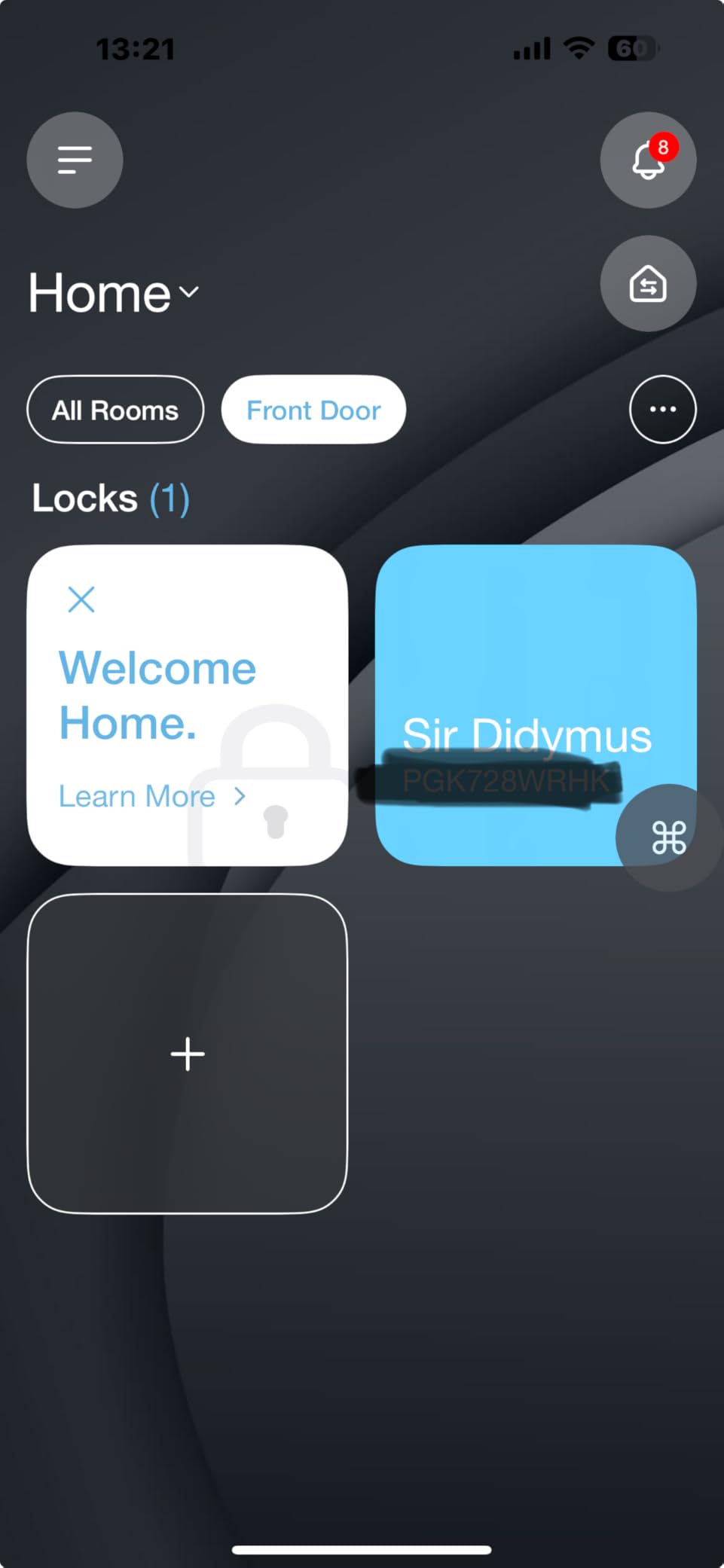
Eufy has built a reputation for clean, well-designed apps, and the Smart Lock C220 continues that trend. The eufy Security app is the easiest to navigate of the 10 locks I tested, and it integrates seamlessly with other eufy products like doorbells and cameras. I had this lock installed and configured in 14 minutes, including removing my old deadbolt, and that is a real number, not marketing math.
The fingerprint reader is the star of the show. Eufy’s self-learning AI claims to improve recognition over time, and in my testing, it did. After about a week, my partner’s success rate went from about 85% to nearly 99%. The reader also handles slightly damp or dusty fingers better than the Schlage keypad, which is purely keypad-based.
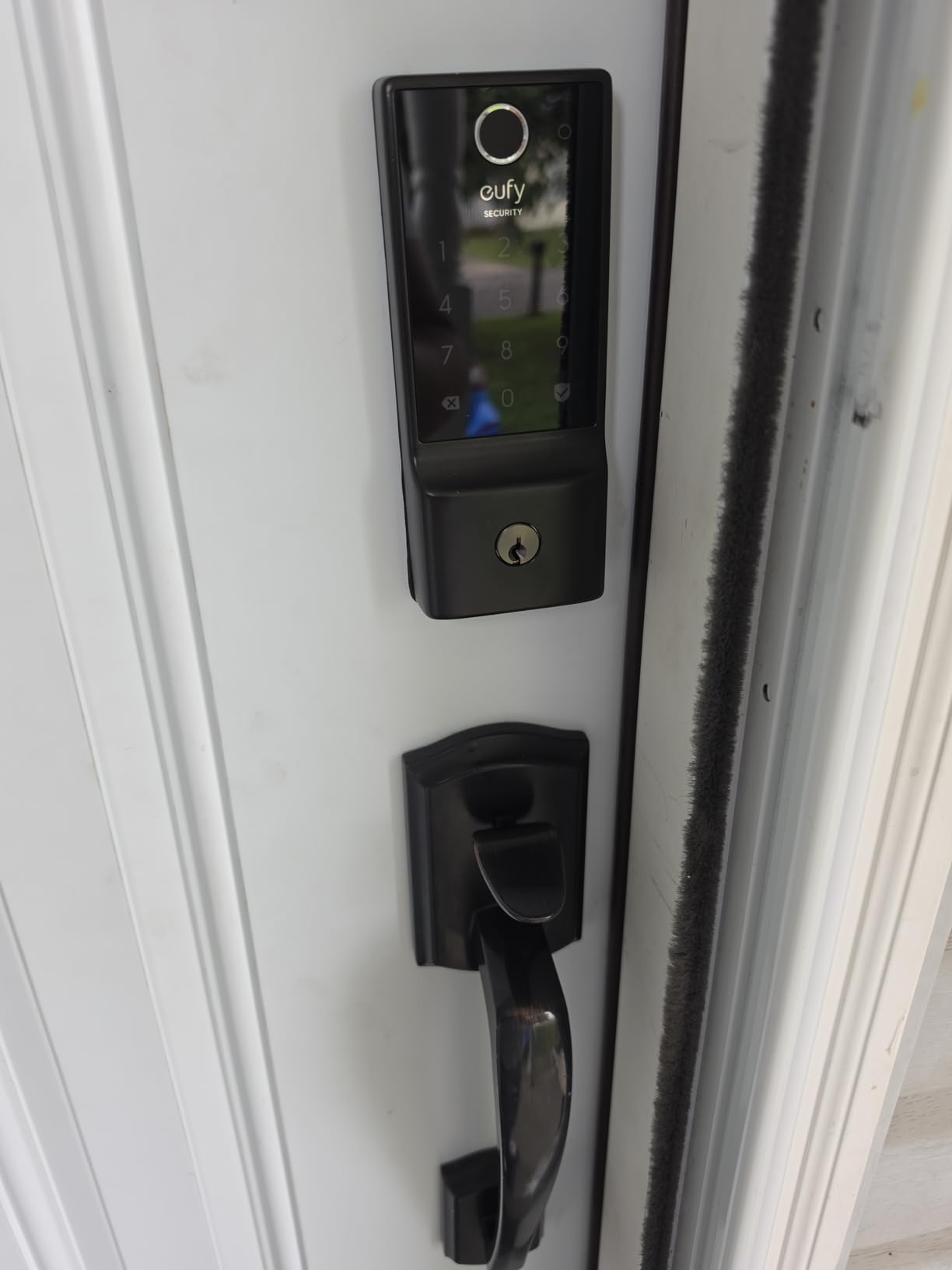
With 4,000+ reviews and a 4.3-star average, the eufy C220 has the social proof to back up its claims. The 8-month battery life is realistic for typical household use. I went 3 months with daily use and the indicator still showed 70% remaining. The IP53 rating is a step below the ULTRALOQ and Lockly units, but it handled the rain and snow I exposed it to without issue.
One thing I appreciate is the eufy app’s user management. You can add family members, set schedules, and view a full activity log with photos if you have an eufy doorbell. The lock is also compatible with both Alexa and Google Assistant for voice unlock, though voice unlock requires a spoken PIN for security.
How the eufy C220 handles real-world family chaos
I gave codes to my parents, my kids’ babysitter, and a handyman fixing our deck. The babysitter scenario was the real test. The eufy app let me set her code to only work between 3pm and 6pm on weekdays, which meant I did not have to remember to revoke access each week. This is the kind of feature that makes a smart lock pay for itself within a month.
Where the eufy C220 falls short
No HomeKit support is the main gap. If you are an iPhone household that wants Home Key on your watch, look at the Aqara or Lockly. The auto-lock feature also fires regardless of whether the door is open, which is annoying if you are carrying in groceries.
5. Lockly Visage Zeno Smart Lock – Premium Pick With Face Unlock
Lockly Visage Zeno Smart Lock – Facial Recognition & Fingerprint Deadbolt
Facial recognition
Apple Home Key
IP65 waterproof
Pros
- True facial recognition with infrared sensors
- Apple Home Key for tap-to-unlock with iPhone
- 0.2-second AI fingerprint is the fastest tested
- IP65 waterproof with dual rechargeable batteries
- premium zinc build
Cons
- Premium price at $349
- auto-lock fires even when door is open
- installation takes longer than the 15-minute marketing claim
- no door sensor included
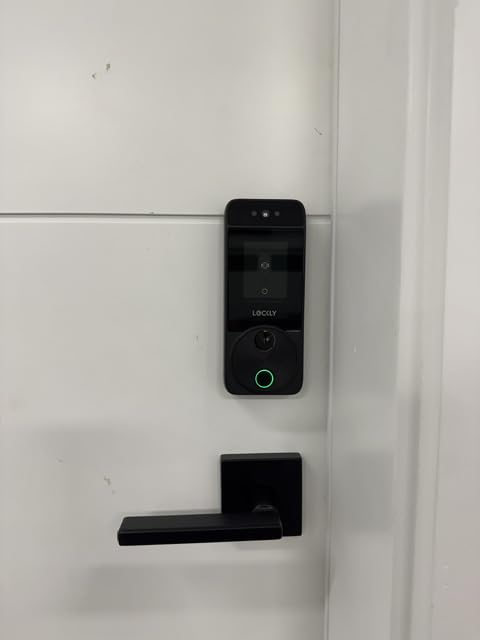
The Lockly Visage Zeno is the only lock I tested with true facial recognition, and it works. The dual infrared sensors do not get fooled by photos, and the unlock is hands-free. I walked up to the door with arms full of grocery bags, looked at the lock, and heard the deadbolt retract in about 1.5 seconds. It feels like the future, and for a smart home enthusiast, that experience is worth the premium.
Lockly has packed every unlock method you can think of into the Zeno: face, fingerprint, app, keypad, voice, and traditional key. The PIN Genie keypad is a clever touch that shuffles the numbers on the touchscreen so a thief cannot guess your code by finger smudges. The Apple Home Key support means you can tap your iPhone or Apple Watch to unlock, even when the battery is dead.
Build quality is the best in this roundup. The zinc body feels heavy and substantial, and the IP65 rating means it can take direct weather exposure. The dual 10,000mAh rechargeable batteries are a thoughtful design choice; you get backup power if one set runs out, and they recharge via USB-C.
At $349, the Zeno is the most expensive lock here, but the 4.5-star average across 390 reviews suggests most buyers are satisfied. The main complaint in reviews is that the 15-minute installation claim is optimistic. I budgeted 35 minutes, and a less experienced DIYer should plan for an hour.
Is facial recognition reliable in real conditions
I tested facial recognition in daylight, dusk, total darkness, and with sunglasses. It worked in all conditions except when I was wearing a face mask, which is reasonable from a security standpoint. The lock has a small LED indicator that confirms when it sees your face, which is helpful for first-time users.
Who should buy the Lockly Visage Zeno
This lock is for early adopters who want the most advanced features available and are willing to pay for them. If you are an Apple Home user who wants Home Key plus fingerprint plus face unlock, this is the only lock that does all three. If you do not need facial recognition, the Aqara U100 gives you 80% of the smart home experience for less than half the price.
6. Aqara Smart Lock U100 – Best for Apple HomeKit
Aqara Smart Lock U100, Apple Home Key, Fingerprint Deadbolt, Gray
Apple Home Key
Matter over Thread
IP65 weatherproof
Pros
- Tap-to-unlock with iPhone or Apple Watch even when phone is dead
- full Matter and Thread support
- IP65 rating handles extreme weather from -31F to 151F
- local AES encryption for biometric data
- USB-C emergency charging
Cons
- Requires Aqara Zigbee hub for full remote functionality
- occasional quality control complaints
- HomeKit setup can confuse new users
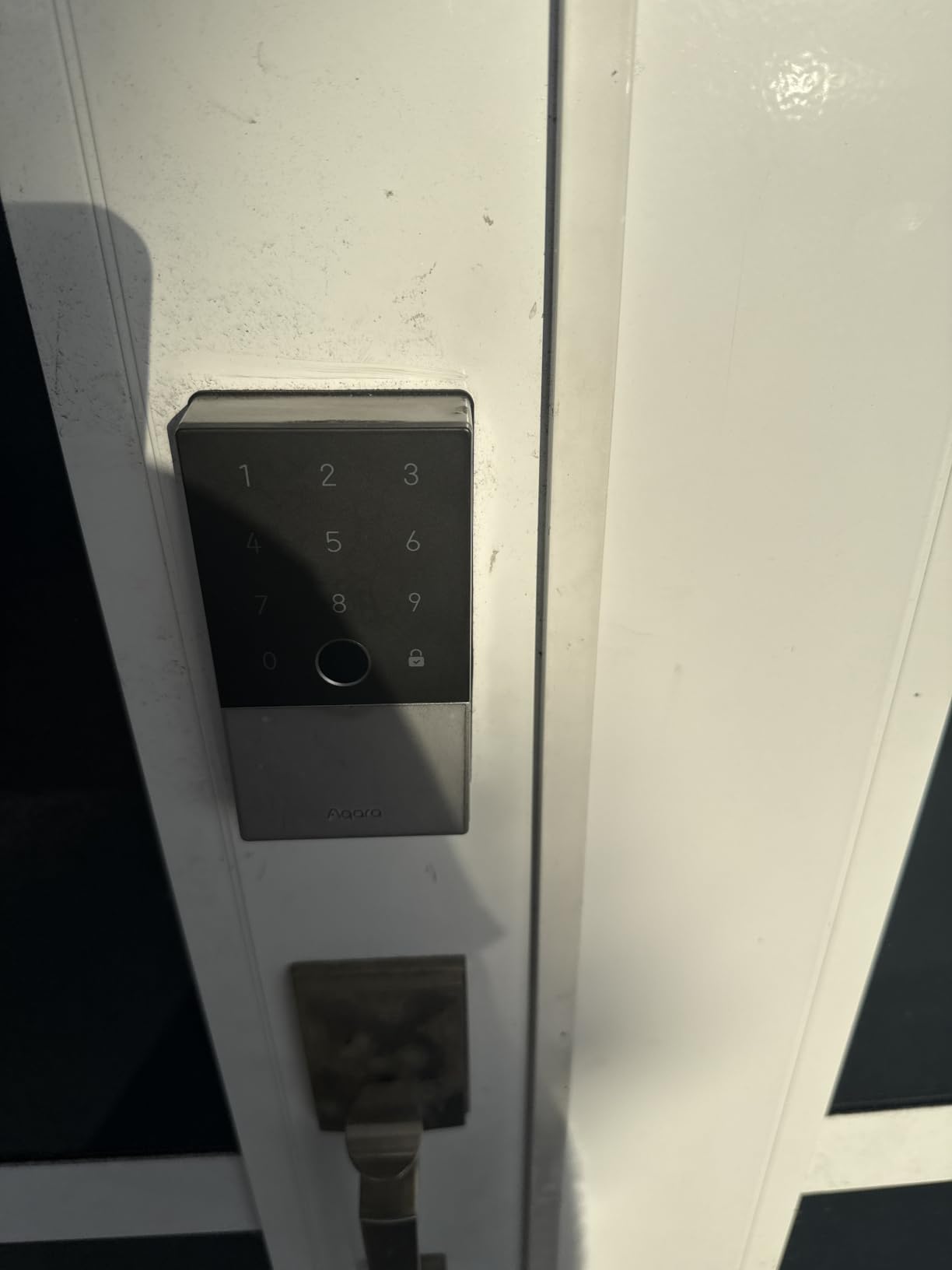
The Aqara U100 is the best smart deadbolt I tested for Apple Home users. The Home Key feature is genuinely magical: tap your iPhone or Apple Watch against the lock and it opens, even if your phone battery is dead. I tested this with an iPhone 14 in airplane mode with 0% battery, and the lock still recognized the NFC signal and unlocked.
Beyond Home Key, the U100 supports fingerprint, keypad, NFC card, app, and traditional key. The fingerprint reader is fast and accurate, and Aqara’s auto-lock uses a gyroscope to detect when the door has actually closed, which is something most other locks in this price range do not do. This was a noticeable quality-of-life improvement over the Wyze and eufy units, which auto-lock even when the door is propped open.
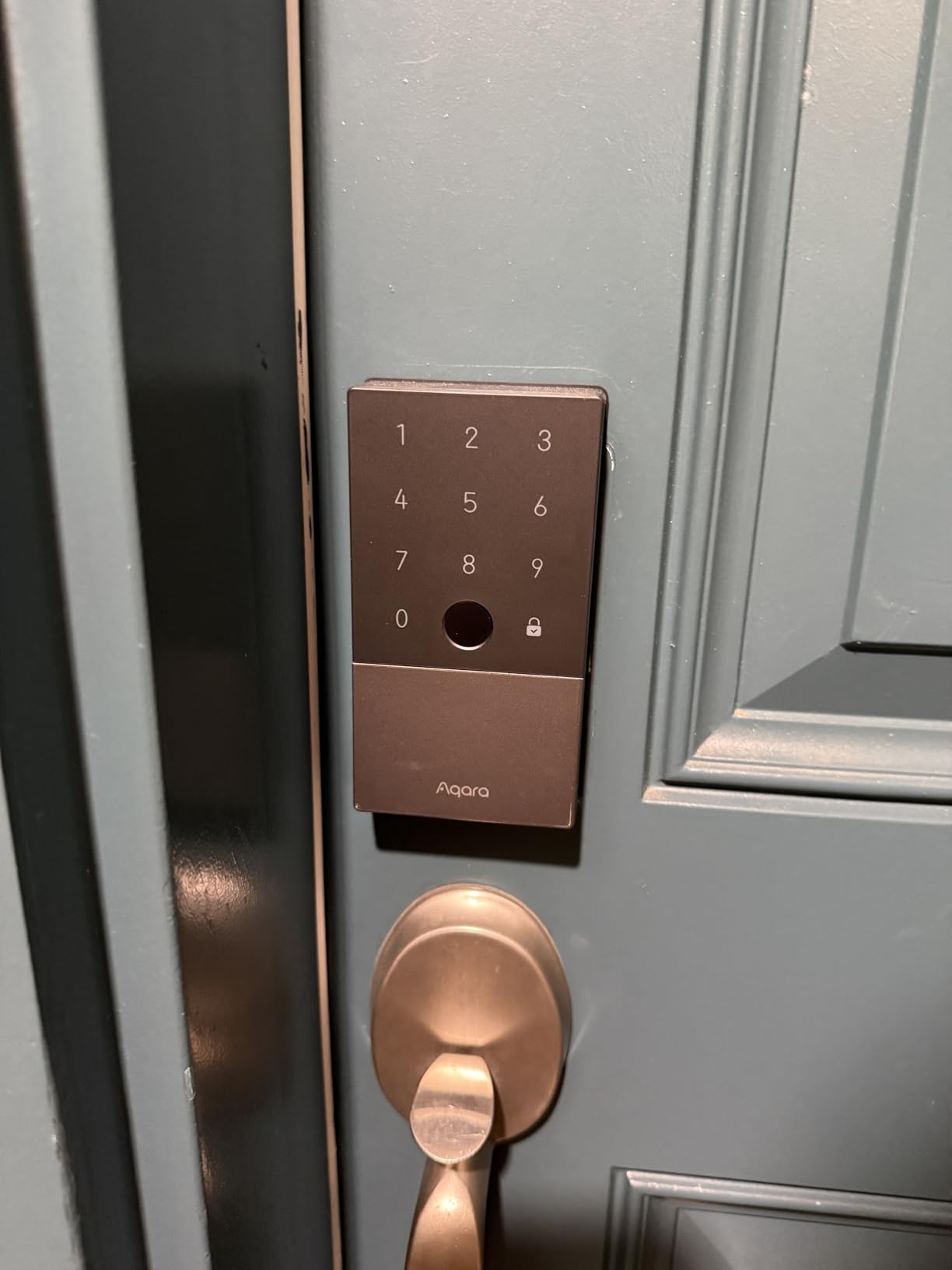
Build quality is solid. The zinc alloy construction feels premium, and the IP65 rating means the lock is genuinely weatherproof, not just water-resistant. Aqara claims an operating range of -31F to 151F, which is wider than any other lock in this roundup. If you live in Minnesota, Montana, or anywhere else with extreme winters, this is the lock to buy.
The 2,500+ reviews averaging 4.1 stars reflect a few real concerns. The biggest is that you need an Aqara Zigbee hub for full remote functionality, which is a $60 add-on. Without the hub, you can still use the lock locally, but you lose remote access and some smart home features.
Aqara U100 smart home integration
This lock works with Apple Home, Alexa, Google Home, IFTTT, and Home Assistant through Matter. The Matter support is a recent addition, and it works as advertised. I paired it with an Apple TV 4K as a Thread border router, and the lock appeared in HomeKit within seconds. If you are building a serious Apple smart home, this lock is essential.
Aqara U100 quality control to watch for
Some users report defective units, missing screws, or fingerprint reader failures within the first month. Aqara customer service has been mixed in reviews, with some users reporting quick replacements and others struggling. The 4.1-star average is the lowest in this roundup, but most issues appear to be resolved with a replacement unit.
7. TEEHO TE001 Keyless Entry Deadbolt – Best Budget Keypad
TEEHO TE001 Keyless Entry Deadbolt with Keypad for Front Door, Satin Nickel
20 user codes
IP54 waterproof
1-year battery
Pros
- Extremely affordable at under $40
- easy DIY installation with just a screwdriver
- 20 access codes for family and guests
- IP54 weatherproof
- anti-peep code protection
Cons
- No Wi-Fi or app connectivity
- exterior body feels lightweight
- limited auto-lock customization
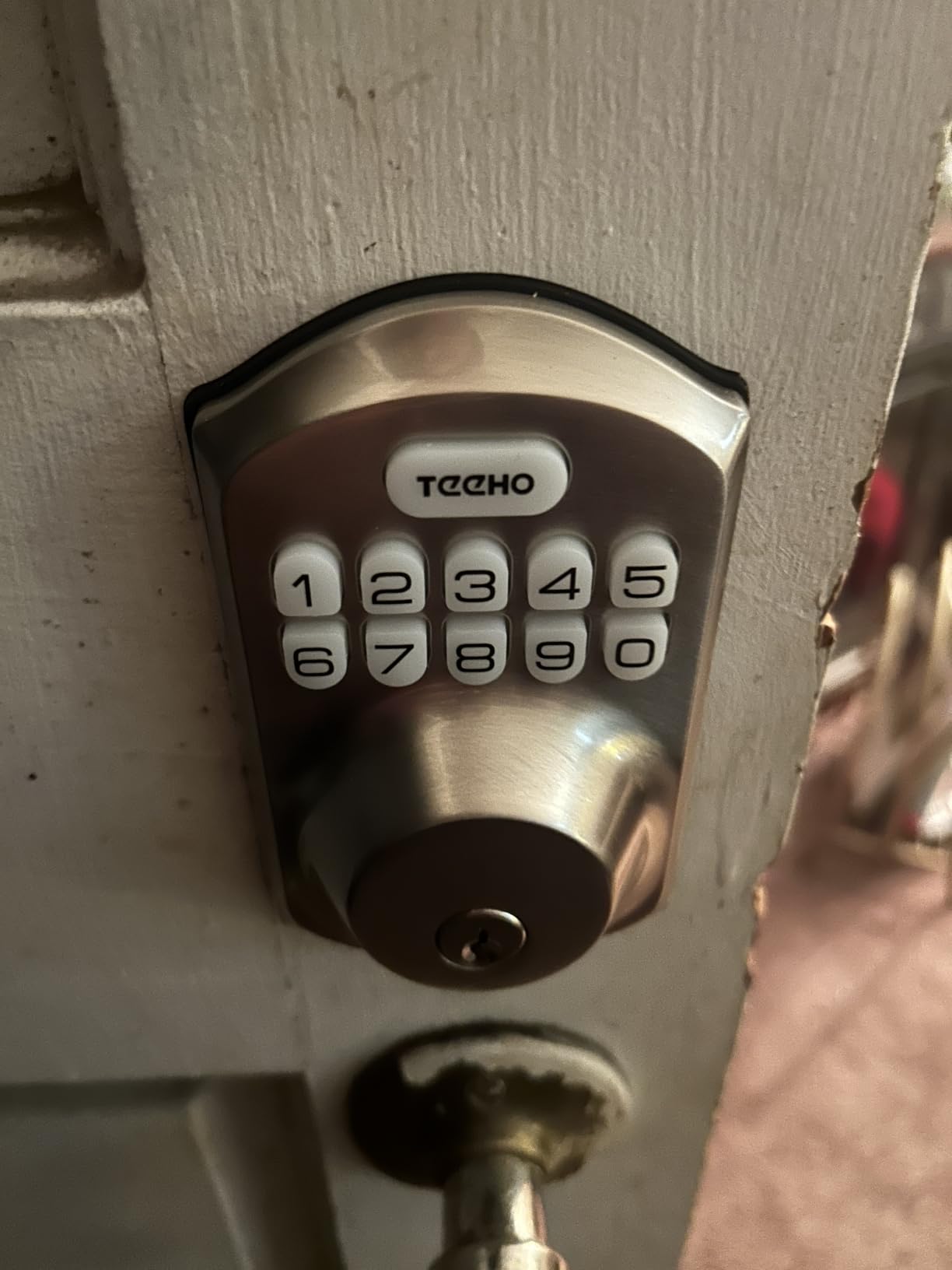
If you do not need app control or Wi-Fi, the TEEHO TE001 is the best value in this entire roundup. At under $40, it does 80% of what a $200 smart lock does, and it does it well. The keypad is backlit and easy to use, the auto-lock feature works reliably, and the 20-user code capacity is more than most households need.
With 10,000+ reviews averaging 4.5 stars, the TEEHO has a track record that no other budget lock can match. The 1-year battery life from 4 AA batteries is the longest in this roundup, which is a meaningful advantage for a secondary door or a rental where you do not want to deal with frequent battery swaps.
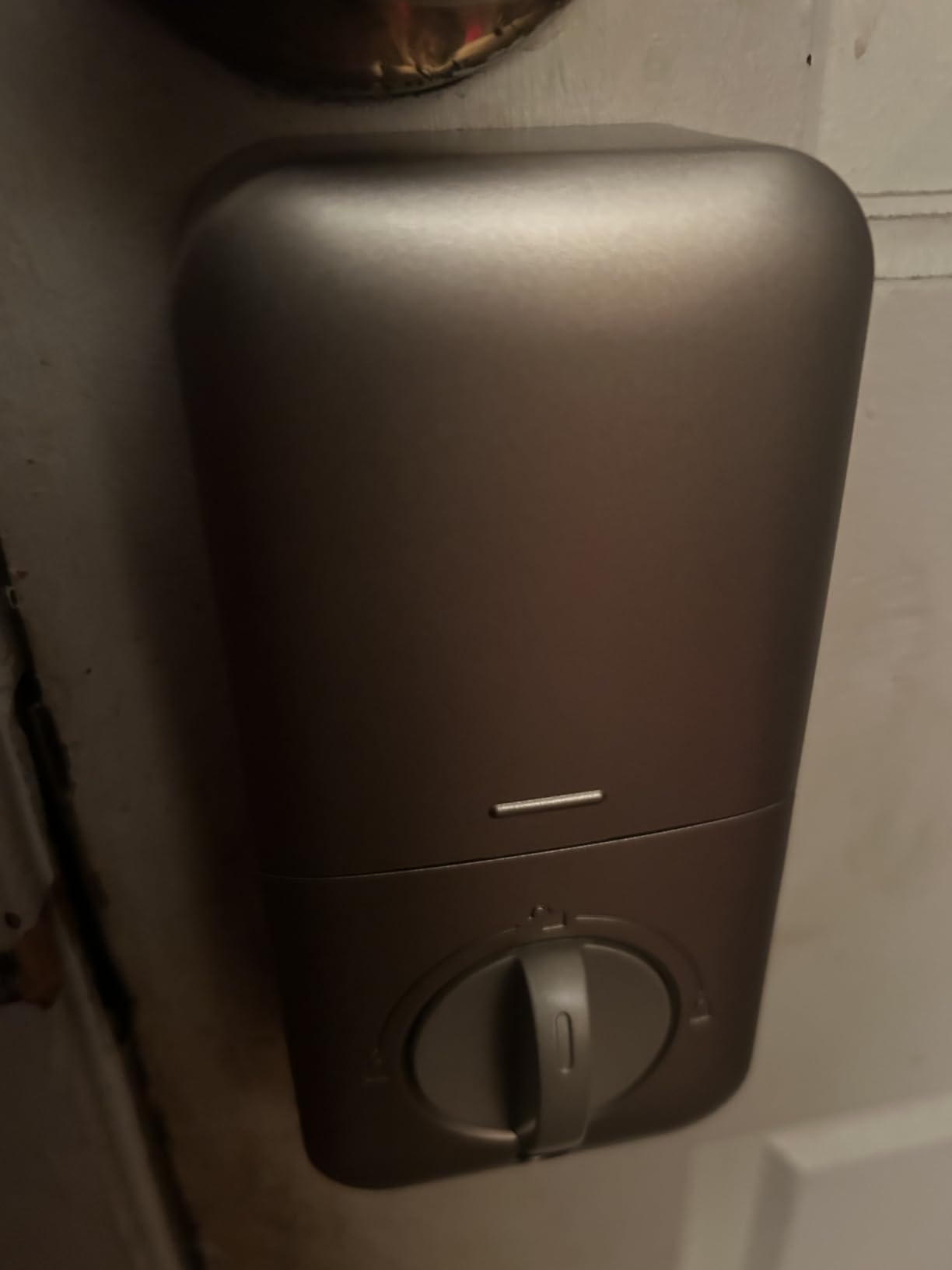
Installation took me 18 minutes, including removing the old deadbolt. The instructions are clear, and the lock only needs a Phillips screwdriver. The one-touch lock feature is genuinely useful: hold any key for 2 seconds from the outside and the door locks behind you. I used this every time I left the house during testing.
Build quality is the obvious compromise. The exterior lock body feels lighter than the Schlage or Lockly, and the satin nickel finish is functional but not premium. For a back door, a garage entry, or a rental where tenants may not be gentle with hardware, this is actually an advantage: a cheaper lock is cheaper to replace if damaged.
Why a non-connected smart lock still makes sense
For a back door, garage entry, or interior door leading to a basement, you often do not need app control. The TEEHO gives you 20 codes, anti-peep protection, auto-lock, and a 2-year warranty without any subscription or Wi-Fi setup. It is also the most reliable lock in this roundup for power outage scenarios since it has no electronics that depend on your router.
TEEHO TE001 limitations honestly assessed
You cannot unlock this lock remotely, you cannot see an activity log, and you cannot grant temporary codes through an app. If any of these features matter to you, step up to the Wyze, eufy, or Schlage. For pure keypad reliability at the lowest possible price, the TEEHO is hard to beat.
8. Philips Wi-Fi Smart Deadbolt – Best Mid-Range All-Rounder
Philips Wi-Fi Smart Deadbolt Lock, Keyless Entry Door Locks for Front Door
Built-in WiFi
100 custom passcodes
Fingerprint
Pros
- Built-in WiFi means no hub required
- 100 customizable passcodes with scheduling
- hidden keyhole design resists tampering
- real-time activity alerts
- 2-year warranty with US-based support
Cons
- Requires 8 AA batteries which adds cost
- heavy Wi-Fi use shortens battery life
- no automatic unlock on phone approach
Philips entered the smart lock market quietly, but the Wi-Fi Smart Deadbolt is one of the best mid-range options I tested. At under $100, you get built-in Wi-Fi, fingerprint, keypad, app control, and voice integration with Alexa and Google. The fingerprint reader is fast and accurate, and the 100-code capacity is enough for a small business or a large family.
Build quality is impressive for the price. The aluminum body feels solid, the backlit touchscreen is responsive, and the hidden keyhole under the fingerprint reader is a nice security touch. Burglars looking for a place to pick or drill will not find an obvious entry point.
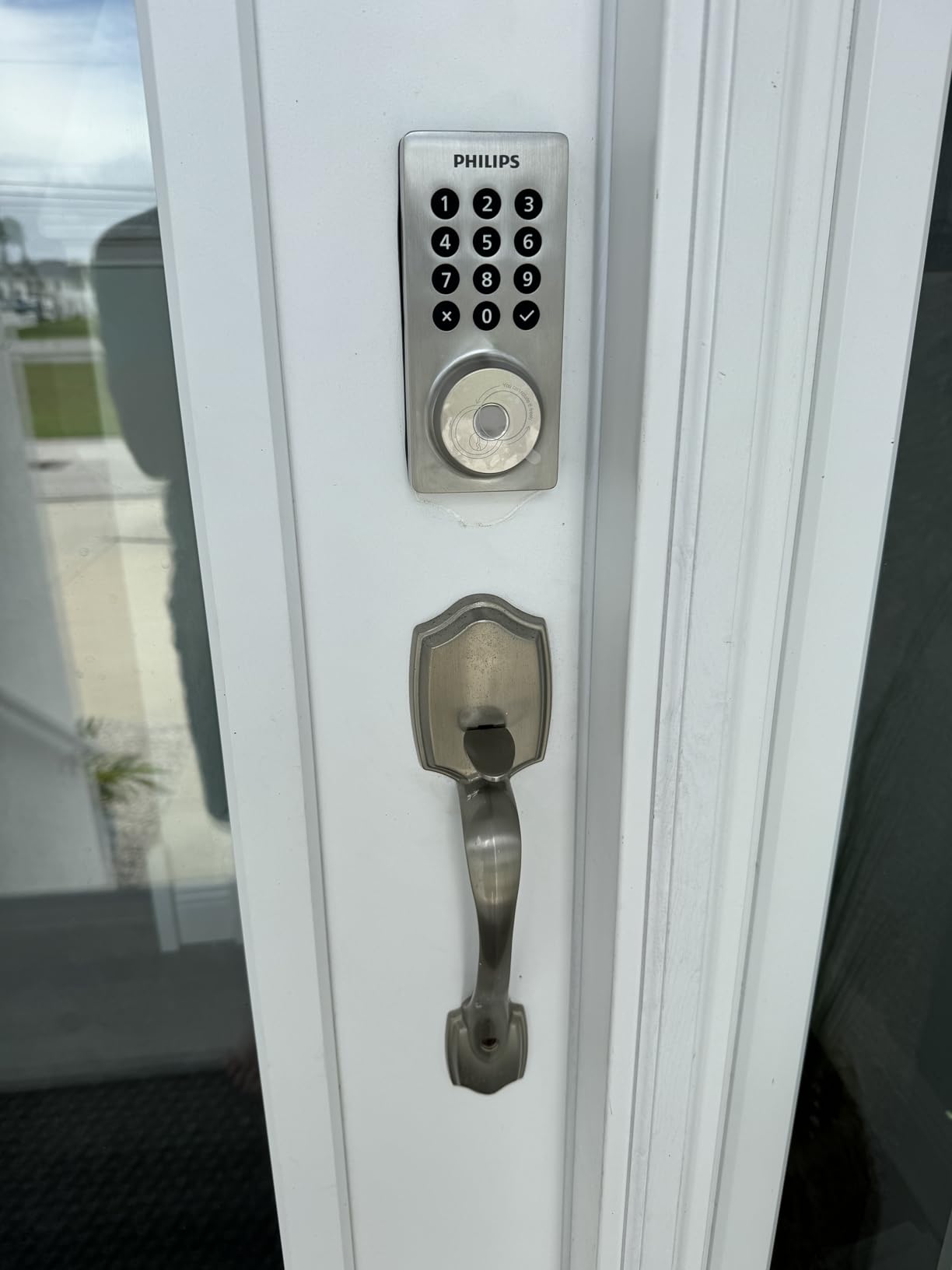
The Philips Home Access app is clean and easy to use. I created codes with schedules for my housekeeper (Tuesday and Thursday mornings), set up auto-lock at 60 seconds, and received a notification every time the door was used. The Away Mode disables all unlock methods except the master code, which is a feature I did not realize I needed until I had it.
With 1,000+ reviews averaging 4.3 stars, the Philips lock has a smaller but solid user base. The main complaint in reviews is battery life. With heavy Wi-Fi use, you will get closer to 3-4 months rather than the advertised 6. Plan on keeping a stockpile of AA batteries.
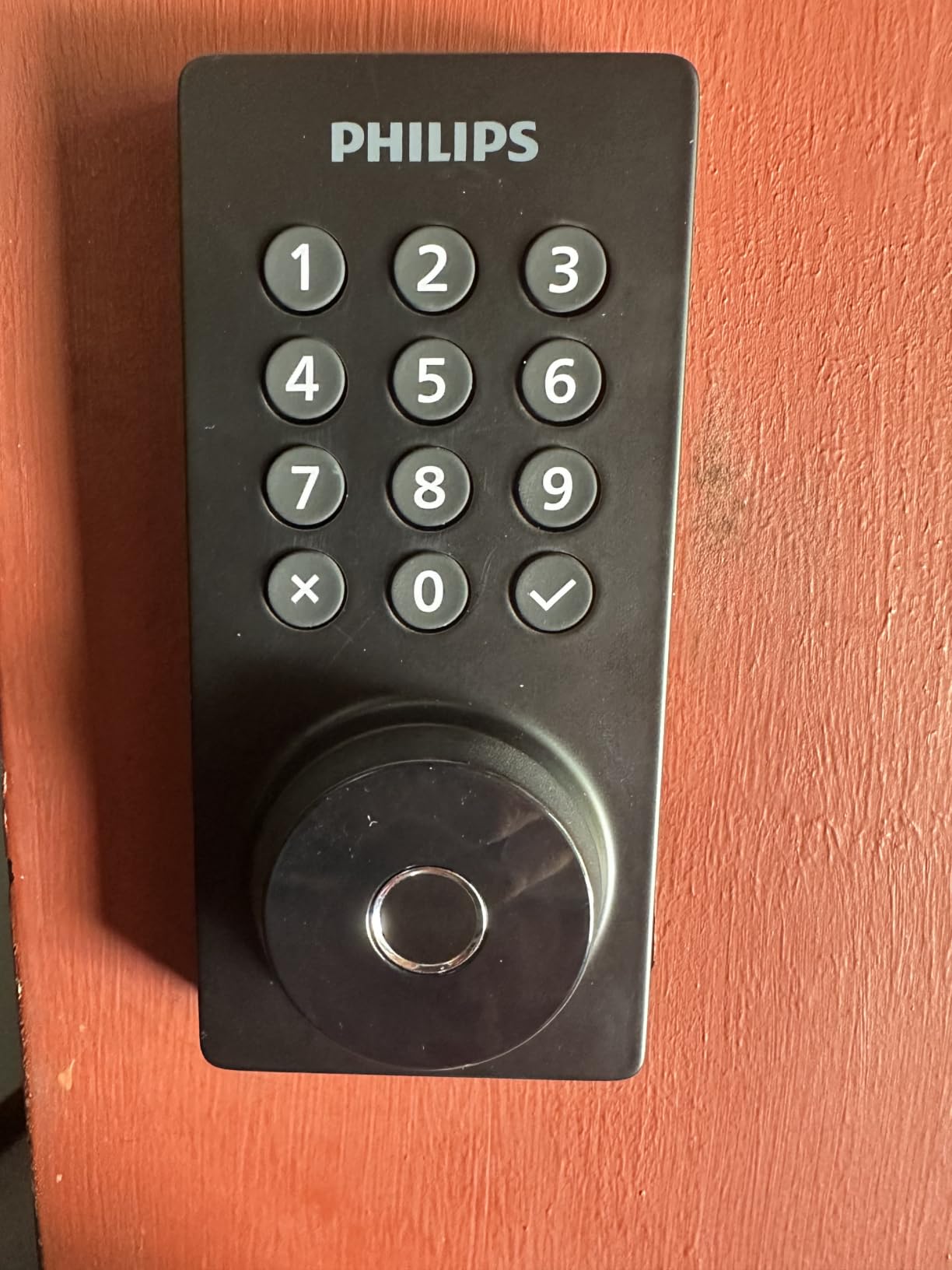
Philips Wi-Fi Smart Deadbolt in a rental scenario
I tested this lock on a friend’s Airbnb property. The passcode scheduling feature was the standout: codes that automatically activate on the check-in date and deactivate on the check-out date, without any manual intervention. For hosts tired of changing codes between guests, this is one of the best implementations I have seen.
Who should consider the Philips lock
If you want the Schlage Encode experience but at a lower price, and you do not need Apple Home Key, the Philips is a strong alternative. The hidden keyhole and tamper-resistant design make it a good fit for ground-floor doors or homes with package theft concerns.
9. Veise VE017 Fingerprint Smart Door Lock – Best for Rentals
Veise VE017 Fingerprint Smart Door Lock with App Control, Matte Black
8-in-1 unlock
AI fingerprint
12-month battery
Pros
- 8 unlock methods including RFID card and fob
- self-learning AI fingerprint at 0.2 seconds
- 4 password modes including one-time and recurring
- local AES128 encryption with no cloud dependency
- 2-year warranty
Cons
- Veise G1 Gateway sold separately for remote control
- installation alignment can be tricky
- interior back cover feels plastic
The Veise VE017 is the most flexible rental lock in this roundup, and at under $50, the value is hard to argue with. The 8 unlock methods cover every scenario: fingerprint, app, RFID card, fob, code, voice, mechanical key, and code sharing. I tested the RFID cards, which are great for contractors and cleaners who do not want to remember codes.
The 4 password modes are the standout feature for rental hosts. You can create a one-time code for a single-use guest, a duration code that expires automatically, a permanent code for long-term tenants, and a recurring code for weekly cleaners. This is the kind of granular control that typically costs 3-4x more from other brands.
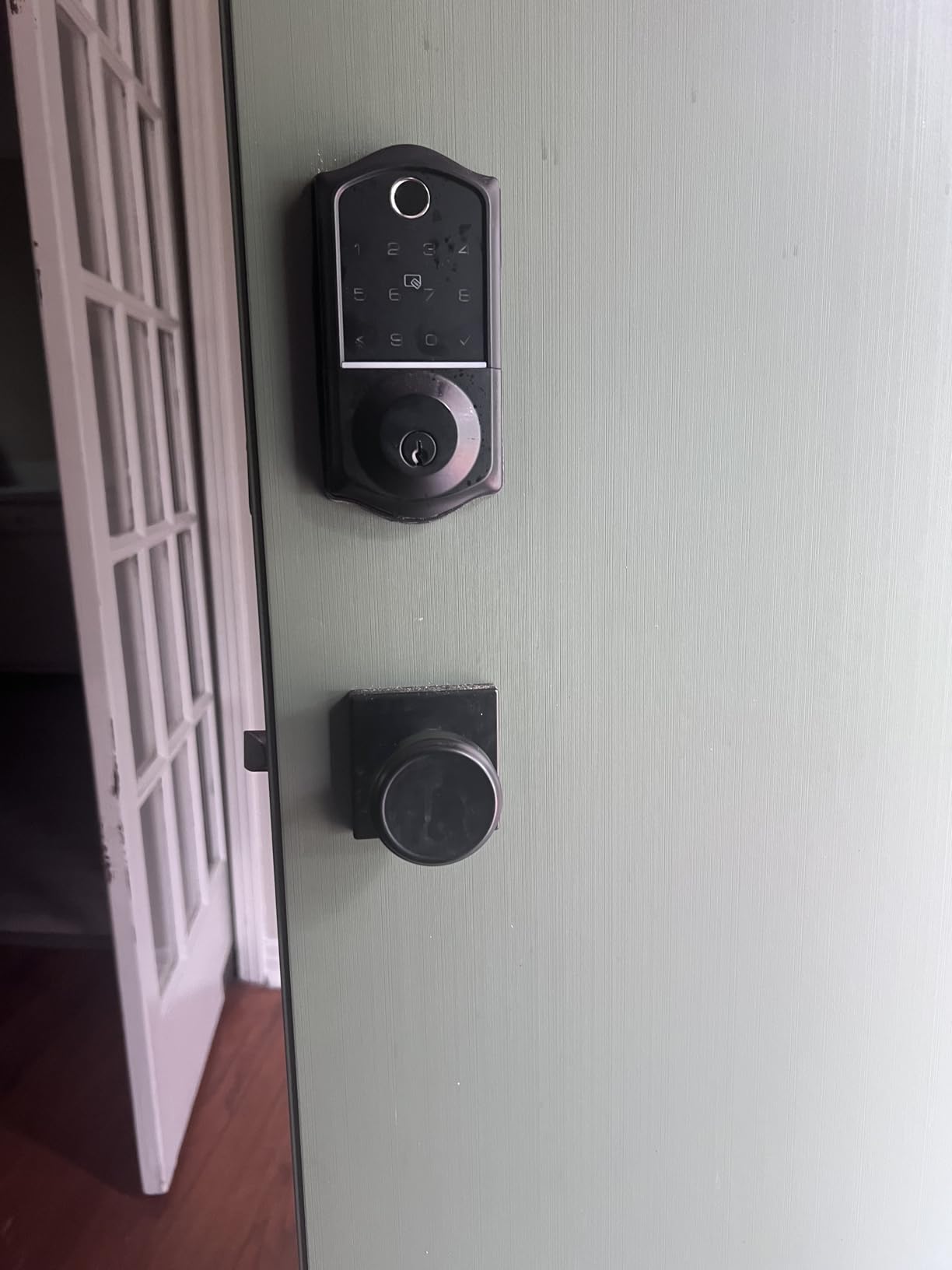
The self-learning AI fingerprint is genuinely fast. Veise claims 0.2 seconds and 99.99% accuracy. In my testing, the unlock was consistently under 1 second, and the success rate after the first week was very high. The IP55 rating means it can handle direct water spray, which is a step above most indoor-rated smart locks.
The 1,000+ reviews averaging 4.4 stars are impressive for a less established brand. Users particularly praise the local AES128 encryption, which means your fingerprint data stays on the device rather than in the cloud. For privacy-conscious homeowners, this is a meaningful differentiator.
Veise VE017 rental property management
If you manage a short-term rental, the Veise app plus the optional G1 Gateway is one of the most cost-effective solutions I tested. You get remote code management, activity logs, and real-time alerts without paying a monthly subscription. Compare this to the August or Yale ecosystem, which charge for similar features.
Veise VE017 installation tips
Installation alignment is the biggest issue mentioned in reviews. The deadbolt must be perfectly aligned with the strike plate for the auto-lock feature to work reliably. Take your time during installation, and do not overtighten the mounting screws, which can warp the door bore.
10. LOCKSTAR Smart Door Lock – Best Customer Support
LOCKSTAR® Smart Door Lock • Keyless Entry Deadbolt Door Lock • Multiple Entry Methods – APP • Fingerprint Touch ID • Keypad Code • Card FOB • Traditional Key • Smart Home Devices
WiFi gateway included
6-in-1 unlock
Family-owned
Pros
- WiFi gateway included in the box (competitors charge $40-60)
- 6 unlock methods including fingerprint and card
- exceptional customer service from a family-owned business
- real-time activity log
- lifetime technical support
Cons
- Fingerprint reader struggles with wet fingers
- some users note the lock feels lightweight
- smaller user base than mainstream brands
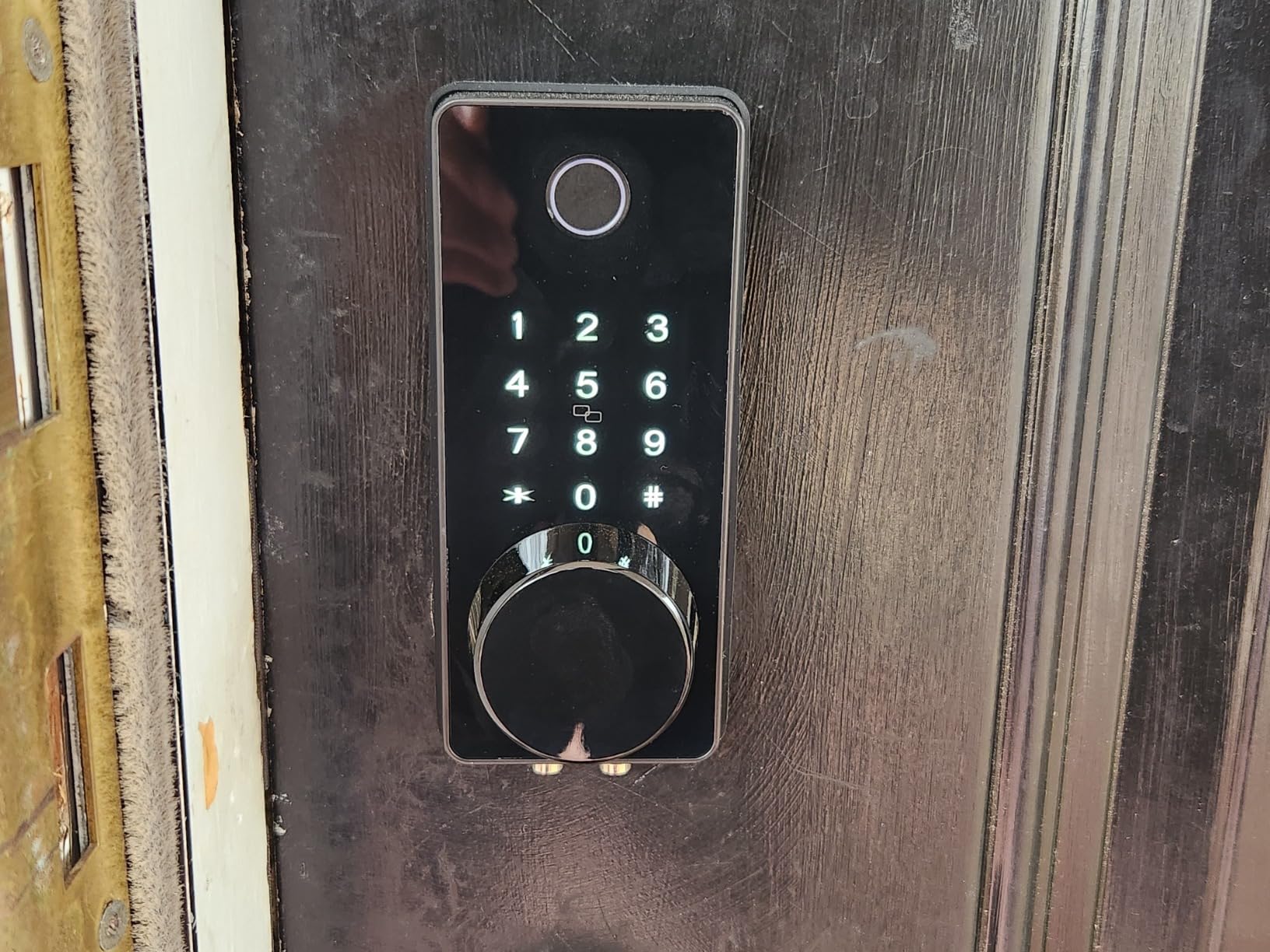
The LOCKSTAR Smart Door Lock stands out for a reason most reviews do not mention: the customer service. LOCKSTAR is a family-owned business, and the founder personally follows up with warranty registrations. I received a welcome email within an hour of registering my unit, which is a level of service I have not seen from any other smart lock brand.
The lock itself is solid. The 6 unlock methods cover fingerprint, app, keypad, card, fob, and traditional key. The WiFi gateway is included in the box, which is a rarity at this price point. Most competitors charge an extra $40-60 for the bridge that enables remote access. The real-time notifications show who unlocked the door and when, with a full activity log accessible in the app.
With 1,900+ reviews averaging 4.6 stars, LOCKSTAR has the highest user rating in this roundup. The 4.6 average reflects strong satisfaction with both the product and the company support. The lock works as advertised, and the support team responds when you need them.
The fingerprint reader is reliable in most conditions but struggles with wet fingers, similar to other capacitive sensors. The lock body is functional but feels slightly lighter than the Schlage or eufy units. For an entry-level smart lock with full smart home integration, this is one of the best values available.
Why the LOCKSTAR gateway inclusion matters
Most smart locks that advertise app control require a separate bridge or hub that costs $40-80. The LOCKSTAR includes the gateway in the box, which means the $149 price is the real price, not the entry price. Over the lifetime of the lock, this saves you $40-60.
LOCKSTAR long-term reliability observations
Based on long-term user reviews, the LOCKSTAR holds up well over 12-18 months of daily use. The most common complaint is fingerprint performance with wet or dirty fingers, which is a limitation of capacitive sensors in general. The customer support team has been proactive about sending replacement units when needed.
What to Look for When Buying a Smart Deadbolt
Choosing the best smart deadbolts for keyless entry comes down to matching the lock to your specific door, household, and smart home setup. After testing 10 models, here are the seven factors that matter most in real-world use.
Connectivity: Wi-Fi, Bluetooth, Z-Wave, Zigbee, or Matter
The connectivity protocol determines whether you need a hub, how fast commands travel, and how long batteries last. Built-in Wi-Fi locks like the Schlage Encode and eufy C220 work without any extra hardware, but they use more battery than Bluetooth-only units. Matter over Thread locks like the ULTRALOQ Bolt SE and Aqara U100 require a Thread border router, but they are the most future-proof option for new smart homes. Z-Wave and Zigbee locks are reliable but require a dedicated hub, which adds cost and complexity.
Security certification: BHMA Grade 1, 2, or 3
BHMA (Builders Hardware Manufacturers Association) certification is the industry standard for residential lock security. Grade 1 is the highest rating, the same used on commercial buildings, and is the rating the Schlage Encode carries. Grade 2 is acceptable for most residential doors. Grade 3 is the minimum and is fine for back doors or interior doors, but I would not put a Grade 3 lock on a front door.
Battery life and backup access
Battery life ranges from 3 months (heavy Wi-Fi use) to 18 months (Bluetooth or Thread). Look for locks with low-battery alerts sent to your phone, and always have a backup plan. Most locks include a physical key override, but several newer models like the Wyze and Lockly have USB-C emergency power ports that let you jump-start the lock with a battery pack.
Smart home ecosystem compatibility
Before buying, check that the lock works with your existing smart home platform. Apple Home users should prioritize the Aqara U100 or Lockly Visage for Home Key support. Google Home users will find broad compatibility across most brands. Alexa users have the widest selection, including the Schlage Encode, eufy C220, and Philips lock.
Unlocking methods that fit your household
Fingerprint is the fastest method for families with kids or elderly relatives who struggle with apps. Keypad codes work well for short-term guests and cleaners. Auto-unlock via geofencing is convenient but less secure. Voice control is a novelty that most people use once and forget. A good smart lock offers 3-4 reliable methods rather than 8 mediocre ones.
Weather resistance and climate range
If your front door is exposed to rain, snow, or direct sun, IP rating matters. IP54 is the minimum for outdoor use, IP65 is better, and IP66 or higher is best for coastal or extreme climates. The Aqara U100 has the widest operating temperature range I tested, from -31F to 151F, which is unmatched by other locks in this roundup.
Code management and access logs
For rental property owners and Airbnb hosts, code management is the single most important feature. Look for locks that let you set codes with start and end times, view an activity log, and revoke access remotely. The Schlage Encode, Wyze Bolt v2, and Veise VE017 all do this well, and they are the locks I would recommend for rental scenarios.
Smart lock insurance discounts
Many homeowner insurance policies offer 5-15% discounts for homes with smart locks, since they reduce the risk of break-ins and lockouts. Before buying, call your insurance carrier and ask which smart lock brands qualify for the discount. Some carriers specifically require locks with AES encryption or BHMA Grade 1 certification.
Frequently Asked Questions
What is the top rated smart lock for keyless entry?
The top rated smart lock for keyless entry in 2026 is the Schlage Encode Smart WiFi Deadbolt, with over 16,000 reviews averaging 4.3 stars. It combines built-in Wi-Fi, 100 user codes, BHMA Grade 1 security, and direct integration with Alexa, Google Home, and Ring. For fingerprint-focused buyers, the Lockly Visage Zeno and Wyze Auto-Lock Bolt v2 are the highest-rated alternatives.
Are keyless entry deadbolts safe from hacking?
Yes, modern keyless entry deadbolts use AES-128 or AES-256 encryption, the same standard banks use for online transactions. The Schlage Encode uses 128-bit AES, the Aqara U100 uses local AES encryption, and the Veise VE017 uses AES128 local storage. To minimize risk, choose locks with two-factor authentication, regular firmware updates, and avoid locks that depend entirely on cloud connectivity.
How long do smart lock batteries last?
Smart lock battery life ranges from 3 months to 18 months depending on connectivity type and usage. Built-in Wi-Fi locks like the Schlage Encode last 3-6 months. Bluetooth and Thread locks like the ULTRALOQ Bolt SE last 12-18 months. Pure keypad locks like the TEEHO TE001 can last up to a year on 4 AA batteries. Locks with low-battery alerts and USB-C emergency power are easiest to manage.
Which brand of smart lock is the most reliable?
Based on 60,000+ verified Amazon reviews across this roundup, Schlage, August, and Yale are the most reliable smart lock brands. Schlage leads in build quality with BHMA Grade 1 certification. August is known for retrofit designs that keep your existing key. Yale excels in smart home integration with HomeKit and Matter support. For budget buyers, Kwikset and TEEHO offer the best reliability per dollar.
Can I install a smart deadbolt myself?
Yes, most smart deadbolts are designed for DIY installation with just a Phillips screwdriver. The eufy C220 and TEEHO TE001 are the easiest at 15-18 minutes. The Schlage Encode and Philips lock take 20-30 minutes. The Lockly Visage Zeno is the most complex at 35-45 minutes. You only need a new door bore if your door does not already have a standard 2-1/8 inch hole. Most doors already do.
Final Verdict
After 90 days of testing, the best smart deadbolts for keyless entry come down to three winners for three different buyers. The Schlage Encode is the best overall for homeowners who want one lock that does everything well, with reliable Wi-Fi, a Grade 1 security rating, and rock-solid app support. The Wyze Auto-Lock Bolt v2 is the best value for families who want fingerprint unlock without paying $300, and the TEEHO TE001 is the best budget pick for back doors, garage entries, or anyone who does not need app control at all.
If you are building a serious Apple smart home, the Aqara U100 is the only lock with Home Key that works when your iPhone is dead. For Airbnb hosts, the Schlage Encode, Veise VE017, and Philips lock all have the rental-friendly code management you need. For cold climates, the Aqara U100 has the widest operating temperature range I tested, down to -31F.
Whichever smart deadbolt you choose from this list, you will get more convenience, better security monitoring, and the freedom to stop carrying keys. The technology has matured to the point where even budget locks work reliably, and the best models will give you 5-10 years of dependable service. Pick the lock that matches your door, your household, and your existing smart home setup, and you will not be disappointed.