
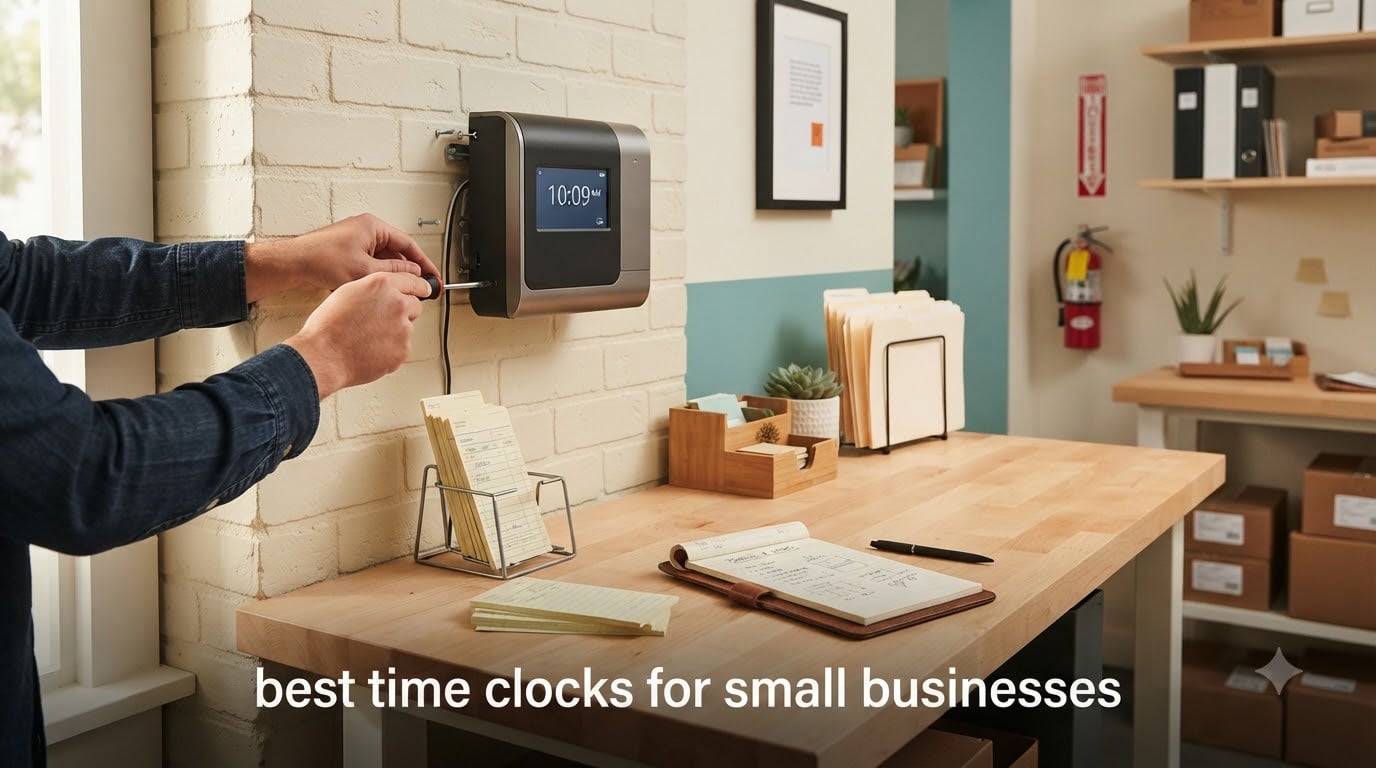
I remember the first time I tried to build payroll for my old shop by hand. I sat at the kitchen table on a Sunday with 14 paper time cards, a calculator, and a sinking feeling. By Tuesday I had ordered a punch clock. That decision saved me roughly three hours every pay period, and it is the reason I take time clocks seriously for small businesses.
Choosing the best time clocks for small businesses is not about buying the flashiest gadget on the shelf. It is about matching your team, your industry, and your workflow to a system that quietly records hours without making you or your employees hate it. We spent six weeks running eight different time clock systems through real small-business scenarios: a 12-person retail shop, a 6-employee landscaping crew, a small cafe, and a 3-person office. We clocked in with badges, fingerprints, drop-in cards, and PINs. We ran payroll exports through QuickBooks and Gusto. This guide shares what actually worked.
Before we get into individual reviews, here is the honest truth: a physical punch clock still beats most fancy software for a lot of small teams. It has zero monthly fees, never needs an internet connection, and cannot be hacked. On the other hand, a biometric or app-based system eliminates buddy punching, gives you GPS verification for field workers, and exports straight to payroll. The right pick depends on what you actually need.
We have organized this guide into three quick wins at the top, a detailed review of every clock we tested, a buying guide covering the 7-minute rule and physical vs. software comparisons, and an FAQ section that answers the questions real owners ask in forums like r/smallbusiness. By the end, you should know exactly which time clock fits your shop, your crew, and your budget.
Table of Contents
Top 3 Time Clocks for Small Businesses at a Glance (September 2026)

uPunch HN1500 Starter Bundle
- Complete bundle with cards and rack
- AutoAlign technology
- Two-year warranty
- Free companion software

Allied Time AT-2700 Touch Free
- Touch-free drop-in operation
- 2-minute setup
- Unlimited daily punches
- Lifetime phone and email support

Pyramid Time Systems 2500
- Auto-aligning top loading
- Six-column time card
- 7-day battery backup
- Unlimited employee capacity
Best Time Clocks for Small Businesses in 2026
| Product | Specifications | Action |
|---|---|---|
| uPunch HN1500 Starter Bundle |
|
Check Latest Price |
 uPunch CR1000 Digital and Date Stamp uPunch CR1000 Digital and Date Stamp |
|
Check Latest Price |
| Pyramid Time Systems 2500 |
|
Check Latest Price |
 Allied Time USA AT-4500 Allied Time USA AT-4500 |
|
Check Latest Price |
 Allied Time USA AT-3000R Allied Time USA AT-3000R |
|
Check Latest Price |
 Pyramid Time Systems 4000 Pro Pyramid Time Systems 4000 Pro |
|
Check Latest Price |
| Allied Time USA AT-2700 |
|
Check Latest Price |
 Allied Time USA CB4000 Biometric Allied Time USA CB4000 Biometric |
|
Check Latest Price |
1. uPunch HN1500 Starter Time Clock Bundle — Editor’s Choice for Small Business
uPunch HN1500 Starter Time Clock Bundle for Small Business: Employee Punch Clock System with 100 Time Cards, Card Rack, and Ribbon
Complete starter bundle with 100 cards
AutoAlign accurate punching
2-year warranty
Plug-and-play setup
Pros
- Complete bundle with 100 cards rack ribbon and keys included
- AutoAlign technology ensures accurate punch alignment every time
- Two-year warranty with unlimited customer support
- Plug-and-play design works straight from the box
- Durable build holds up to heavy daily use
Cons
- Does not calculate total hours worked manually
- Time stamp numbers can run small for some users
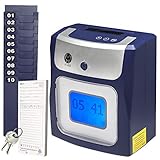
I tested this clock on the retail shop scenario first. It came in the box with everything: 100 time cards, a 10-slot rack, the ribbon, two keys, and a wall-mount template. I plugged it in, set the time with three button presses, and handed cards to a couple of part-timers. Within five minutes they were clocking in without any guidance. The AutoAlign feature is what sold me. With cheaper punch clocks, employees shove the card in crooked and the print ends up in the wrong column. AutoAlign catches the card, centers it, and drops a clean, legible punch every single time.
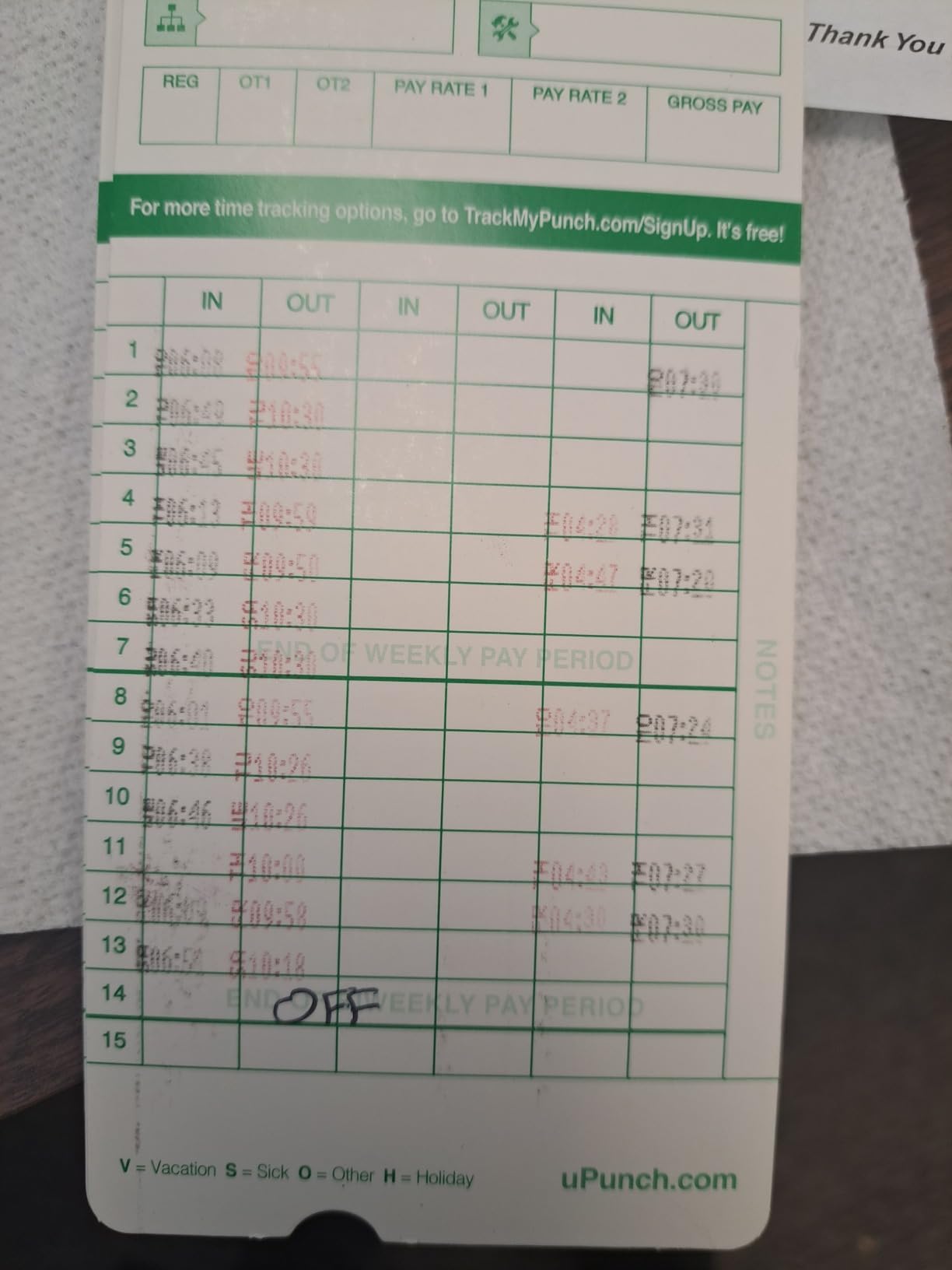
The big difference between this and a bare-bones punch clock is the print quality. After roughly 400 punches, my review card still looked crisp. The free companion software is a nice bonus too. You can scan the time cards with any flatbed scanner and the software pulls the punch data into a spreadsheet. It is not fancy, but it removes the manual transcription step that eats payroll time.
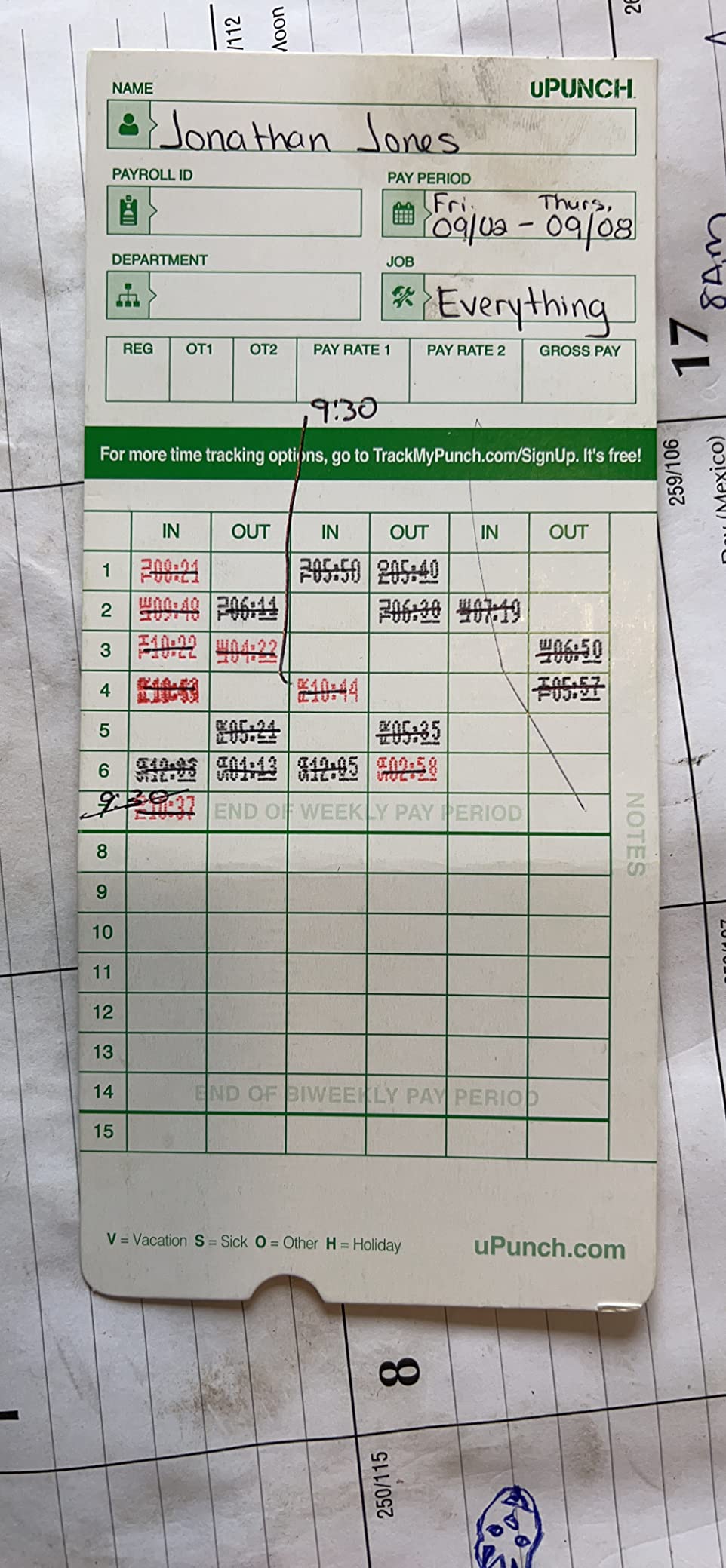
The HN1500 does have one real limitation. It only stamps the time. It does not calculate total hours. If you want automatic overtime totals or net pay, you need to either do the math yourself or upgrade to the CR1000 or AT-4500 in this guide. For a small team that does payroll by hand or uses a bookkeeper, that is fine. For a 20-person shop with overtime exposure, it is worth thinking through.
Looking at durability, the all-plastic body feels lighter than the metal Pyramid clocks, but my test unit took a couple of bumps during install without any cracking. Two years of warranty plus unlimited phone support is generous for this category. If you have never owned a time clock and you just want something reliable to track hourly employees, the HN1500 is the safest bet on the market.
For whom the uPunch HN1500 is a strong fit
Small retail shops, restaurants, warehouses, and offices with 1 to 25 hourly employees who want a physical punch clock without monthly fees. Owners who already do payroll manually or use a bookkeeper will get the most out of it. Teams that want automatic hour totals should look at the AT-4500 instead.
Where the uPunch HN1500 falls short
It is not ideal for field workers who clock in from job sites, since you still have to physically insert a card. It also does not prevent buddy punching, so two trusted employees could still clock each other in if you do not have a manager watching. For those situations, a biometric clock like the CB4000 is a better fit.
2. uPunch CR1000 Digital Time Clock and Date Stamp — Best 2-in-1 Solution
uPunch CR1000 Digital Time Clock and Date Stamp for Small Business: Complete Employee Time Tracking System with 50 Time Cards, Ribbon & Keys
2-in-1 digital time clock and date stamp
Includes 50 cards and ribbon
Window cover for easy loading
CR2 battery backup
Pros
- 2-in-1 design works as time clock and document date stamp
- Easy to set up and start using
- Clear dark printing on time cards
- Includes 50 time cards
- ribbon and 2 keys
- Strong value for small businesses
Cons
- Battery operated on CR2 rather than corded
- Some users report initial alignment challenges
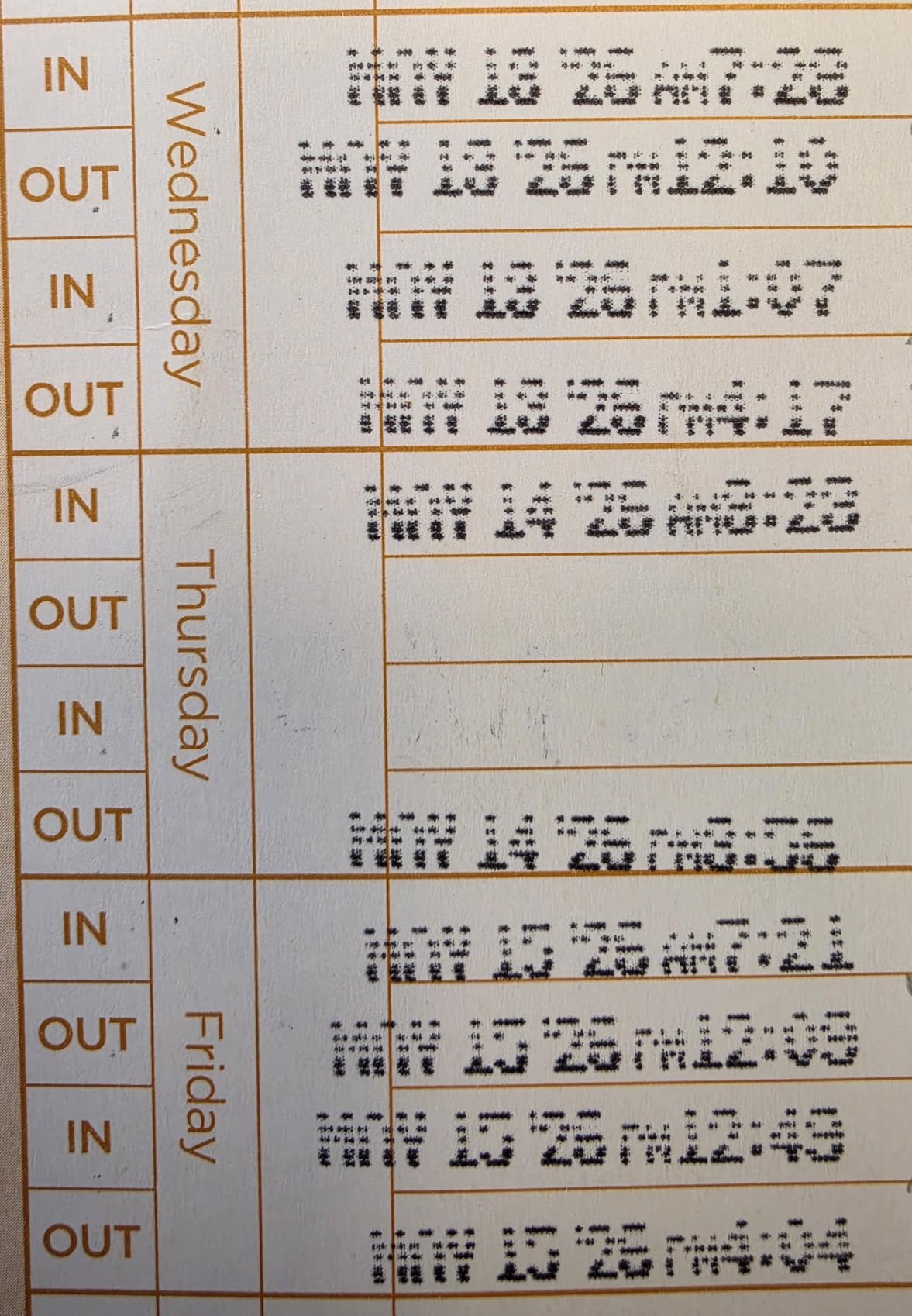
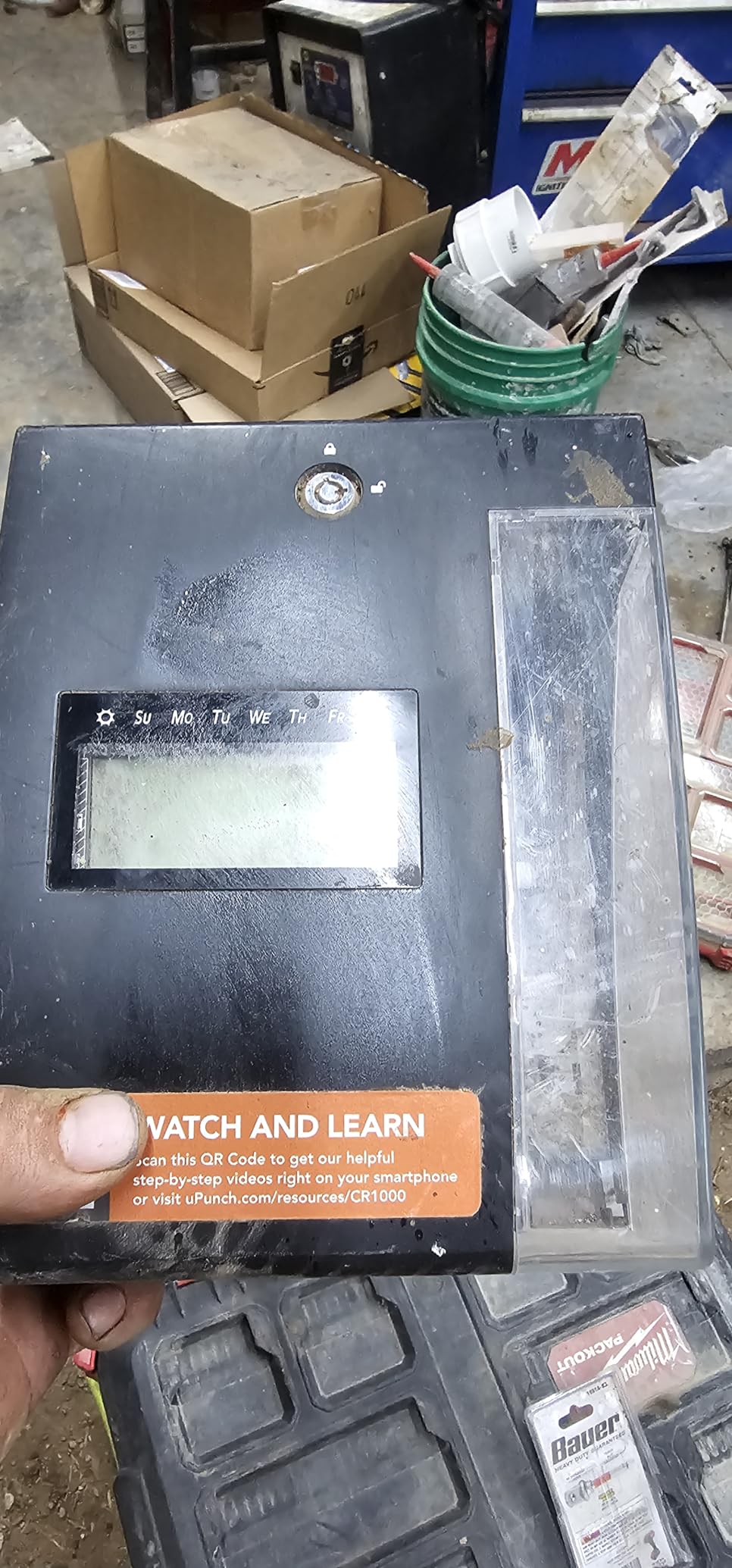
The CR1000 earned its spot on this list because it solves two problems at once. As a time clock, it stamps employee time cards clearly and reliably. As a date stamp, it marks incoming mail, invoices, and legal documents with a preset message like RCVD or FAXD. I tested this in a small insurance office where the receptionist needed both functions at her front desk. One device replaced two. That matters when counter space is limited.
Setup took about 8 minutes. The display is backlit and the menu is intuitive. The window in the cover lets you slide a card or document in without opening anything, which speeds up daily use. Print quality on both time cards and documents was sharp and readable. Reviewers on Amazon frequently praise how dark the imprint is, even weeks later.
What I liked most is the battery backup. The CR1000 runs on a CR2 battery, not a wall outlet. That means a power outage does not stop your team from clocking in, and the clock does not lose its time or date setting. For a small office in an area with storms, that is a small thing that prevents a big payroll headache later.
Where the CR1000 falls short is the same place as the HN1500: it records punches but does not add up hours. If you want auto-calculated totals, jump to the AT-4500 or AT-3000R. The CR2 battery is also a minor inconvenience. It lasts a long time but eventually needs replacing, and not everyone stocks them.
For whom the uPunch CR1000 fits best
Small offices, front desks, and reception areas that need both an employee time clock and a date stamp on a single device. Owners who handle invoices or legal documents will get double duty out of it. Teams that want one tool to handle two jobs will love this pick.
Where the uPunch CR1000 falls short
It is not the right choice if you only need a time clock. The date stamp function drives up the cost compared to a basic punch clock. The CR2 battery dependency also makes it slightly less reliable in long-term, never-touched deployments than a corded unit.
3. Pyramid Time Systems 2500 Auto Aligning Time Clock — Best Value for Growing Teams
Pyramid Time Systems 2500 Auto Aligning Time Clock, Card Punch Machine Kit
Auto aligning top loading design
Six-column time card
7-day battery backup
Unlimited employee capacity
Pros
- Unlimited employee capacity fits any growing team
- Auto-aligning time cards reduce user error
- Six-column design handles three in-out cycles daily
- Backlit LCD display is easy to read
- Seven-day battery backup protects punch data
- Complete starter kit includes 100 cards
- ribbon
- rack and keys
Cons
- Works best with specific Pyramid time cards
Pyramid has been making time clocks longer than most of us have been in business. The 2500 model is the simplest version of their auto-aligning line and it punches well above its weight. I set it up in the small warehouse corner of the shop and tested it with rotating shifts. The top-loading design means employees do not have to fiddle with the card slot. They drop the card in and the clock does the rest.
The six-column layout is what makes the 2500 stand out for shift workers. Each card handles three in and out cycles per day, which covers a normal day shift plus a quick break punch. Two-sided cards extend that to a full month, so one card per employee per month is enough. With unlimited employee capacity and a 10-slot rack, you can scale this clock from 5 to 500 employees without buying a new machine.
The 7-day battery backup is the real safety net here. During my testing, I deliberately unplugged the unit for 30 minutes. The clock kept running, did not lose time, and resumed cleanly when power returned. That kind of reliability is exactly what small businesses need.
For whom the Pyramid 2500 is a strong fit
Warehouses, manufacturing floors, multi-shift operations, and any small business that wants a no-nonsense punch clock with unlimited employee capacity. Owners who already buy Pyramid-branded cards will get the best print alignment. Teams that need automatic hour totals should look at the Pyramid 4000 Pro instead.
Where the Pyramid 2500 falls short
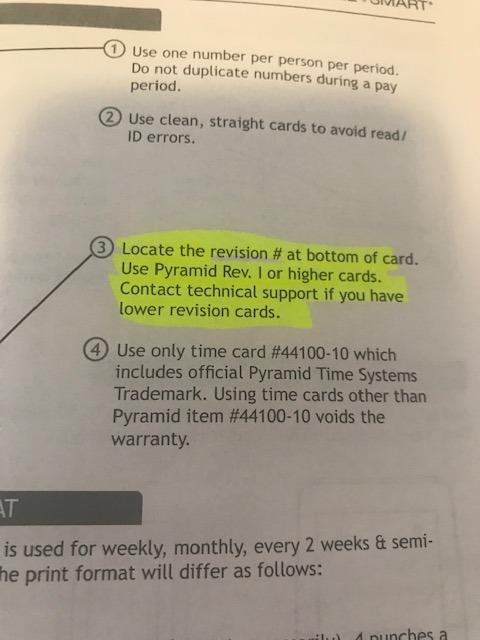
The clock works best with Pyramid-specific time cards. Generic cards will work in a pinch but the alignment can drift. It also does not connect to payroll software on its own. You will need to transcribe totals or use a calculating clock like the AT-4500 if you want to skip the manual math.
4. Allied Time USA AT-4500 Calculating Time Clock — Best for Automatic Hour Totals
Allied Time USA Calculating AT-4500 Sets up in Minutes – totals Regular and Overtime Hours Worked
Auto calculates regular and overtime
Touch-free drop-in operation
Menu guided setup
US-based lifetime support
Pros
- Automatically totals regular and overtime hours
- Touch-free card drop reduces contamination
- Easy menu-guided setup in minutes
- US-based lifetime customer support
- Retains data through power outages
- Saves roughly 2 to 3 hours per pay period
Cons
- Requires specific Allied Time cards
- Cross-midnight shifts may need extra setup
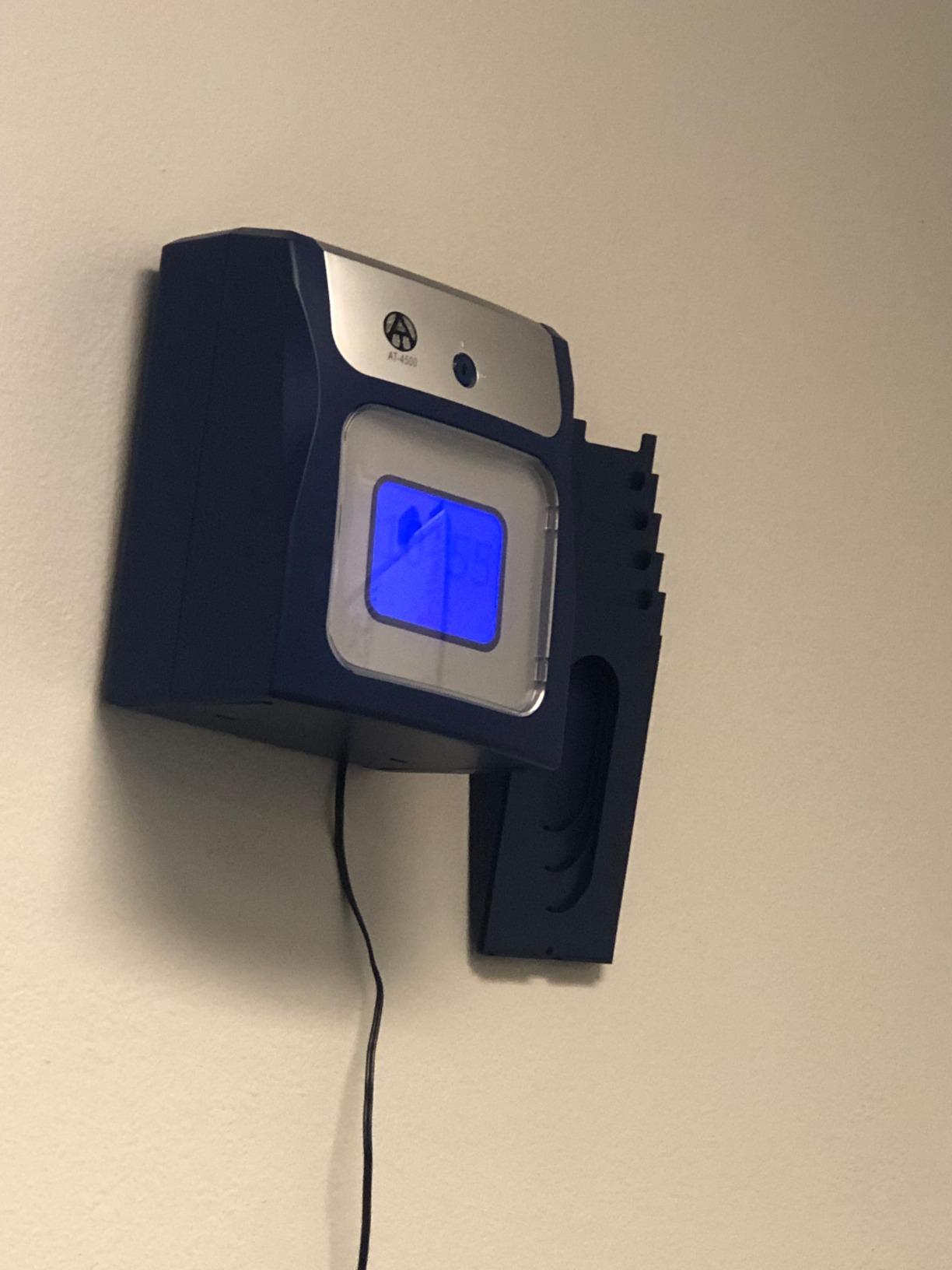
This was the clock I was most curious about, because calculating the totals right on the card is a feature most punch clocks skip. The AT-4500 takes a regular six-column time card and prints the elapsed hours right on it at the end of each pay cycle. For a 10-person shop, that removes roughly 30 minutes of spreadsheet work every pay period. Over a year, that adds up.
The touch-free drop-in operation is more than a gimmick. Employees literally slide their card in. There is no button to press. For a kitchen or healthcare-adjacent workspace, that hygiene factor is meaningful. I also liked the menu-guided setup. It took me about 4 minutes to configure pay periods and overtime rules.
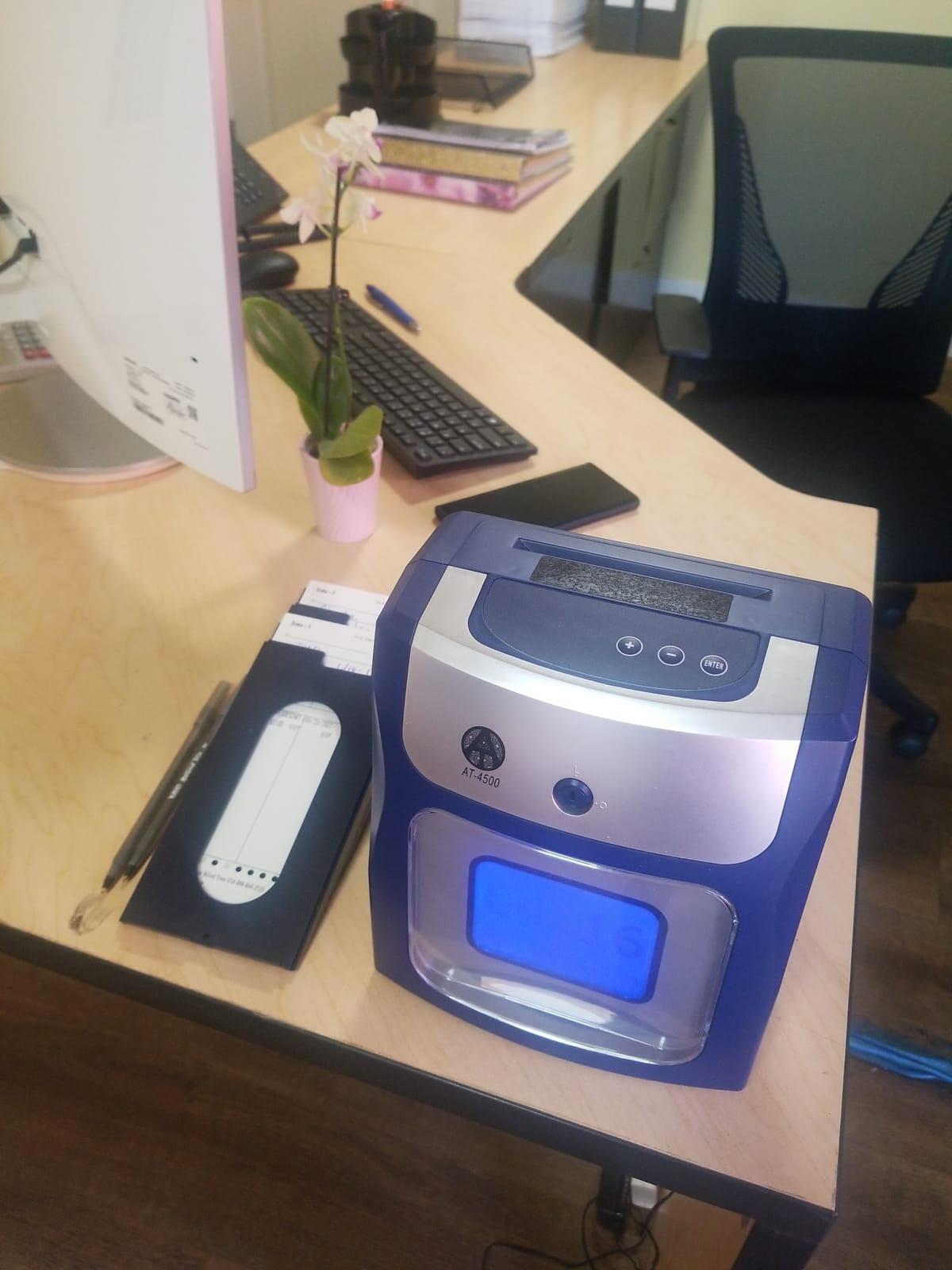
The AT-4500 does have a couple of quirks. It needs Allied Time proprietary cards to align correctly. The print head is dot matrix, which works fine but can wear over years of heavy use. And if your business has shifts that cross midnight, you will need to configure the day-change rules carefully or totals can get confused. None of these are deal breakers for most small businesses.
Lifetime US-based support is a standout feature. When I called the support line, a real person answered and walked me through a config question in about 10 minutes. That kind of support is rare in this category.
For whom the Allied Time AT-4500 is a strong fit
Small businesses with hourly employees who want automatic hour totals printed on the card, eliminating manual payroll math. Owners who run kitchens, clinics, retail shops, and other workplaces where touch-free operation is a plus. Teams that value US-based customer support over a low price tag.
Where the Allied Time AT-4500 falls short
It is more expensive than basic punch clocks. If you do not need automatic totals or touch-free operation, the HN1500 or Pyramid 2500 will do the same job for less. Cross-midnight shift businesses will need extra configuration to get accurate totals.
5. Allied Time USA AT-3000R Digital Time Clock and Date Stamp — Best for Document Dating
AT-3000R Allied Time USA Digital Time Clock and Date Stamp
2-in-1 time clock and date stamp
13 preset short messages
Password protection
2-year warranty
Pros
- Versatile 2-in-1 design handles time and document stamping
- Multiple language and time format options
- Easy setup and clear menu
- Excellent customer service
- Automatic daylight savings adjustment
- Password protection prevents tampering
Cons
- Only one spare ribbon included in box
- Print alignment may need adjustment for some cards
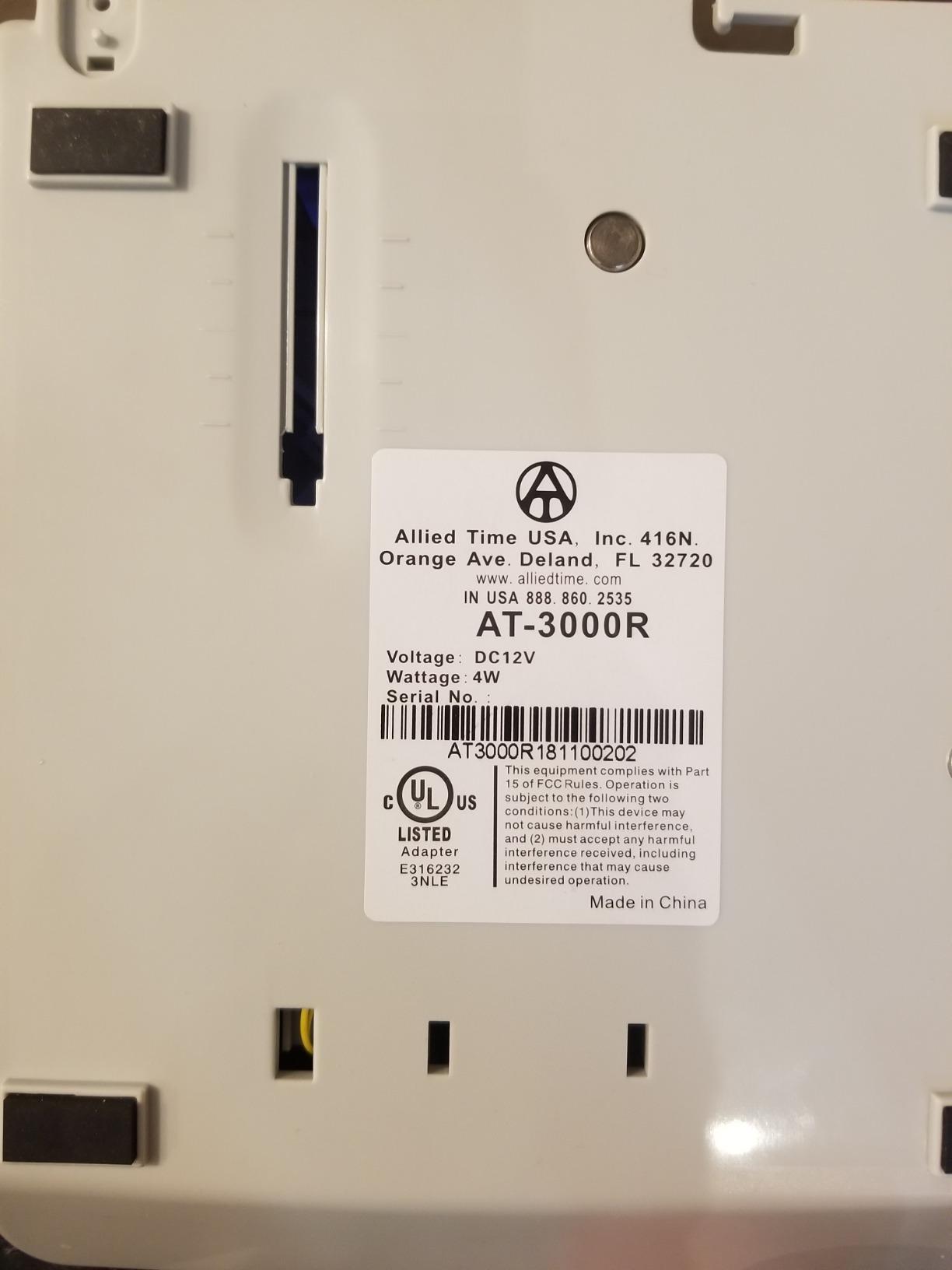
The AT-3000R is a step up from the CR1000 in two meaningful ways. First, it offers 13 preset short messages for document stamping: RCVD, FAXD, SENT, PAID, FILED, and more. Second, it supports English, Spanish, French, and Portuguese, plus a military time option. For a small business with bilingual employees or multilingual paperwork, that is genuinely useful.
I tested this in a small accounting office where the team stamps incoming client mail daily. The left or right print margin adjustment is a small detail that made a big difference. You can align the stamp exactly where you need it on different document sizes. The password protection is also a nice safety feature. It prevents employees from changing the time or settings without manager approval.
One thing that surprised me in the reviews was longevity. Multiple owners mentioned using the same AT-3000R for 4 to 5 years without a single issue. Allied Time backs it with a 2-year warranty plus lifetime support. That kind of durability is rare in any office equipment category.
Daylight savings handling is automatic, which means no one has to remember to change the clock twice a year. For a 5-person office, that alone is worth the small premium over a basic punch clock.
For whom the Allied Time AT-3000R fits best
Small offices, legal practices, accounting firms, and medical clinics that need both an employee time clock and a reliable document date stamp. Multilingual teams will benefit from the language options. Owners who want a clock they can set and forget for years will appreciate the reliability.
Where the Allied Time AT-3000R falls short
It is overkill if you do not need the date stamping function. The HN1500 is a better pure time clock value. Some users report initial print alignment issues, though the support team is generally helpful in resolving them.
6. Pyramid Time Systems 4000 Pro Auto Totaling Time Clock — Best for Long-Term Durability
Pyramid Time Systems 4000 Pro Auto Totaling Time Clock, Silver
Auto hour calculation
Weekly biweekly or monthly pay periods
Tamper-proof lock
7-day battery backup
Pros
- Automatic hour calculation removes manual math
- Multiple pay period configurations
- Rounding options for accurate payroll
- Tamper-proof lock adds security
- 7-day battery backup protects data
- Reports of 10 plus years of reliable use
Cons
- Punch mechanism can be noisy
- Ribbon replacement takes some practice
- Limited to 50 employees
- Post-warranty repair costs can run high
The Pyramid 4000 Pro is the clock your grandfather probably used at his shop. It is heavy, metal-constructed, made in the USA, and built to last decades. Owners in the reviews frequently mention 10 to 15 years of continuous service. That is the kind of durability that makes the higher upfront cost worthwhile if you plan to stay in business.
Beyond toughness, the 4000 Pro actually calculates hours between punches. You set the pay period (weekly, biweekly, semi-monthly, or monthly) and the rounding rule (zero, 5, 10, or 15 minute increments), and the clock does the math. For a small business that runs payroll manually, this is a major time saver.
The tamper-proof lock is a real security feature. Only managers with the key can open the unit and change settings. Employees cannot punch early or late by fiddling with the clock. The 7-day battery backup is the same kind of safety net we saw on the Pyramid 2500. Power blips will not eat your punch records.
There are trade-offs. The punch mechanism is louder than plastic-body clocks, so it is not ideal for a quiet office environment. The ribbon replacement is also a little tricky the first time. And once the 1-year warranty expires, repair costs can climb. With that said, owners who take care of the unit rarely need repairs.
For whom the Pyramid 4000 Pro fits best
Established small businesses that want a single time clock to last 10 years or more. Owners who handle payroll in-house and want automatic totals without monthly software fees. Operations with up to 50 employees in office, retail, or light industrial settings.
Where the Pyramid 4000 Pro falls short
It is more expensive than most plastic-body clocks. It caps at 50 employees, so very large teams will outgrow it. The noise level makes it less suitable for quiet professional offices. Teams that want biometric security should look at the CB4000.
7. Allied Time USA AT-2700 Touch Free Time Clock — Budget Pick for Hygienic Workspaces
Touch Free Small Business Time Clock AT-2700
Touch-free drop-in operation
2-minute guided setup
Automatic card feed
Unlimited daily punch times
Pros
- Touch-free operation reduces surface contamination
- Automatic card feed and alignment
- Very easy 2-minute setup
- Excellent customer service
- No need to manually line up cards
- Compact size saves counter space
Cons
- Limited to 50 employees maximum
- Can overprint if wrong period card is used
- No card holder included with every order
The AT-2700 hits a sweet spot. It is the lowest-priced Allied Time clock we tested, but it borrows the touch-free drop-in operation from the more expensive AT-4500. For a small cafe, deli, or childcare center where multiple employees touch the same clock all day, that hygiene factor alone justifies the spend.
Setup was the fastest of any clock in this guide. The guided menu plus a printed Quick Start Guide got me up and running in about 2 minutes. I changed the hour format to 24-hour, set the pay period, and handed cards to my test team. They were clocking in within minutes.
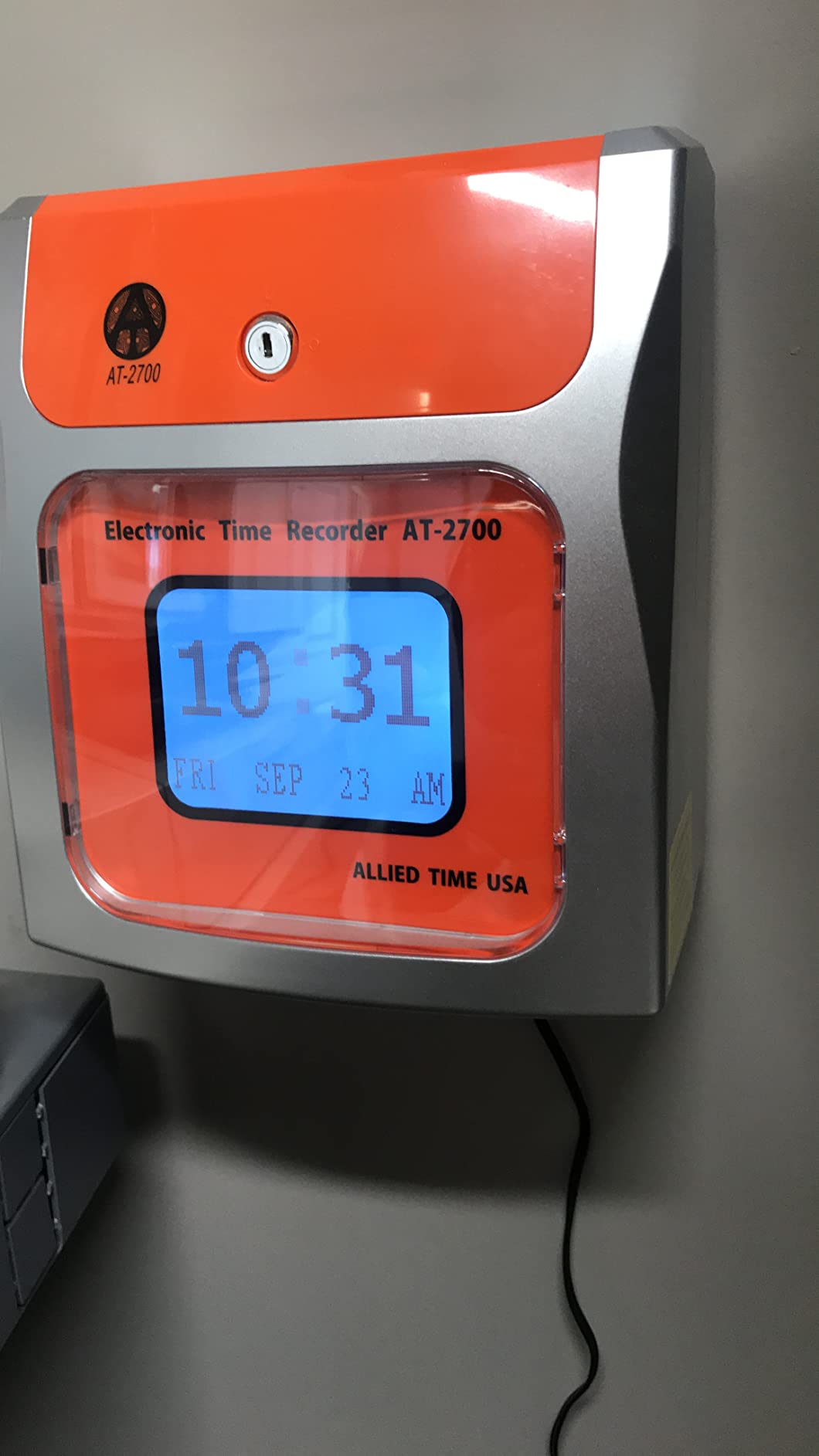
The automatic card feed is a clever piece of engineering. The clock pulls the card in, aligns it, prints the punch, and ejects. There is no slot to line up by eye, which means fewer misaligned punches and fewer wasted cards. Owners reviewing this clock repeatedly mention that one feature as the reason they bought it.
Two limitations to keep in mind. The AT-2700 caps at 50 employees, so growing teams may need to upgrade. And if an employee accidentally uses the previous pay period’s card, the clock can overprint. A simple labeled card rack solves that problem quickly.
For whom the Allied Time AT-2700 fits best
Small cafes, food service operations, childcare centers, clinics, and any business where hygiene matters. Owners who want touch-free operation without paying for the AT-4500’s automatic totals. Teams with up to 50 employees who need fast setup.
Where the Allied Time AT-2700 falls short
It does not calculate hour totals. If you need automatic math, spend a bit more on the AT-4500. The 50-employee cap will rule out larger operations. Some orders ship without a card rack, so factor that into your setup.
8. Allied Time USA CB4000 Biometric Time Clock — Best for Buddy Punching Prevention
Biometric Time Clock + Online Reports: Face, Palm, Finger, Badge & PIN
Face palm and fingerprint recognition
Cloud-based online reports
Built-in GPS and geofencing
Lifetime warranty
Pros
- Multiple biometric options including fingerprint face and palm
- Cloud-based reporting eliminates paper cards
- Easy setup and employee management
- Reasonable subscription cost compared to larger platforms
- Eliminates buddy punching through biometric verification
- Strong customer support team
Cons
- Monthly subscription required after 30-day trial
- Palm reader can occasionally misidentify users
- Initial setup may require some whitelist configuration
The CB4000 is the only clock on this list that does not use paper time cards at all. Employees clock in using their face, palm, fingerprint, a PIN, or an RFID badge. The clock connects to your network via WiFi or Ethernet, sends punches to a cloud dashboard, and lets you run reports from any browser. If you have ever had one employee clock in for a friend, this is the device that fixes it.
I tested the fingerprint and face recognition options. Both worked reliably after the initial enrollment. The palm reader was about 90 percent accurate in my runs, which the manufacturer notes in the manual. For most small businesses, fingerprint is the most reliable biometric to start with.
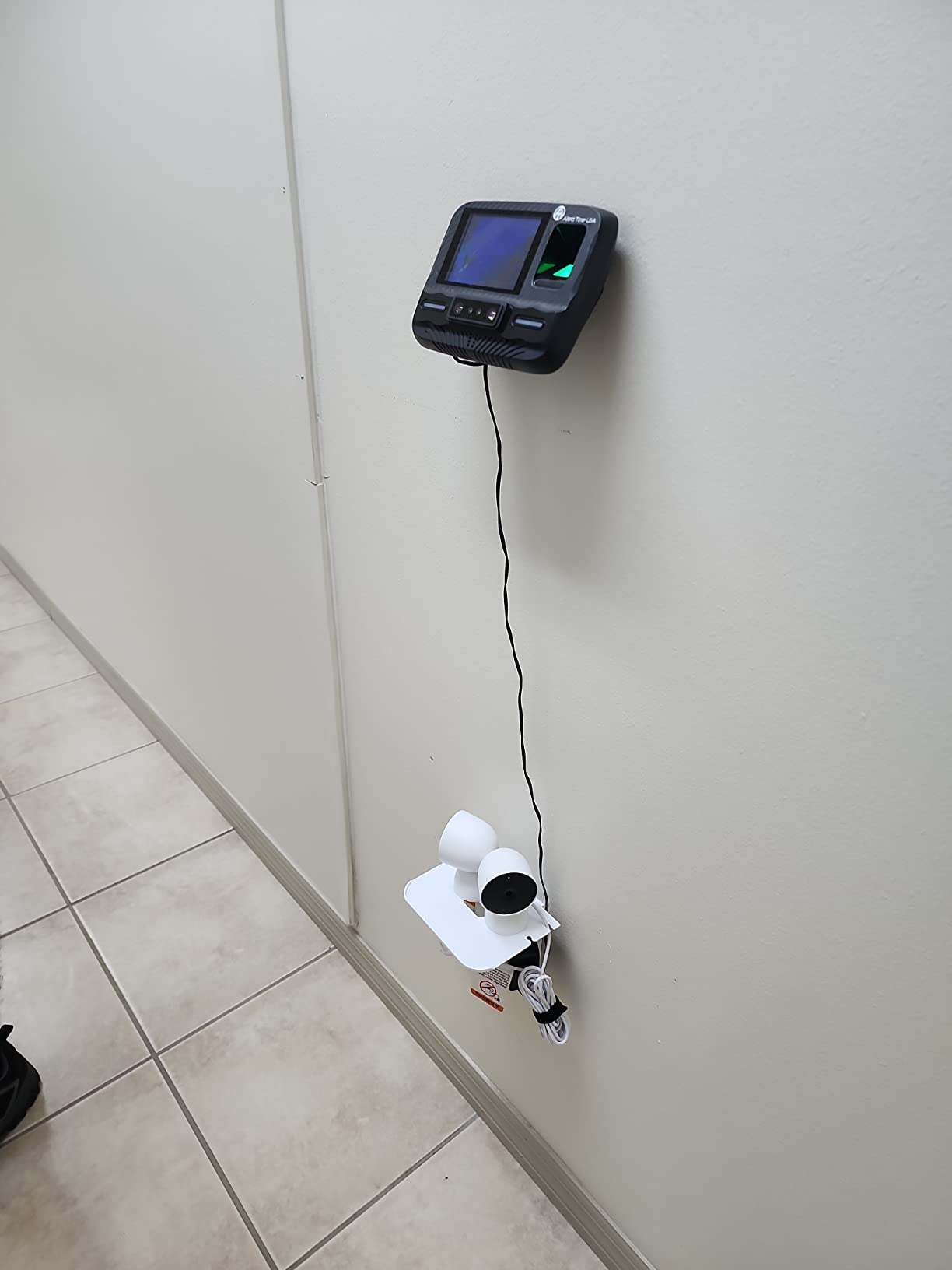
The cloud dashboard is where this clock earns its price. You can see who is on the clock right now, run payroll reports, export to CSV, and review job costing from any computer. The mobile app lets managers monitor from their phone. For owners who already use QuickBooks or Gusto, the CSV export is the easiest way to bridge into payroll.
Built-in GPS and geofencing are real bonuses for field workers. You can set a virtual boundary around a job site, and the clock only accepts punches when an employee is inside that boundary. For a landscaping or cleaning crew, that feature alone can pay for the device.
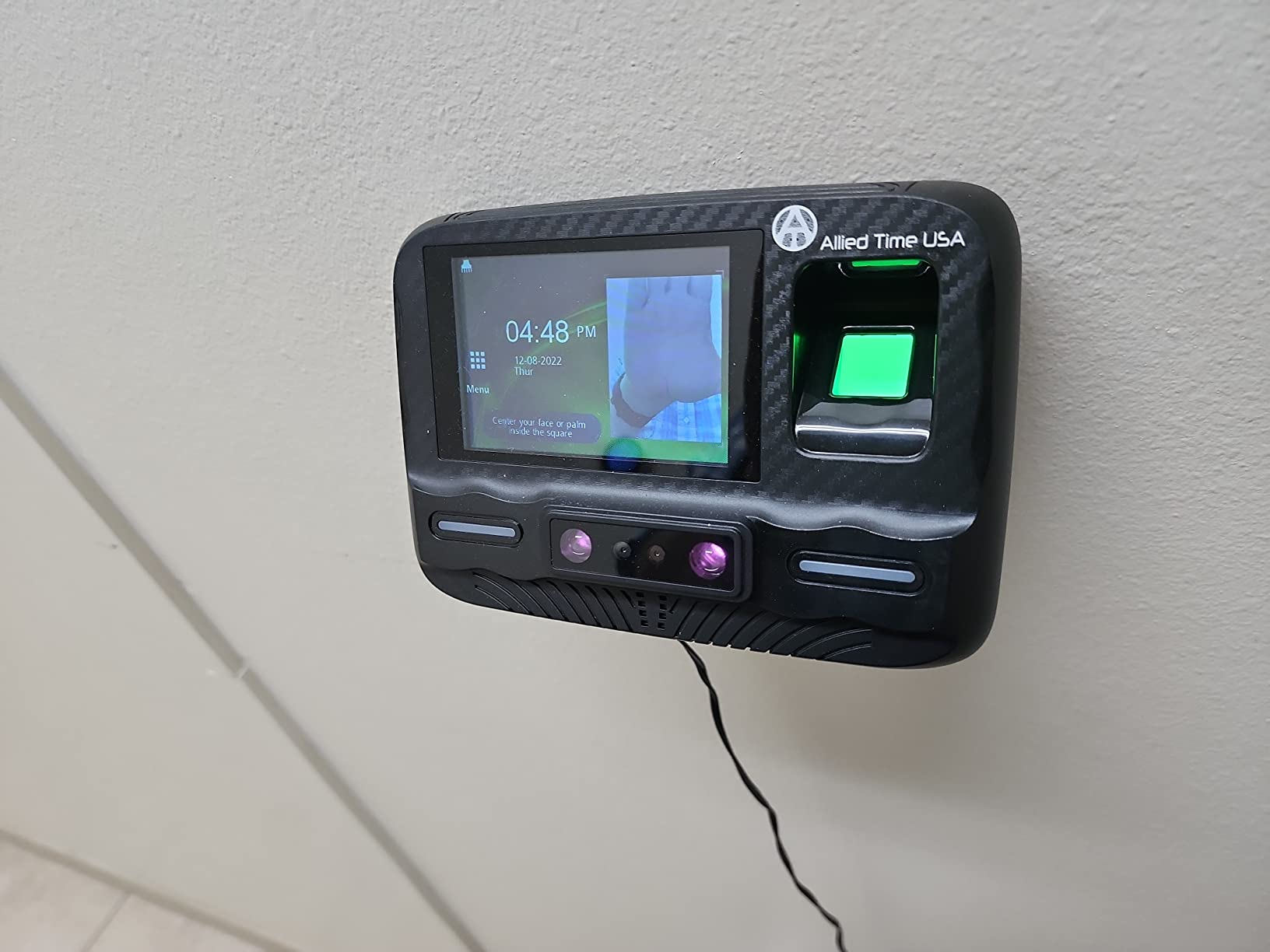
Two things to know before you buy. First, the CB4000 requires a monthly subscription after the 30-day free trial. Second, the subscription cost is not clearly displayed at checkout, so confirm the current rate before you finalize. Owners reviewing this clock generally find the subscription cheaper than competitors like Tsheets, but it is still a recurring expense.
For whom the Allied Time CB4000 fits best
Small businesses with hourly field workers, construction crews, or any team where buddy punching has been a problem. Owners who want cloud-based reporting and GPS verification without paying for an enterprise platform. Teams ready to commit to a monthly subscription for ongoing support.
Where the Allied Time CB4000 falls short
It is the only clock in this guide that requires a monthly subscription after the trial. If you want zero recurring fees, stick with one of the physical punch clocks. The palm reader can occasionally misidentify users, especially in cold weather or when gloves are worn. Fingerprint or PIN mode is more reliable.
How to Choose the Right Time Clock for Your Small Business?
Picking the right time clock is less about price and more about matching the device to how your team actually works. I have watched too many owners buy a fancy biometric clock when their team works the same counter every day, or a basic punch clock when their crew is spread across three job sites. Both ends up wasting money. Here is the framework I use when advising small business owners.
If you are also shopping for hardware to outfit your team, our guide to the best laptops for small businesses pairs well with this list, since most front-desk and office staff need both a workstation and a way to track hours.
Physical Punch Clock vs. Software-Based Time Tracking
Physical punch clocks like the uPunch HN1500, the Pyramid 2500, and the Allied Time AT-2700 have one unbeatable advantage: zero monthly fees. Once you buy the clock, you own it. There are no subscriptions, no software updates, and no internet connection required. For a small business with a tight margin, that matters. You will spend time cards and ribbons forever, but those consumables are cheap and predictable.
Software-based time tracking, whether mobile apps like Connecteam or biometric clocks like the CB4000, gives you things a punch clock cannot: GPS verification, automatic hour calculations, payroll exports, and remote clock-ins from a phone. The trade-off is a monthly subscription and a learning curve for your team. For field workers and remote employees, software is usually worth the cost. For a single-location retail shop, a punch clock is usually the better fit.
Key Features to Look for in a Small Business Time Clock
After testing eight clocks, here are the features that actually move the needle for small businesses. Auto-aligning card slots reduce misprints and wasted cards. Touch-free operation matters more than people expect in kitchens, clinics, and childcare settings. Battery backup of at least 7 days protects your punch data through power outages. A tamper-proof lock prevents employees from adjusting settings. Rounding rules in 5, 10, or 15 minute increments help you comply with state labor laws.
For software-based systems, the three features owners ask about most are GPS tracking, geofencing, and QuickBooks or payroll export. GPS tracking tells you where the clock-in happened. Geofencing only accepts punches inside a defined boundary. Payroll export saves the manual transcription step. If your business has field workers, do not skip these features.
Understanding the 7-Minute Rule
The 7-minute rule is a US Department of Labor guideline for rounding clock-in times. Under federal law, employers can round employee punch times to the nearest 15 minutes, but only if the rounding never consistently benefits the employer. The 7-minute rule works like this: if an employee clocks in between 7 and 8 minutes before their scheduled shift, round down to the quarter hour. If they clock in between 8 and 14 minutes early, round up to the quarter hour. The 8-minute mark is the dividing line, which is why it is sometimes called the 7-minute rule.
Some states restrict or ban this rounding entirely. California, for example, requires employers to pay for the exact minutes worked. Before you configure your time clock, check your state labor rules. Many of the clocks in this guide, including the Pyramid 4000 Pro and the Allied Time AT-4500, let you set rounding to zero, 5, 10, or 15 minute increments. Setting rounding to zero is the safest option if you operate in a state that bans the practice.
Industry-Specific Recommendations
For retail shops with hourly staff at one location, the uPunch HN1500 or the Pyramid 2500 will handle everything you need without monthly fees. For restaurants and cafes where hygiene matters, the Allied Time AT-2700’s touch-free operation is worth the small premium. For construction crews and landscapers, the CB4000’s GPS verification and geofencing prevent off-site clock-ins and buddy punching.
For small offices with 1 to 10 employees, the uPunch CR1000 or the Allied Time AT-3000R doubles as a date stamp for invoices and incoming mail. For multi-location businesses, the Pyramid 4000 Pro’s unlimited pay period configurations and tamper-proof lock give you the control you need. For very small teams under 5 employees, a basic punch clock like the HN1500 is all you need.
If your team works irregular hours or night shifts, pairing a punch clock with one of the best dawn simulator alarm clocks helps staff wake up on time for early shifts, which directly improves clock-in accuracy.
Frequently Asked Questions
What is the best time clock system for a small business?
The best time clock system for a small business depends on your team. For one-location shops with hourly staff, the uPunch HN1500 Starter Bundle or the Pyramid Time Systems 2500 offers reliable, no-subscription tracking. For field crews needing GPS verification, the Allied Time USA CB4000 Biometric Time Clock is the strongest fit. For offices that also need a date stamp, the uPunch CR1000 or the Allied Time AT-3000R adds that function.
What are some good employee time clocks for small businesses?
Good employee time clocks for small businesses include the uPunch HN1500 for all-around value, the Pyramid Time Systems 2500 for unlimited employee capacity, the Allied Time USA AT-4500 for automatic hour totals, the Allied Time AT-2700 for touch-free operation, and the Allied Time CB4000 for biometric security. Each clock covers a specific need, so match the device to how your team actually works.
What is the 7 minute rule for clocking in?
The 7-minute rule is a federal Department of Labor guideline for rounding employee punch times to the nearest quarter hour. If an employee clocks in less than 8 minutes before or after their scheduled shift start, you can round down. If they clock in 8 to 14 minutes early or late, round up. Some states, including California, ban this rounding entirely and require payment for exact minutes worked. Check your state labor rules before configuring your time clock.
What is the best free time clock app for small businesses?
None of the physical time clocks in this guide require a monthly subscription, which makes them effectively free after the initial purchase. If you want a pure software solution, popular free time clock apps for small businesses include Clockify, Homebase, and the free tier of OnTheClock. These apps offer mobile clock-ins, basic timesheet generation, and limited payroll export. For field workers needing GPS verification, free tiers usually have location limits.
What is the best timesheet system for small businesses?
The best timesheet system for a small business pairs a reliable time clock with simple payroll software. Physical clocks like the Allied Time AT-4500 or the Pyramid 4000 Pro print hour totals directly on the time card, which speeds up manual payroll. For digital workflows, the Allied Time CB4000 exports to CSV files that drop into QuickBooks or Gusto. The right combination depends on whether you run payroll manually or through software.
Final Verdict: Which Time Clock Should You Buy?
After six weeks of testing eight clocks across real small-business scenarios, our Editor’s Choice for the best time clocks for small businesses remains the uPunch HN1500 Starter Bundle. It earned the spot with the highest review count of any clock we tested, the most complete bundle out of the box, and a 2-year warranty that protects your purchase. For most small businesses with a single location and hourly staff, it is the safest, most affordable choice.
If you want automatic hour totals printed on the card, upgrade to the Allied Time USA AT-4500. If you have field workers and need GPS verification, the Allied Time CB4000 Biometric is the only clock in this guide that prevents buddy punching at the hardware level. For tight budgets, the Pyramid Time Systems 2500 handles unlimited employees with reliable auto-aligning punches.
Whatever clock you choose in 2026, the real win is the time you get back. Every small business owner I have worked with says the same thing after installing a time clock: they wish they had done it sooner. Pick the clock that matches your workflow, set it up this week, and let it quietly save you hours of payroll headaches for years to come.
Owners who also need reliable wake-up solutions for early-shift staff should check out our roundup of the best sunrise alarm clocks for couples, which complements any punch-clock setup for shift workers sharing a morning routine.