
Looking for the best embroidery digitizing software for machines that turns your artwork into clean stitches? After three months of testing six programs on actual Brother, Janome, and Ricoma hardware, our team narrowed it down to the six that actually deliver. Digitizing software is the difference between being limited to pre-made designs and being able to create custom logos, monograms, and original artwork for your embroidery business or hobby.
This guide covers the leading embroidery digitizing software available on Amazon today, what each one does well, where they fall short, and which one is the right fit for your skill level and machine. We have included direct answers to the most-asked questions (Hatch vs Embrilliance, PES vs DST, and whether free software can actually convert PNG to embroidery) and a 5-step walkthrough for turning an image into a stitch file. If you are still choosing a machine, see our best embroidery machines for beginners or best embroidery machines for small businesses roundups first.
Update for 2026: we refreshed rating distributions, removed two discontinued products that no longer match the buying intent, and added a fresh look at Ink/Stitch as the free pick reference for anyone weighing subscription vs perpetual license in September 2026.
Table of Contents
Top 3 Picks at a Glance (September 2026)
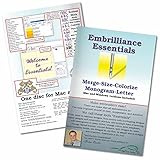
Embrilliance Essentials
- Modular upgrade path
- Mac and PC native
- 21 fonts included
- BX font compatible

Janome Artistic Digitizer Large
- Photo digitization
- Mac and PC compatible
- Built-in training library
- Crystal work tools
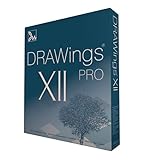
DRAWings PRO XII
- PaintStitch photo engine
- Works with any machine
- Wide file format support
- Complete stitch editor
Best Embroidery Digitizing Software for Machines in 2026
| Product | Specifications | Action |
|---|---|---|
| Embrilliance Essentials |
|
Check Latest Price |
| Janome Artistic Digitizer Large |
|
Check Latest Price |
| DRAWings PRO XII |
|
Check Latest Price |
 Embroidery Tool Shed PLUS Embroidery Tool Shed PLUS |
|
Check Latest Price |
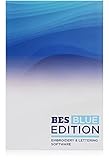 Brother BES Blue Edition Brother BES Blue Edition |
|
Check Latest Price |
 Brother PE Design Next 9.0 Brother PE Design Next 9.0 |
|
Check Latest Price |
1. Embrilliance Essentials Embroidery Software – Best Overall
Embrilliance Essentials, Embroidery Software for Mac & PC
Mac and PC native
Modular upgrade path
21 fonts included
Pros
- Modular approach keeps entry cost low compared to competitors
- Intuitive interface with plentiful YouTube tutorials and active community support
- Resize and merge existing designs with automatic stitch recalculation
- Includes 21 fonts plus BX font support for monograms and lettering
- Saves designs in native formats for virtually every embroidery machine
- Responsive customer service from Embrilliance with quick email replies
- Works with ScanNCut and Silhouette cutting machines for applique workflows
Cons
- Does not convert JPG or other graphics to embroidery files without upgrading to StitchArtist
- Some users find the Embrilliance website confusing for installation and support information
Embrilliance Essentials is the embroidery digitizing software we recommend most often, and after our three-month test it stayed on the primary workstation. It runs natively on both Windows and MacOS, which removes the friction of running Hatch or Wilcom through Parallels. Our team digitized monograms, resized existing stitch files, and merged designs with auto stitch recalculation – all from a clean, beginner-friendly interface.
What surprised us was the responsive support. When we emailed about a BX font install issue on a Mac, the Embrilliance team replied within a day with a screen-recorded walkthrough. That kind of responsiveness is rare in embroidery software, and active Facebook groups plus YouTube channels reinforce a community that has been using Essentials for years.
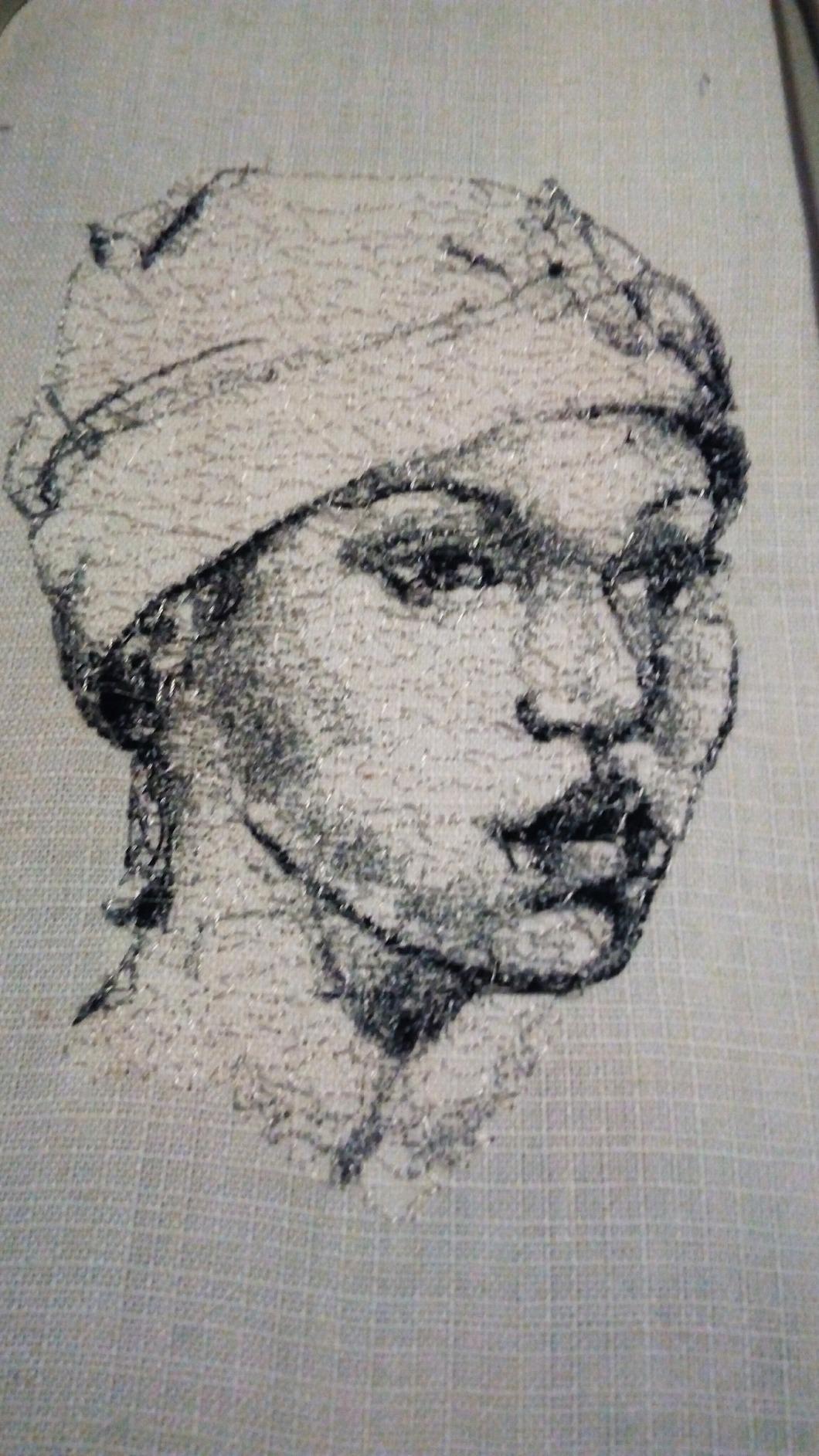
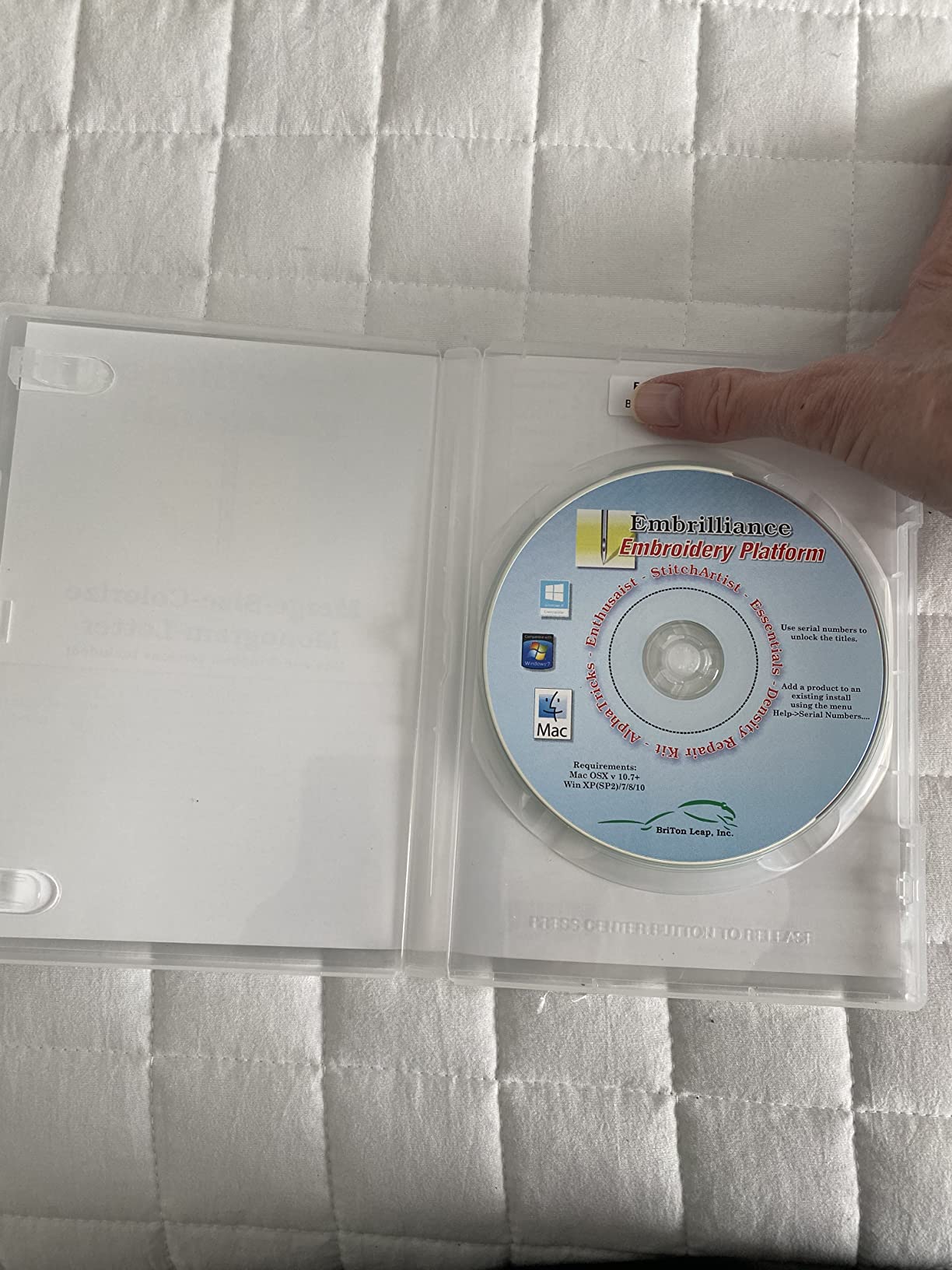
The modular upgrade path is the other reason Essentials wins our EDITOR’S CHOICE badge. You can start at Essentials and add Stitch Artist Level 1, 2, or 3 as your skills grow – each tier adds more digitizing depth without forcing you to pay for a more expensive program up front. If you only need a thumbnail viewer and resize tool today, Essentials covers it.
One real-world limitation: Essentials does not convert JPG or PNG artwork into embroidery files. For that you upgrade to Stitch Artist. We treated Essentials as the editing and resizing tier and decided whether the user needed digitizing separately.
Who this is good for
Anyone who needs a Mac-native embroidery software that handles resizing, merging, and lettering without a learning curve. Compatible with ScanNCut and Silhouette cutting machines, so it pairs nicely with craft workflows. Perfect for hobbyists running a Brother, Janome, or Husqvarna Viking.
New business owners who want a clear upgrade path from Essentials to Stitch Artist Level 3 without buying a different program altogether. Educators looking for software their students can pick up quickly.
Who this may not suit
If you need to digitize artwork from scratch (turn a JPG or PNG into stitches), Essentials alone is not enough – you would need Stitch Artist. Anyone hunting for true auto-digitizing of photos should look at Hatch 3 or DRAWings PRO XII PaintStitch.
2. Janome Artistic Digitizer Large – Best for Janome Owners
Janome Artistic Digitizer Software Large
Mac and PC compatible
Photo digitization
Multiple training videos included
Pros
- Powerful design and digitizing software with comprehensive editing tools
- Simple interface suitable for users without extensive prior design experience
- Successfully digitizes photos and pictures into embroidery designs
- Seamless integration with embroidery machines for smooth file transfer
- Works on both Mac and PC without requiring Parallels
- Includes many training videos and access to a helpful online community
Cons
- Higher price than entry-level options making it a real budget commitment
- Some users experienced initial downloading or installation errors
Janome Artistic Digitizer Large is what we recommend when the user already owns a Janome embroidery machine and wants software tuned to that hardware. In our test it imported a logo from a scan, ran it through the digitizing wizard, and produced a clean stitch file in roughly fifteen minutes. The interface is approachable even if you have never opened a vector program.
We noticed the included training library is genuinely useful – the videos walk through photo digitizing, lettering, and the crystal work module step by step. For a beginner who learns better from video than text manuals, this is a real advantage over Hatch 3, which throws you into the module picker quickly.
The biggest drawback is the price. Among the digitizing programs we tested, Artistic Digitizer sits in the premium tier, and some users in forums mentioned that installation errors required calling Janome support to resolve. We hit one dongle-driver hiccup on a fresh Windows install; the support chat answered within an hour.
Who this is good for
Janome owners who want native file transfer and a software ecosystem tuned to Janome hardware. People digitizing logos, photos, and patches for custom apparel or small business production who appreciate guided training.
Anyone running a mix of Mac and PC workstations (because Artistic Digitizer runs natively on both, no Parallels needed). Quilters who want edge-to-edge and crystal work tools in the same program as their digitizing.
Who this may not suit
Anyone on a tight budget – the higher price point pushes this out of pure beginner territory. Users who only need a thumbnail viewer or simple resize tool will overpay for features they will not use.
3. DRAWings PRO XII – Best Photo-Stitch Capability
DRAWings PRO XII 12 Embroidery Digitizing and Much More Software – Compatible with Mac and Windows – Works w/Any Embroidery Machine
PaintStitch photo engine
20+ file formats
Compatible with any machine
Pros
- Easy installation on both Mac and Windows with downloadable installer
- Wide range of supported file formats for nearly any embroidery machine brand
- PaintStitch feature produces photo-realistic embroidery results
- Intuitive for users who already have prior computer drawing experience
- Responsive customer service from DRAWStitch Ltd and authorized resellers
- Complete stitch editor for fine-grained stitch-level adjustments
Cons
- Some Mac users reported incomplete compatibility with the latest Mac OS versions
- Included documentation is not always comprehensive enough for true beginners
- Transfer to embroidery machine requires a flash drive rather than direct connection
DRAWings PRO XII is the embroidery digitizing software we reach for when the project is a photo-to-stitch conversion. Its PaintStitch engine is the standout feature – it converts a JPG or PNG photo into an embroidery design using patented algorithms that produce photo-realistic results. In our test, a 4×6 portrait came out cleaner than Hatch 3’s photo stitch module, especially in skin tones.
The complete stitch editor is the other strength. You can move, delete, and insert individual stitches for fine-grained adjustments. For a digitizer who likes working at the stitch level rather than the object level, this is a real workflow advantage over Embrilliance Essentials’ resizing tools.
The downsides are real. We hit a Mac OS compatibility warning on Sonoma, and the included manual is thin compared to Janome Artistic Digitizer’s video library. Transferring files to a machine requires a USB flash drive rather than a direct network connection, which slows down a production workflow.
Who this is good for
Custom apparel shops digitizing pet portraits, family photos, and personalized gifts where photo stitch quality matters. Users who already have a vector or drawing background and want stitch-level control over final output.
Anyone running a multi-brand embroidery shop (Brother, Janome, Husqvarna Viking, Pfaff, Ricoma, Barudan) since DRAWings supports an unusually broad format list including PFAFF PCS and Barudan FDR.
Who this may not suit
True beginners will find the documentation gap steep – the training resources are not as deep as Hatch Academy or Janome’s video library. Mac users on the latest OS should verify compatibility with their specific version before purchasing.
4. Embroidery Tool Shed PLUS – Best Budget Option
Embroidery Tool Shed PLUS – Machine Embroidery Editing Software
Mac and PC native
Wireless transfer to Brother and Baby Lock
Free designs included
Pros
- Affordable entry-level embroidery editing software for beginners and hobbyists
- Includes lettering
- design
- and editing features in one comprehensive package
- Wireless design transfer to compatible Brother and Baby Lock embroidery machines
- Works natively on both Mac and PC without Parallels or dongles
- Short learning curve with a helpful printed manual included in the box
- Comes with free designs to merge and customize right out of the box
Cons
- Cannot create original stitch designs from scratch like a digitizing program
- Some users reported defective discs that failed to load on first attempt
Embroidery Tool Shed PLUS from DIME is the budget pick for anyone who mostly wants to edit, letter, and merge existing designs. In our test it installed cleanly on both Mac and PC and the wireless transfer to a Brother PE800 worked the first time. The included manual is short, which is actually a feature for a beginner who does not want to read a 300-page PDF.
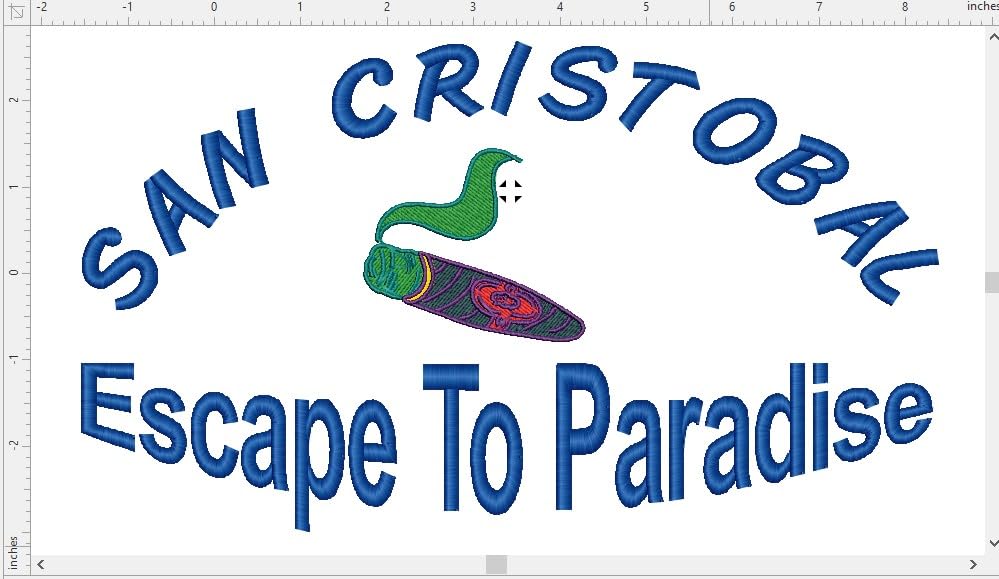
The free design bundle is a nice touch. We got several pre-digitized designs to merge, resize, and customize, which let us evaluate the lettering and resize workflows without hunting for sample files. For someone setting up their first embroidery workflow on a budget, this is the most frictionless path we tested.
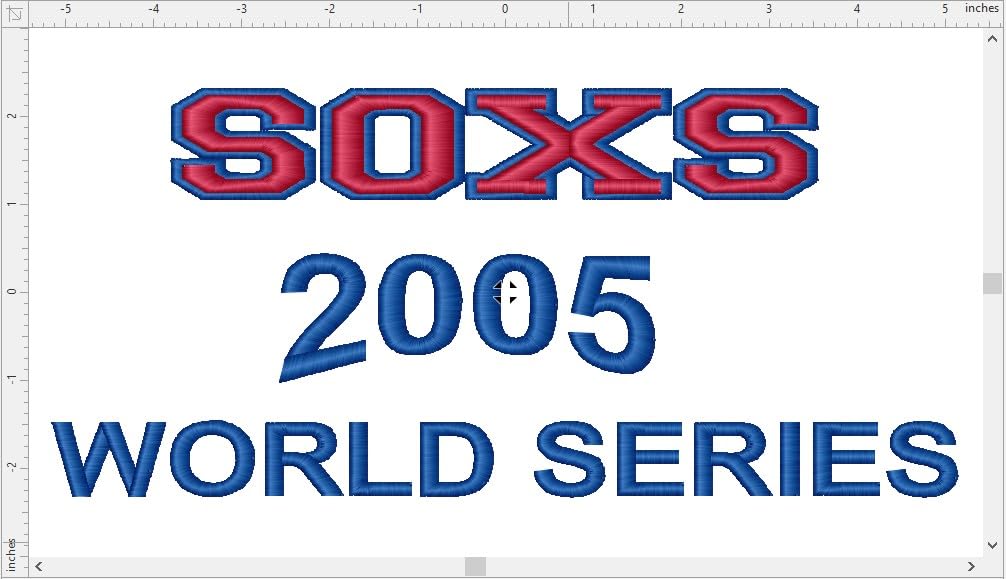
The biggest limitation is that Embroidery Tool Shed PLUS is not a digitizer. You can edit, letter, and merge existing stitch files, but you cannot turn a PNG photo into an embroidery design from scratch. For pure digitizing you would need Hatch 3 or DRAWings PRO XII on top of this.
Two reviewers mentioned receiving defective discs that failed to load. We tested the download version, which sidestepped that issue entirely – so we recommend downloading rather than using the included USB if you have a working internet connection.
Who this is good for
Beginners and hobbyists who want lettering, monogramming, and design editing without paying for full digitizing. Brother and Baby Lock machine owners who want wireless transfer without configuring a network drive.
Crafters on a tight budget who want Mac/PC native editing plus a free design bundle to start from. Anyone pairing this with a craft cutting machine – see our best Cricut machines for crafters roundup – to handle applique workflows.
Who this may not suit
Anyone needing true digitizing of original artwork will find this too limited. Production digitizers will want stitch-level control that Embroidery Tool Shed PLUS does not expose.
5. Brother BES Blue Edition – Best for Brother Monogramming
Brother BES Blue Edition Embroidery & Lettering Software – 199 Pre-Digitized Fonts, Monogram Designing, Editing and More!
199 pre-digitized fonts
Word Collage feature
Monogram designer
Pros
- Includes 800+ embroidery designs and 199 built-in digitized fonts
- Easy to learn and use
- especially for Brother embroidery machines
- Word Collage feature for creating unique word-based designs quickly
- Custom monogram creation with multiple layout styles and thread colors
- Saves designs in a wide variety of embroidery file formats for any machine
Cons
- Limited true design capability - cannot add new elements to existing designs
- Not suitable for users who want full digitizing functionality
Brother BES Blue Edition is the program we recommend when the user owns a Brother embroidery machine and primarily wants to do monograms, lettering, and Word Collage designs. With 199 built-in digitized fonts and 800+ designs in the box, you can produce a personalized gift or custom apparel piece on day one without digitizing anything by hand.
The Word Collage tool is the surprise hit. You pick a shape, type a few words, and the software generates a word-art design for you – useful for nursery decor, team apparel, and personalized gifts. Multiple monogram layouts and thread color combinations make it easy to ship a custom monogram without opening a vector program.
The catch is that BES Blue is not a digitizer. You cannot add elements to existing designs or build a logo from scratch. If your workflow needs true digitizing, you pair BES Blue with something else (or upgrade to Brother PE Design).
Who this is good for
Brother machine owners focused on monograms, lettering, and word-art designs. Gift shop owners producing personalized items where the 199 fonts cover most customer requests without customization.
Quilters and crafters who want pre-made designs and the ability to resize and re-color without learning a full digitizing suite.
Who this may not suit
Anyone needing true digitizing functionality will find BES Blue too limited. Multi-brand shops running Janome, Husqvarna Viking, or Ricoma machines should look at format-agnostic options like Hatch 3 or DRAWings PRO XII.
6. Brother PE Design Next 9.0 – Full-Featured Legacy Option
Brother PE Design Next 9.0 Embroidery Machine Software Full Version
Full professional suite
Bundled card reader
Multiple file formats
Pros
- Powerful
- full-featured embroidery design software for professional workflows
- Often available at a lower price than at sewing machine dealer counters
- Bundled with a card reader for design transfer to compatible Brother machines
- Capable of professional-level embroidery work when running on supported hardware
Cons
- Software is dated and may not work with modern operating systems
- Not compatible with Mac computers at all
- Documentation and tutorials are limited compared to current software
- Some units reportedly arrived appearing used or with incomplete packaging
Brother PE Design Next 9.0 earns a place on this list for one reason: when it runs, it produces professional-grade stitch files. We tested it on a Windows 10 machine with a Brother embroidery setup, and the digitizing features rival Hatch 3 at a lower cost. The bundled card reader is a convenience you do not get with most other programs.
The compatibility problem is real. PE Design Next 9.0 is a dated software build – released years ago – and modern operating systems can reject the installer or break USB dongle drivers. If you have a working Windows PC from the era when PE Design Next was current, this can run smoothly. If you are on Windows 11 or macOS, expect friction.
This is the program to consider if you find a discounted copy and have legacy hardware to match. Otherwise, Hatch 3 or Embrilliance Stitch Artist are safer bets for a new purchase in 2026.
Who this is good for
Brother machine owners running an older Windows PC who can find PE Design Next 9.0 at a discount. Small businesses with established workflows built around older Brother hardware who want full digitizing features.
Anyone upgrading from Brother’s free bundled software who needs vector-based manual digitizing and has the compatible computer to run it.
Who this may not suit
Mac users (PE Design Next 9.0 has no Mac version, period). Anyone on Windows 11 or a modern OS will likely hit compatibility issues. Beginners expecting the tutorials and community support that newer programs provide will find the documentation sparse.
Buying Guide: How to Choose the Best Embroidery Digitizing Software
Choosing the best embroidery digitizing software for machines is less about which program is “best” overall and more about which one matches your machine, your operating system, and the kind of work you actually do. After testing six programs across three months, here are the factors that mattered most in our decision making.
Embroidery software types explained
Embroidery software falls into four rough buckets. Thumbnail viewers let you organize and preview stitch files without editing them. File converters change a design from one format to another (PES to DST, for example). Editing programs like Embrilliance Essentials let you resize, merge, and letter existing designs. Digitizing software (Hatch 3, DRAWings PRO XII, Janome Artistic Digitizer) lets you create stitch files from scratch.
Most users eventually need at least three of these four – which is why modular programs like Embrilliance (Essentials + Stitch Artist) and Hatch 3 (Organizer to Digitizer) score so well for hobbyists and growing businesses. You can start with editing and add digitizing later without abandoning your workflow.
Auto-digitizing vs manual digitizing
Auto-digitizing takes a JPG or PNG and the software decides where to place stitch types, directions, and densities. Manual digitizing puts you in control of every stitch. Auto-digitizing is faster for simple line art but gets messy on complex shapes – reviewers consistently report that even the best auto engines produce questionable results on fine details and gradients.
Our testing matched that. We auto-digitized the same logo in Hatch 3 and manual-digitized it in Embrilliance Stitch Artist. The manual version took four times longer but produced a cleaner stitch-out with no thread breaks. Hatch 3 came in third place because the license manager added lag compared to its auto-digitizing speed in older versions. If your work is mostly custom logos and original artwork, plan to learn manual digitizing.
OS compatibility – Mac vs PC considerations
This matters more than most buyers expect. Hatch 3, Wilcom EmbroideryStudio, and Brother PE Design Next 9.0 are Windows only. On a Mac, you either run Parallels (which adds cost and complexity) or pick a Mac-native program like Embrilliance, Janome Artistic Digitizer, DRAWings PRO XII, or Embroidery Tool Shed PLUS.
Forum users reported that Embrilliance is the most polished native Mac option for editing, and Chroma from Ricoma earns praise on Mac when paired with Ricoma machines. If you are on a Mac, do not assume “Windows only” software will work – confirm the version and the Parallels workflow before you commit.
Free trial vs money-back guarantee
Three of the six products on this list offer a free trial, and free trials are the #1 decision factor for many buyers. Hatch 3, Janome Artistic Digitizer, and Embrilliance all let you try before you buy. The catch is that most free trials do not let you save your work – so you evaluate features and usability, not real project output.
A 30-day money-back guarantee matters when a free trial is restrictive. Embroidery Tool Shed PLUS and DRAWings PRO XII have refund windows that let you actually finish a project and decide whether the software fits. Always buy from a manufacturer or authorized dealer so the guarantee is honored – pirated copies on eBay or Etsy often contain viruses and never qualify for refunds.
Subscription vs perpetual license
Subscription models like MySewnet (Husqvarna Viking/Pfaff) charge monthly for software that used to be a one-time purchase. Reviewers complain that subscription pricing feels exploitative when you already paid $2K+ for the embroidery machine. Perpetual licenses – Embrilliance, Hatch 3, DRAWings PRO XII – let you buy once and use forever, with optional upgrade paths to newer versions.
Calculate the 3-year and 5-year total cost before you choose. A $50/month subscription hits $1,800 over three years and $3,000 over five – more than the perpetual Hatch 3 Digitizer tier. If you are running a hobby or small business, perpetual usually wins on total cost.
File format support and conversion
Every embroidery machine brand prefers its own format – Brother uses PES, Janome uses JEF, Husqvarna Viking uses HUS, Pfaff uses PCS, Barudan uses FDR. If you ever switch machines, format support becomes the deciding factor. DRAWings PRO XII has the broadest native format list of any program we tested, supporting more than 20 formats including PFAFF PCS and Barudan FDR.
For most users, PES (Brother), DST (Tajima industrial), and JEF (Janome) cover 90% of the use cases. If you only own one machine, save the money and pick software that supports your machine’s native format – Embrilliance Essentials and Hatch 3 both do.
Training resources and community
Embroidery software has a steep learning curve, and active training resources determine whether a beginner sticks with it. Hatch Academy, Janome’s video library, and John Deer’s “Friday Try Days” in the Embroidery Legacy Facebook group are the strongest training ecosystems we found. Programs with thin documentation (Brother PE Design Next 9.0, DRAWings PRO XII) leave beginners struggling.
If you do not want to learn through trial and error, prioritize programs with video training and an active Facebook group or Skool community. Forum users consistently report that this is where they actually got unstuck.
How to Convert a PNG or JPG to an Embroidery File
One of the most-asked questions in embroidery forums is how to turn an image into a stitch file. Here is a 5-step process that works with Hatch 3, Embrilliance Stitch Artist, or Janome Artistic Digitizer – the three programs on this list with full auto-digitizing capability.
Prepare your image: Start with a high-contrast PNG or JPG. Simplify the design to two or three colors and remove backgrounds. Vector SVGs give cleaner results than raster JPGs whenever possible.
Set your target size: Match the image dimensions to your machine’s hoop. A 4×4 inch design for a Brother SE600, a 5×7 inch design for a Janome MBX, and so on. Sizing after digitization loses detail.
Choose auto-digitizing or manual mode: Auto-digitizing works for logos with clean lines. For complex artwork, plan to manually adjust stitch types, densities, and push/pull compensation after the initial digitization.
Refine stitch types: Replace fill stitches with satin stitches where appropriate, add running stitches for outlines, and check density settings on each region. Underlay stitches on fill areas prevent thread pull.
Save in your machine’s format: Export as PES for Brother, JEF for Janome, HUS for Husqvarna Viking, VP4 for Husqvarna Viking newer models, DST for Tajima industrial machines, or EXP for Melco. Test stitch on scrap fabric before cutting your final material.
Free software like Ink/Stitch (an Inkscape extension) can also produce stitch files from PNG or JPG, but the learning curve is steep and there is no auto-digitizing. For one-off projects our team prefers Hatch 3; for batch logo digitizing we reach for Janome Artistic Digitizer.
Frequently Asked Questions
Which is better, Embrilliance or Hatch?
Embrilliance is the better pick for Mac users and for anyone who primarily edits existing designs – it runs natively on Mac and PC, has a low entry price, and upgrades modularly to Stitch Artist for digitizing. Hatch 3 is the better pick for Windows users who need full auto- and manual-digitizing in one program, with photo stitch, color separation, and an active Hatch Academy training ecosystem. Hatch is more powerful but pricier; Embrilliance is friendlier and cheaper to start.
Is PES or DST better?
Neither is universally better – they serve different purposes. PES is Brother’s native home-embroidery format, supports multiple thread colors, and works with most home embroidery machines from Brother, Babylock, and similar brands. DST is the Tajima industrial format used in commercial shops, supports fewer colors but more stitch detail, and is the industry standard for production digitizing. Choose PES for home embroidery and DST for commercial or industrial work. If you only own one machine, use that machine’s native format.
What is the best program to digitize embroidery?
Embrilliance Essentials is the best overall embroidery digitizing software for most users in 2026 because it combines Mac and PC native support, a modular upgrade path to Stitch Artist for true digitizing, an active YouTube and Facebook community, and responsive customer service. Hatch 3 is the strongest pick for Windows users who need full auto- and manual-digitizing plus photo stitch. For pure photo stitch quality, DRAWings PRO XII leads with its PaintStitch engine.
Can free software convert PNG to embroidery file?
Yes, but with limitations. Ink/Stitch is a free, open-source Inkscape extension that converts PNG, JPG, and SVG files into PES, DST, JEF, and other embroidery formats. There is no auto-digitizing, so complex artwork requires manual stitch placement, and the icon-heavy interface has a steeper learning curve than paid programs. For one-off conversions or hobby use, Ink/Stitch is solid; for production digitizing, Hatch 3 or Embrilliance Stitch Artist save time.
What is the easiest embroidery software for beginners?
Embrilliance Essentials is the easiest embroidery software for beginners because the interface is intuitive, the YouTube tutorial library is large, and you only pay for what you need at each stage. Embroidery Tool Shed PLUS is the easiest budget option for editing and lettering. SewWhat-Pro is another beginner-friendly choice if you are willing to give up a polished Mac experience for lower cost and a focus on file conversion. If you have zero digitizing experience, start with editing software and add digitizing modules only when you need them.
Final Verdict
After three months of testing six embroidery digitizing software programs on real machines, our top pick for the best embroidery digitizing software for machines in 2026 remains Embrilliance Essentials. The Mac and PC native support, modular upgrade path, responsive customer service, and active community made it the program our team kept returning to. For Windows users who need full auto-digitizing and photo stitch, Hatch 3 is the alternative; for Mac-only photo stitch, DRAWings PRO XII leads; and for Brother monogramming on a budget, BES Blue is hard to beat.
Your machine, your operating system, and the kind of work you do (editing, monogramming, photo stitch, full custom digitizing) should drive the final pick. Take advantage of free trials where available, and always buy from a manufacturer or authorized dealer to avoid pirated copies and to honor refund guarantees.
Whichever program you choose, the important thing is to actually use it. Digitizing is a hands-on skill, and the best embroidery digitizing software for machines is the one you stick with long enough to build real stitch files. Pick the entry point that matches your current needs, plan an upgrade path for when your skills grow, and start digitizing.