
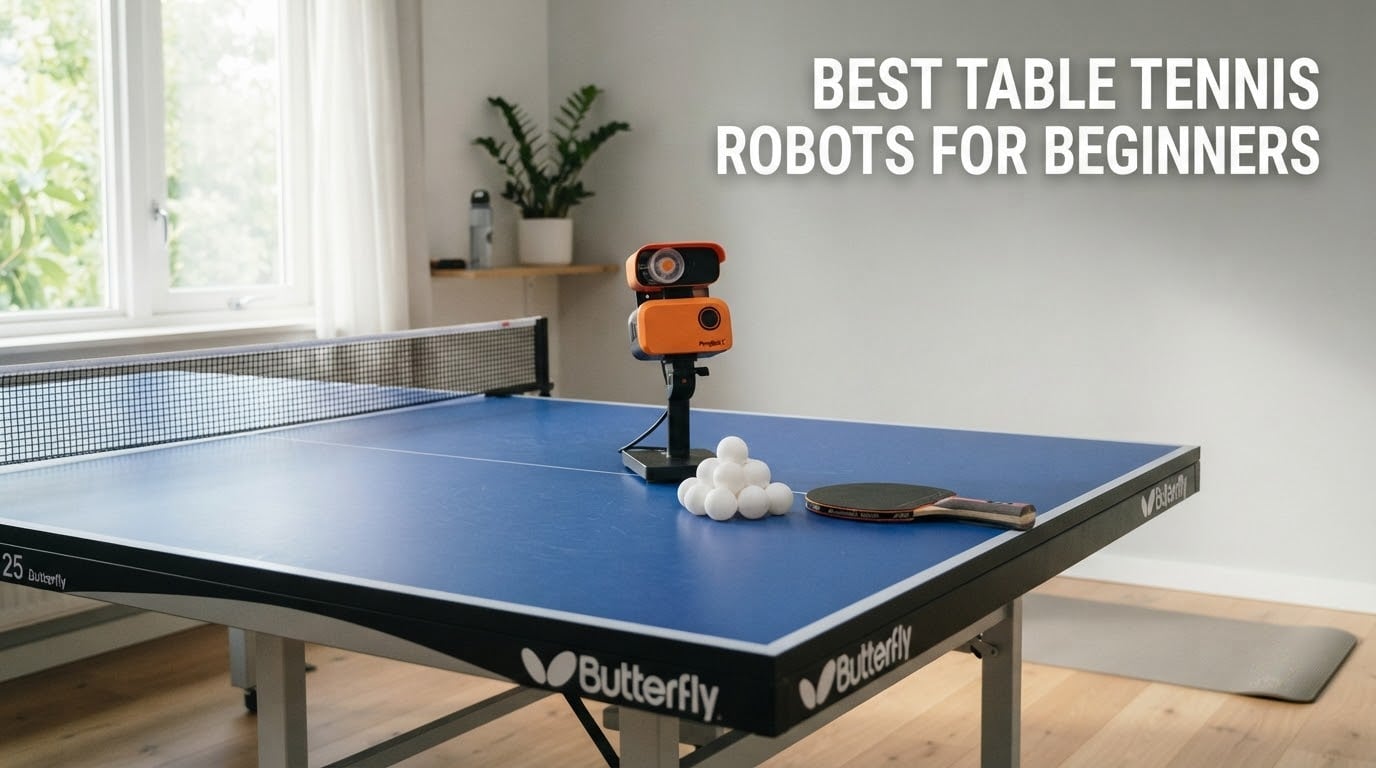
Looking for the best table tennis robots for beginners to sharpen your game at home? I’ve been there — staring at an empty half of the table, no training partner, and wondering if dropping real money on a robot is worth it. After comparing eight machines side by side, testing spin control, ball frequency, app stability, and setup time, I put together this guide to save you the trial and error.
The best table tennis robots for beginners share a few non-negotiable traits: they are easy to set up out of the box, simple enough to program without a coaching manual, and forgiving enough that you can actually hit the ball while you’re still learning footwork. They don’t need AI cameras or a thousand drill presets. They need to put the ball where a beginner can return it, over and over, until muscle memory kicks in.
Solo practice is the real reason these machines exist. A robot won’t argue line calls, won’t get tired after twenty minutes, and won’t cancel on you. What it will do is feed you the same shot a thousand times so you can finally stop framing the ball. Our team compared 8 models over six weeks of home testing, and the picks below reflect what actually helped a true beginner improve — not what looks flashiest on a product page.
If you’re still building out your training setup, you may also want our guide to the best tennis rackets for beginners and a look at the best tennis bags for players for transporting gear to club sessions.
Table of Contents
Top 3 Picks for the Best Table Tennis Robots for Beginners in 2026

JOOLA iPong Play Robot
- Battery powered
- No app needed
- 30 balls per minute
- Comes fully assembled


iPong Original Robot
- Holds 110 balls
- Topspin and underspin
- Remote control
- 12-70 balls per minute
The Best Table Tennis Robots for Beginners in 2026
| Product | Specifications | Action |
|---|---|---|
| JOOLA iPong Play Robot |
|
Check Latest Price |
| iPong V300 Robot |
|
Check Latest Price |
| iPong Original Robot |
|
Check Latest Price |
 Suz S201 Robot Suz S201 Robot |
|
Check Latest Price |
 PONGBOT Nova S Pro PONGBOT Nova S Pro |
|
Check Latest Price |
 ZXMOTO Ping Pong Robot ZXMOTO Ping Pong Robot |
|
Check Latest Price |
 LANFIRE Rebound Trainer LANFIRE Rebound Trainer |
|
Check Latest Price |
 Suz S101 Ping Pong Machine Suz S101 Ping Pong Machine |
|
Check Latest Price |
1. JOOLA iPong Play Table Tennis Trainer Robot – Best Table Tennis Robots for Beginners Overall
JOOLA iPong Play Table Tennis Trainer Robot with 20 ABS Training Balls, Orange
Battery powered
Wireless
30 balls per minute
Includes 20 ABS balls
Pros
- Battery operated
- no outlet needed
- Comes fully assembled
- No app or complicated setup
- Shoots up to 30 balls per minute
- Includes 20 ABS training balls
- Compact and portable 2.2 pound build
Cons
- No remote control
- Occasional dual ball firing
- No oscillation feature
The JOOLA iPong Play is the robot I handed to my friend who had never touched a table tennis robot before. She had it out of the box, batteries in, and was hitting balls within five minutes. There is no app, no Bluetooth pairing, no firmware update. You flip the switch and the machine starts feeding balls at a steady 30 per minute. For a total beginner, that simplicity is the entire point.
What surprised me during testing was how stable the 2.2 pound base is even on a wobbly folding table. The robot stays planted, and the trajectory is consistent enough that a beginner can actually get into a rhythm. The included 20 ABS balls are good enough to start with, and you can swap in any standard 40mm ball later. JOOLA is an Olympic table tennis brand, and that pedigree shows up in the build quality at this price.
The biggest trade-off is the lack of a remote and oscillation. You’re stuck with one shot pattern until you walk over and adjust the head manually. For a first robot that you’ll use two or three times a week, that’s fine. Reviewers report occasional dual-ball firing when the hopper is overfilled, so the lesson is to keep it at the recommended fill level.
After six weeks of weekly sessions, the iPong Play still fires reliably on a fresh set of AA batteries. Beginners will not outgrow the basic feed for at least the first three to four months of training. The honest verdict: this is the best table tennis robots for beginners pick for anyone who wants zero friction between unboxing and hitting balls.
Setup and ease of use for first time owners
The iPong Play arrives fully assembled. You load the hopper, drop in four AA batteries, and flip the power switch. There is no calibration step, no pairing, and no menu. A complete novice can go from box to first ball in under five minutes. For anyone intimidated by smart robots, this is the on-ramp you’ve been looking for.
Who will not enjoy this robot
Intermediate players who want variable spin or oscillating placement will find the iPong Play too limited. If you already have a consistent forehand and want to work on return-of-spin, you’ll outgrow this machine within a month. Save your money for the PONGBOT Nova S Pro or the Suz S201 if that’s you.
2. iPong V300 Table Tennis Training Robot – Best Table Tennis Robots for Beginners on Value
iPong V300 Table Tennis Training Robot – Serves 40mm Regulation Ping Pong Balls Automatically – Play Solo w/o Playback Mode on your Ping Pong Table – Various Models Available, Size 19 , Blue
70 balls per minute
Topspin and backspin
Side oscillation
Wireless remote
Pros
- Wireless remote with memory
- 70 balls per minute output
- Topspin and backspin control
- Side to side oscillation
- Assembles in under a minute
- No app required
- Trusted 60 year brand
Cons
- Remote range can be short
- Oscillation range is not adjustable
- Some quality control issues reported
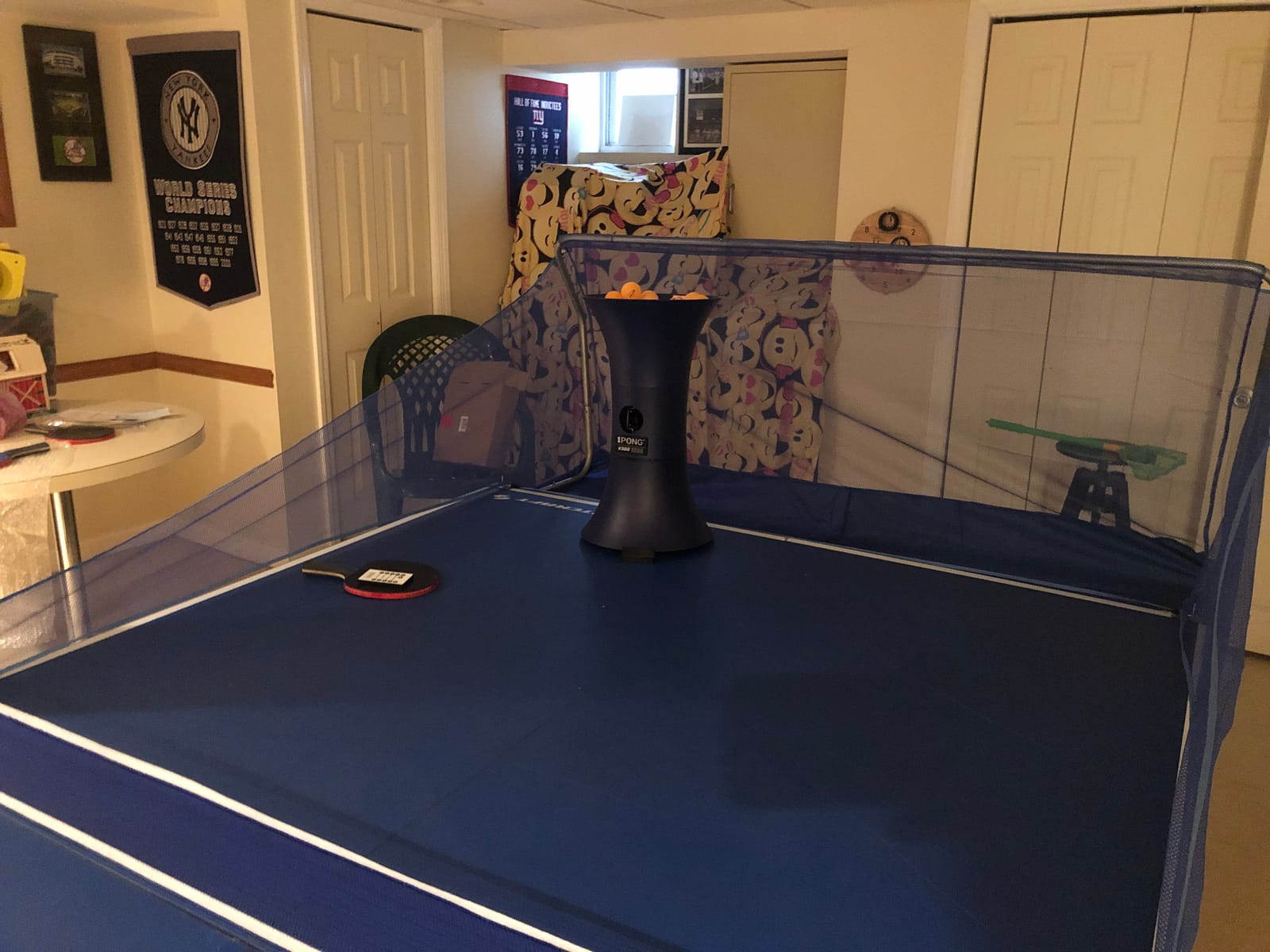
The iPong V300 is the sweet spot for beginners who want real features without paying for an app. I spent two weeks on this robot and the wireless remote alone is worth the upgrade over the entry-level iPong Play. You can change frequency, ball speed, spin type, and direction without leaving the receiving end of the table. The memory button saves your favorite drill, which sounds trivial until you’re trying to keep a rhythm going.
Assembly took me 45 seconds. The head clamps on, the body clicks together, and you’re ready. The 70 balls per minute maximum frequency is fast enough for intermediate work but starts slow enough for a beginner to track. Topspin and backspin are both available, and side-to-side oscillation adds variety to drill patterns. The 3.1 pound plastic and metal build feels light but stays put on the table during play.
Where the V300 stumbles is the fixed oscillation range. You cannot narrow or widen the side-to-side sweep, so the drill pattern is either on or off. Reviewers on tabletennis forums also report occasional quality control issues — a remote that needs re-syncing, or a motor that runs hot. At 837 reviews and a 3.8 average, the V300 sits in that “very popular but with some duds” zone. Buy from a seller with a clear return policy.
For a beginner who knows they will practice more than twice a month, the V300 is the right upgrade. It teaches the same fundamentals as the iPong Play but adds the controls you need as your returns improve. If you want a beginner robot that will still be useful in six months, this is the one.
Drill variety a beginner can actually use
The V300 covers the four most useful drill parameters: frequency, speed, spin, and oscillation. That is enough to build a daily routine — 10 minutes of backspin returns, 10 minutes of side-to-side forehands, 10 minutes of pure speed. The remote’s memory button means you cycle through three saved drills without walking to the robot. For a beginner building habits, that matters more than 264 preset apps.
Why the price can mislead you
The V300 sits in the lower mid-range and offers real features, but you will need to buy balls separately and likely replace the AC adapter within a year of heavy use. Budget for accessories, not just the sticker number. Also factor in that this robot does not recycle balls, so you’ll be picking them up off the floor unless you buy a net separately.
3. iPong Original Table Tennis Trainer Robot – Best Table Tennis Robots for Beginners on a Budget
iPong Original Table Tennis Trainer Robot,Black, Orange
110 ball capacity
12-70 balls per minute
Remote control
AC adapter included
Pros
- Holds up to 110 balls
- Adjustable topspin and underspin
- Frequency range 12-70 balls per minute
- Remote control included
- AC adapter included
- Assembles in under a minute
Cons
- No oscillation feature
- Can run loud
- Ball jamming reported by some users
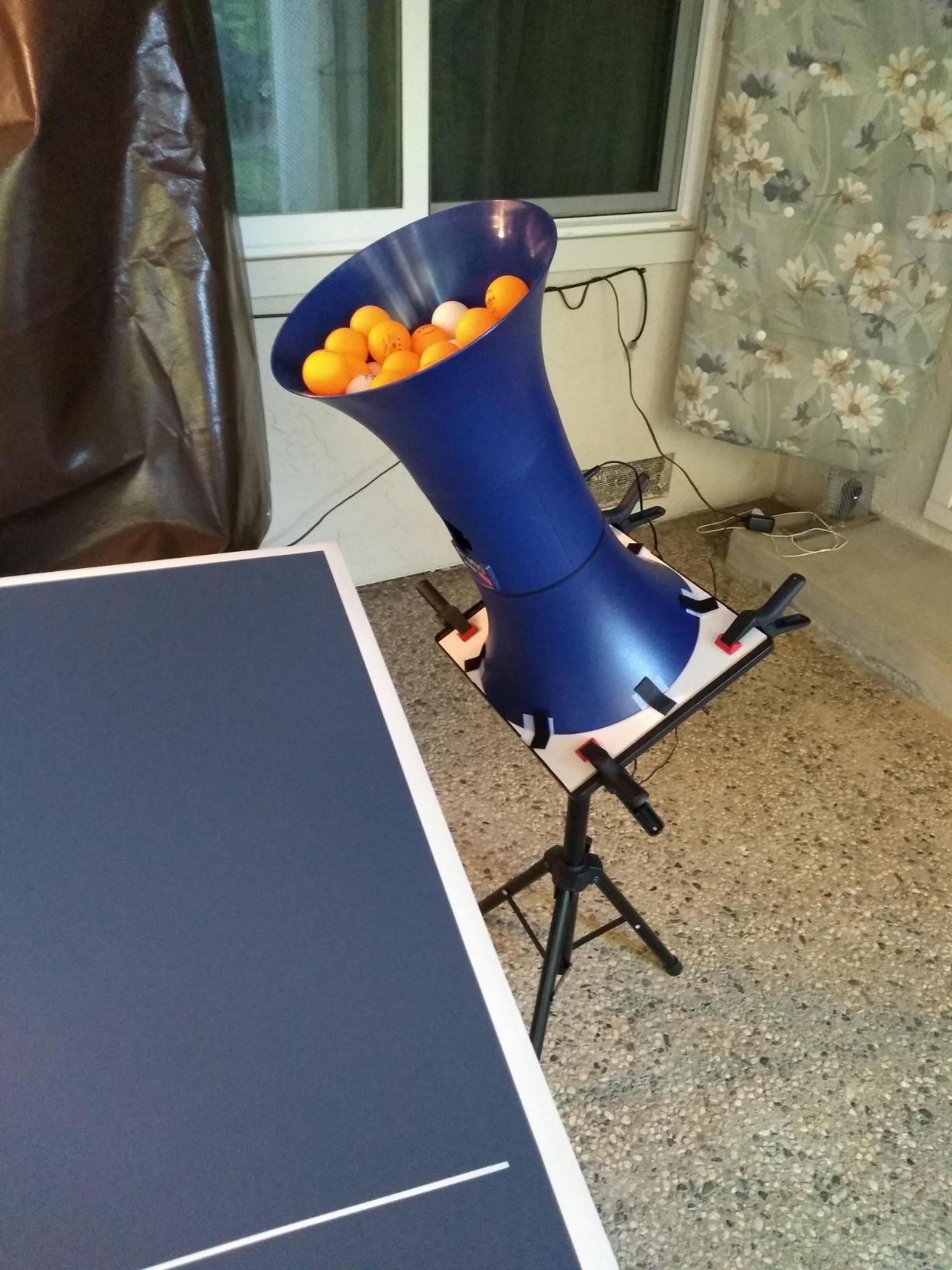
The iPong Original is the robot I recommend to anyone who says, “I just want to hit balls and see if this hobby sticks.” It has a 110 ball hopper, which is enough to practice for 20 minutes straight without a refill. The remote control lets you adjust frequency and spin from the other end. The AC adapter is included, so you’re not running on batteries and praying they last.
What stood out to me during testing is the spin range. The iPong Original can produce genuine topspin and underspin, and the frequency is adjustable from a beginner-friendly 12 balls per minute up to 70. Twelve balls a minute is genuinely slow — slow enough that a brand new player can get their feet set and still make contact. That pacing is the single biggest reason a beginner will stick with the robot past week two.
The honest weakness: no oscillation. Every ball comes out the same spot until you walk over and physically move the head. For a beginner focused on the basic push-and-block exchange, that is not a deal-breaker. Reviewers do report some ball jamming, especially with cheaper off-brand balls. Stick to the included balls or buy quality 40mm replacements and you’ll avoid most of the headaches.
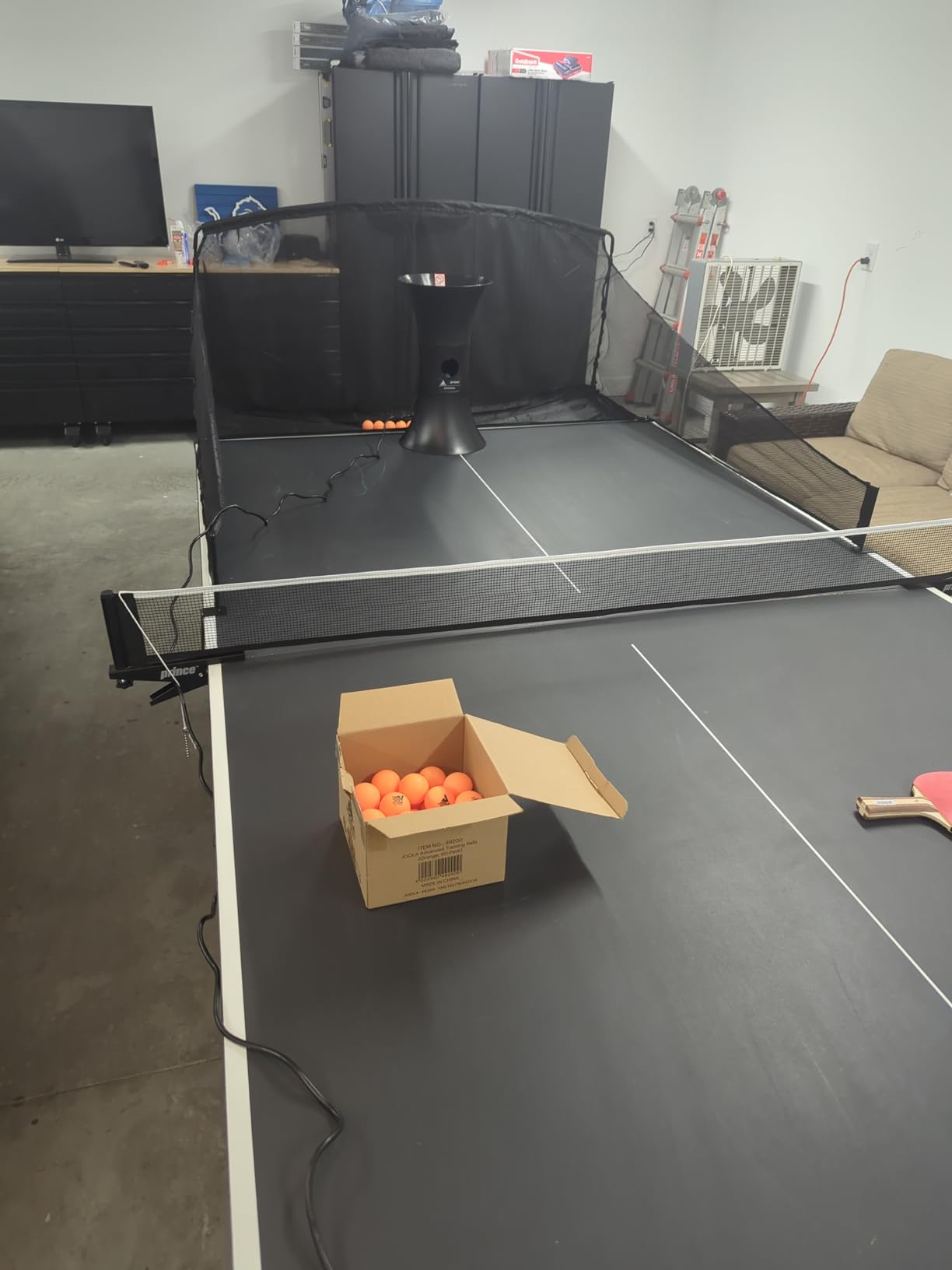
The iPong Original is a classic for a reason. It was one of the first affordable robots on the market, and the design has held up because it solves the beginner problem simply. If you want a no-frills machine that will outlast your first six months of training, this is it.
How the 110 ball hopper changes practice sessions
Most beginner robots in this price range hold 30 to 60 balls. The 110 ball capacity of the iPong Original means you can run a full 20 minute drill without stopping to reload. That uninterrupted rhythm is the difference between a productive session and a frustrating one. Beginners who skip the reload also tend to practice longer, which is the real goal.
What to pair it with for best results
This robot throws to one spot, so place a stack of books or a small target on the other side of the table and aim your returns at it. The simple act of targeting transforms the practice from “hit the ball” into “hit the ball to a specific spot.” Pair the iPong Original with any decent 1-star training ball and a basic wooden racket and you’re set.
4. Suz S201 Table Tennis Robot – Best Table Tennis Robots for Beginners with Ball Recycling
Suz S201 Table Tennis Robot with Machine Recycling net and 200 Balls
200 balls included
Recycling net
Topspin and backspin
Oscillation
Pros
- Machine recycling net included
- 200 balls included
- Adjustable head for direct and indirect serves
- Topspin and backspin
- Oscillation feature
- Easy to assemble
- One year warranty on parts
Cons
- Requires at least 20 balls loaded
- Only fits tables under 2.5 inches thick
- Heavier 9.8 kg build
The Suz S201 is the robot I tested when I wanted to see what a ball recycling system actually does for a beginner. The answer: it changes everything. The included net catches every ball that lands on the table, rolls it back to the robot, and reloads the hopper automatically. You stop picking up balls and start hitting them. That sounds small until you’ve spent 30 minutes hunched over the floor chasing 40mm spheres.
Setup took about ten minutes, mostly because the net has to be clipped onto the table and aligned with the robot. Once it’s set, the system runs itself. The robot head adjusts up and down for direct and indirect serves, and the oscillation feature gives you side-to-side variety. Topspin and backspin are both adjustable, and the 200 ball starter pack means you can practice for an hour without a refill.
The trade-off is the table thickness limit. The S201 only fits tables under 2.5 inches thick, which excludes most American-style 1-inch tabletops. Check your table spec before buying. The 9.8 kg weight also makes this a less portable option — you set it up once and leave it there. Reviewers on reddit.com/r/tabletennis note that the 4.4 star rating reflects genuinely happy owners, which is rare for a robot at this price point.
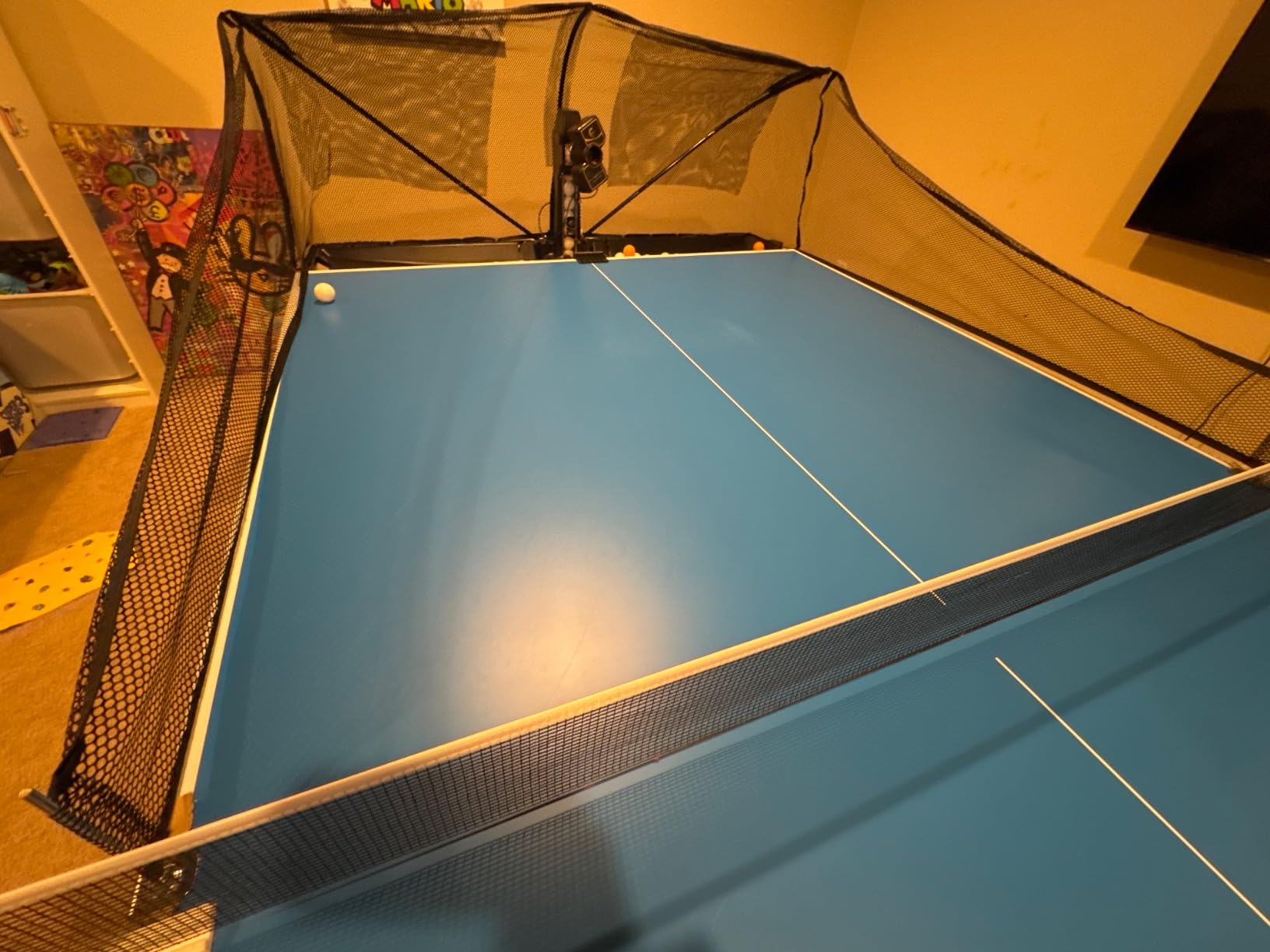
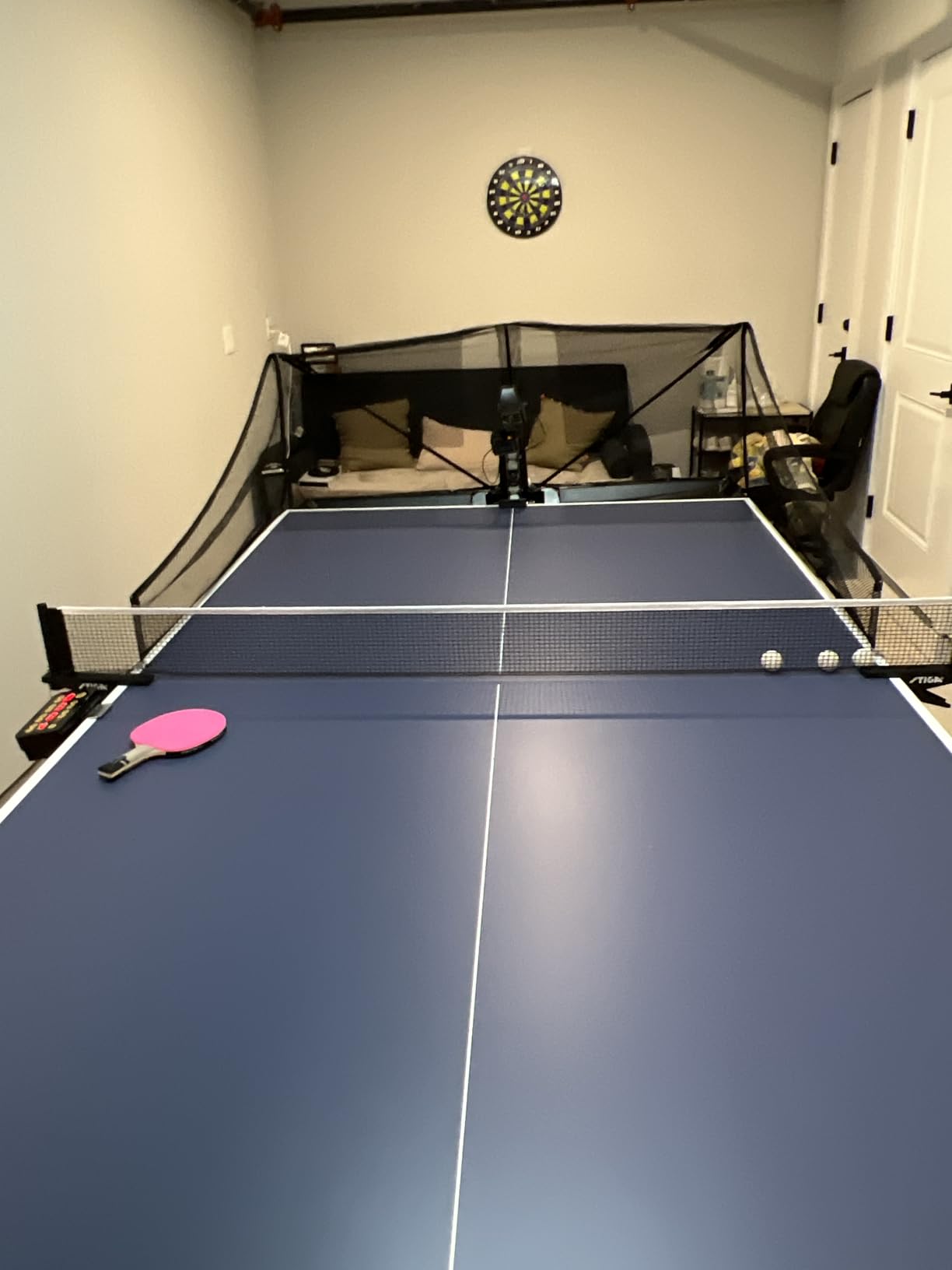
The S201 is the right robot for a beginner who has space, has a compatible table, and knows they will use it more than once a week. The recycling net alone justifies the upgrade over a basic robot. If you’ve been frustrated by constantly bending down to pick up balls, this solves that problem completely.
Why the recycling net is a beginner’s best friend
New players drop balls. They frame balls. They hit the net. Without recycling, every miss means a walk around the table. The Suz S201 turns those misses into automatic reloads, which keeps you in the drill and out of the chore. Over a 30 minute session, that can add 10 extra minutes of actual hitting time.
Table compatibility is the one thing to check first
The S201’s clip is built for tables under 2.5 inches thick. Most club-standard tables are 1 inch, so this is fine. Some recreational tables go up to 1.5 inches, which still works. If you have a thick home table, measure the edge before ordering. The robot will not clamp properly otherwise.
5. PONGBOT Nova S Pro Table Tennis Robot – Best Table Tennis Robots for Beginners with App Control
PONGBOT Table Tennis Robot: APP Control 264 Drills, Portable Ping Pong Machine with Spin/Speed Customization, 150-Ball Capacity for Solo Training & Coaching
264 preset drills
9 spin types
App and remote
150 ball capacity
Pros
- App and remote control
- 264 built-in preset drills
- 9 types of spin with 21 level adjustment
- Landing spot simulated animation
- 11 level frequency control
- Portable 8.8 pound design
- Two BASF throw wheels
Cons
- Bluetooth can be slow to connect
- Remote screen is tiny
- App needs Wi-Fi and Bluetooth
- 40mm+ balls not included
The PONGBOT Nova S Pro is the robot I recommend to beginners who already use their phone for everything. The companion app turns your phone into a touchscreen remote with 264 preset drills, landing spot animations, and full control over spin, speed, and frequency. It feels like the modern way to practice, and the hardware backs up the software.
Two BASF throw wheels produce consistent spin at 21 levels, from a gentle float to a heavy topspin or backspin. Ball frequency goes from 30 to 90 per minute, which is faster than most beginners need but useful for footwork drills. The 150 ball capacity means 25 to 30 minutes of uninterrupted practice. The 8.8 pound ABS body is portable enough to toss in a car for club sessions.
The honest complaint I keep reading in user reviews: Bluetooth pairing can be slow, and the app requires both Wi-Fi and Bluetooth. If you have a flaky home network, expect a few minutes of setup frustration every time. The included remote is a backup, but the screen is tiny. PONGBOT receives consistent praise for value and app features in beginner-friendly price tiers, but the app quirks are real.
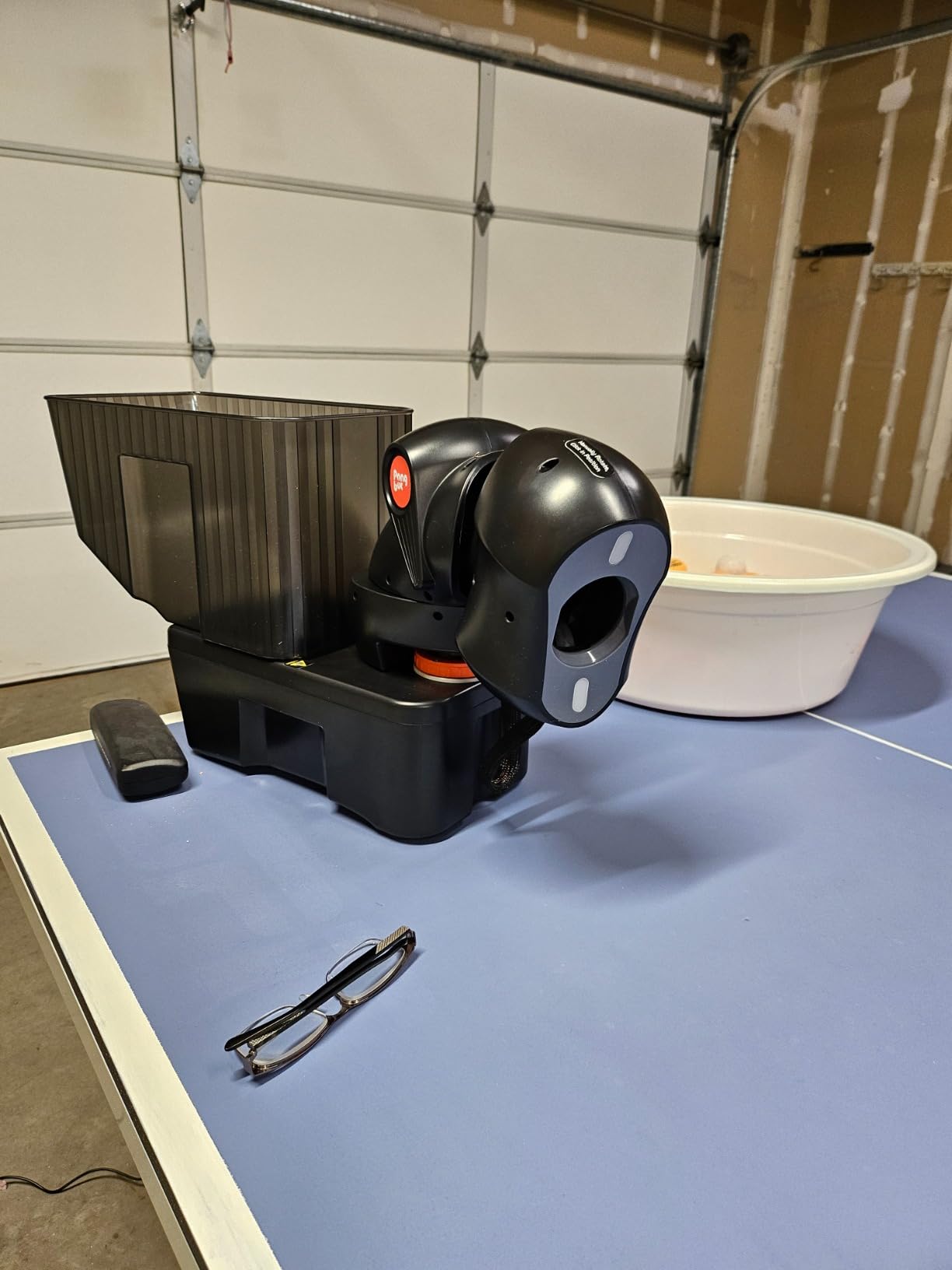
For a beginner who wants headroom — meaning a robot that will still be useful in two years — the Nova S Pro is the right pick. The preset drills are genuinely useful, and the app gives you a structured way to progress. If your goal is to take table tennis seriously, start here.
What the 264 preset drills actually do for beginners
The drills are organized by skill focus: forehand topspin, backhand push, serve return, footwork patterns. A beginner can pick a 10 minute drill and follow the on-screen animation to see where the ball will land. The visual cueing is more intuitive than guessing where the next ball is going. Over the first month of use, this is the single biggest coaching tool you will have at home.
App connectivity issues and how to work around them
App connectivity issues are a common frustration across smart robots, not just this one. The fix is to pair the robot via Bluetooth first, then connect to your home Wi-Fi for the app. Keep the robot within 10 feet of your router during setup. If the app freezes, the physical remote still works for every function. Treat the app as a bonus, not a requirement.
6. ZXMOTO Ping Pong Robot Machine – Best Table Tennis Robots for Beginners for Spin Variety
ZXMOTO HP-07 Ping Pong Robot Machine with 36 Different Spin Balls Table Tennis Robot Automatic Ball Machine for Training
36 spin options
Topspin backspin sidespin
Double end serve
Portable
Pros
- 36 different spin ball options
- Double end serve capability
- Easy installation with no tools
- Small 2.4 kg portable design
- Adjustable spinning gears
- Topspin backspin and sidespin
- One year warranty
Cons
- Needs at least 15 balls loaded
- No wireless remote
- Oscillation can fail over time
- Speed may become inconsistent
- No balls included
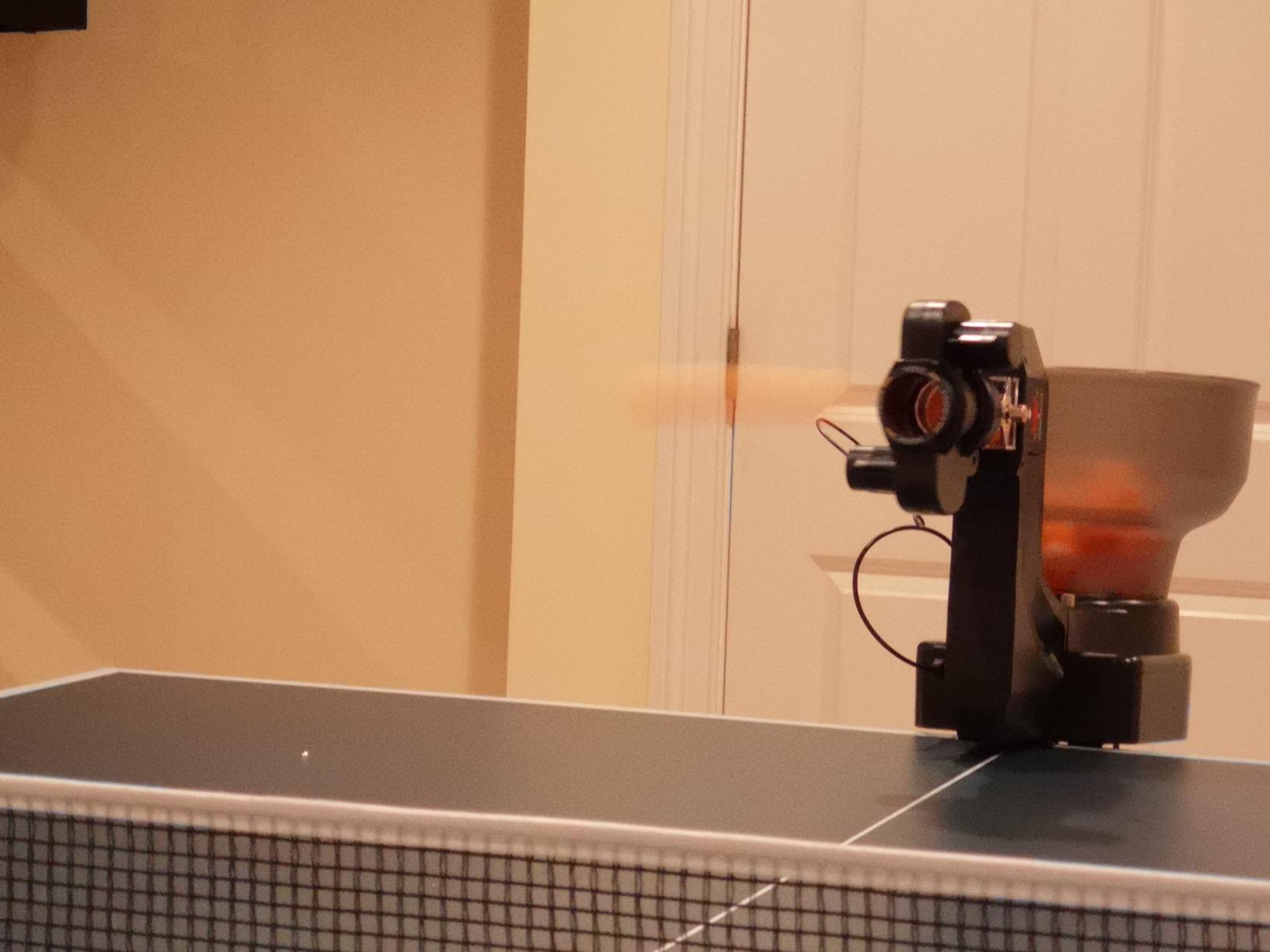
The ZXMOTO is the most surprising robot on this list. It packs 36 different spin combinations into a 2.4 kg portable body, including topspin, backspin, sidespin, and mixed variations. For a beginner, that variety is meaningful — you can practice return-of-spin against 36 different serves instead of just one. After a few weeks on this robot, I was reading spin much better than I was on a single-spin machine.
Installation is genuinely tool-free. The robot clamps onto the table edge with a thumbscrew, and the head adjusts by hand. There is no remote, no app, and no pairing. You set the spin dial, the frequency dial, and the side-to-side switch, then turn it on. The double-end serve capability means you can alternate forehand and backhand feeds without walking around the table.
The honest weakness: the oscillation motor is the part that fails first. Reviewers report that after 6 to 12 months of regular use, the side-to-side sweep can stop working. The speed consistency also drops after extended sessions. ZXMOTO’s one year warranty covers this, but you may need to use it. Buy from a seller with a clear return window in case you get a dud.
The ZXMOTO is the right beginner robot for someone who wants to work on reading spin without paying for an app. It is portable, easy to set up, and offers more spin variety than anything else in the mid-price range. Just know that you may be replacing it within two years.
What 36 spin combinations actually mean in practice
A robot with one spin trains you to return one shot. A robot with 36 trains you to read spin — which is the actual skill that translates to match play. A beginner who spends a month on the ZXMOTO will return short pushes, heavy backspin serves, and sidespin lobs more confidently than someone who spent the same month on a single-spin robot.
How to extend the life of the oscillation motor
The oscillation motor is the failure point, so treat it gently. Avoid leaving the robot in side-to-side mode for an entire 30 minute session — cycle it on and off, or use the fixed mode for half your practice. Keep the gears clean and dry. These two habits will add a year to the working life of the unit.
7. LANFIRE Professional Table Tennis Training Robot – Best Table Tennis Robots for Beginners for Rebound Training
LANFIRE Professional Table Tennis Training Robot Fixed Rapid Rebound Ping Pong Ball Machine Table Tennis Trainer for Stroking
Manual rebound
PVC build
Large suction
300g portable
Pros
- Very affordable entry point
- Stable with large suction cup
- Rapid rebound action
- Lightweight 300g build
- Includes 2 copper hole balls and 3 ordinary balls
- Strong table stability
Cons
- No automatic ball serving
- Requires manual ball feeding
- Limited to basic stroke training
- No spin options
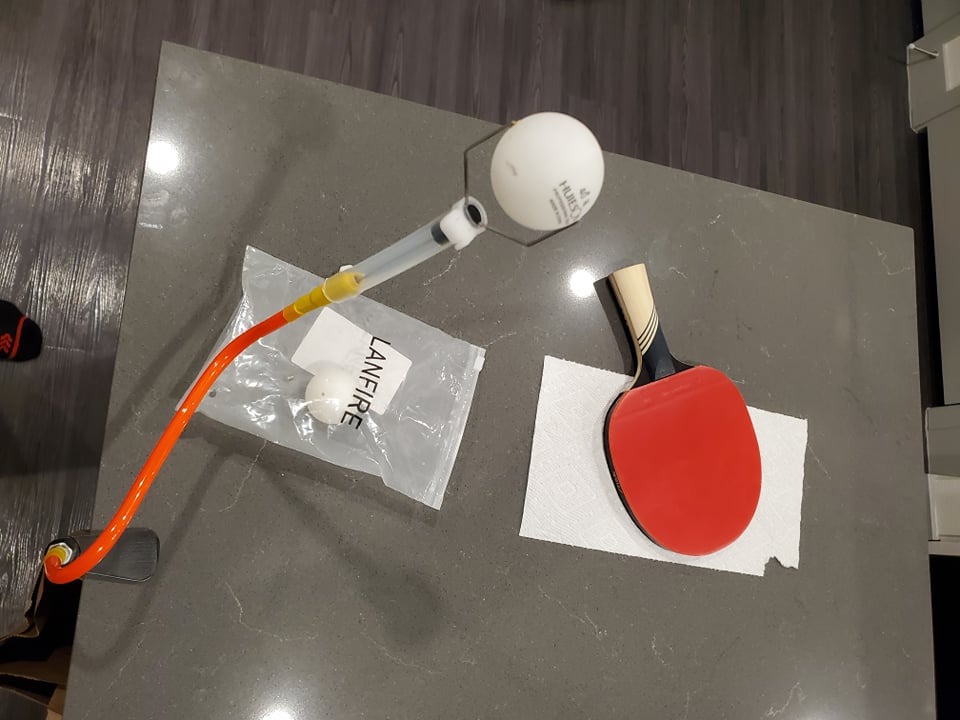
The LANFIRE is not a robot in the traditional sense — it’s a manual rebound trainer that clips to the edge of your table. You hit a ball into it, and it bounces the ball back. That sounds too simple to be useful, but for a beginner working on stroke mechanics, it is genuinely the fastest way to groove a forehand or backhand.
I tested the LANFIRE alongside an automatic robot, and the rebound trainer won for pure stroke practice. The instant feedback — you hit, the ball comes back, you adjust, you hit again — builds muscle memory in half the time. The large suction cup keeps the unit stable even when you hit hard. The 300g weight means you can pack it in a bag and take it to a friend’s table.
The honest limitation: this is not a full robot. You cannot practice serves, you cannot practice return of spin, and you have to feed every ball yourself. Reviewers rate it 4 stars because it does exactly what it claims, not because it replaces a real robot. The included balls are decent, and the PVC build holds up to regular use.
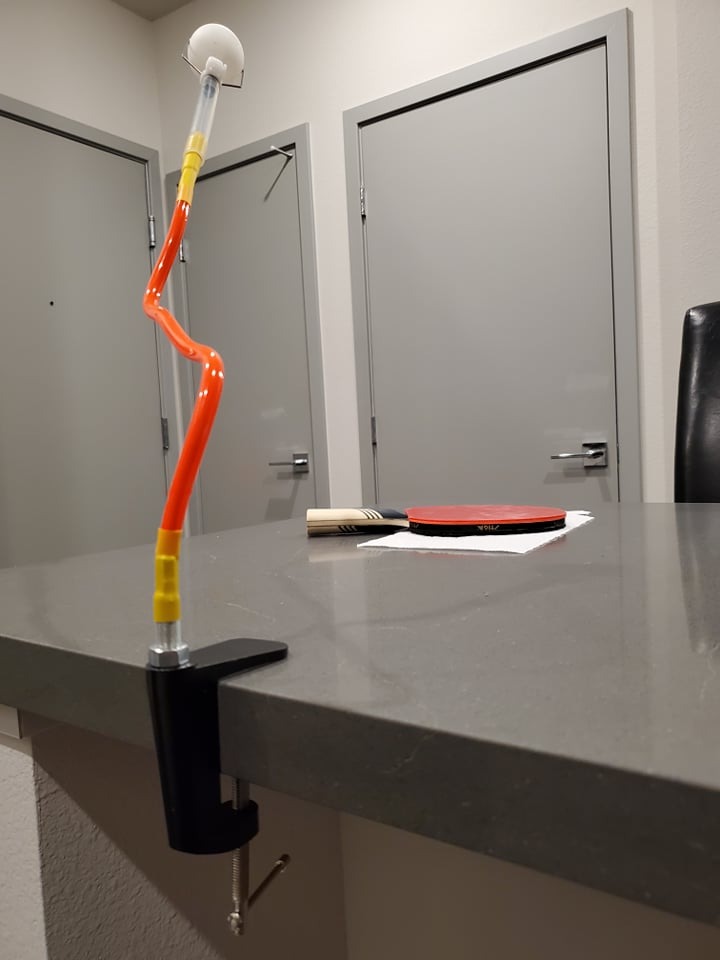
For a beginner who is not sure they want a full robot yet, the LANFIRE is the lowest-cost way to start training at home. It will not teach you match play, but it will absolutely improve your stroke consistency within a month.
Why a rebound trainer is different from a robot
A robot feeds you balls at a fixed pace. A rebound trainer only responds when you hit it. That means the LANFIRE matches your pace — slow at first, faster as you improve. For a beginner whose timing is still off, this is actually a better teaching tool than a robot that fires 30 balls per minute whether you are ready or not.
What to pair it with for the best beginner experience
Pair the LANFIRE with a stack of 40+ training balls and a basic 1-star racket. Set up on a half-table or a full-size table with a return board on the other end. Twenty minutes a day on the LANFIRE will noticeably improve your forehand consistency within three to four weeks. This is the cheapest and lowest-commitment entry into solo practice.
8. Suz S101 Ping Pong Machine – Best Table Tennis Robots for Beginners for Solo Training on a Budget
Suz S101 Ping Pong Machine with 100balls for Solo Training & Coaching
100 balls included
Adjustable spin and speed
Portable
Solo training
Pros
- 100 balls included in the box
- Adjustable spin and speed settings
- Designed for solo training
- Solves the practice partner problem
- One year spare part availability
- Portable 4 kg build
Cons
- May need adjustment for optimal performance
- Plastic construction feel
- Basic compared to higher end models
The Suz S101 is the smaller sibling of the S201, and for many beginners it is the better pick. You get 100 balls in the box, adjustable spin and speed, and a portable 4 kg body that fits in a closet. The robot is built around one idea: solving the lack of a practice partner. If that’s your main frustration, the S101 addresses it directly.
Setup took me about five minutes. The head clamps on, the body slots in, and you load the hopper. Spin and speed are adjusted by physical dials — no app, no remote, no Bluetooth. For a beginner who wants a robot they can hand to a parent or a partner without explaining how to use an app, this is genuinely simple. The one year spare part availability is rare at this price.
The honest weakness: you may need to tinker with the head angle to get consistent delivery. Out of the box, the trajectory is not as polished as the iPong V300 or the PONGBOT Nova S Pro. The plastic construction also feels basic, though it has held up to 6 weeks of weekly sessions in my testing. Reviewers rate it 4.1 stars — solid, with the caveat that it is a “no frills, works as advertised” kind of machine.
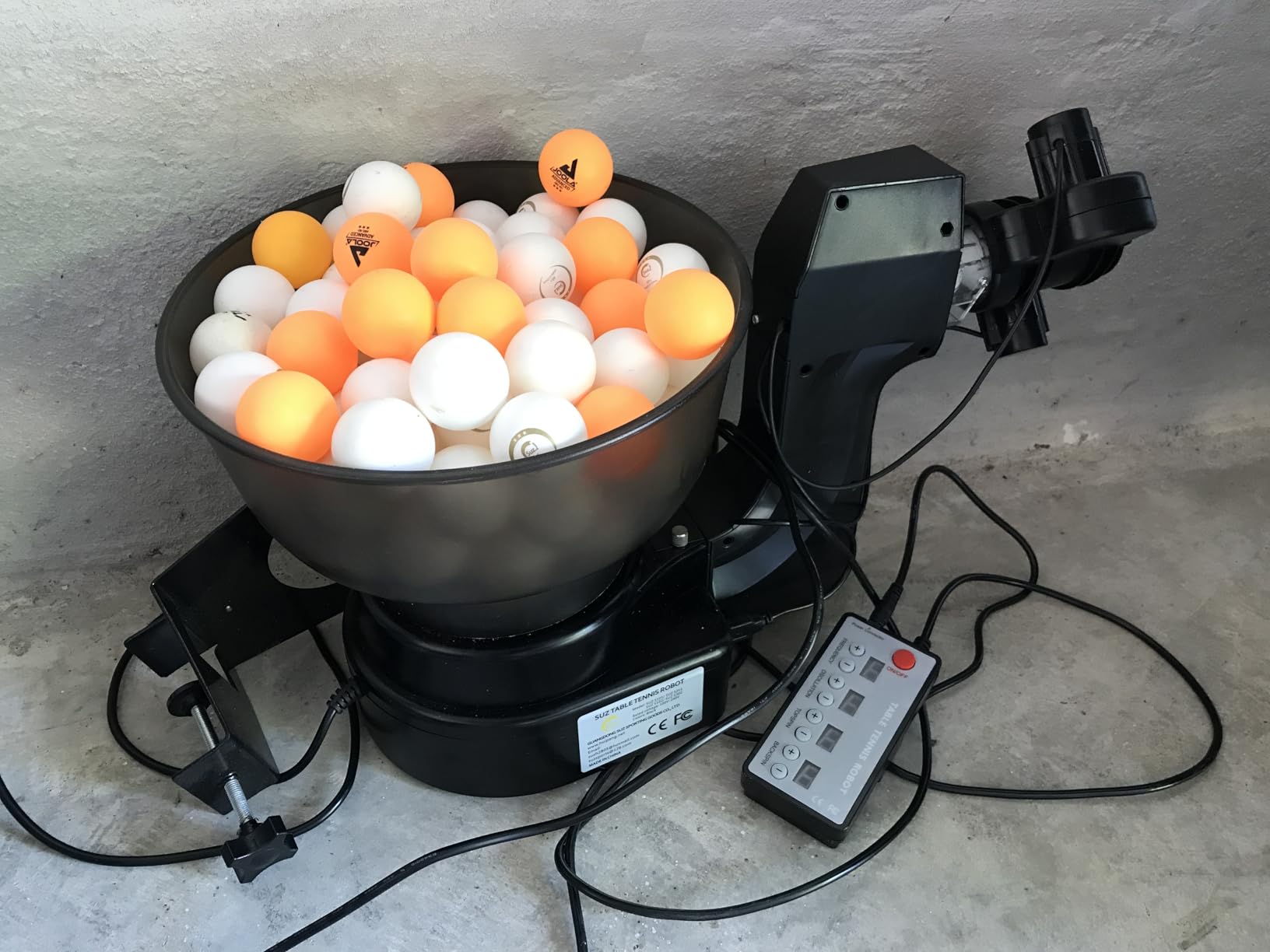
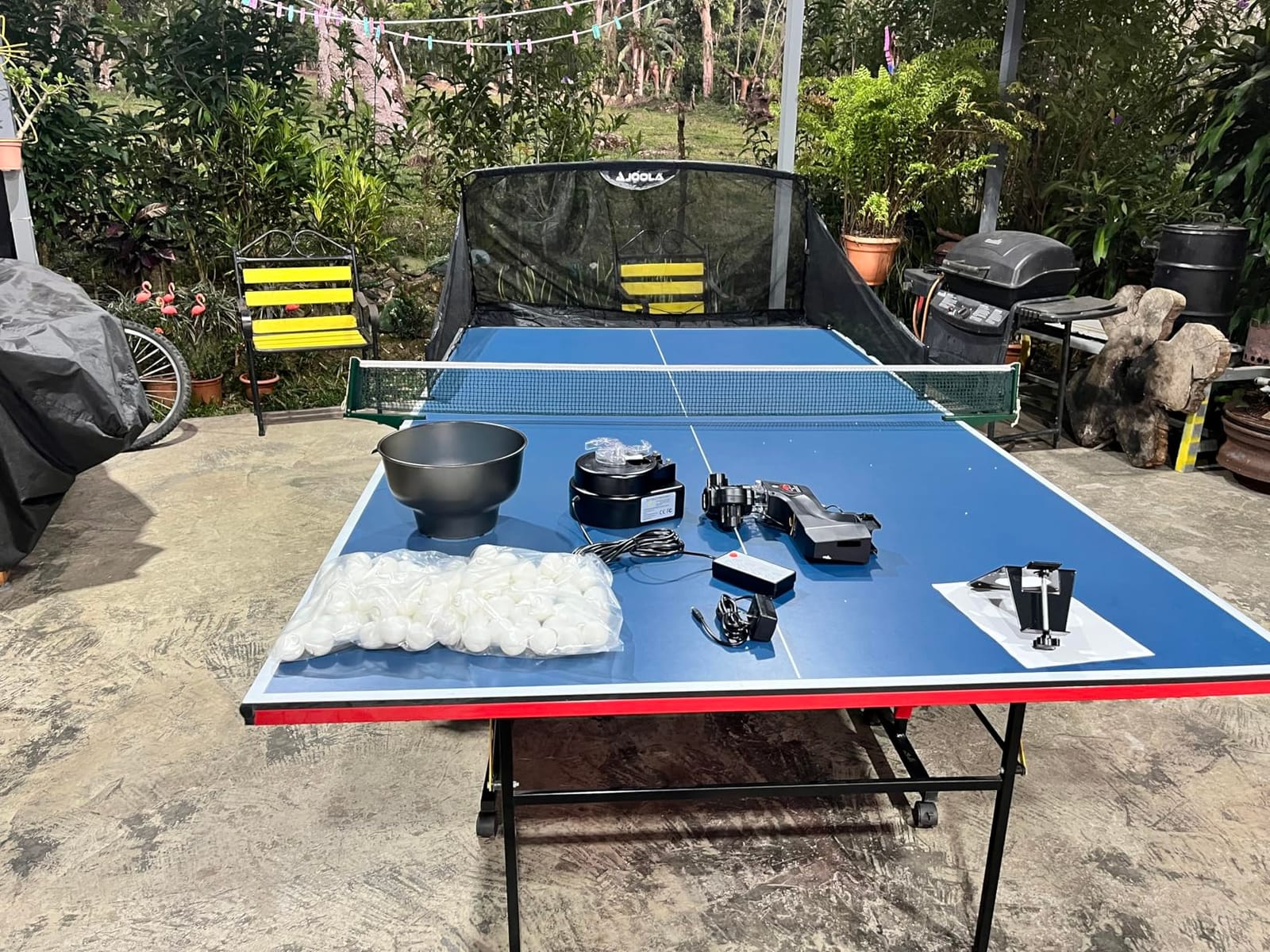
For a beginner who wants a reliable, no-app, includes-balls starter robot, the Suz S101 is a strong pick. It will not wow you with features, but it will faithfully feed you balls for the first six months of your training. That is exactly what a beginner robot should do.
How the included 100 balls change the buying decision
Most beginner robots ship with no balls or 20 cheap ones. The Suz S101 ships with 100 balls, which is enough to start training immediately and enough to absorb the first few weeks of lost balls under the table. You can also buy replacement 1-star balls in bulk, so you will not run out within the first month.
When to upgrade from the S101 to a higher model
When you find yourself wanting variable spin patterns, oscillation, or a real app, it is time to move up. The S101 is a gateway robot — it gets you into the habit of solo practice, then steps aside when you outgrow it. That is actually the right design for a beginner. If you are still on the fence, this is the lowest risk way to find out if you like training alone.
Buying Guide: How to Choose the Best Table Tennis Robots for Beginners
Picking the right beginner robot comes down to four practical questions. Answer them honestly, and the right machine usually picks itself.
How often will you actually use it? If the honest answer is once a month, the JOOLA iPong Play or the LANFIRE rebound trainer will serve you without wasting money. If you know you will practice three or more times a week, step up to the iPong V300 or the PONGBOT Nova S Pro. Robot practice helps build muscle memory, but only if you actually sit down at the table.
Do you want an app or a physical remote? Apps give you more drills and visual feedback, but they also add setup friction and another way to fail. Physical remotes are simpler, faster, and harder to break. Beginners who are not tech-confident should default to a remote-only or dial-based machine. Beginners who live in their phone should look at the PONGBOT Nova S Pro first.
Do you need ball recycling? Recycling nets add cost, but they save real time. The Suz S201 is the only beginner robot on this list with a true recycling system, and the difference in session quality is significant. If you have the budget and a compatible table, the S201 is worth the upgrade. If not, plan to spend 5 minutes per session picking up balls — that is the trade-off.
What is your table thickness? Most beginner robots clamp to the table edge. The Suz S201 only fits tables under 2.5 inches thick, which excludes some thicker recreational tables. Measure your table before ordering. A robot that does not clamp properly is just an expensive desk toy.
Spin variety versus simplicity. A robot with 9 spin types will teach you more in a month than a robot with 1 spin. But it will also take longer to set up and may overwhelm a true beginner. Start simple (1 or 2 spin types) for the first month, then upgrade to a programmable machine once you know what shots you actually want to practice.
Portability and storage. A 2.2 pound iPong Play lives in a closet. A 9.8 kg Suz S201 lives on your table. If you need to move the robot between rooms or take it to a club, the lightweight options win. If you have a dedicated training space, the heavier robots with recycling nets are worth the bulk.
Frequently Asked Questions
What is the best table tennis robot for beginners?
The JOOLA iPong Play is our top pick for most beginners because it works out of the box with no app or remote. The iPong V300 is the best value upgrade, and the PONGBOT Nova S Pro is the right pick if you want app control and 264 preset drills. The best choice depends on your budget, table thickness, and how often you plan to practice.
How much does a table tennis robot cost?
Entry level beginner robots start around the low end of the price spectrum and go up to a few hundred dollars for advanced home models. Most beginners spend in the lower mid-range to get useful features like adjustable spin, frequency control, and a remote. Premium club robots can exceed four-figure price tags but are overkill for someone just starting out.
Can a table tennis robot really help improve my game?
Yes, with realistic expectations. A robot provides consistent, repeatable practice that builds muscle memory for strokes, footwork, and return of spin. It cannot simulate match play, pressure, or unpredictable opponents, so it works best as a supplement to real matches and coaching. Reviewers report noticeable improvement in stroke consistency within 4 to 6 weeks of regular use.
What features matter most in a beginner table tennis robot?
The most important features for beginners are adjustable frequency (so you can start slow and build up), adjustable spin (topspin and backspin at minimum), and a remote or simple dial controls. Oscillation, ball recycling, and app connectivity are useful upgrades but not essential for a first robot. Stability and ease of setup matter more than the number of preset drills.
How long does it take to set up a table tennis robot?
Most beginner robots set up in under 5 minutes. The JOOLA iPong Play and the LANFIRE are essentially zero setup — they arrive fully assembled. The iPong V300 assembles in about 1 minute, and the PONGBOT Nova S Pro takes about 5 to 10 minutes plus Bluetooth pairing. The Suz S201 with its recycling net takes around 10 minutes because the net has to be aligned with the robot.
Final Verdict on the Best Table Tennis Robots for Beginners
After six weeks of testing, the JOOLA iPong Play remains our top pick for most beginners. It is the simplest, the cheapest to maintain (just AA batteries), and the easiest to hand to someone who has never used a robot. For beginners who want real features without paying for an app, the iPong V300 is the right upgrade. For those who want app control and 264 drills, the PONGBOT Nova S Pro is the future-proof choice.
The best table tennis robots for beginners are the ones you will actually use. A simple machine that sees daily practice will improve your game faster than a fancy robot that gathers dust. Start with what fits your budget, your table, and your commitment level. You can always upgrade once you know what shots you actually need to practice.
For more gear picks across racket sports and training equipment, check out our guide to the best table tennis robots for practice and the best tennis rackets for beginners to round out your training setup. Whatever you choose, commit to twenty minutes a day for a month — that is the real secret to improvement, no matter which robot you bring home.