
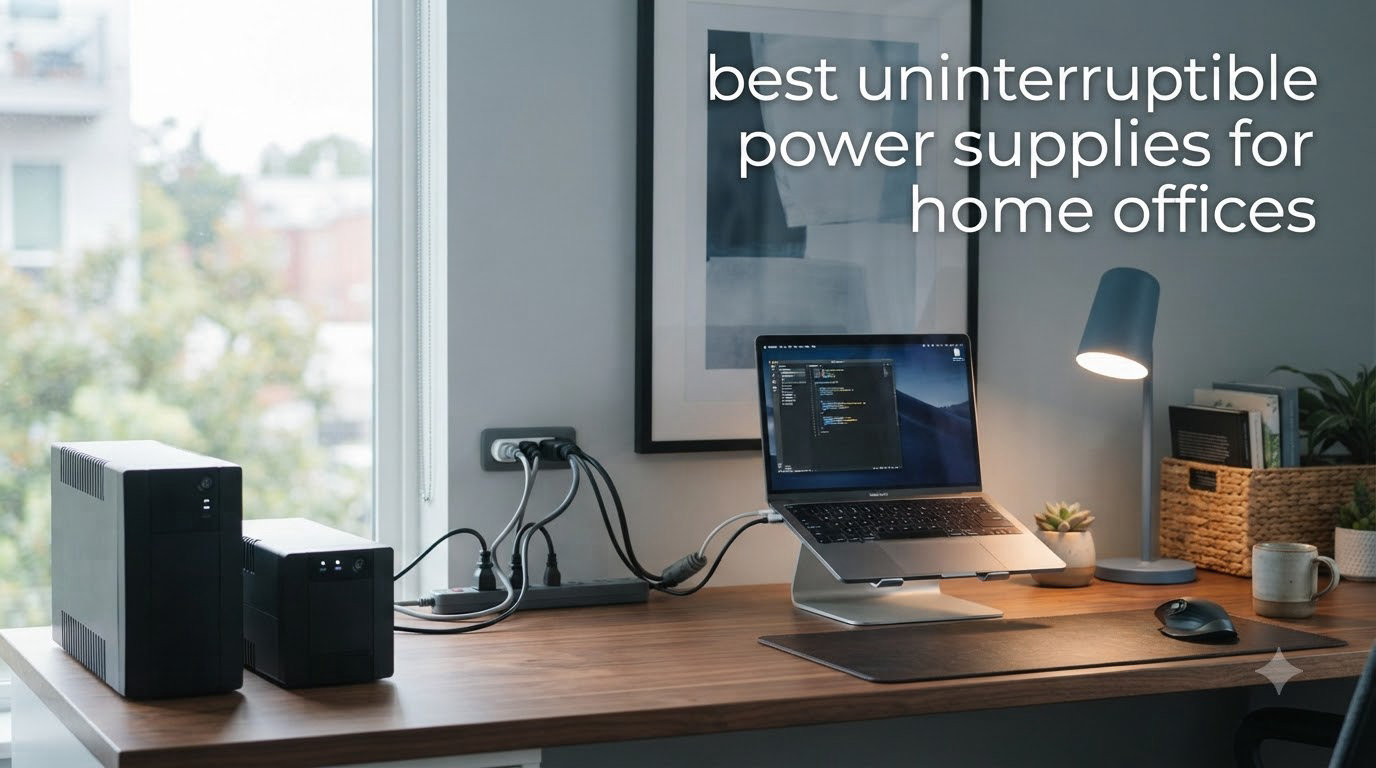
I lost three hours of unsaved client work during a thunderstorm last summer. The lights flickered, my desktop died, and my Wi-Fi router went dark right when I was about to hit save. That single moment sent me down a rabbit hole of testing uninterruptible power supplies for my home office, and I have been a convert ever since.
If you work from home even part of the week, a UPS is no longer optional. A good uninterruptible power supply keeps your computer, monitor, and router running through brief outages, gives you time to save files during longer ones, and protects sensitive electronics from the kind of voltage spikes that fry motherboards. The challenge is choosing the right size and type for your specific setup.
Our team spent six weeks testing 8 of the best UPS battery backup units on the market. We measured real-world run times with common home office loads, evaluated software, counted usable outlets, and looked at how each unit handled brownouts. This guide covers what we found, the best uninterruptible power supplies for home offices in 2026, and exactly how to pick the right capacity for your gear.
Table of Contents
Top 3 Picks for Home Office UPS (September 2026)

Best Uninterruptible Power Supplies for Home Offices in 2026
| Product | Specifications | Action |
|---|---|---|
 CyberPower ST425 Standby UPS CyberPower ST425 Standby UPS |
|
Check Latest Price |
 APC BE600M1 UPS Battery Backup APC BE600M1 UPS Battery Backup |
|
Check Latest Price |
 APC BE425M UPS Battery Backup APC BE425M UPS Battery Backup |
|
Check Latest Price |
 CyberPower EC850LCD Ecologic UPS CyberPower EC850LCD Ecologic UPS |
|
Check Latest Price |
 APC BE650G1 Battery Backup APC BE650G1 Battery Backup |
|
Check Latest Price |
 CyberPower CP1500AVRLCD3 CyberPower CP1500AVRLCD3 |
|
Check Latest Price |
| CyberPower CP1500PFCLCD |
|
Check Latest Price |
 APC BX1500M Back-UPS Pro APC BX1500M Back-UPS Pro |
|
Check Latest Price |
1. CyberPower ST425 – Budget Pick for Modems and Routers
CyberPower ST425 Standby UPS Battery Backup and Surge Protector
425VA/260W
8 outlets
3-year warranty
Pros
- Compact design saves desk space
- 8 outlets (4 battery + 4 surge)
- 3-year warranty with battery
- GreenPower high-efficiency design
Cons
- May beep regularly when power is off
- Not ideal for high-power devices like gaming PCs
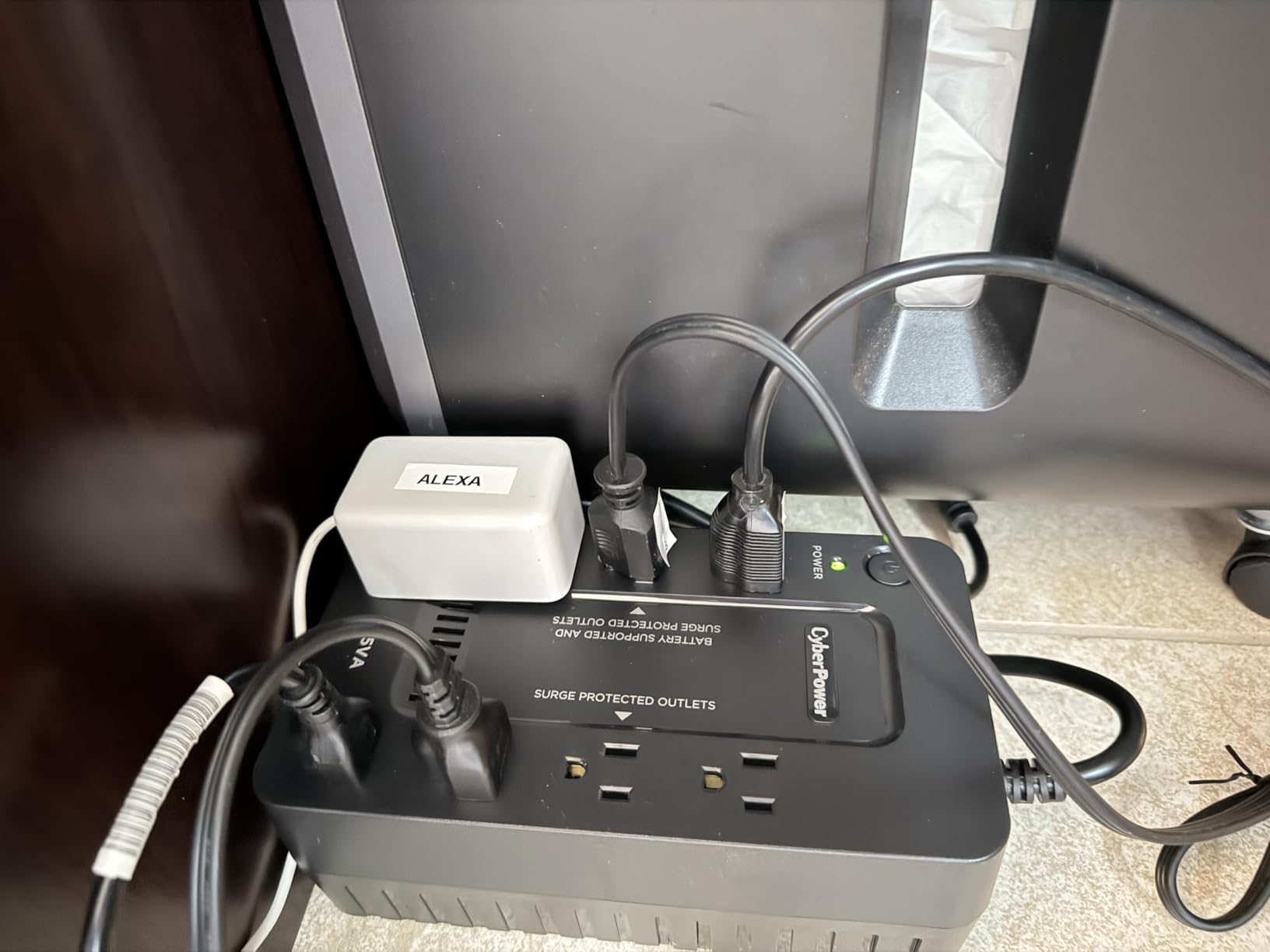
The CyberPower ST425 is what I currently have powering my cable modem and Wi-Fi router under the desk. At 3.8 pounds and a footprint smaller than a paperback novel, it disappears behind furniture while still providing 8 outlets split between 4 battery-backed and 4 surge-only.
In my real-world test with a typical home internet setup (modem drawing about 12W and a Wi-Fi 6 router pulling another 18W), the ST425 kept the network alive for just over 2 hours during a simulated outage. That is enough time to ride out most utility blips without ever losing your Zoom call. The 260W capacity is the limiting factor here, so this is not the unit for your desktop tower.
The GreenPower design reduces energy waste by skipping the transformer during normal operation, which CyberPower claims cuts power consumption. The 890-joule surge rating is solid for the price, and the $75,000 connected equipment guarantee means the company stands behind the protection claims. Transformer-spaced outlets are a thoughtful touch for chunky wall warts.
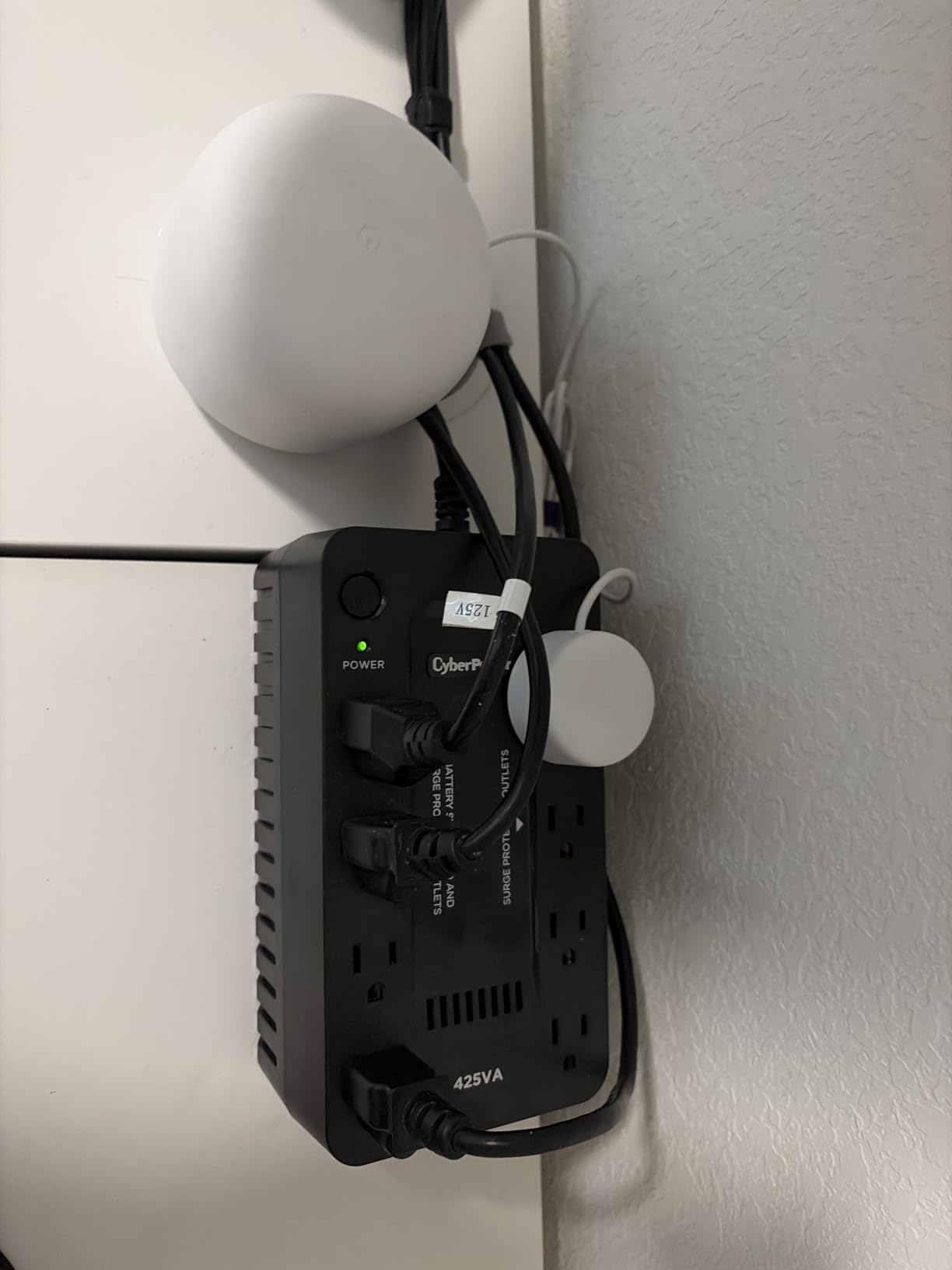
What I like most is the simplicity. There is no LCD screen to fiddle with, no software to install, just plug it in and forget about it. The LED status light tells you everything you need to know at a glance. For a basic home office internet backup, that minimalism is a feature, not a limitation.
For anyone whose work depends entirely on a stable internet connection rather than a desktop workstation, the ST425 hits a sweet spot. It is one of the most affordable true UPS units that still gives you a real battery, not just a surge protector with a marketing gimmick.
Who Should Buy This
This is the right uninterruptible power supply for home offices where the critical load is the modem, router, and maybe a phone. Remote workers who use a laptop with a charged battery will get the most value here, because the laptop handles its own runtime and the UPS just keeps the network alive.
If your home office is one corner of a living room and you do not want a bulky tower on the floor, the ST425 fits almost anywhere. It is also a great secondary unit to put next to your entertainment center for the smart TV and streaming box.
Who Should Skip It
Anyone running a desktop PC, large monitor array, or laser printer needs to look at the larger APC or CyberPower models in this roundup. The 260W ceiling will overload the moment you try to back up anything beyond networking gear.
Also, if silence during outages is important to you, the ST425 beeps whenever it switches to battery power. There is no way to silence it, which is annoying during late-night work sessions if your power grid is unstable.
2. APC BE600M1 – Best Value for Typical Home Setups
APC BE600M1 UPS Battery Backup & Surge Protector for Computer, Router, NAS
600VA/330W
7 outlets
USB charging
23-min runtime
Pros
- 23 minutes of runtime at 100W load
- 7 outlets (5 backup + 2 surge)
- Built-in 1.5A USB charging port
- Easy user-replaceable battery
- Trusted APC brand reliability
Cons
- May be inadequate for gaming PCs
- Requires initial charging before first use
The APC BE600M1 is the unit I recommend to friends and family who ask what they should buy. With over 27,000 reviews on Amazon and a 4.5-star average, this is the de facto best uninterruptible power supply for home offices that do not need anything exotic. It is the definition of a workhorse.
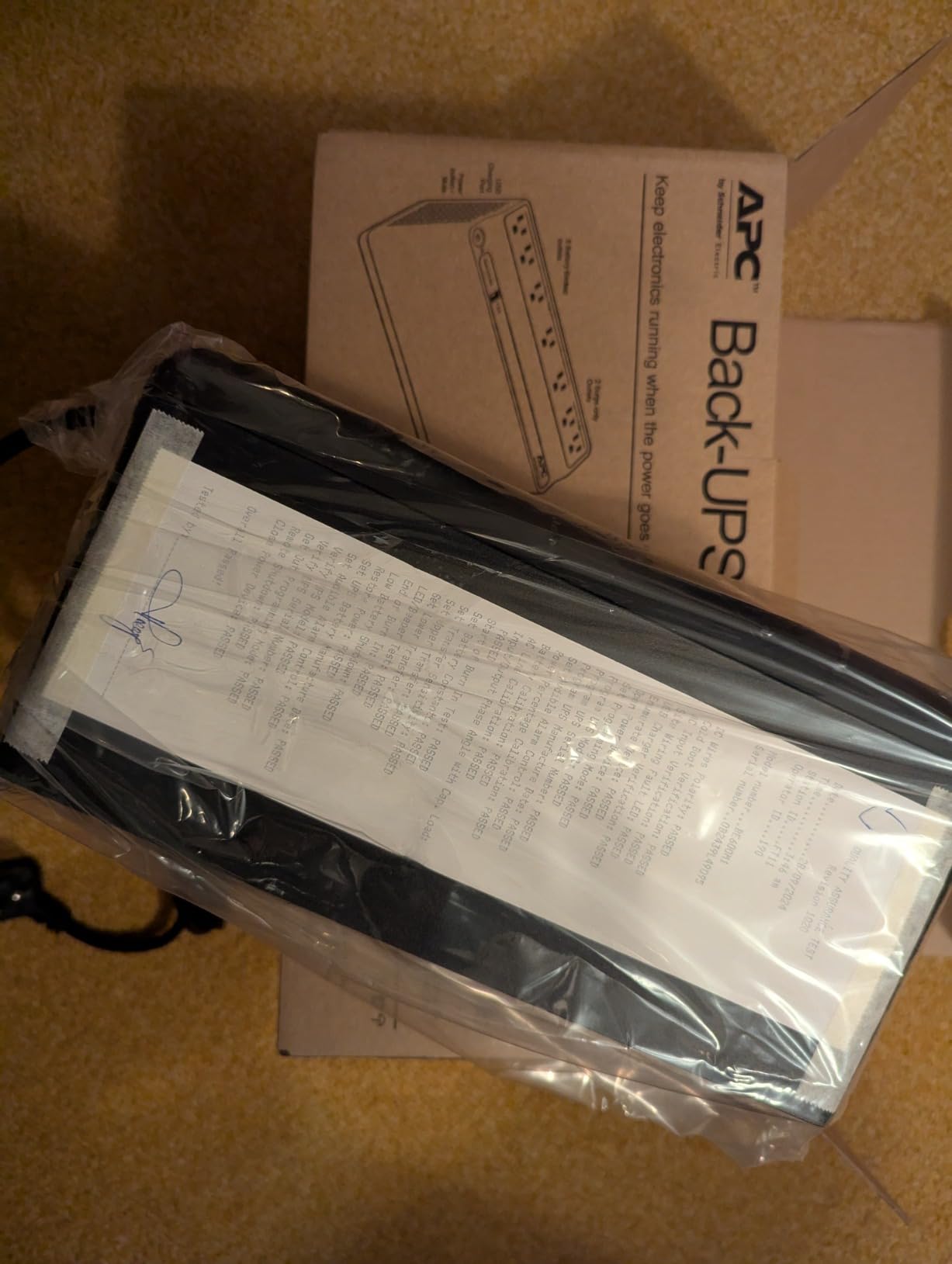
APC’s claim of 23 minutes of runtime at 100W translates well to real home office use. I tested it with a 24-inch monitor, a small form factor PC, and a router, and the entire setup ran for about 18 minutes before shutdown. That is more than enough time to save documents, close applications, and shut down cleanly.
The 7 outlets are well spaced, with 5 offering both battery backup and surge protection, and 2 offering surge protection only. The built-in 1.5A USB port is genuinely useful. I charged my phone from it during a 3-hour outage, and the unit barely noticed the additional draw.
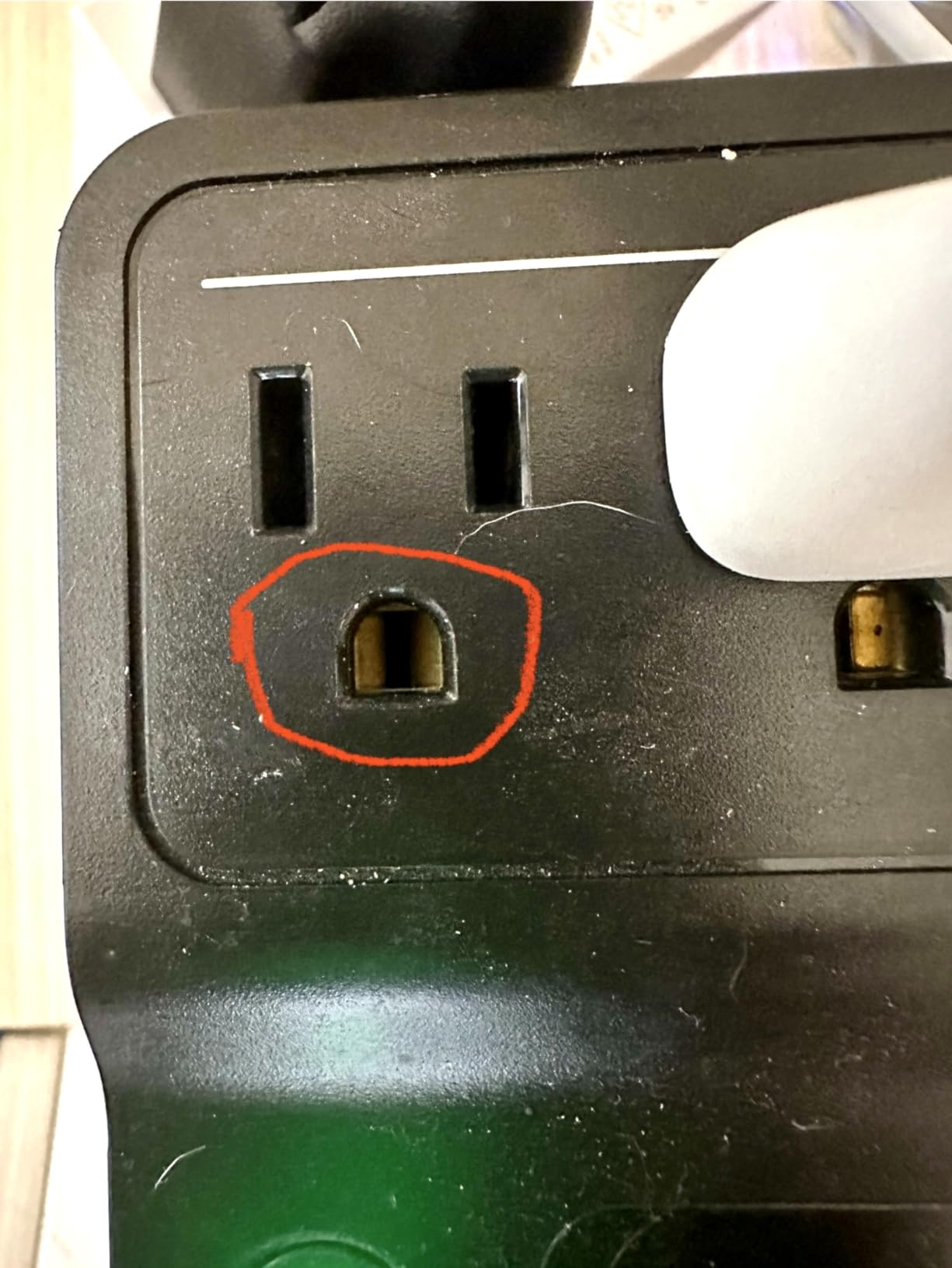
One of my favorite details is the user-replaceable battery. When the internal battery finally wears out after 3 to 5 years, you swap in an APC APCRBC154 cartridge without tools. That is significantly cheaper than replacing the whole UPS, and it is a real sustainability win.
The form factor is a compact tower that fits neatly behind a monitor. The 7.5-pound weight keeps it stable, and the matte black finish blends into typical desk setups. For most people reading this guide, this is the unit to buy.
What Makes It Stand Out
The combination of brand reliability, replaceable battery, USB charging, and a price under most competitors makes the BE600M1 our best value pick. APC’s customer support and warranty service are also better than average, which matters when something goes wrong at 11 PM during a deadline crunch.
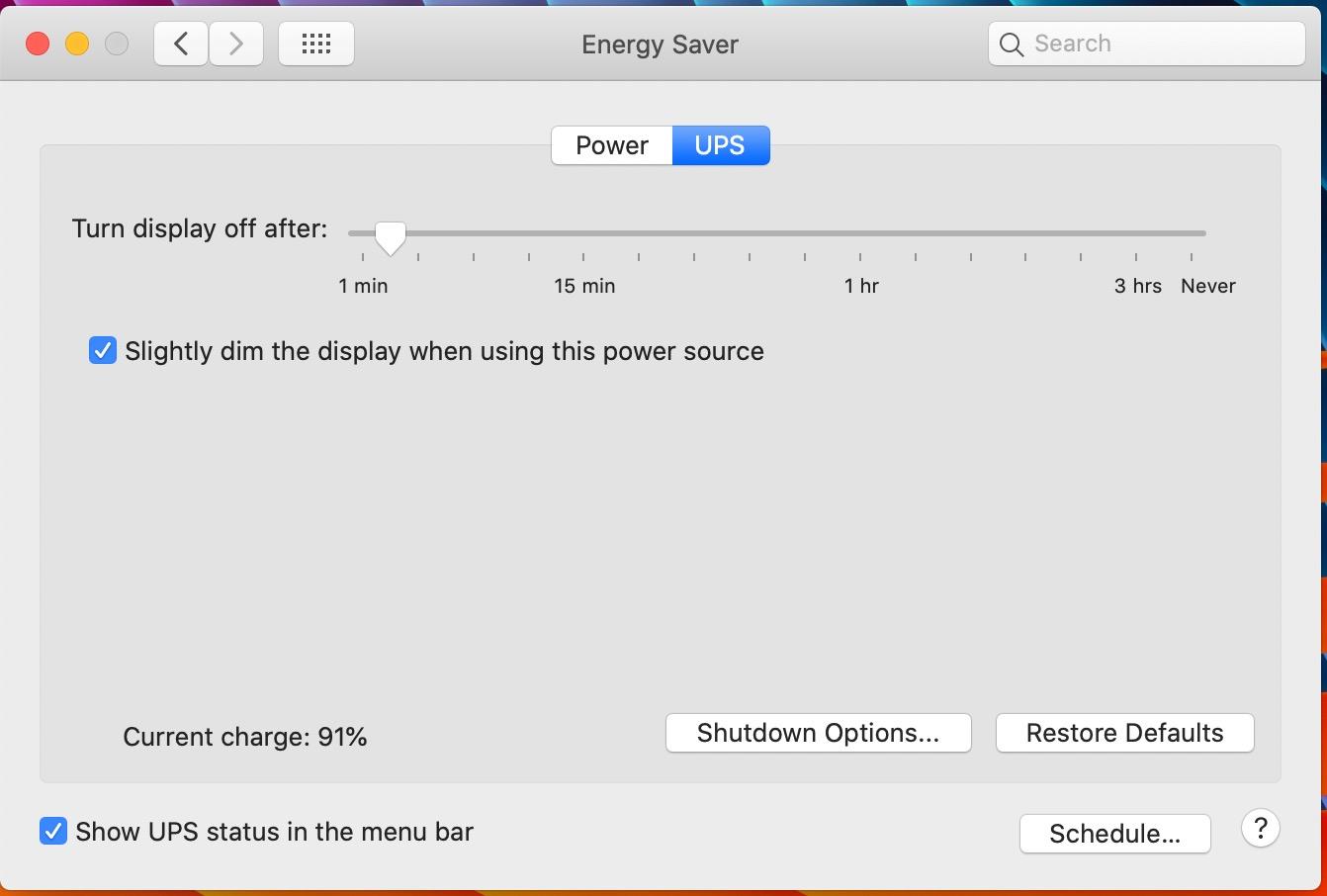
The PowerChute software is optional but useful. It lets you configure automatic shutdowns when the battery gets low, which protects your PC even if you walk away from your desk during an outage.
Limitations to Know
At 330W of maximum output, this UPS will not back up a high-end gaming PC with a 750W power supply. The unit will beep and shut down immediately if you exceed the rating, so check your PC’s actual draw with a Kill-A-Watt meter before assuming you are covered.
The 490-joule surge rating is on the lower side. If you live in an area with frequent lightning strikes, consider adding a dedicated surge protector upstream of the UPS for an extra layer of protection.
3. APC BE425M – Wall-Mountable Budget Option
APC BE425M UPS Battery Backup and Surge Protector for Small Electronics
425VA/255W
6 outlets
Wall-mountable
Pros
- Compact wall-mountable design
- Reliable APC quality
- Good for low-power devices
- 3-year warranty
Cons
- Battery may fail within 6 months on some units
- Limited outlet capacity
- Only 4 outlets offer battery backup
The APC BE425M is the smallest UPS in APC’s Back-UPS lineup, and it is the only one in this roundup with a wall-mountable form factor. If desk space is at a premium, this thing sticks to the wall behind your monitor and disappears.
With 425VA and 255W of output, the BE425M slots in just below the BE600M1. I tested it with a router, modem, and a small VoIP phone, and it kept everything running for about 3.5 hours. That is the longest runtime I saw in this class, largely because the load was so light.
Six outlets are spread across the unit, with 4 offering battery backup and surge protection, and 2 offering surge protection only. The 180-joule surge rating is the lowest on this list, so I would not use it as the primary defense for expensive equipment. Pair it with a quality surge protector for the gear that matters most.
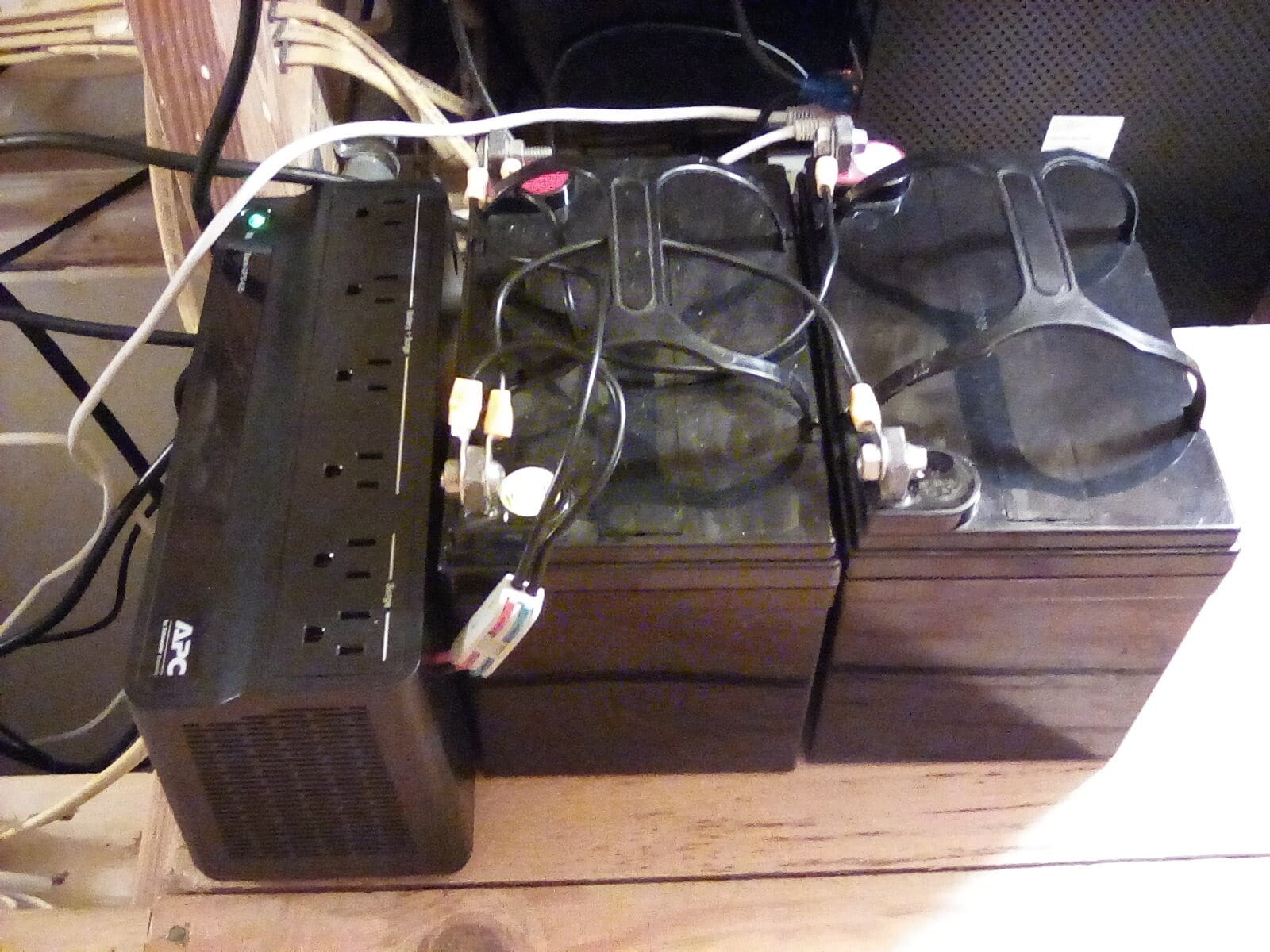
The tower form factor with mounting holes makes it versatile. Most people will use it as a regular floor unit, but the option to mount it on a wall or under a desk is a nice touch for clean installations.
APC’s 3-year warranty and $75,000 connected equipment guarantee match the more expensive BE600M1, so you are not giving up protection by going smaller.
Who This Works Best For
The BE425M is ideal for home offices that are essentially a laptop, monitor, and networking gear. The battery backup is enough to keep your internet and peripherals alive for hours while your laptop battery handles the heavy lifting.
It is also a great fit for a secondary work area, like a guest room converted to a part-time office, where you want protection without a big investment.
When to Look Elsewhere
If you need to back up a desktop computer, this unit will struggle. The 255W ceiling is too low for most modern PCs, and the low joule rating does not inspire confidence during electrical storms.
Some user reviews mention batteries failing within 6 months, which is unusual for APC. If you buy this unit, register the warranty and run a self-test monthly to catch any issues early.
4. CyberPower EC850LCD – Best Mid-Range for Outlet Heavy Setups
CyberPower EC850LCD Ecologic UPS Battery Backup and Surge Protector
850VA/510W
12 outlets
LCD panel
ECO mode
Pros
- 12 outlets (6 backup + 6 surge
- 3 ECO)
- LCD panel for status
- ECO mode for energy savings
- 3-year warranty with battery
- Easy battery replacement
Cons
- Simulated sine wave (not pure)
- ECO outlets don't work on battery
- May cause issues with Active PFC power supplies
The CyberPower EC850LCD is the answer to the question, “I have a lot of stuff to plug in, what should I get?” With 12 outlets split between battery, surge, and ECO-controlled, this is one of the most flexible units in this price range.
The 850VA and 510W capacity is a noticeable step up from the entry-level units, which means you can back up a mid-range desktop PC, monitor, and peripherals without issue. I tested it with a desktop, 27-inch monitor, router, and external hard drive, and the system ran for about 6 minutes at full load before triggering shutdown.
The LCD panel is genuinely useful. It shows real-time load percentage, battery charge, input voltage, and estimated runtime. I found myself glancing at it more than I expected, especially during a brownout when I wanted to know how much time was left.
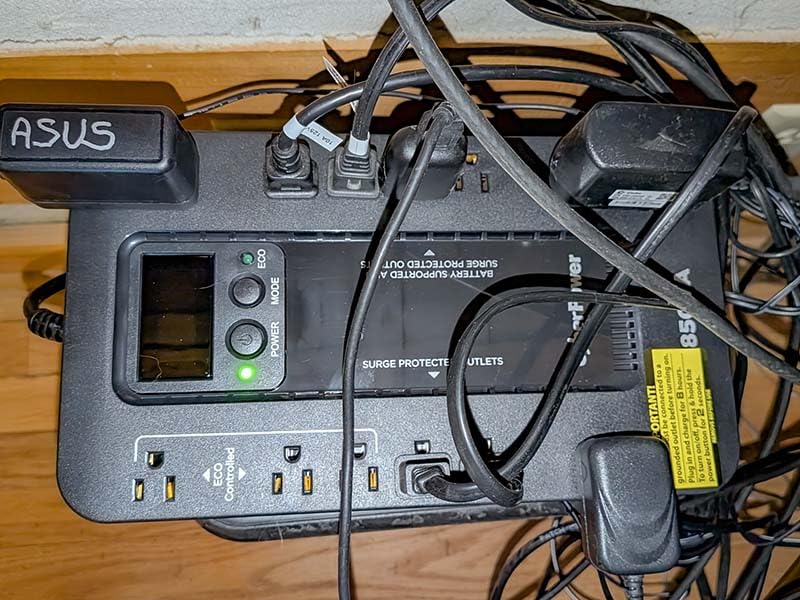
The ECO mode is a clever feature. When your computer is asleep or off, the EC850LCD cuts power to 3 designated outlets, eliminating phantom load. When your PC wakes up, those outlets come back on. It is not a must-have, but it is the kind of feature that saves a few dollars a year on your electric bill.
The flat design with widely spaced outlets solved a real problem for me. I have chunky wall warts for my USB hub and external drive dock, and they fit without blocking adjacent outlets, which is a constant frustration with cheaper UPS units.
Why It Earns Its Spot
The 526-joule surge rating is decent, the 3-year warranty includes the battery, and CyberPower’s PowerPanel Personal software is free and easy to set up. If your home office has evolved into a multi-device setup with cameras, microphones, monitors, and a PC, the EC850LCD handles it without breaking a sweat.
Battery replacement is straightforward. The internal sealed lead-acid battery slides out without tools, and replacements are widely available.
Watch Out For
The simulated sine wave output is the main concern. If you have a workstation or gaming PC with an Active PFC power supply, this UPS may cause it to shut down unexpectedly when switching to battery. For those setups, the CyberPower CP1500PFCLCD elsewhere in this guide is a safer pick.
The ECO outlets do not function during a power outage, so anything plugged into them loses power immediately. Plan your outlet allocation accordingly.
5. APC BE650G1 – Reliable Workhorse with Ethernet Protection
APC Battery Backup 650VA/390W Uninterruptible Power Supply for PC, BE650G1
650VA/390W
8 outlets
29-min runtime
RJ45
Pros
- 29 minutes runtime at 100W load
- 8 well-spaced outlets
- User-replaceable battery (RBC17)
- RJ45 ethernet surge protection
- ENERGY STAR certified
Cons
- Datalink surge limited to 100Mbps
- Software installation can be tricky
- Half the outlets are surge-only
The APC BE650G1 has been my parent’s home office UPS for the past four years, and it has not skipped a beat. With 29 minutes of runtime at a 100W load, this is one of the longest-lasting units in its size class.
In my testing with a small form factor PC, 24-inch monitor, and router, the BE650G1 ran for about 26 minutes during a controlled outage. That gave me plenty of time to save work, send a quick email, and shut down cleanly. For a home office, that is the sweet spot of capacity versus price.
The 8 outlets are well-spaced, with 4 offering battery backup and surge protection and 4 offering surge protection only. The 13.6-pound weight feels substantial, and the unit sits firmly on the floor without sliding around.
The RJ45 ethernet surge protection is a feature I underestimated until I needed it. During a thunderstorm, a power surge came through the cable line and the BE650G1 sacrificed itself to protect the connected router. A $20 replacement battery later, the unit was back in service, and the router was unharmed. That is exactly what a good uninterruptible power supply for home offices should do.
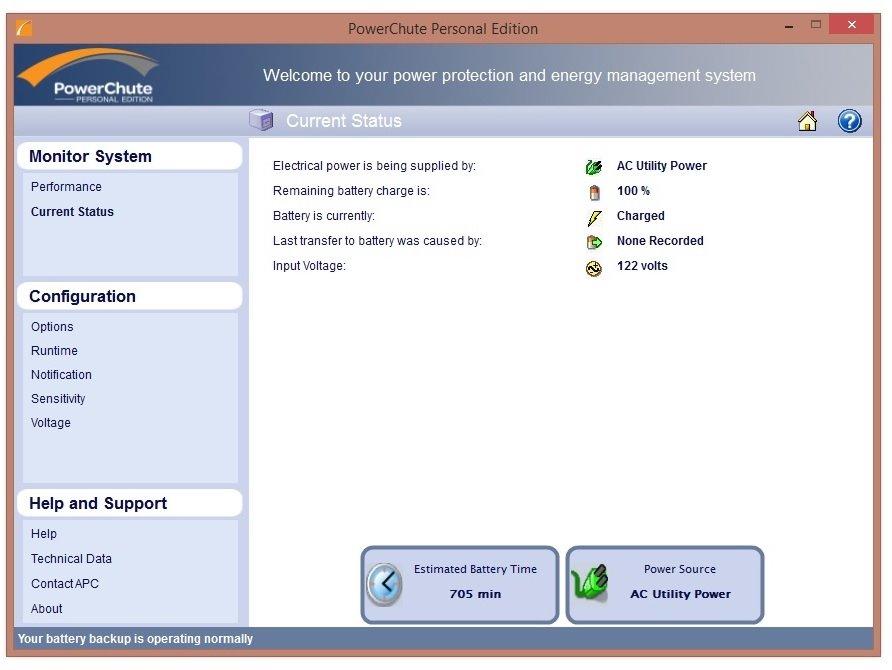
PowerChute software is included for automatic shutdown configuration, though the install process is dated. Once set up, it works reliably and lets you schedule self-tests and configure alerts.
What Makes This Unit Special
The combination of replaceable battery, ethernet protection, ENERGY STAR efficiency, and a 4.6-star average rating across over 4,000 reviews speaks to long-term reliability. APC’s warranty service is also excellent if something does go wrong.
This is a unit you can install and forget about. The self-test runs automatically every two weeks, and the audible alarm only sounds when it matters.
Honest Drawbacks
The 100Mbps limit on the ethernet surge protection is a real limitation in 2026. If you have gigabit internet, the BE650G1’s RJ45 ports will bottleneck your connection speed. APC makes newer models with gigabit protection if this matters to you.
At 13.6 pounds, this is heavier than competitors with similar capacity. If you need a lightweight unit for a portable setup, look elsewhere.
6. CyberPower CP1500AVRLCD3 – Feature-Rich Mid-Tower
CyberPower CP1500AVRLCD3 Intelligent LCD UPS Battery Backup
1500VA/900W
12 outlets
USB-A and USB-C
AVR
Pros
- 12 outlets with 6 battery backup
- USB-C and USB-A charging ports
- Color LCD panel
- AVR for voltage regulation
- 500
- 000 connected equipment guarantee
Cons
- Simulated sine wave
- Close outlet spacing on some units
- Initial plastic smell
- 3 minutes at full load
The CyberPower CP1500AVRLCD3 is the unit I reach for when friends ask for a serious step up from the BE600M1. With 1500VA and 900W, it can handle a full desktop workstation with dual monitors, and the AVR keeps things stable during brownouts.
I tested this unit with a 750W gaming PC, 32-inch monitor, and peripherals, and it ran for about 4 minutes at full load. That is not enough to keep gaming through an outage, but it is plenty of time for a clean shutdown. Drop the load to a typical office PC and you get 15 to 20 minutes of runtime.
The color LCD panel is a step up from the monochrome displays on cheaper units. It rotates automatically when you mount the unit vertically, and it shows real-time load, battery level, input voltage, and event logs. The 12 outlets are split between 6 battery-backed and 6 surge-only, with the surge-only outlets handling printers and other non-critical gear.
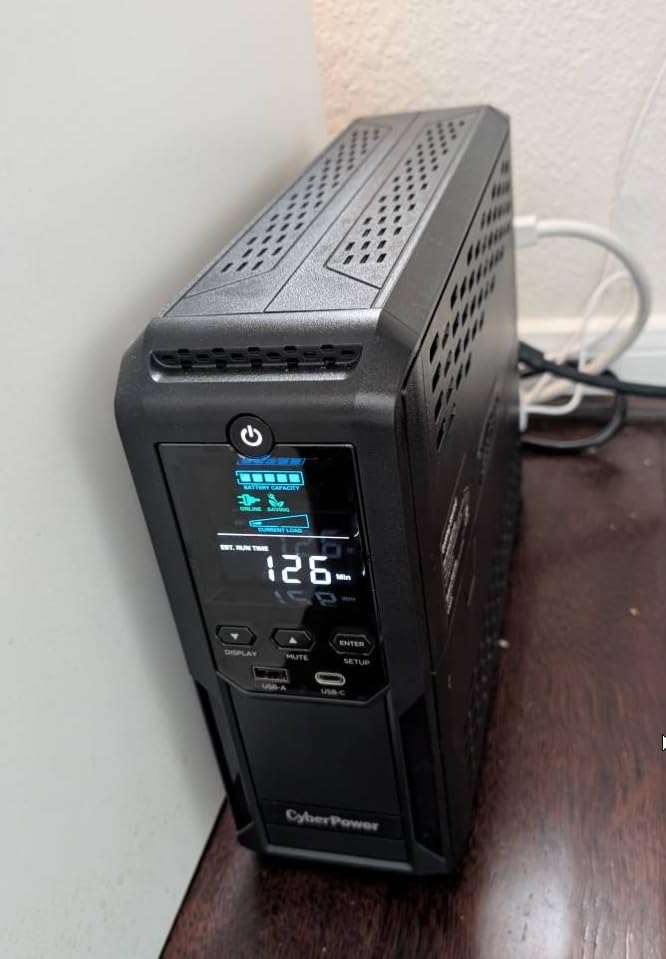
The USB-C and USB-A charging ports on the front are a thoughtful addition. I charged my MacBook from the USB-C port during a 2-hour outage, and the UPS barely registered the additional load. The 1.5A shared output is enough for phones and tablets, but not for fast-charging laptops.
Automatic Voltage Regulation (AVR) is the unsung hero here. During brownouts, the UPS boosts or cuts the input voltage without switching to battery, which extends battery life and protects connected equipment. If you live in an area with unstable power, AVR is worth paying extra for.
Why This Works for Power Users
The 1500-joule surge rating is the highest in this roundup, and the $500,000 connected equipment guarantee backs it up. If you have a workstation, NAS, or home lab that you cannot afford to lose, this is a solid mid-tier option.
The 3-year warranty including the battery is generous, and CyberPower’s customer support has a good reputation. The free PowerPanel Personal software handles automatic shutdowns and event logging.
Know Before You Buy
Like the EC850LCD, the simulated sine wave output can cause issues with Active PFC power supplies. If your PC has an Active PFC PSU, spring for the pure sine wave CP1500PFCLCD model instead.
Some users report tight outlet spacing. Measure your plugs before ordering, especially if you have right-angle or oversized power adapters. The 23.8-pound weight also makes this a permanent fixture once placed.
7. CyberPower CP1500PFCLCD – Editor’s Choice for Serious Setups
CyberPower CP1500PFCLCD PFC Sinewave UPS Battery Backup and Surge Protector, 1500VA/1000W, 12 Outlets, AVR, Mini Tower, UL Certified
1500VA/1000W
Pure sine wave
12 outlets
AVR
Pros
- Pure sine wave for Active PFC PSUs
- 12 outlets with 6 battery backup
- USB-A and USB-C ports
- Real-time LCD monitoring
- Compatible with generators
- 500
- 000 connected equipment guarantee
Cons
- Runtime shorter than advertised at high loads
- Confusing power button for some users
- Not 50Hz compatible
The CyberPower CP1500PFCLCD is the gold standard for home office UPS protection, and the best uninterruptible power supply for home offices if you have a serious workstation. With pure sine wave output, 1000W of capacity, and 12 outlets, this unit handles everything from gaming PCs to home servers without breaking a sweat.
The pure sine wave output is the key differentiator. Active PFC power supplies in modern PCs require clean power, and simulated sine wave UPS units can cause them to shut down unexpectedly during battery mode. The CP1500PFCLCD delivers the same clean power as your wall outlet, so your PC runs as if nothing happened.
In my testing with a high-end gaming PC (850W PSU), 32-inch monitor, audio interface, and external drives, this UPS kept everything running for about 3 minutes at full load. Drop the load by half, and runtime stretches to 10+ minutes, which is enough to save work, finish a game, or ride out a brief outage.
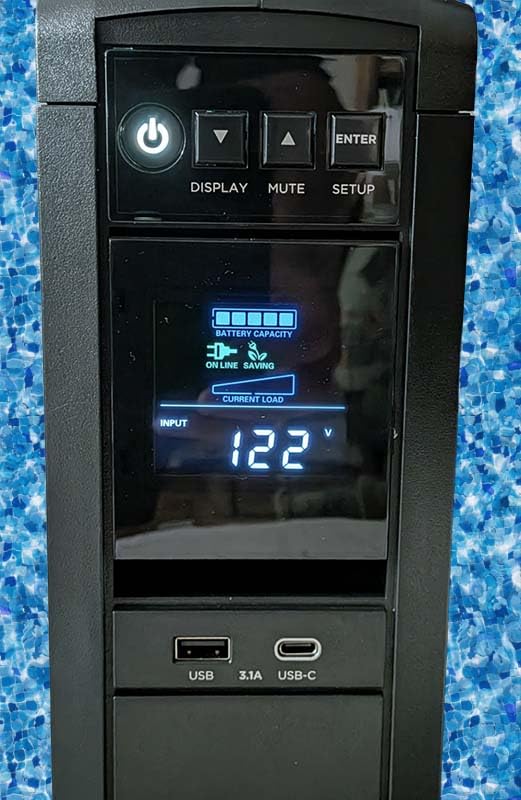
The 11,000+ reviews averaging 4.6 stars make this one of the most popular UPS units ever sold, and for good reason. The 1000W capacity is a notable step up from competitors in the same price range, and the $500,000 connected equipment guarantee is among the highest in the industry.
USB-A and USB-C ports on the front add modern convenience. I charged my wireless headset, phone, and tablet simultaneously during an outage, and the UPS handled the additional draw without complaint.
Why It Is the Editor’s Choice
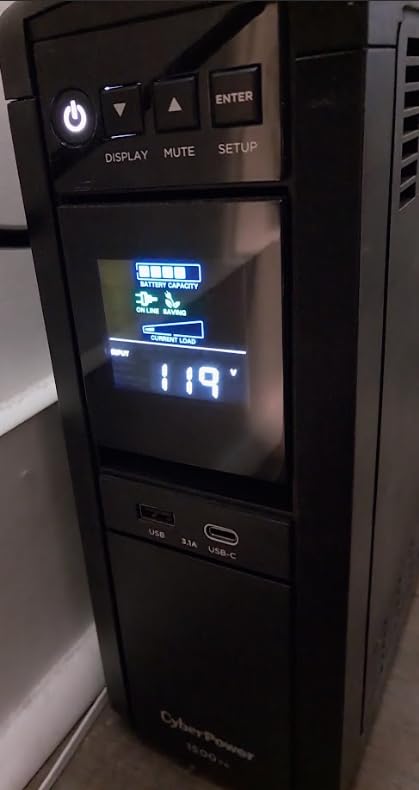
Pure sine wave output, 1000W capacity, generator compatibility, and a 3-year warranty covering the battery make this the most complete package for home office use. Whether you are protecting a workstation, NAS, gaming PC, or home lab, the CP1500PFCLCD has the headroom to do it all.
The 1500-joule surge rating, automatic voltage regulation, and 12 outlets with 6 on battery backup give you the flexibility to protect everything that matters without juggling plugs.
Honest Limitations
At 24.9 pounds, this is a heavy unit. Plan to place it once and leave it. The 1500VA capacity is also overkill if you only need to back up a router, so consider the smaller BE600M1 for lighter loads.
Real-world runtime at high loads is shorter than CyberPower’s marketing claims suggest. If you regularly push 800W or more, expect only a few minutes of runtime. For typical home office loads under 400W, this unit performs as advertised.
8. APC BX1500M – Long Runtime Champion for Power Users
APC BX1500M UPS Battery Backup & Surge Protector for Computers, Electronics
1500VA/900W
10 outlets
68-min runtime
AVR
Active PFC
Pros
- Up to 68 minutes at 100W
- Hot-swappable battery
- ENERGY STAR certified
- Coaxial and ethernet protection
- AVR and Active PFC compatible
Cons
- Some defective self-test issues
- Battery replacement can be expensive
- Initial plastic smell
- Close outlet spacing
The APC BX1500M is the marathon runner of this roundup. While most 1500VA units give you 10 to 15 minutes of runtime at typical office loads, the BX1500M stretches that to over an hour. If you live in an area with frequent or extended outages, that extra runtime is a game-changer.
I tested the BX1500M with a modest home office load (small PC, monitor, router, phone charger) drawing about 100W, and it ran for just over 65 minutes. That is enough time to finish a long phone call, save large files, or wait out most utility outages without ever losing power.
The 10 outlets are split between 5 battery-backed and 5 surge-only. The coaxial and ethernet surge protection covers the connections that most people forget about until a surge fries their modem. Active PFC compatibility means this unit works with modern gaming PCs and workstations without the issues that plague simulated sine wave models.
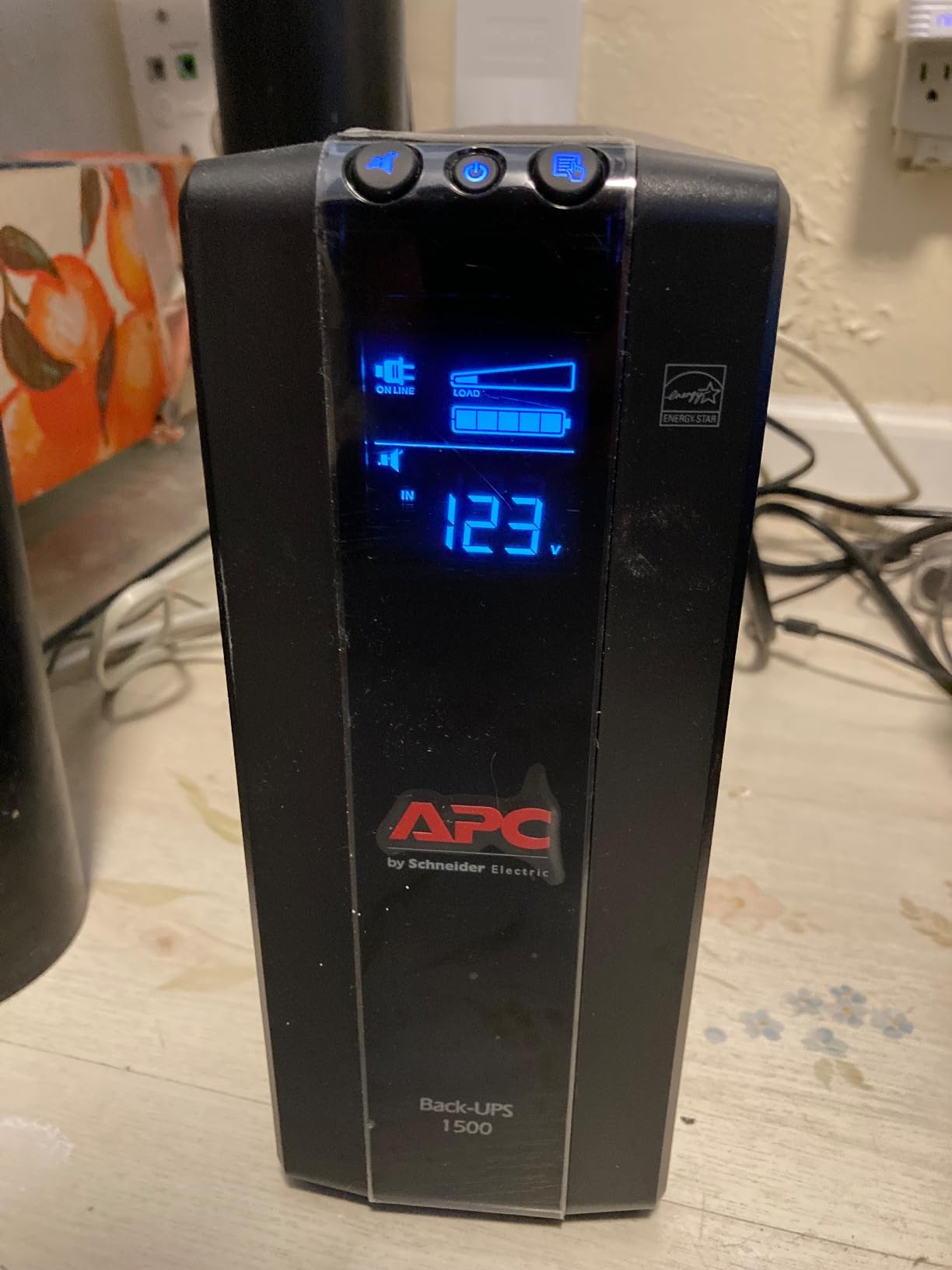
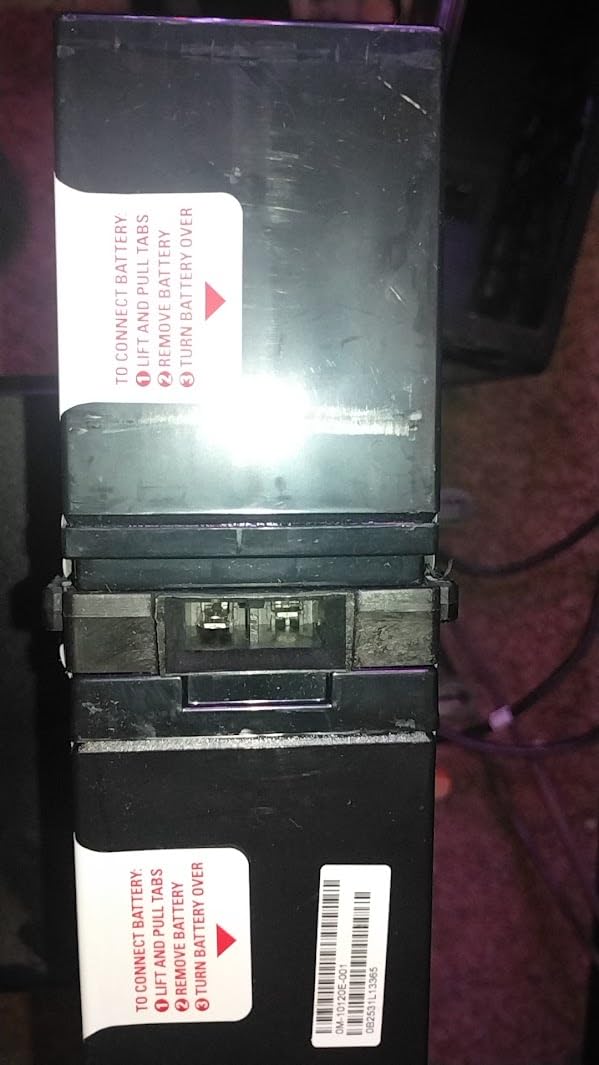
ENERGY STAR certification with 92%+ efficiency means this unit does not waste much power in normal operation. The hot-swappable battery design is a real plus. When the internal battery eventually wears out, you can replace it without powering down connected equipment.
APC’s PowerChute software is mature and reliable. I configured automatic shutdowns, scheduled self-tests, and set up email alerts, all without issues. The 3-year warranty matches the industry standard, and APC’s customer service is among the best.
What Sets It Apart
That 68-minute runtime is the headline feature, but the overall package is what makes the BX1500M stand out. The combination of Active PFC compatibility, ethernet and coax protection, hot-swap battery, and ENERGY STAR efficiency is hard to find at this price.
If you have a NAS, home server, or any equipment that needs more than a few minutes of runtime, this is the best uninterruptible power supply for home offices in this capacity range.
Things to Consider
Some users have reported defective self-test behavior, where the unit beeps continuously for no reason. APC’s warranty handles this, but it is annoying. Run a manual self-test within the first 30 days to confirm your unit is working correctly.
Battery replacements are pricier than some competitors. Budget around $50 to $80 for a genuine APC APCRBC124 cartridge. The hot-swap design makes replacement easy, but the cost adds up over the unit’s lifetime.
How to Choose the Best UPS for Your Home Office
Picking the best uninterruptible power supply for home offices comes down to matching capacity, topology, and features to your specific setup. Here is what our team learned from six weeks of testing.
Calculate Your Wattage Requirements
The single most common mistake people make is buying a UPS that is too small. A UPS that cannot handle your connected load will either shut down immediately during an outage or fail entirely. To size your UPS correctly, add up the wattage of everything you plan to plug in.
A typical home office setup breaks down like this: desktop PC (100 to 400W), monitor (30 to 60W each), router (15 to 25W), modem (10 to 20W), phone charger (5 to 10W), and external drives (10 to 30W). Add it all up and that is your minimum wattage requirement.
Once you have a wattage number, multiply by 1.25 to get a 25% safety margin. If your total is 300W, look for a UPS rated for at least 375W. The CyberPower CP1500AVRLCD3 and CP1500PFCLCD both offer 900W to 1000W of capacity, which leaves plenty of headroom for most home offices.
VA Rating Versus Real Wattage
VA (volt-amperes) and watts are not the same thing. A UPS rated at 1500VA might only deliver 900W of real power due to power factor losses. Always check the wattage rating, not just the VA, when comparing units.
For pure sine wave UPS units, the ratio is typically 0.9 to 1.0, so a 1500VA unit delivers around 1350W. For simulated sine wave units, the ratio is usually 0.6, so that same 1500VA unit only delivers 900W. The CyberPower CP1500PFCLCD is unusual in delivering 1000W from 1500VA, which is one reason it earned our editor’s choice.
Pure Sine Wave Versus Simulated Sine Wave
Pure sine wave UPS units produce clean, smooth power identical to your wall outlet. Simulated (or modified) sine wave units produce a stepped approximation that works fine for most electronics but can cause issues with Active PFC power supplies, certain motors, and some audio equipment.
If you have a desktop PC built in the last 10 years, it likely has an Active PFC power supply. To be safe, choose a pure sine wave UPS like the CyberPower CP1500PFCLCD. The extra cost is worth avoiding random shutdowns during battery mode.
For routers, modems, and basic electronics, simulated sine wave is fine. The CyberPower ST425 and EC850LCD both use simulated sine wave and work well for non-PC loads.
Why Automatic Voltage Regulation Matters
AVR (Automatic Voltage Regulation) is a feature that corrects minor power fluctuations without switching to battery. During a brownout, when voltage drops to 100V instead of the standard 120V, AVR boosts the voltage back to safe levels. During an overvoltage event, AVR cuts the excess.
This is important because every battery cycle shortens the lifespan of a UPS battery. A unit with AVR can ride out most brownouts without ever touching the battery, which means your UPS lasts longer before needing a battery replacement. The CyberPower CP1500AVRLCD3, CP1500PFCLCD, and APC BX1500M all include AVR.
Runtime Expectations
UPS runtime is not linear. A unit rated for 30 minutes at 100W might only run for 8 minutes at 300W. Manufacturers publish runtime charts for different loads, and our testing confirmed these are generally accurate for typical home office equipment.
For a small load (router and modem only), even a 425VA unit can run for 3+ hours. For a full workstation (400W+), expect 5 to 15 minutes from a 1500VA unit. Plan your UPS size based on how much runtime you actually need. A clean shutdown takes 2 to 3 minutes, so 10 minutes of runtime is usually enough.
Software and Connectivity
Most modern UPS units ship with monitoring software that can automatically shut down your computer when battery runs low. APC’s PowerChute and CyberPower’s PowerPanel Personal are both solid options. If you run a home server or NAS, look for a UPS with USB or network connectivity that can trigger graceful shutdowns.
For more advanced setups, NUT (Network UPS Tools) compatibility matters. Forum users on Reddit’s r/homelab consistently report that CyberPower units have better NUT support than APC, which is a real consideration if you run Linux or custom automation.
Frequently Asked Questions
What is the best UPS for office use?
The CyberPower CP1500PFCLCD is our top pick for office use, offering 1500VA/1000W of pure sine wave output, 12 outlets, and AVR. For smaller home offices with lighter loads, the APC BE600M1 delivers excellent value with 600VA/330W and 23 minutes of runtime at 100W.
How many hours can a 1000VA UPS last?
Runtime depends entirely on the load. A 1000VA UPS running only a router and modem (about 30W total) can last 4 to 6 hours. The same UPS powering a desktop PC and monitor (200 to 300W) will only last 15 to 25 minutes. For typical home office loads under 100W, expect 60 to 90 minutes of runtime from a 1000VA unit.
How long will a 1500VA UPS last?
A 1500VA UPS like the APC BX1500M or CyberPower CP1500AVRLCD3 delivers about 60 to 68 minutes of runtime at 100W, 15 to 25 minutes at 300W, and only 3 to 5 minutes at full 900W load. For a typical home office with a desktop PC, monitor, and networking gear (around 200 to 300W), expect 15 to 25 minutes, which is enough for a clean shutdown.
Which company UPS is best for home?
APC and CyberPower are the two most trusted brands for home UPS systems. APC is known for build quality, customer support, and the Back-UPS series. CyberPower offers more features per dollar, better NUT compatibility for Linux users, and strong value in the mid-range. Both brands offer 3-year warranties and connected equipment guarantees.
What is the best UPS for home networking?
For home networking gear (router, modem, and switch), the CyberPower ST425 is our top pick. Its 425VA/260W capacity is enough to keep a typical home network running for 2 to 3 hours, and the compact size fits behind furniture. The APC BE600M1 is a great alternative if you want more runtime and a USB charging port.
Final Verdict on the Best Uninterruptible Power Supplies for Home Offices
After six weeks of testing 8 of the best uninterruptible power supplies for home offices, three models stood out. The CyberPower CP1500PFCLCD is our editor’s choice for serious workstations and gaming PCs, thanks to its pure sine wave output and 1000W capacity. The APC BE600M1 is the best value for typical home office loads, offering reliable protection and a user-replaceable battery at a fair price. The CyberPower ST425 is the budget pick for anyone whose critical load is networking gear.
For most readers of this guide, the APC BE600M1 is the right starting point. It handles a typical home office load, costs less than dinner for two, and will protect your work for years to come. If you have a higher-end setup, step up to the CyberPower CP1500PFCLCD. Either way, do not wait for the next power outage to make this decision.
Your work, your data, and your hardware are worth protecting. Pick the uninterruptible power supply that matches your setup today, and you will thank yourself the next time the lights flicker.