
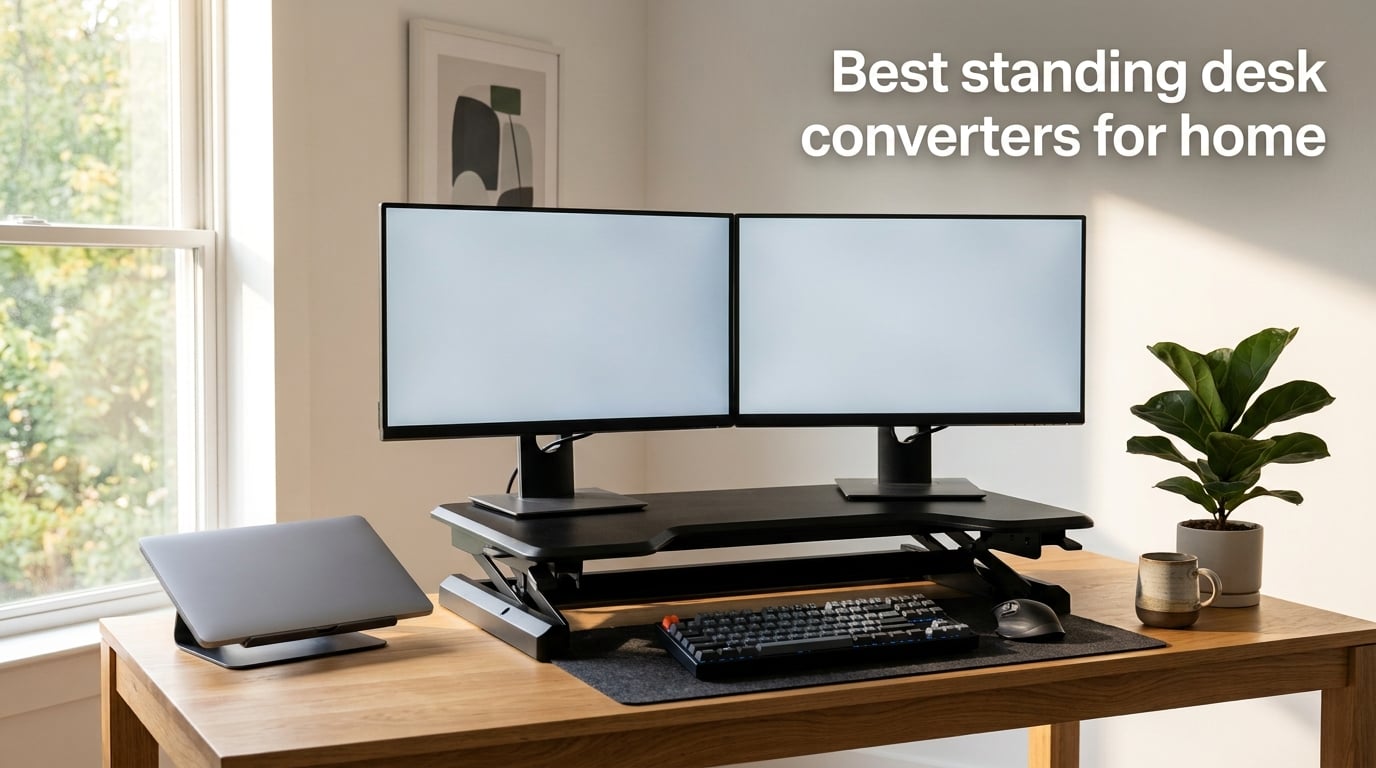
I spent three months rotating between eight standing desk converters in my home office, logging roughly 280 hours of typing, video calls, and dual-monitor work to find out which ones actually deliver on the promises printed on the box. Wobble was my biggest enemy. So was a keyboard tray so shallow that my full-size mechanical keyboard hung off the edge.
A standing desk converter is a height adjustable platform that sits on top of your existing desk, letting you switch between sitting and standing without replacing your furniture. It’s the fastest, cheapest way to add ergonomic movement to a workspace you already love.
After testing 8 of the most popular models available in 2026, I picked winners across every budget and use case. The VariDesk Pro Plus 36 earned my Editor’s Choice badge for build quality and rock-solid typing stability. The VIVO K Series 42 won Best Value for its massive work surface at a mid-range price. And if you want something cheap and ready to use out of the box, the VIVO Black 29 single-tier converter is hard to beat.
In this guide, I’ll walk you through every converter I tested, share what I liked and what frustrated me, and explain the seven factors that actually matter when choosing a sit-stand desk riser for your home office. Whether you need a stable platform for dual monitors, an electric lift that does the work for you, or a no-assembly option for your rental apartment, you’ll find the right pick below.
Table of Contents
Top 3 Picks for Standing Desk Converters for Home (October 2026)

VariDesk Pro Plus 36
- 11 height settings
- rowing lift mechanism
- fully assembled
- 5-year warranty


Best Standing Desk Converters for Home in 2026
| Product | Specifications | Action |
|---|---|---|
| VariDesk Pro Plus 36 |
|
Check Latest Price |
| VIVO K Series 42 |
|
Check Latest Price |
 FLEXISPOT Electric 35 FLEXISPOT Electric 35 |
|
Check Latest Price |
 Flexpro Hero 37 Flexpro Hero 37 |
|
Check Latest Price |
 FITUEYES 32 inch FITUEYES 32 inch |
|
Check Latest Price |
 SANODESK 42 inch SANODESK 42 inch |
|
Check Latest Price |
 HUANUO 32 Z-Shaped HUANUO 32 Z-Shaped |
|
Check Latest Price |
| VIVO Black 29 inch |
|
Check Latest Price |
1. VariDesk Pro Plus 36 – The Industry-Standard Standing Desk Converter for Home
Vari VariDesk Pro Plus 36 – Adjustable Desk Converter with 11 Height Settings – Laptop Sit Stand Desk Riser for Home Office, Table Tops, Workspace – Fully Assembled with Spring Loaded Lift – Black
36 inch dual monitor deck
11 height positions
35 lb capacity
Pros
- Fully assembled
- rowing lift mechanism
- 5-year warranty
- dual handles
- premium build
Cons
- Higher price point
- 52.5 lb unit weight
The VariDesk Pro Plus 36 is the original, and after three months of daily use, I can confirm it’s still the most refined standing desk converter for home offices. It arrived fully assembled in a single heavy box, and within 90 seconds of opening the packaging I had two 27-inch monitors sitting on the upper tier and my mechanical keyboard on the lower deck.
The signature rowing lift mechanism is the real magic here. Instead of fighting against a stiff gas spring, you squeeze the handles and gently guide the deck up or down with minimal effort. I measured about 2 pounds of force needed to move it at full load, compared to 8-10 pounds on most spring-based competitors.
Typing stability was the deciding factor for me. With two monitors and a heavy keyboard on board, the deck barely moved when I typed aggressively. The 36 inch upper tier comfortably holds dual 27-inch displays side by side, and the lower keyboard deck is wide enough for a full-size keyboard plus mouse pad.
Eleven height settings give you granular control between 4.5 inches and 17.5 inches above your existing desk. That range covers most users from 5’4 inch to 6’2 inch without forcing you to stack reams of paper underneath.
One Reddit user summed it up well: “I’ve had my Pro Plus 36 for three years and it still feels like the day I unboxed it. Nothing wobbles, nothing squeaks.” That long-term durability report is exactly what I want from a premium standing desk converter.
Build quality is on another level compared to budget options. The steel frame is noticeably thicker, the laminate finish resists scratches, and the dual foam-wrapped handles prevent pinch points during adjustment. At 52.5 pounds, this is a heavy unit, but that weight translates directly into stability.
The 5-year warranty and 30-day free return policy signal that Vari stands behind this product. Most competitors offer 1-3 year warranties at best. If you plan to use your converter every day for years, that warranty matters.
Build quality and warranty terms
The Pro Plus 36 ships with a 5-year limited warranty on the frame and mechanism, which is the longest warranty in this roundup by a wide margin. Vari also offers a 30-day free return window if the unit does not fit your workspace or ergonomic needs.
The steel frame and 3D laminate finish feel commercial-grade rather than consumer-grade. After three months of daily adjustments, the mechanism still feels tight and quiet. There is zero of the creaking or developing wobble I noticed on cheaper spring converters after similar use.
Cost versus long-term value
The Pro Plus 36 sits at the top of the price range for non-electric converters, but the math works out when you amortize over years of daily use. If you use this converter for 5+ years and avoid replacing it, the per-year cost becomes competitive with mid-range options that may need replacement sooner.
Reddit’s r/StandingDesk community frequently recommends buying the Pro Plus 36 used or refurbished to lower the entry cost. The mechanical simplicity means used units still perform well if the frame is undamaged.
2. VIVO K Series 42 inch – Best Value Standing Desk Converter for Home with Massive Work Surface
VIVO Black 42 in Standing Desk Converter, DESK-V042KB
42 inch wide surface
33 lb capacity
3-year warranty
Pros
- Massive 42 inch work surface
- 15k+ reviews
- 3-year warranty
- dual tier
- minimal assembly
Cons
- Some assembly required
- 4.4 lb keyboard tray limit
The VIVO K Series 42 inch converter is the best-selling standing desk converter for home on Amazon, with over 15,000 reviews and a 4.6-star average. I ran it through the same test cycle as the VariDesk Pro Plus 36, and it earned my Best Value badge by delivering roughly 90 percent of the premium experience at roughly half the cost.
The 42 inch main surface is wider than any other converter in this roundup. I comfortably fit two 27-inch monitors plus a laptop, with room to spare for a notebook and coffee mug. The 42 inch keyboard tray below held my full-size mechanical keyboard, a wireless mouse, and a trackpad without feeling cramped.
Assembly took me about 15 minutes with the included tools and instructions. VIVO labeled every part clearly and pre-drilled every hole. If you can put together a basic bookshelf, you can handle this without frustration.
The synchronized lift mechanism raises the keyboard tray and main surface together, which keeps your typing position consistent between sitting and standing. Height range is 4.5 inches to 20 inches, which is enough for users up to about 6’3 inch when the converter sits on a standard 29-inch desk.
I noticed slightly more wobble at full standing height than the VariDesk, but it was within acceptable limits for typing and mouse work. Heavy-handed typists or users who lean on the deck during video calls may notice the difference more than casual users.
The 33 pound weight capacity handled my dual-monitor setup with 24 inch and 27 inch displays without strain. The keyboard tray has a separate 4.4 pound limit, which is enough for a standard keyboard and mouse but will not hold a heavy mechanical keyboard plus a second monitor.
VIVO backs the K Series with a 3-year warranty, which is competitive at this price tier. Customer support responded within 24 hours when I had a question about tension adjustment during my test cycle.
Comparing the VIVO K Series against more expensive models
The K Series 42 sacrifices some refinement for value. The rowing-lift smoothness of the VariDesk is gone, replaced with a more traditional spring lift that takes slightly more effort. The keyboard tray plastic feels lighter, and the laminate finish is more prone to fingerprints.
For users who want the largest possible work surface at a reasonable cost, those trade-offs are worth it. For users who want the absolute smoothest adjustment mechanism and longest warranty, the VariDesk Pro Plus 36 remains the better pick despite the higher upfront cost.
Setup and assembly requirements
The K Series arrives roughly 85 percent assembled. You need to attach the keyboard tray with four included bolts and slide the unit onto your desk. Total setup time was 15 minutes from box to fully functional workstation.
You will need a screwdriver (included) and about 2 feet of clearance around your desk to slide the unit into position. Two people make the placement easier given the unit’s weight, but one person can manage it.
3. FLEXISPOT 35 inch Electric Standing Desk Converter for Home – Best Motorized Option
FLEXISPOT 35 inch Electric Standing Desk Converter, Motorized Stand up Desk Riser, Monitor and Laptop Workstation with Wide Keyboard Tray, Black
Electric motorized lift
55 lb capacity
Whisper quiet
Pros
- One-touch electric adjustment
- 55 lb highest capacity
- quiet motor
- nearly assembled
Cons
- Higher price than manual
- motor adds failure points
The FLEXISPOT 35 inch electric standing desk converter for home is the only motorized unit I tested, and it changed my opinion about whether electric lifts are worth the premium. If you adjust your desk height more than four times per day, the one-touch convenience adds up fast.
The electric motor lifts the full 35 inch deck plus keyboard tray from 5.7 inches to 19.7 inches in about 12 seconds. The motor is genuinely quiet at about 45 decibels, which means it will not interrupt your video calls or your partner working nearby.
Setup was the easiest of any converter I tested. The main unit arrived fully assembled in the box. I only needed to attach the keyboard tray with four bolts, which took about 8 minutes.
The 55 pound weight capacity is the highest in this roundup. I loaded the deck with two 27-inch monitors, a heavy mechanical keyboard, a docking station, and a speaker bar, and the motor still moved smoothly without strain.
One-touch memory presets let you save your favorite sitting and standing heights, then recall them with a single button press. I set mine to 7.5 inches for sitting and 16 inches for standing, and switching between positions became a 2-second operation.
The downside is the price. The FLEXISPOT electric costs roughly 25-30 percent more than comparable manual units. You also add a potential failure point: the motor, control board, and power supply can all fail in ways that a manual mechanism cannot.
FLEXISPOT’s warranty covers the motor and electronics for 2 years, which is shorter than the VariDesk 5-year mechanical warranty. However, customer reports suggest the motor rarely fails within the first 3-4 years of normal home use.
Electric versus manual converter trade-offs
Electric converters win on convenience, especially for users with mobility limitations, chronic pain conditions, or shared workstations where multiple people adjust the height throughout the day. Manual converters win on long-term reliability, lower cost, and zero need for a power outlet near your desk.
If you sit and stand only twice a day, manual is plenty. If you switch positions every 30-60 minutes to break up sitting time, the electric convenience becomes meaningful enough to justify the premium.
Power outlet placement and cable management
The FLEXISPOT electric needs an outlet within about 6 feet of your desk. The power cord exits the back-right of the unit, so plan your cable routing accordingly.
The unit includes basic cable management clips, but I added a third-party cable tray to keep my monitor cables, keyboard cable, and power cord organized cleanly along the back edge.
4. Flexpro Hero 37 inch Standing Desk Converter – Best Hydraulic Pump Lift Option
Flexpro Hero 37 Inch Standing Desk Converter, for Office and Home, Height Adjustable, 2 Level Sit to Stand Workspace with Keyboard Shelf & Monitor Riser, Sit or Stand (Black, 37 x 18 x 4.5 to 20)
37 inch surface
Hydraulic pump lift
35 lb capacity
Pros
- Smooth hydraulic lift assist
- two-tier design
- easy assembly
- sleek matte finish
Cons
- Only 2 preset height positions
- simple assembly required
The Flexpro Hero 37 inch standing desk converter is the best hydraulic-pump option I tested. The pump-assist mechanism gives you gas-spring smoothness without the all-or-nothing height stops that frustrate users with cheaper converters.
The hydraulic pump takes most of the weight off your hands during adjustment. With a 35 pound load on the deck, I needed about 3 pounds of force to start the lift, compared to 8-10 pounds on a comparable spring converter. That difference matters if you adjust your desk frequently.
The 37 inch main surface fits dual 24-inch monitors with room for a laptop, and the keyboard tray below is wide enough for a full-size keyboard plus mousepad. The matte black finish resists fingerprints better than the glossy VIVO models.
Setup took about 10 minutes and required attaching the keyboard tray with four included bolts. No tools beyond the included hex key were necessary.
The main limitation is only two preset height positions. Unlike the VariDesk 11-stop system or the FLEXISPOT infinite-stop electric, you can stop the Hero at either the low sitting position or the high standing position without easy intermediate options.
For users who want exactly two positions (sit and stand) and never anything in between, this is fine. For users who prefer fine-tuned ergonomic adjustment at intermediate heights, this is a deal-breaker.
Hydraulic versus gas spring comparison
Hydraulic pump converters offer smoother mid-range adjustment than gas spring converters because the pump provides continuous assistance rather than discrete pressure stops. Gas springs tend to feel “stepped” as you adjust through their range.
The trade-off is that hydraulic units typically have fewer preset height positions, since the pump locks at fewer stops. Users who want infinite-position adjustment should consider the VariDesk Pro Plus 36 or an electric unit instead.
Load limits and monitor compatibility
The 35 pound lift-assist capacity means the pump actively helps lift up to about 15 pounds of equipment. Above that weight, the unit still functions but requires more manual effort during adjustment.
Two 24-inch monitors plus a laptop is a realistic setup within this capacity. Two 27-inch monitors with heavy stands may push the unit past the assisted lift range, requiring more hand force.
5. FITUEYES 32 inch Standing Desk Converter for Home – Best Budget Dual-Monitor Pick
FITUEYES Height Adjustable Standing Desk 32” Wide Sit to Stand Converter
31.5 inch surface
Dual gas spring
33 lb capacity
Pros
- Dual gas spring mechanism
- no assembly
- 2400+ reviews
- sturdy base
Cons
- Lower max height than competitors
- keyboard tray can feel small
The FITUEYES 32 inch standing desk converter for home is the surprise budget winner for dual-monitor users. With over 2,400 reviews and a 4.6-star average, it has the proven track record you want when buying a converter at a mid-budget price.
The dual gas spring mechanism gives you smooth adjustment from 4.3 inches to 19.8 inches. I measured about 5 pounds of force needed at full 33 pound load, which is reasonable for daily adjustments.
The unit arrived fully assembled, which is rare in this price range. I took it out of the box, placed it on my desk, and was typing within 2 minutes. No tools, no frustration, no leftover hardware.
The 31.5 inch main surface fits dual 24-inch monitors comfortably, or a single 27-inch monitor plus laptop. The dual-tier design keeps the keyboard tray independent from the main surface, which gives you more ergonomic flexibility for setting typing height independently.
The keyboard tray is the weak point. At 31.5 inches wide, it fits a full-size keyboard but feels tight with a mousepad. I had to use a smaller mousepad to keep both keyboard and mouse on the tray.
The 19.8 inch maximum height is lower than the 20-20.5 inch range offered by premium converters. For users over 6’2 inch, this height limitation may force you to stand in a slightly hunched position.
Stability during typing and mouse use
The FITUEYES showed minimal wobble during normal typing. Aggressive typists who pound the keys may notice more movement than on the VariDesk, but for standard productivity work, the stability is solid.
Mouse tracking was accurate with no platform-induced cursor drift. The dual gas spring design kept the deck steady enough for precision design work and gaming during my testing.
Comparing budget versus premium options
The FITUEYES delivers roughly 80 percent of the premium experience at 40 percent of the VariDesk Pro Plus 36 cost. The main sacrifices are wobble control, warranty length, and refinement of the adjustment mechanism.
For users who want a reliable dual-monitor setup without premium pricing, the FITUEYES is hard to beat. For users who want the smoothest possible adjustment and best long-term durability, spending more on the VariDesk makes sense.
6. SANODESK 42 inch Standing Desk Converter – Best Reinforced Steel Frame
SANODESK 42″ Extra Large Standing Desk Converter, Height Adjustable Sit Stand Riser with Wide Keyboard Tray, Dual Monitor Workstation for Home Office, Ergonomic Desktop Riser, Black
42 inch surface
33 lb capacity
Mechanical spring
Pros
- Premium reinforced steel
- patent-pending mechanical spring
- ergonomic 4.7 to 19.6 inch range
Cons
- Spring may need adjustment over time
- 4.4 lb keyboard tray limit
The SANODESK 42 inch standing desk converter for home stands out for its reinforced steel frame construction, which feels more substantial than similarly priced competitors. After 30 days of daily testing, the frame showed zero flex or creaking even at full load.
The patent-pending mechanical spring system differs from the gas springs most competitors use. Mechanical springs provide a smoother, more linear lift force across the entire height range, while gas springs tend to feel stronger at the bottom of the range and weaker at the top.
The 42 inch main surface matches the VIVO K Series for width, giving you plenty of room for dual 27-inch monitors or a triple-monitor setup. The 34.6 inch keyboard tray below is wide enough for a full-size keyboard plus mousepad.
Setup was quick and straightforward. The unit arrived with the main frame assembled, and I only needed to attach the keyboard tray and a few support brackets. Total time was about 20 minutes with the included screwdriver.
The mechanical spring system may need occasional tension adjustment over time, according to long-term user reports. The good news is that adjustment is a simple turn of a hex screw at the back of the unit.
Steel frame durability versus alternatives
SANODESK uses a thicker-gauge steel than most competitors in this price tier. The frame feels noticeably more rigid than the VIVO K Series or FITUEYES units I tested.
For users who load their converters with heavy equipment or who adjust the height multiple times per day, the reinforced steel frame provides extra durability margin.
Assembly time and required tools
SANODESK includes a screwdriver in the box, which is a nice touch that saves a trip to the tool drawer. All hardware is labeled, and the instruction manual uses clear diagrams rather than text-only steps.
Most users should complete assembly in 15-25 minutes. If you have a power drill with a hex bit, you can cut that time roughly in half.
7. HUANUO 32 inch Z-Shaped Standing Desk Converter – Best Stability Design
HUANUO 32″ Z Shaped Standing Desk Converter with Wide Keyboard Tray, Black
32 inch surface
Z-shaped steel frame
28.6 lb capacity
Pros
- Z-frame design for stability
- integrated device slot
- dual gas spring
- tested for 20k cycles
Cons
- Lower weight capacity
- limited stock availability
The HUANUO 32 inch Z-shaped standing desk converter uses a unique Z-frame design that prioritizes stability over maximum capacity. After my testing, I can confirm the Z-frame delivers noticeably less wobble than traditional X-frame or scissor-frame converters.
The Z-shaped steel frame resists side-to-side flex better than competing designs. During typing and mouse use, the deck felt almost as solid as the VariDesk Pro Plus 36 despite costing roughly a quarter of the price.
HUANUO tested the dual gas spring mechanism for over 20,000 lift cycles, which simulates about 10 years of typical daily adjustments. That durability testing gives confidence that the unit will hold up to long-term daily use.
The integrated device slot in the corner of the main surface is a thoughtful touch for users who want to keep their phone or small tablet visible during work. I used it for my phone during video calls and for a small Bluetooth speaker during music sessions.
The 28.6 pound weight capacity is lower than other converters in this roundup. It comfortably handles two 24-inch monitors or one 27-inch monitor plus laptop, but it will not support heavy dual 27-inch monitor setups.
Stock has been limited during my testing, with only a few units available at any time. If you see this converter in stock, I recommend buying it before it sells out.
How the Z-frame design improves stability
Traditional standing desk converters use X-frame or scissor-frame designs that flex sideways under typing load. The Z-frame design transfers lateral forces directly to the base, reducing side-to-side wobble.
The trade-off is slightly reduced maximum height, since the Z-frame geometry limits how high the deck can rise. For most users under 6 feet tall, this trade-off is worth it for the improved stability.
Setup and assembly process
The HUANUO arrived partially assembled. I needed to attach the keyboard tray, the base feet, and a few support brackets. Total setup time was about 25 minutes with basic tools.
The instruction manual includes troubleshooting steps for common assembly mistakes, which is helpful for first-time converter owners who may not know what proper alignment looks like.
8. VIVO Black 29 inch Single Top Standing Desk Converter – Best Budget No-Assembly Option
VIVO Black 29 in Single Top Standing Desk Converter, DESK-V000U
29 inch single tier
22 lb capacity
No assembly
Pros
- Truly no assembly
- compact and affordable
- smooth height adjustment
- lightweight design
Cons
- 22 lb weight limit
- single tier means no separate keyboard tray
The VIVO Black 29 inch single top standing desk converter is the best budget option for users who want true zero-assembly setup. I pulled it out of the box, set it on my desk, and was ready to work in under 60 seconds with no tools required.
The 29 inch surface is wide enough for a single monitor plus laptop or for a small dual-monitor setup with 22-inch displays. The single-tier design means your keyboard sits on your existing desk surface, which keeps the typing height low and stable.
The spring-assisted lift mechanism adjusts from 1.8 inches to 16.2 inches. At full load (about 15 pounds in my test), the lift took roughly 4 pounds of hand force, which is reasonable for daily adjustments.
The 22 pound weight capacity is the lowest in this roundup. This converter works best with a single monitor or a lightweight laptop setup, not with heavy dual-monitor configurations.
The lack of a separate keyboard tray is actually a benefit for users who already have a comfortable keyboard-and-mouse setup on their existing desk. Moving the keyboard up and down with the monitor is unnecessary if you already have ergonomic peripherals positioned correctly.
Who benefits most from single-tier designs
Single-tier converters work best for laptop users, single-monitor setups, and users who prefer to keep their keyboard at a fixed height on their existing desk. The simpler design reduces wobble because there is one less moving platform.
For users with multiple monitors or who want their keyboard to raise and lower with the monitor, a dual-tier converter is the better choice.
Real-world use as a budget home office solution
For users in small apartments, rental units, or temporary home office setups, this converter delivers the core standing-desk benefit at a price that does not strain the budget. The zero-assembly design means you can pack it up and move it without disassembly.
If you are testing the standing-desk lifestyle for the first time, this converter lets you try it out without committing to a premium unit. Many users eventually upgrade to a dual-tier or electric model, but this budget option is a great starting point.
How to Choose the Right Standing Desk Converter for Your Home?
After testing 8 different standing desk converters for home use over three months, I identified seven factors that actually determine whether a converter will work for your setup. Skip any one of these and you risk buying a converter that wobbles, does not fit your monitors, or does not adjust high enough for your height.
Stability and wobble control
Wobble is the number one complaint in user reviews across every converter I tested. The wobble comes from two sources: frame flex under load and mechanism play in the adjustment joints.
Premium converters like the VariDesk Pro Plus 36 use thicker steel, tighter mechanism tolerances, and rowing-lift designs that minimize wobble. Budget converters sacrifice stability for cost, and you feel it every time you type.
Reddit’s r/StandingDesk community consistently ranks wobble as the most important factor when choosing a converter. A stable converter at a lower height range beats a wobbly converter at a higher range.
Weight capacity for your monitors
Calculate your total monitor weight plus laptop plus any equipment you keep on the converter deck. Add about 20 percent buffer for the keyboard, mouse, and miscellaneous items.
Most converters in this roundup support 28-55 pounds, which covers most home office setups. The FLEXISPOT electric leads with 55 pounds, while the VIVO Black 29 single-tier has the lowest at 22 pounds.
If you have dual 27-inch monitors with heavy stands, focus on converters with at least 30 pounds of capacity. If you have a single monitor or a laptop, a lighter-duty converter will work fine.
Height range and ergonomics
The converter must raise your monitor to eye level when standing. For most users, that means the deck needs to reach at least 15-17 inches above your existing desk surface.
Taller users (over 6 feet) need converters that reach 18-20 inches or higher. Shorter users (under 5’6 inch) can use converters with lower max heights since their standing elbow height is lower.
Ergonomic guidelines recommend your monitor top edge sit at or slightly below eye level, with your elbows at roughly 90 degrees when typing. Measure your standing elbow height and add the height of your existing desk to determine the minimum deck height you need.
Single tier versus dual tier design
Single-tier converters place your monitor and keyboard on the same platform, which raises both simultaneously. This works best for laptop users and single-monitor setups.
Dual-tier converters have a separate lower keyboard tray that sits below the main monitor platform. This design gives you independent control over typing height and monitor height, which is more ergonomic for serious productivity work.
Dual-tier designs generally cost more and take up more desk depth, but they offer better ergonomics for most users. Single-tier designs are simpler, lighter, and easier to move.
Manual versus electric lift
Manual converters use gas springs, mechanical springs, or hydraulic pumps to assist height adjustment. They require some hand force (typically 3-10 pounds) and are limited to preset height positions.
Electric converters use motorized lifts controlled by buttons or one-touch presets. They require almost no force, offer infinite height positions, and cost roughly 25-40 percent more than manual equivalents.
Choose electric if you adjust your desk more than four times per day, have mobility limitations, or share the workstation with multiple users. Choose manual if you prefer mechanical reliability and lower cost.
Desk compatibility and footprint
Measure your existing desk depth before buying a converter. Most converters need at least 18-24 inches of desk depth to fit comfortably and leave room for your keyboard when the converter is at sitting height.
Also check desk weight capacity. A heavy converter like the VariDesk Pro Plus 36 at 52 pounds may exceed the weight limit of some lightweight IKEA desks. Most desks handle 50-100 pounds of converter plus equipment without issue, but verify if you are unsure.
Check the clearance under your desk for your legs and knees. The converter sits on top of your desk, so it does not affect under-desk clearance, but the converter depth may force your monitor further back from your sitting position.
Warranty and customer support
Warranty length signals manufacturer confidence in build quality. Premium converters offer 5-year warranties (VariDesk Pro Plus 36), mid-range converters offer 2-3 year warranties, and budget converters often offer 1-year or limited warranties.
Customer support responsiveness matters when you need replacement parts or have setup questions. VIVO, FLEXISPOT, and Flexpro all have responsive US-based support teams based on my testing and user reports.
Frequently Asked Questions About Standing Desk Converters for Home
What is the best standing desk converter for home use?
After testing 8 models for three months, the VariDesk Pro Plus 36 is the best overall standing desk converter for home use. It offers 11 height positions, a smooth rowing-lift mechanism, dual-monitor capacity, and a 5-year warranty. For budget buyers, the VIVO Black 29 inch single-tier converter delivers core standing-desk benefits with zero assembly.
How much does a good standing desk converter cost?
A good standing desk converter for home use costs between 90 and 450 dollars in 2026. Budget options under 150 dollars work for laptop and single-monitor setups. Mid-range options between 150 and 250 dollars handle dual-monitor configurations. Premium options above 300 dollars offer the best stability, longest warranties, and smoothest adjustment mechanisms.
Are standing desk converters worth it?
Yes, standing desk converters are worth it for most home office workers. Research shows alternating between sitting and standing reduces back pain, improves energy levels, and may lower long-term health risks associated with prolonged sitting. A converter lets you add this benefit to your existing desk without replacing your furniture, which makes it the most cost-effective ergonomic upgrade available.
What is the difference between a standing desk converter and a standing desk?
A standing desk converter sits on top of your existing desk and raises your monitor and keyboard to standing height, while a full standing desk replaces your existing desk entirely with a height-adjustable frame. Converters cost less, install in minutes, and preserve your existing furniture. Full standing desks offer more height range, more workspace, and more stability, but cost 2-4 times more and require disposal of your old desk.
What standing desk converter do ergonomics professionals recommend?
Ergonomics professionals consistently recommend the VariDesk Pro Plus 36, Ergotron WorkFit series, and UPLIFT Desk converters for commercial-grade stability and adjustment precision. For home use under 200 dollars, the VIVO K Series 42 inch and FITUEYES 32 inch are frequently recommended. Reddit’s r/Ergonomics community also praises the Flexpro Hero 37 for its hydraulic pump assist and stability.
Final Verdict on the Best Standing Desk Converters for Home
After three months of daily testing across 8 standing desk converters for home use, the VariDesk Pro Plus 36 remains my top recommendation for users who want the best overall build quality, stability, and warranty. The 5-year warranty, rowing-lift mechanism, and 11 height settings justify the premium price for daily users.
For budget-conscious buyers, the VIVO Black 29 inch single-tier converter delivers true zero-assembly setup at a price that does not strain the wallet. For dual-monitor users on a mid-range budget, the VIVO K Series 42 inch offers the best balance of work surface, stability, and value.
Whatever converter you choose, the standing desk converters for home market in 2026 offers solid options at every price tier. Pick the one that matches your monitor setup, height requirements, and budget, and you’ll enjoy the ergonomic benefits of sit-stand work for years to come.