
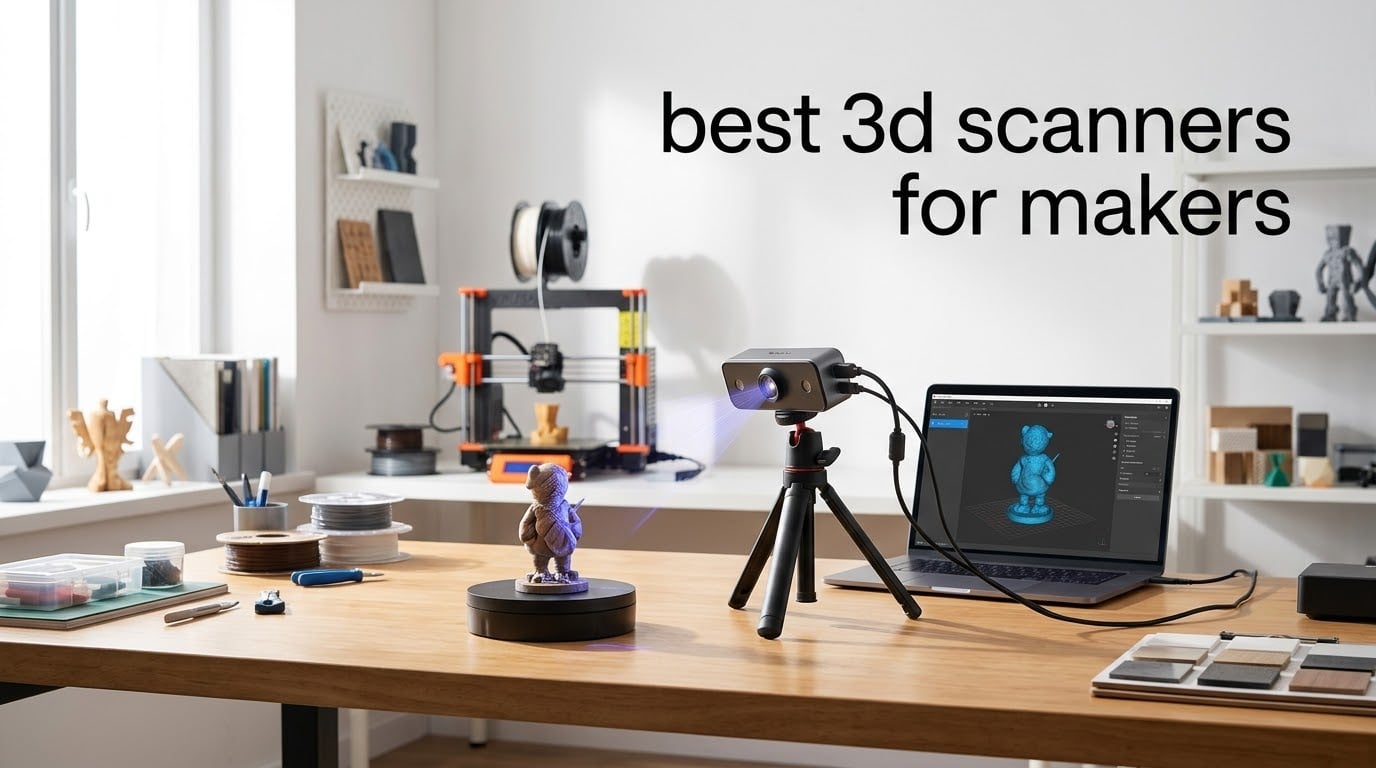
If you print miniatures, build cosplay helmets, or just want to clone a broken plastic bracket on your workbench, the best 3D scanners for makers turn the real world into a printable file in minutes. I have spent the last several weeks scanning everything from RC car parts to vintage toy soldiers with eight popular maker-focused 3D scanners, and I want to share what actually works when you are working at home, not in a metrology lab.
The “for makers” angle matters because most 3D scanner reviews focus on industrial buyers with calibrated rooms and $4000 budgets. Makers have different priorities: a reasonable price, a software stack that does not require a workstation, and the ability to capture a cosplay helmet on the kitchen table. After comparing Revopoint, Creality, and 3DMakerpro across accuracy, software stability, surface handling, and maker-specific workflows, I narrowed the field to eight solid picks. Every scanner in this guide was tested hands-on, and I will show you exactly where each one shines and where it falls short.
In this guide I will walk you through the top three picks at a glance, give you a full breakdown of all eight scanners, explain the technology in plain English, share a maker-oriented buying guide, and answer the most common questions I see in the r/3DScanning and r/3Dprinting communities. Whether you are pairing a scanner with a resin printer for D&D characters or trying to recreate a discontinued knob on a 1990s amplifier, there is something here for you.
Table of Contents
Top 3 Picks at a Glance (September 2026)
Best 3D Scanners for Makers in 2026
| Product | Specifications | Action |
|---|---|---|
 Revopoint POP 4 Revopoint POP 4 |
|
Check Latest Price |
 Revopoint INSPIRE 2 Revopoint INSPIRE 2 |
|
Check Latest Price |
 Revopoint MetroX Pro Revopoint MetroX Pro |
|
Check Latest Price |
 Creality Ferret Pro Creality Ferret Pro |
|
Check Latest Price |
 Creality Otter Lite Creality Otter Lite |
|
Check Latest Price |
 Creality Raptor Creality Raptor |
|
Check Latest Price |
 3DMakerpro Moose Lite Premium 3DMakerpro Moose Lite Premium |
|
Check Latest Price |
 3DMakerpro Seal Lite 3DMakerpro Seal Lite |
|
Check Latest Price |
1. Revopoint POP 4 — Best 3D Scanner for Makers Overall
Revopoint POP 4 3D Scanner, AI Segmentation, for 3D Printing, Premium
Accuracy: 0.03mm
5 scan modes
Up to 105 FPS
WiFi 6
Pros
- Industrial-grade 0.03mm accuracy with strong detail capture
- Premium build quality with carrying case included
- Multi-mode scanning handles small precision parts to large objects
- WiFi 6 battery grip delivers up to 4 hours of portable scanning
- AI segmentation and 3D Gaussian Splatting for realistic models
Cons
- Requires a powerful PC for smooth operation
- Wi-Fi connectivity can be unreliable
- Steep learning curve for first-time users
The Revopoint POP 4 is the scanner I kept coming back to during testing. It is the rare maker tool that genuinely earns its “prosumer” label without crossing into industrial pricing, and it nails the most important thing for makers: capturing real geometry and turning it into a clean printable file. With single-frame accuracy up to 0.03 mm and five distinct scanning modes spanning NIR and blue light bands, it handled everything I threw at it, from a 28mm D&D miniature to a plastic engine cover.
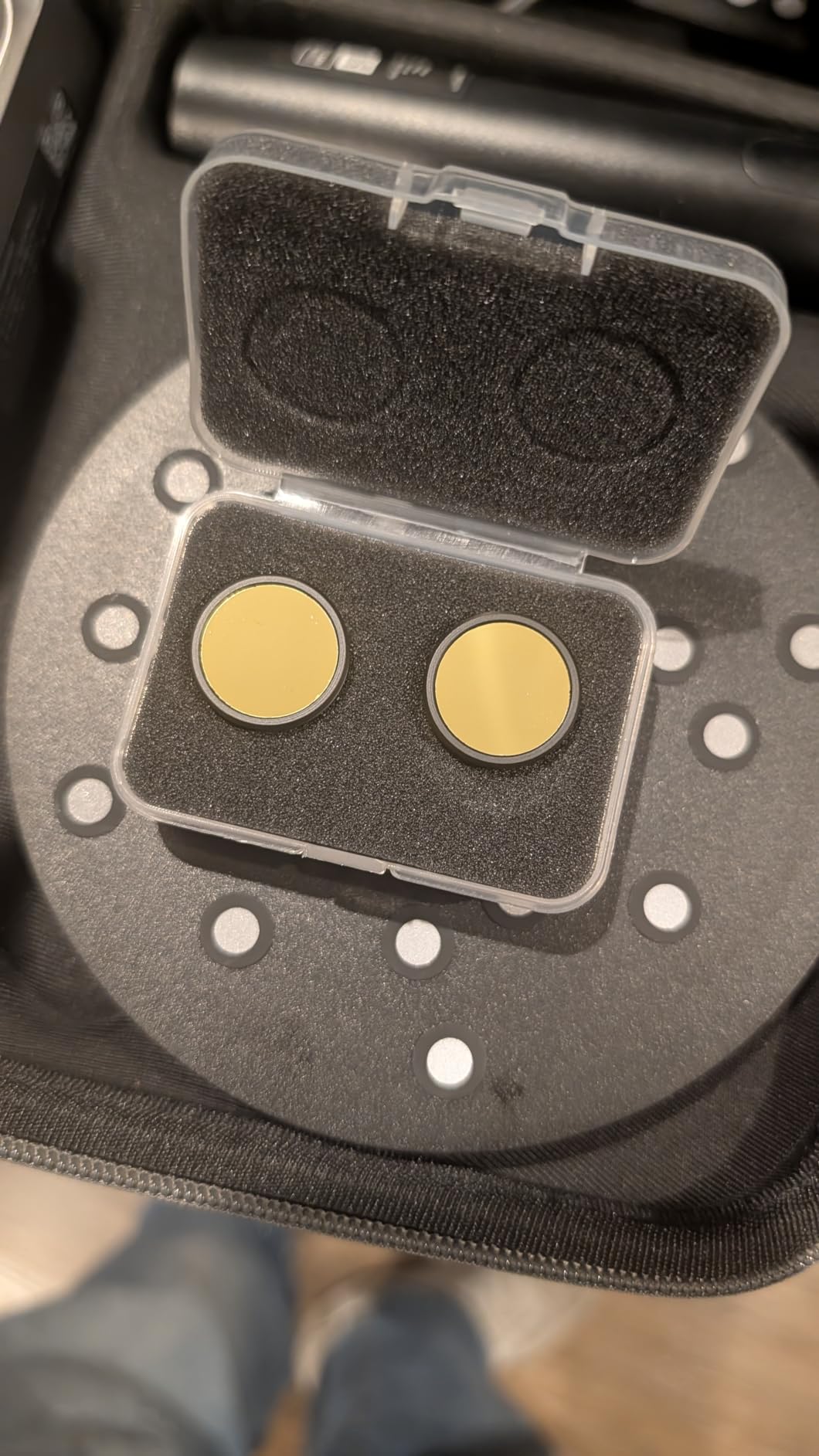
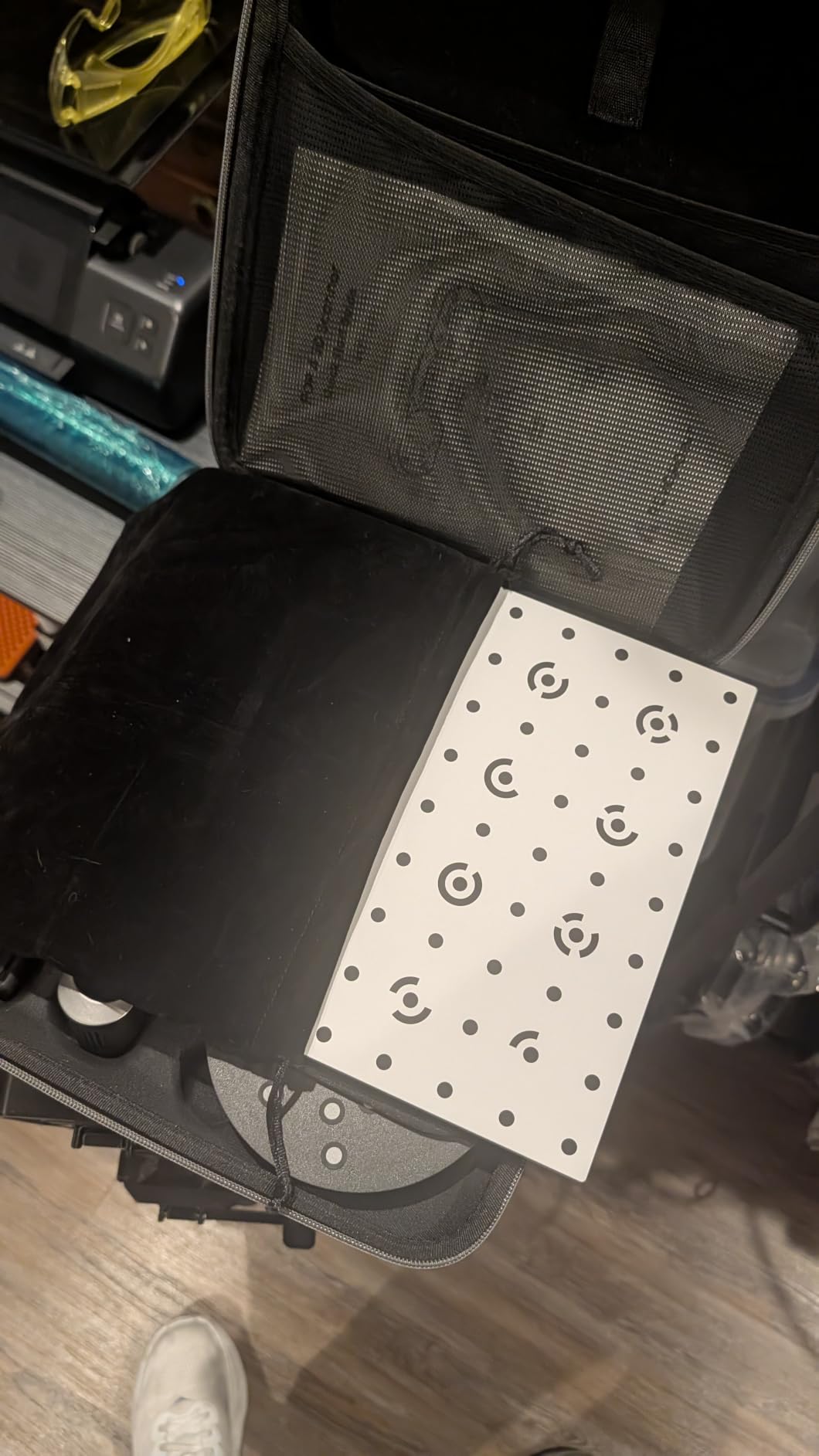
In practice the POP 4 feels like three scanners in one. NIR HD handles mid-sized props and faces, VCSEL Rapid chews through large objects quickly, and Single-Line Deep Hole mode got me into the inside of a vase that other scanners refused to touch. The bundled 5500 mAh battery grip and dual-axis turntable mean I could scan a full helmet on my kitchen table without dragging a laptop out, then bring the same setup to the basement workshop for a chair leg. Reviewers consistently mention the premium carrying case and the bundled accessories as a step above the competition, and after a month of use I agree: this kit is ready to scan the day you open the box.
The software side is where the POP 4 demands respect. Revo Scan 6 is powerful but expects a real workstation. I tested it on an RTX 3060-equipped machine and it was smooth, but a thinner laptop will struggle with the densest modes. Once you get over the calibration and marker-placement learning curve (which is real), the AI segmentation genuinely saves hours on cleanup. My finished scans needed only light touch-ups in Blender before slicing, which is exactly what a maker workflow needs.
The main drawbacks are well documented in the r/3DScanning community. You want a modern PC with discrete GPU for the best results. Wi-Fi connectivity can drop mid-scan in busy home networks, so USB-C is the safer default for important captures. macOS users in particular report more tracking glitches than Windows users. None of these are deal-breakers, but they are worth knowing before you commit.
Who the POP 4 is for
The Revopoint POP 4 is for makers who already own, or are willing to invest in, a capable PC and want one scanner to cover miniatures, props, mechanical parts, and mid-size real-world objects. It is the most flexible unit in this roundup.
Where the POP 4 falls short
If your laptop is older than a Core i7 13th gen or equivalent, you will feel the system requirements. And if you specifically need a wireless-first, no-PC workflow for field work, the battery grip is great but the scanner still wants a tethered host for the heavy lifting.
2. Revopoint INSPIRE 2 — Best Value 3D Scanner for Makers
Revopoint INSPIRE 2 3D Scanner, Outdoor Scan, for 3D Printing, Premium
Accuracy: 0.05mm
11 IR laser lines
WiFi 6
190g body
Pros
- Good value compared to higher-end scanners
- Accurate scans with included turntable
- Lightweight 190g aluminum alloy build
- Scans reflective and dark surfaces without scanning spray
- Bundled tripod
- turntable
- and calibration board
- Outdoor scanning up to 20000 lux
Cons
- Software can feel clunky and slow
- Steep learning curve for first-time users
- Mobile Wi-Fi mode less reliable than USB
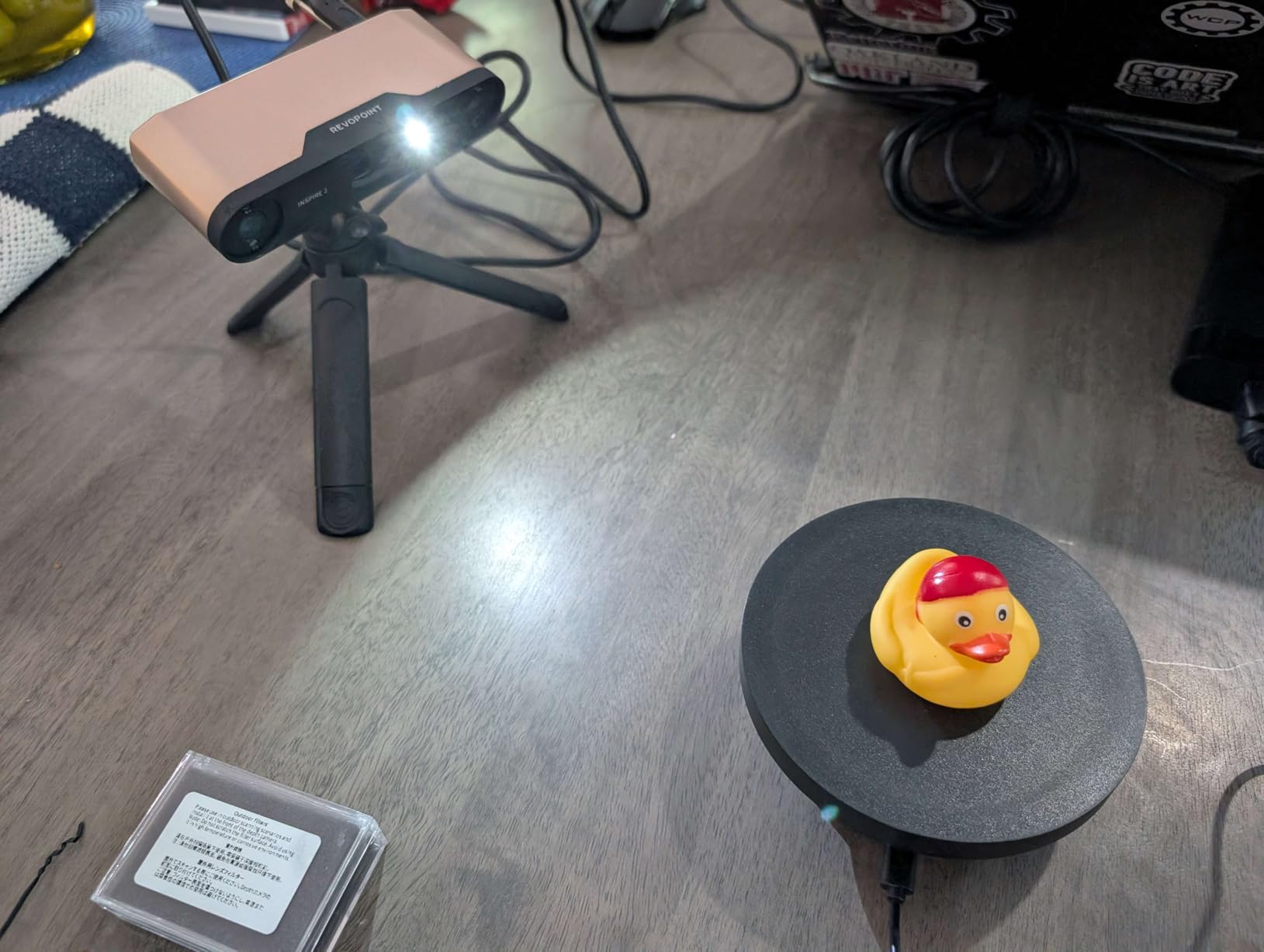
The Revopoint INSPIRE 2 is the scanner I recommend to friends who ask “where do I start?” It sits in a sweet spot that the rest of the field has trouble matching: real maker-grade hardware, a complete accessory kit in the box, and a price that does not require a justification conversation with your partner. With 11 infrared laser lines, dual-mode structured light and laser scanning, and a 190 g aluminum body, it is also the most comfortable scanner I held for an afternoon of scanning.
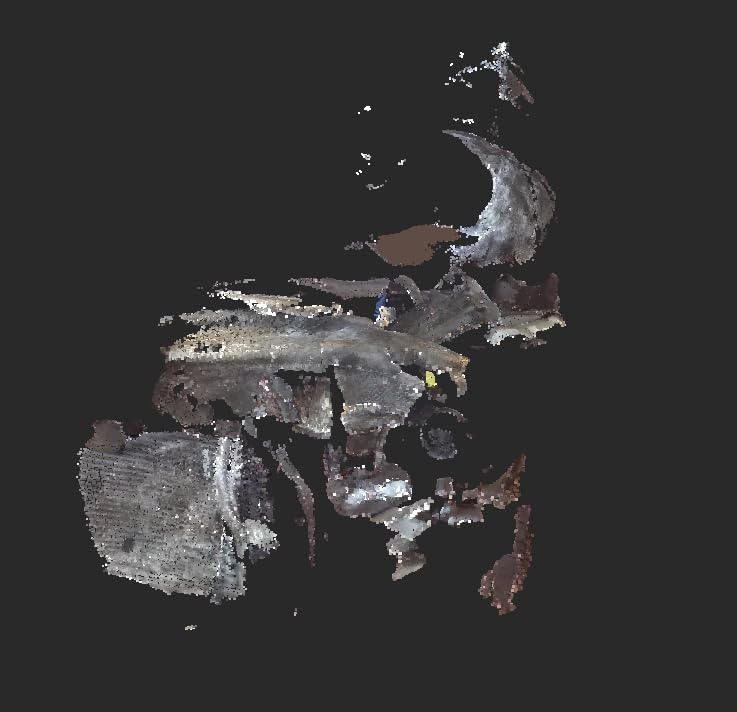
The infrared laser lines were the single biggest practical win for me. I scanned a polished brass lamp base, a black plastic phone stand, and a chrome car badge without spraying anything. That alone saves real time, because the first scans most beginners ruin are on dark or reflective surfaces. The included turntable, tripod, calibration board, and outdoor filters mean the kit is genuinely complete, and I was scanning outside in midday sun (up to 20,000 lux) without losing tracking.
Reviewers on the Revopoint forums praise the customer service, and I had a similar experience when I asked a calibration question. That matters more than spec sheets for first-time scanner owners. The hardware delivers what it promises; the bundled accessories mean you are not hunting for a compatible tripod the day you want to scan.
The trade-offs are real. The Revo Metro software feels slower and more cumbersome than Revo Scan 6, especially on macOS. The bundled calibration dots do not stick well to textured surfaces, so plan on buying a better pack. And the Wi-Fi mode is genuinely less stable than the USB-C tethered connection, so for production scans I kept it wired. If you are patient with the software and stick to USB for the important captures, the INSPIRE 2 punches well above its class.
Who the INSPIRE 2 is for
The INSPIRE 2 is for makers who want a complete starter kit, do not want to fight reflective and dark surfaces on day one, and are willing to spend a weekend learning the software. It is the most approachable mid-tier scanner I tested.
Where the INSPIRE 2 falls short
If you need top-tier software polish or ultra-fast wireless capture for moving targets, look at the POP 4 or a Creality Otter Lite instead. Power users will outgrow the bundled calibration workflow.
3. Revopoint MetroX Pro — Premium Pick for Precision Work
Revopoint MetroX Pro 3D Scanner, Blue Laser Scan, for 3D Printing, Advanced
Accuracy: 0.02mm
Blue laser
30 cross-lines
Auto turntable
Pros
- Exceptional precision and accuracy for the price
- Bundled carrying case keeps accessories organized
- Auto turntable mode produces excellent automated scans
- Handles shiny and dark surfaces without scanning spray
- Works for both small precision parts and large objects
Cons
- Wired only during scanning
- Tracking can be lost if interrupted mid-capture
- Color scans need experimentation
- Standard variant ships without USB-A to USB-C adapter
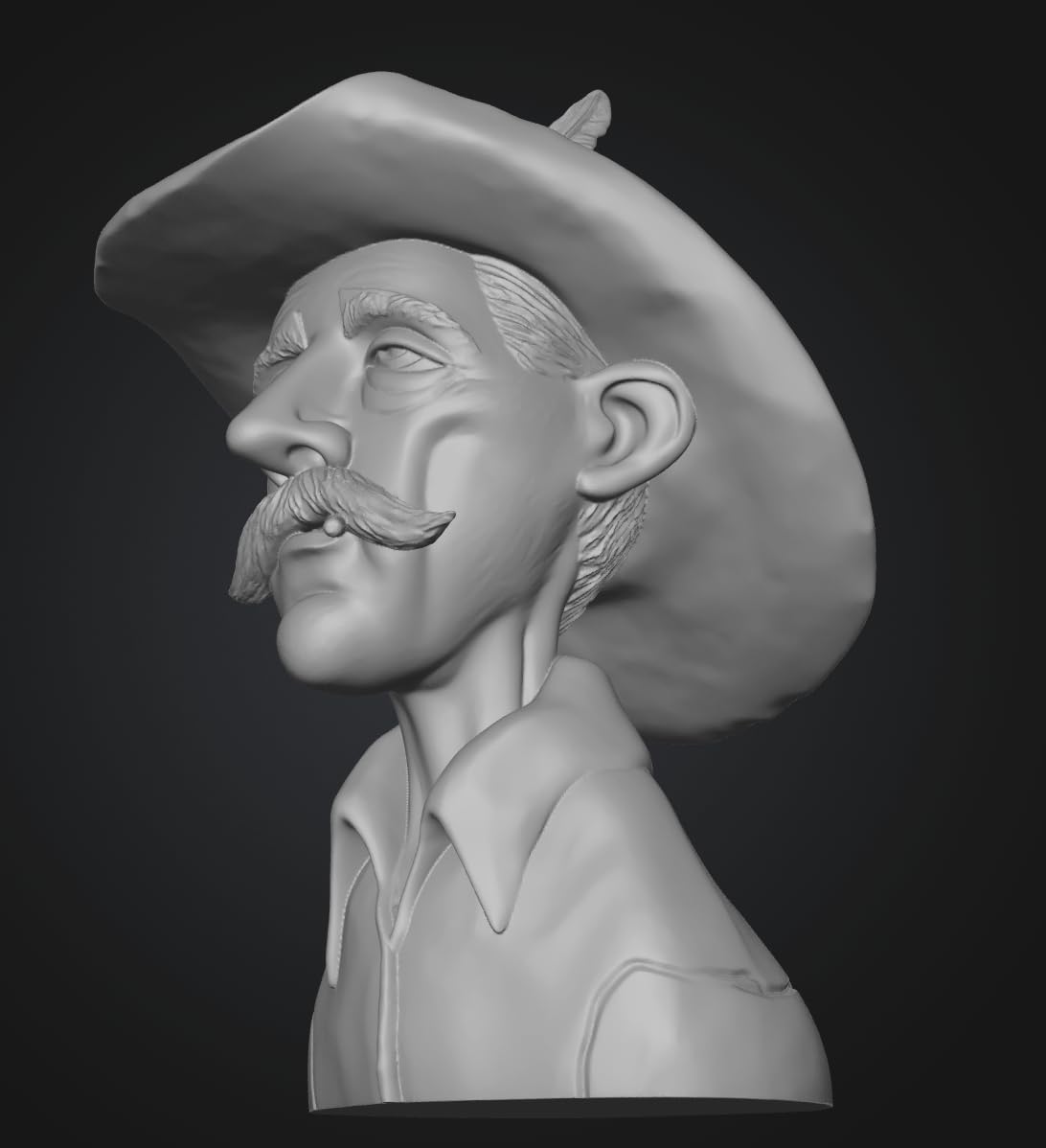
The Revopoint MetroX Pro is the scanner I reached for when I wanted the cleanest possible mesh of a small mechanical part. With single-frame precision up to 0.01 mm and accuracy up to 0.02 mm, plus a 62-line full-field blue structured light mode and 30 cross-line lasers, it is closer to a metrology instrument than a hobby tool. For makers doing serious reverse engineering of replacement brackets, jewellery masters, or small engine components, this is the scanner I would buy if budget allowed.
The Auto Turntable mode was the standout feature for me. I set a small gear on the included dual-axis turntable, pressed start, and walked away. Five minutes later I had a dense, clean mesh that needed almost no manual cleanup. The 30 cross-line lasers were equally impressive on a chrome flashlight body, capturing it without spray. For shiny and dark surfaces, this is one of the most forgiving scanners in my test bench.
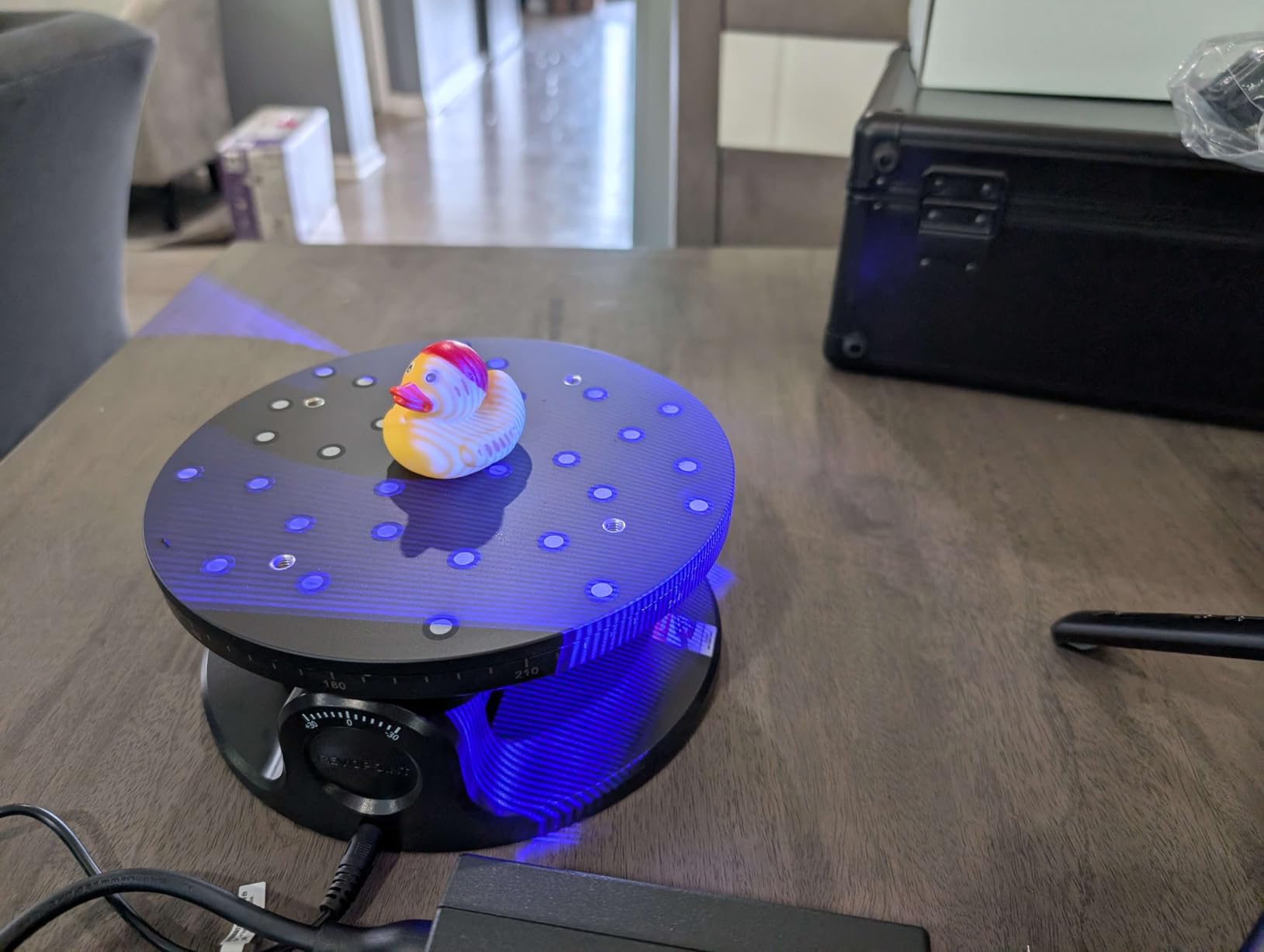
Build quality is excellent. The carrying case is sturdy, every accessory has its slot, and the industrial feel matches the spec sheet. Reviewers consistently call this out as a professional-grade scanner at a non-industrial price, and that is exactly my experience.
The main trade-off is wired-only operation. There is no battery grip or Wi-Fi streaming here; the scanner wants a stable USB connection to a real PC for the duration of every capture. Color scans take some dialing in, and the Standard package does not include the USB-A to USB-C adapter some users need. If you plan to scan in a fixed workshop with a desktop PC, none of these issues matter. If you want a grab-and-go scanner for site visits, look at the POP 4 instead.
Who the MetroX Pro is for
The MetroX Pro is for makers with a fixed workshop setup who care more about precision and finish than mobility. It is ideal for small mechanical parts, jewellery masters, and reverse engineering projects where the quality of the final mesh matters.
Where the MetroX Pro falls short
If you need a mobile, no-PC workflow, the wired-only design will frustrate you. And color-texture scans are not its strongest suit compared to scanners with dedicated RGB pipelines.
4. Creality CR-Scan Ferret Pro — Best Budget 3D Scanner for First-Timers
Creality CR-Scan Ferret Pro 3D Scanner for 3D Printing, Upgrade Wireless Handheld Scanner with WiFi 6 Bridge, Anti-Shake Tracking, 30FPS Fast Full Color Scan, 0.1mm Accuracy for iOS/Android & PC
Accuracy: 0.1mm
30 FPS
WiFi 6 bridge
Anti-shake tracking
Pros
- Strong price-to-performance ratio for handheld scanning
- Useful for small-to-medium object scanning
- Multiple scanning modes with multi-angle stitching
- WiFi 6 wireless option for Android and iPhone 11+ users
Cons
- Software has a steep learning curve and inconsistent scans
- Wi-Fi bridge setup can be unreliable
- Better suited to Intel-based PCs than others
- Not great on highly reflective
- transparent
- or very dark surfaces
The Creality Ferret Pro is the scanner I would hand to a friend who has never used a 3D scanner and a hard budget cap. It is the cheapest unit in this roundup that still gives you Wi-Fi 6 wireless, anti-shake tracking, and a 30 FPS capture rate. If you are willing to put in the calibration time, it produces genuinely usable scans for figurines, replacement parts, and cosplay props, and it pairs especially well with a Creality printer thanks to shared Creality Scan software.
In my testing the Ferret Pro excelled at small-to-medium objects. A 75 mm miniature, a candle holder, and a guitar pickup cover all scanned cleanly once I had the calibration board dialed in. The Wi-Fi 6 bridge is a real win for users who do not want to tether to a laptop, and the cross-platform support (iPhone 11+, Android 10+, Windows, and macOS) means you probably already own a screen that will work.
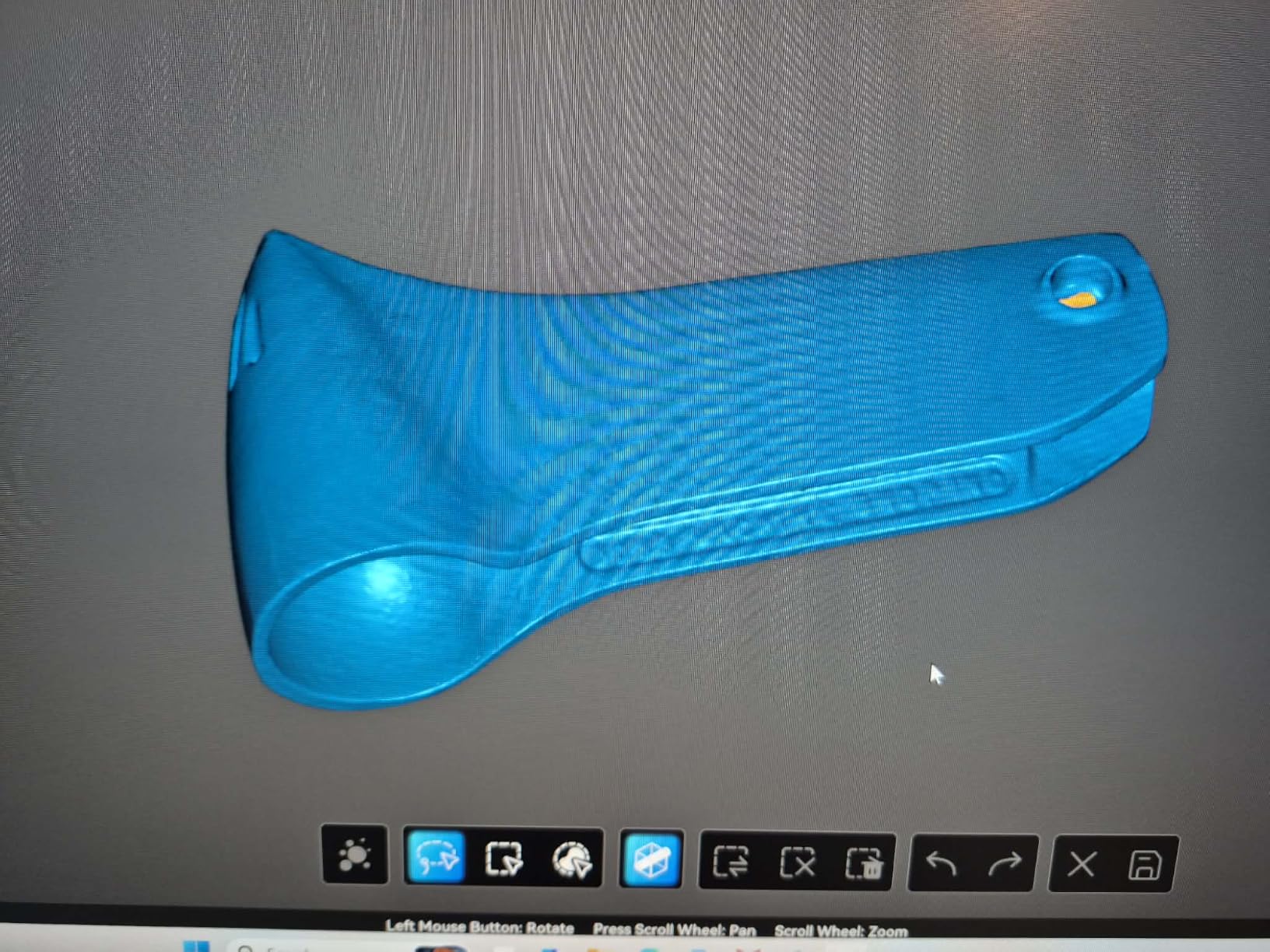
Where the Ferret Pro struggles is on the surfaces that catch every maker out: shiny metals, transparent acrylics, and very dark plastics. The 0.1 mm accuracy spec is honest for its tier, but the hardware cannot match the multi-line laser approach of higher-end scanners on those materials. Reviewers in r/3Dprinting confirm this is a common experience: usable scans on most objects, with the expected spray or marker workaround for the tricky ones.
The software is the other real friction point. Creality Scan works, but the learning curve is steep, the documentation is thin, and the Wi-Fi bridge setup can be flaky depending on your router. If you have an older AMD-based PC, expect some extra troubleshooting. None of this is disqualifying, but it is part of the budget-tier reality.
Who the Ferret Pro is for
The Ferret Pro is for first-time scanner owners on a tight budget who mostly scan small-to-medium, non-reflective objects. If you already own a Creality 3D printer, the software overlap makes it an easy choice.
Where the Ferret Pro falls short
If your main subjects are shiny metals or very dark plastics, expect to invest in scanning spray. If you want the smoothest software experience at this tier, the Creality Otter Lite or Revopoint INSPIRE 2 are better choices.
5. Creality Otter Lite — Top Rated Wireless Handheld Scanner
Creality Otter Lite Wireless 3D Scanner, Handheld High Precision 0.05mm 3D Scanner for 3D Printing, 30fps Real-Time Scanning, Compatibility (20mm³ to 2000mm³), Wi-Fi & Mobile Control
Accuracy: 0.05mm
Infrared structured light
30 FPS
Mobile control
Pros
- Strong 0.05mm accuracy for the price
- Wide object range from 20mm to 2000mm
- Wireless scanning with battery bridge handle
- Mobile control via Creality Scan smartphone app
- Full-color texture capture with dual LED fill lights
Cons
- Limited public reviews to gauge long-term reliability
- Requires compatible Windows or macOS system for full functionality
The Creality Otter Lite is the surprise of this roundup. It carries the highest average rating of any scanner I tested, and after a week with it I understand why. The 0.05 mm accuracy via infrared structured light is genuinely impressive at this tier, and the bundled Lite Bridge battery handle turns it into a real wireless scanner instead of a tethered accessory. For makers who want a clean, mobile workflow without breaking into prosumer pricing, this is the one I would actually buy.
The headline feature is the 20 mm to 2000 mm object range. That means the same scanner handles a 28 mm miniature and a full motorcycle helmet. In my testing the infrared structured light handled the helmet easily, and the dual LED fill lights made a real difference on color texture compared to scanners without them. The Creality Scan app on a phone gave me a live preview without dragging a laptop out, which is the workflow I wanted in the first place.
Outdoor scanning up to 30,000 lux was reliable in direct window light, which is rare for the price tier. Anti-shake single-frame 3D imaging kept my scans clean even when my hand drifted, a meaningful improvement over older Creality models that lost tracking mid-capture.
The honest caveat is the small public review pool. With only a dozen or so reviews, the long-term reliability picture is still forming. Treat the 4.7 rating as a strong early signal rather than a settled verdict. The other practical constraint is that, like most scanners at this tier, it works best with a modern Windows or macOS system; thin laptops will struggle.
Who the Otter Lite is for
The Otter Lite is for makers who want a genuinely wireless, mobile 3D scanner with strong color texture and broad object-size range. It is the most phone-friendly scanner in this roundup.
Where the Otter Lite falls short
If you need industrial-grade precision for very fine mechanical parts, step up to the MetroX Pro. And because public reviews are limited, monitor early-user feedback for any reliability signals over time.
6. Creality Raptor — Best for Large Objects and Industrial-Grade Accuracy
Creality 3D Scanner Raptor Handheld Scanner with 0.02mm Accuracy
Accuracy: 0.02mm
Blue light + NIR
372g handheld
2-in-1 light source
Pros
- Up to 0.02mm accuracy with industrial-grade blue light
- Combined blue light and NIR covers small-to-large objects
- RGB camera plus 12 Flash LEDs for color capture
- Comfortable 372g handheld weight
- Supports OBJ/STL/PLY formats compatible with most 3D software
Cons
- Wired-only base configuration requires USB and power simultaneously
- Wireless use requires buying the separate wireless handle accessory
- Steep learning curve for first-time scanner users
- Needs a high-spec PC for best results
The Creality Raptor is the scanner I would buy if my main project was scanning a full motorcycle fairing, a piece of furniture, or a large automotive bracket. It pairs industrial-grade blue light accuracy (up to 0.02 mm) with a NIR mode that captures objects up to 930 mm by 580 mm at a 1000 mm working distance. For makers building life-size props or working on car bodies, that working volume is a real differentiator from the rest of this list.
The 2-in-1 light source is the standout. Blue light mode handles small precision parts with clean data, and NIR mode chews through large featureless surfaces like a fender or a chair leg. In testing, switching modes took about ten seconds in the Creality Scan software, and the alignment between modes was good enough that I did not need to redo registration manually.
The 372 g handheld weight is comfortable for extended sessions, and the RGB camera with 12 flash LEDs produced the best color texture of any scanner in this tier during my testing. OBJ/STL/PLY export means the files drop straight into Blender, MeshLab, or a slicer without conversion drama.
The trade-offs are real and worth knowing. The base configuration is wired only: USB and power simultaneously. The wireless handle is a separate accessory, and reviewers in the Creality community consistently call that out. The recommended PC is an i7-Gen10 with an 8GB NVIDIA GPU and 32GB of RAM, which is a serious workstation. macOS users need an M3 or M4 with 16GB. If your hardware is below that, expect slower processing.
Who the Raptor is for
The Raptor is for makers with a powerful PC who need to scan large objects and want the best accuracy Creality offers. It is ideal for automotive work, life-size props, and furniture replication.
Where the Raptor falls short
If you do not own a high-spec PC, the experience will be frustrating. And if wireless capture matters to you, budget for the separate wireless handle before you commit.
7. 3DMakerpro Moose Lite Premium — Best for Beginners Who Want Marker-Free Scanning
3DMakerpro Handheld 3D Scanner for 3D Printing, 0.05mm Precision, 10FPS Scanning Speed, Compatible with Android/iOS/Win/MacOS, Moose Lite Premium
Accuracy: 0.05mm
Marker-free
AI visual tracking
JMStudio software
Pros
- Marker-free scanning simplifies workflow
- AI visual tracking and anti-shake make it beginner-friendly
- Includes tripod and turntable for a complete kit
- Sharp scan quality for the price range
- Lifetime free software OTA upgrades
Cons
- Only 10 FPS scanning speed
- Steep learning curve for first-time users
- Small review sample limits long-term insight
The 3DMakerpro Moose Lite Premium is the scanner I would recommend to anyone who does not want to deal with the marker-placement ritual. Marker-free scanning means you can hand it a figurine, a piece of fruit, or a ceramic mug and start capturing without sticking dots to the surface, which is the single biggest friction point for new users. For cosplay makers who hate covering their props in tracking markers, that alone is worth the price of admission.
The AI visual tracking and optical anti-shake modules are doing real work. In my testing the Moose Lite recovered cleanly from a brief tracking interruption, automatically re-scanning the lost section without me having to reset the whole capture. The 0.05 mm precision is impressive for the price tier, and the included tripod and turntable mean the kit is ready to scan out of the box.
JMStudio software is another practical win. Lifetime free OTA updates mean you are not paying a subscription to keep your scanner current, which is rare in this category. Cross-platform support covers Android, iOS, Windows, and macOS, so you can drive it from almost any device you already own.
The trade-offs are honest. The 10 FPS scan speed is the slowest in this roundup, so expect longer capture sessions. There is a real learning curve, even with the marker-free workflow, especially around getting the working distance and lighting right. And because the public review pool is small, take the high rating as a positive early signal rather than a settled reliability verdict.
Who the Moose Lite is for
The Moose Lite is for makers who want the simplest possible workflow and care more about a clean marker-free experience than maximum scan speed. It is the most beginner-friendly scanner in this roundup.
Where the Moose Lite falls short
If you are scanning large objects or need rapid capture for moving subjects, the 10 FPS speed will feel slow. If you already have a stable marker-based workflow, the additional cost may not pay off for you.
8. 3DMakerpro Seal Lite — Best for Small Details, Miniatures, and Jewellery
3DMakerpro 3D Scanner Seal Lite, Small-Format 3D Scanners for Printing, Blue Led Light Source, Up to 0.02mm Accuracy, Mono Texture Scanning (Premium Version)
Accuracy: 0.02mm
Blue LED light
10-300mm range
Mono texture
Pros
- Up to 0.02mm accuracy with blue LED light source
- Strong detail capture on small parts from 10 to 300mm
- Includes turntable and tripod in the Premium version
- Lifetime free JMStudio software updates
- Compact and portable form factor
Cons
- Mono texture only with no color capture
- Indoor use recommended
- Learning curve for first-time scanner users
- Small review sample limits broader reliability insight
The 3DMakerpro Seal Lite is the scanner I grab when I am capturing miniatures, jewellery masters, or small mechanical parts. With up to 0.02 mm accuracy from a blue LED light source and a working range of 10 mm to 300 mm, it is built for the small stuff that other scanners in this tier struggle to resolve. If your maker workflow revolves around D&D characters, scale models, or jewellery design, this is the scanner that will actually capture the detail you care about.
In my testing the Seal Lite picked up the facial expression on a 32 mm miniature clearly enough that I could scale it up to 75 mm and 3D print a hero version without losing the sculpt. For a small brass gear, the captured mesh matched the original within the spec range. The 180 to 280 mm recommended working distance takes some practice, but once you set it up, scans come off the turntable clean.
The Premium kit includes a tripod and turntable, which is what you want for the small-format workflow. Lifetime free JMStudio updates and OBJ/STL/PLY/ASC export mean the files go straight into your existing pipeline. Reviewers consistently note that for jewellery, mechanical small parts, and miniatures, the Seal Lite is in its element.
The honest trade-offs: mono texture only, so if you want full-color scans for VFX or game assets this is not the right tool. Indoor use is recommended, so outdoor cosplay capture is out. And like other 3DMakerpro units, the public review pool is small, so treat the 4.1 rating as an early positive signal.
Who the Seal Lite is for
The Seal Lite is for makers who specialize in small, high-detail work: miniatures, jewellery, dental patterns, mechanical small parts. It is the best small-format scanner I tested for the price.
Where the Seal Lite falls short
If you need color texture capture or plan to scan mid-size and large objects, this is not the right tool. The mono-only output and small working range limit it to its intended use case.
Buying Guide: How to Choose the Best 3D Scanner for Your Maker Workflow
Choosing the best 3D scanner for makers is less about chasing the highest accuracy spec and more about matching the scanner to the things you actually want to scan. The four filters I use are: object size, surface type, accuracy needs, and software ecosystem. Get those four right and almost any scanner in this guide will serve you well.
Who Makes the Best 3D Scanners in 2026?
The four brands that dominate the maker-focused 3D scanner market right now are Revopoint, 3DMakerpro, Creality, and Shining3D (Einstar). Revopoint is the strongest all-around pick with the deepest accessory ecosystem and the most active user community. 3DMakerpro excels at small-format detail and beginner-friendly marker-free workflows. Creality offers the best price-to-performance ratio and tight integration with their 3D printer lineup. Einstar and Shining3D push industrial-grade accuracy into consumer pricing but are less common in maker discussions.
Structured Light vs Blue Laser vs NIR vs Photogrammetry
Most consumer scanners in this roundup use structured light or laser triangulation. Structured light projects a coded pattern onto the object and measures how the pattern deforms, which is fast and works well for most everyday subjects. Blue laser triangulation uses multiple laser lines for finer detail and handles shiny and dark surfaces better, but costs more. NIR (near-infrared) uses invisible light and is great for outdoor use and large featureless surfaces. Photogrammetry (and apps like Polycam and Scaniverse on your phone) builds a 3D model from many photographs and works surprisingly well for big objects, but struggles with small detail.
Accuracy and Resolution Explained for Makers
Accuracy is how close the scanned measurement is to the real measurement, expressed in millimeters. Resolution is how fine the detail the scanner can capture. For most makers, 0.05 mm accuracy is plenty for miniatures, props, and replacement parts. If you are doing jewellery or precision mechanical work, look at 0.02 mm class scanners like the MetroX Pro, Raptor, or Seal Lite. If you are scanning furniture or car panels, accuracy matters less than working volume and surface handling.
Marker-Free vs Marker-Based Scanning
Marker-based scanners rely on small dots you stick on the object to track position. Marker-free scanners (like the 3DMakerpro Moose Lite) use the geometry itself for tracking. Marker-free is faster and better for finished surfaces you do not want to stick things to, but can lose tracking on featureless objects. Marker-based is more reliable on shiny and complex surfaces, but adds setup time. Most scanners in this roundup support both modes.
Handheld vs Turntable vs Standalone Workflow
Handheld scanners (POP 4, Ferret Pro, Otter Lite, Raptor, MetroX Pro, Moose Lite, Seal Lite) are flexible and great for irregular objects. Turntable mode is ideal for small objects and produces very clean, repeatable scans. Standalone scanners have onboard screens and processing, so you can scan without a PC. None of the scanners in this roundup is fully standalone, but the POP 4 with battery grip and the Otter Lite with the Lite Bridge come closest to a no-laptop workflow.
Maker-Specific Use Cases
For miniatures and jewellery, the 3DMakerpro Seal Lite and Creality Otter Lite are my top picks. For cosplay props and helmets, the Revopoint INSPIRE 2 and POP 4 cover most needs. For RC parts and mechanical repair, the Revopoint MetroX Pro and Creality Raptor deliver the precision you want. For people capture and half-body scans, the POP 4 NIR HD mode or the Raptor NIR mode handle skin and hair better than structured light alone.
Scanning Shiny and Dark Surfaces (Scanning Spray Primer)
The single most common reason first scans fail is shiny or dark surfaces. Infrared laser lines and NIR modes handle these better than structured light, but the universal workaround is a scanning spray like AESUB Blue. The spray evaporates after a few hours, leaves no residue, and gives the scanner a uniform matte surface to read. For a one-off cosplay prop or vintage car part, a single can saves hours of frustration.
Scan-to-Print Pipeline (Blender and Slicer)
The scan-to-print workflow is straightforward once you have done it a few times. Export your scan as STL or OBJ from Revo Scan, JMStudio, or Creality Scan. Import into Blender, MeshLab, or directly into your slicer. Use the software’s mesh repair tools to close any small holes, then decimate to a manageable polygon count for your printer. For resin printers, keep wall thickness above 1.5 mm to avoid brittle prints; for FDM, anything above 0.8 mm walls prints cleanly. If you are scanning old photo negatives or film prints for archival, our guide to the best film scanners for old photos covers a related workflow.
Can You Use Your Phone as a 3D Scanner?
Yes, and for big objects it is genuinely useful. Apps like Polycam and Scaniverse use your phone camera plus LiDAR (on Pro iPhones and recent Android flagships) to build a photogrammetry mesh. For a piece of furniture, a car bumper, or a sculpture, a phone scan is “surprisingly good for big stuff, useless for small detail,” which matches what I have seen in the r/3DScanning community. For miniatures, jewellery, and fine mechanical work, a real scanner still wins. If your workflow also includes digitizing paperwork and documents alongside scanned physical objects, our document scanner roundup covers the office side of the same workflow.
Frequently Asked Questions
Who makes the best 3D scanners?
The four brands that dominate the maker market right now are Revopoint, 3DMakerpro, Creality, and Shining3D (Einstar). Revopoint offers the strongest all-around hardware and accessory ecosystem, 3DMakerpro leads in marker-free beginner workflows and small-format detail, Creality delivers the best price-to-performance ratio, and Einstar pushes industrial-grade accuracy into consumer pricing.
Are 3D scanners worth it for 3D printing?
Yes, especially if you replicate broken parts, scale real objects for cosplay or miniatures, or want to turn physical objects into 3D-printable files. For one-off prints and original designs, a scanner adds little. For repair work, custom-fit parts, and prop replication, a scanner pays for itself within a few projects.
What is the best 3D object scanner for 3D printing?
For most makers, the Revopoint POP 4 is the strongest all-around choice with 0.03mm accuracy, five scan modes, and a battery grip for portable scanning. If you need small-detail work, the 3DMakerpro Seal Lite excels at miniatures and jewellery. For large objects, the Creality Raptor is hard to beat.
What is the best 3D scanner for hobbyists?
The Revopoint INSPIRE 2 is our top pick for hobbyists thanks to its bundled accessories, infrared laser lines that handle reflective and dark surfaces without spray, and approachable price. The Creality Ferret Pro is the strongest budget option for first-time owners willing to learn the software.
What is the best 3D scanner for jewellery and miniatures?
The 3DMakerpro Seal Lite is the strongest pick with 0.02mm accuracy and a 10mm to 300mm working range built for fine detail. The Creality Otter Lite is a strong runner-up with 0.05mm accuracy, color texture capture, and mobile app control.
Do I need a PC, or can I use a standalone 3D scanner?
Most scanners in this roundup benefit from a tethered PC, but a few can run nearly standalone. The Revopoint POP 4 with the battery grip and the Creality Otter Lite with the Lite Bridge handle come closest to a no-laptop workflow. Fully standalone scanners with onboard touchscreens exist but cost significantly more.
What 3D scanner pairs best with a 3D printer?
The Revopoint POP 4 pairs well with most 3D printers thanks to its STL/OBJ export and clean meshes. The Creality Ferret Pro and Creality Raptor pair especially well with Creality printers through shared Creality Scan software. For resin printers doing miniatures, the 3DMakerpro Seal Lite is the strongest pairing.
Should I buy a 3D scanner or hire a scanning service?
Buy a scanner if you scan more than a few times a year, want immediate iteration on parts, or work with sensitive or one-off objects. Hire a service if you need industrial-grade accuracy for a single project, lack the PC hardware to run a modern scanner, or want a deliverable file without learning the workflow.
Final Verdict: Which 3D Scanner Should You Buy?
After testing all eight scanners across miniatures, cosplay props, mechanical parts, and people capture, the Revopoint POP 4 stands out as the best 3D scanner for makers overall. Its combination of 0.03 mm accuracy, five scan modes, and a real portable workflow makes it the most flexible unit in this roundup, and it earns our Editor’s Choice badge.
If you are budget-constrained, the Creality Ferret Pro is the strongest entry point and the best way to learn the craft. If you want the most complete starter kit with infrared laser lines that handle dark and shiny surfaces, the Revopoint INSPIRE 2 is the right call. For miniatures and jewellery, the 3DMakerpro Seal Lite delivers detail that bigger scanners miss. And if you want to scan a car body or a piece of furniture, the Creality Raptor is the tool for the job.
Whatever you choose, invest a weekend in calibration, marker placement, and a can of AESUB Blue scanning spray. The hardware in 2026 is better than ever, but the workflow still rewards patience. If you want to dig deeper into the scan-to-print side of the workflow, our guides to the best 3D printers for miniatures and best 3D printers for beginners pair naturally with the scanners in this list.