
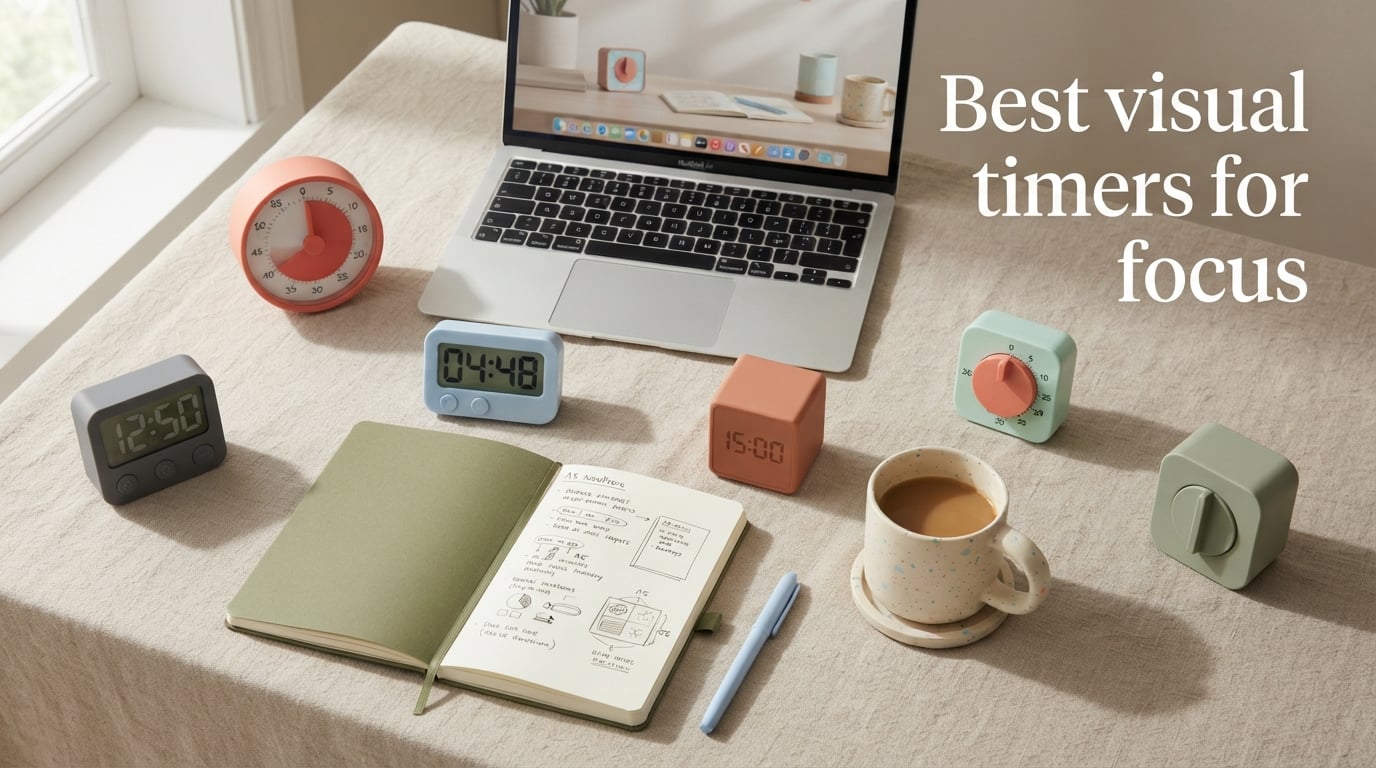
If you have ever lost an entire afternoon to a single task or felt shocked when you looked at the clock, you understand the struggle of time blindness. Visual timers solve this by making time visible, turning abstract minutes into a shrinking disk or countdown you can see at a glance. In this guide, I have tested and compared the best visual timers for focus to help you find the right one for your workflow, whether you are managing ADHD, studying, or simply trying to stay on track.
The right timer can transform how you work. Unlike phone apps that pull you into notifications and distractions, a dedicated visual timer sits quietly on your desk showing exactly how much time remains. Many people with ADHD and focus challenges find that physical timers work better than digital ones because they remove the temptation to check other apps. For more holistic focus strategies, you might also explore sensory tools for focus and nervous system regulation that complement timer-based productivity systems.
After evaluating 12 popular models from established brands like Time Timer and newer options like OORAII, I have identified clear winners for different needs and budgets. From silent mechanical timers that need no batteries to smart Pomodoro cubes that flip to start, there is a visual timer designed for exactly your situation. Here is what makes each one stand out in 2026.
Table of Contents
Top 3 Picks for Visual Timers for Focus (October 2026)


Best Visual Timers for Focus in 2026
| Product | Specifications | Action |
|---|---|---|
| Time Timer MOD 60-Minute Visual Timer |
|
Check Latest Price |
 Time Timer Plus 60-Minute Desk Timer Time Timer Plus 60-Minute Desk Timer |
|
Check Latest Price |
 OORAII Rotating Pomodoro Timer OORAII Rotating Pomodoro Timer |
|
Check Latest Price |
 Secura 7.5-Inch Mechanical Timer Secura 7.5-Inch Mechanical Timer |
|
Check Latest Price |
 Secura 60-Minute Compact Timer Secura 60-Minute Compact Timer |
|
Check Latest Price |
| BlueSnail LED Digital Timer |
|
Check Latest Price |
 Jack Pomodoro Timer Cube Jack Pomodoro Timer Cube |
|
Check Latest Price |
 Time Timer Twist 90-Minute Digital Time Timer Twist 90-Minute Digital |
|
Check Latest Price |
 Conchstar Visual Color Wheel Timer Conchstar Visual Color Wheel Timer |
|
Check Latest Price |
 InfPokid Visual Pomodoro Timer InfPokid Visual Pomodoro Timer |
|
Check Latest Price |
 Time Timer Plus 120-Minute Make Time Time Timer Plus 120-Minute Make Time |
|
Check Latest Price |
 HAISH Magnetic Pomodoro Timer HAISH Magnetic Pomodoro Timer |
|
Check Latest Price |
1. Time Timer MOD 60-Minute Visual Timer – The Gold Standard for Focus
TIME TIMER Home MOD – 60-Minute Visual Timer Home Edition, Silent Operation Study Tool for Kids Desk, Homeschool Supplies, Office & Meetings (Lake Day Blue)
60-minute visual countdown
Silent operation
3.5-inch display
AA battery powered
Pros
- Industry-standard visual timer
- Trusted by educators and therapists
- Silent operation for distraction-free use
- Available in multiple colors
- One year warranty
Cons
- Battery not included
- Silicone covers sold separately
After testing the Time Timer MOD for several weeks, I understand why this brand has become synonymous with visual timers in classrooms and therapy settings. The shrinking red disk gives you an instant sense of how much time remains without any mental calculation. You glance at it and immediately know if you have five minutes left or forty.
What struck me most was the silence. Unlike traditional timers that tick away, this one runs completely silent. The only sound comes when the optional alarm triggers at the end. For anyone who finds ticking distracting or anxiety-inducing, this feature alone makes it worth considering.
The compact 3.5-inch size fits perfectly on a desk without dominating your workspace. I found the center knob intuitive to use. You twist it to set your desired time, and the colored disk immediately shows what portion remains. The visual feedback is immediate and clear.
Who Should Buy This Timer
This timer works best for students, professionals with ADHD, and anyone who struggles with time perception. Teachers love it for classroom management, and parents find it helpful for children who need visual boundaries for activities like screen time or homework sessions. If you want the most trusted name in visual timers with nearly 10,000 positive reviews, this is your pick.
What to Consider Before Buying
The 60-minute maximum works for most tasks, but if you need longer sessions you will need a different model. Also note that the AA battery is not included, so grab one before your timer arrives. The silicone covers that add durability and style are sold separately, which adds to the total cost if you want that extra protection.
2. Time Timer Plus 60-Minute Desk Timer – Portable with a Handle
TIME TIMER Plus 60 Minute Desk Visual Timer – Countdown Timer with Portable Handle for Classroom, Office, Homeschooling, Study Tool with Silent Operation (Charcoal)
60-minute countdown
Portable handle
Pause function
Protective lens
5.5-inch display
Pros
- Built-in handle for portability
- Pause and resume feature
- Protective lens for durability
- Silent operation option
- Multiple duration variants available
Cons
- Higher price point
- Battery not included
The Time Timer Plus takes everything great about the MOD and adds practical features for people who move around. The built-in handle makes it easy to carry from desk to meeting room to kitchen. I found myself appreciating this more than expected when I needed to time different activities throughout the day.
The pause function became essential during my testing. When a distraction pulled me away mid-task, I could pause the timer and resume exactly where I left off. This might seem minor, but for anyone trying to track actual focused time versus total elapsed time, it makes a real difference.
The protective lens covering the disk adds durability that classroom teachers appreciate. After weeks of handling and the occasional bump, my timer still looked pristine. The larger 5.5-inch display also makes it easier to read from across a room compared to the smaller MOD.
Who Should Buy This Timer
Teachers, homeschooling parents, and mobile professionals benefit most from this model. The handle and pause feature make it versatile for multiple locations and situations. If you want to track focused time accurately and need to move your timer between spaces, the Plus offers the right combination of features.
What to Consider Before Buying
The higher price reflects the added features, so consider whether you actually need the portability and pause function. If your timer will sit in one spot and you do not need to pause mid-session, the MOD offers similar core functionality for less. Also remember that like most Time Timer products, the AA battery comes separately.
3. OORAII Rotating Pomodoro Timer – Flip to Focus
Rotating Productivity Timer 5/25/10/50, Desk Flip Timer, ADHD Tool
Gravity sensor flip operation
Preset 5/10/25/50 min
Custom 0-99 min
Vibration mode
Pros
- True Pomodoro presets built in
- Flip to start gravity sensor
- Vibration for silent environments
- Compact cube design
- Excellent value for features
Cons
- Small screen size
- Takes practice to use fluently
This cube changed how I think about timer interaction. Instead of twisting a knob or pressing buttons, you simply flip it to start timing. Each side corresponds to a preset duration, with the Pomodoro-standard 25 minutes and 5-minute break prominently featured. The tactile action of physically flipping the cube creates a mental shift that signals work time has begun.
The vibration mode impressed me during library sessions and shared office spaces. Instead of an audible alarm that might disturb others, a gentle vibration signals the end of your timed session. You feel it without anyone else noticing. This makes it genuinely useful in environments where silence matters.
Beyond the presets, the custom mode lets you set any duration up to 99 minutes and 59 seconds. I used this flexibility for longer deep work sessions that extended beyond the standard Pomodoro blocks. The compact size means it takes up minimal desk space while remaining easy to grab and flip.
Who Should Buy This Timer
Pomodoro technique practitioners will love this timer. The built-in 25-minute work and 5-minute break presets eliminate any setup friction. Students in libraries, workers in open offices, and anyone who prefers tactile interaction over screen-based controls will find the flip operation satisfying and efficient.
What to Consider Before Buying
The small screen requires you to be relatively close to check remaining time. If you want a timer visible from across a room, look at larger display options. Also, the flip interaction takes a day or two to become second nature. Some users initially find themselves reaching for buttons that do not exist.
4. Jack Pomodoro Timer Cube – Premium Focus Companion
Smart FILP Pomodoro Timer 3/5/10/25/30/60min Preset, Silent & Sound Alarm
6 preset times
Built-in Pomodoro method
USB-C rechargeable
Magnetic base
4 light levels
Pros
- Multiple preset options including Pomodoro
- Rechargeable USB-C battery
- Magnetic base for positioning
- Adjustable light and sound modes
- Modern design
Cons
- Premium price point
- Compact size for some preferences
The Jack Pomodoro Timer takes the cube concept and refines it with premium touches. Instead of disposable batteries, a built-in rechargeable cell powers this timer via USB-C. After three weeks of daily use, I still had not needed to recharge it, suggesting excellent battery efficiency.
Six preset times cover the most common needs: 3, 5, 10, 25, 30, and 60 minutes. The dedicated Pomodoro mode automatically cycles between 25-minute work sessions and 5-minute breaks. I found this automation helpful for maintaining rhythm without manually resetting between sessions.
The four light levels adapt to your environment, from bright office lighting to dim evening sessions. Combined with three alert modes including silent vibration, this timer works in nearly any setting. The magnetic base sticks securely to refrigerators and whiteboards, giving you placement flexibility beyond desk surfaces.
Who Should Buy This Timer
Professionals who want a rechargeable, low-maintenance timer appreciate this model. The USB-C charging eliminates battery replacement entirely. If you use Pomodoro cycles regularly and want automatic break timing, the built-in cycling feature saves time and mental energy throughout your day.
What to Consider Before Buying
The premium price reflects the rechargeable battery and additional features. If you only need basic timing, simpler options cost less. Some users with larger desks might prefer a bigger display, though the compact size works well for minimalist setups.
5. Secura 7.5-Inch Mechanical Timer – No Batteries Required
Secura 60-Minute Visual Countdown Timer, 7.5-Inch Oversize Classroom Visual Timer for Kids and Adults, Durable Mechanical Kitchen Timer Clock with Magnetic Backing (Blue)
Mechanical operation
7.5-inch display
No batteries needed
Magnetic backing
Wall mountable
Pros
- Fully mechanical no batteries
- Large 7.5-inch visual display
- Magnetic backing for fridge
- Wall mountable
- Durable construction
Cons
- Loud 70dB alarm
- Manual winding required each use
What immediately struck me about the Secura mechanical timer was the freedom from batteries. Wind it once and it runs reliably until time expires. After years of replacing batteries in various devices, this simplicity felt refreshing. The timer sits ready to use whenever I need it, no checking if batteries still work.
The 7.5-inch display makes this the largest visual timer in my testing group. From across a room, you can clearly see the shrinking sky-blue disk indicating remaining time. This size works particularly well for classrooms, therapy offices, or any space where multiple people need to track the same countdown.
The magnetic backing stuck firmly to my refrigerator and whiteboard during testing. For kitchen timing or visible reminders in shared spaces, this mounting flexibility adds real value. The mechanical operation means it works anywhere without power sources or charging cables.
Who Should Buy This Timer
Classroom teachers, therapists, and families benefit from the large display and battery-free operation. If you want a timer that always works without maintenance, the mechanical design delivers reliability. Kitchens and shared spaces appreciate the magnetic mounting and visible countdown.
What to Consider Before Buying
The 70-decibel alarm is noticeably loud, which works for ensuring you notice it but might startle some users. Also, mechanical timers require a full wind before each use, even for short durations. This extra step takes getting used to if you are accustomed to digital buttons.
6. Secura 60-Minute Compact Visual Timer – Silent Desk Companion
Secura Visual Timer for Kids, 60 Minute Classroom Countdown Timer for Study
60-minute visual countdown
Silent operation
Dual alarm volume
Compact 3-inch size
Disappearing disc design
Pros
- Designed for ADHD and autism support
- Silent operation for focus
- Dual alarm volume options
- Compact desk-friendly size
- Intuitive knob operation
Cons
- Battery powered
- Smaller screen than large model
This compact Secura timer offers many Time Timer features at a lower price point. The disappearing disc design shows remaining time visually as the colored portion shrinks toward zero. I found the visual clarity comparable to premium options while costing significantly less.
Silent operation makes this suitable for focus-intensive environments. No ticking distracts you during deep work sessions. The dual alarm volume options let you choose between a louder 70dB alert for important reminders or a softer 50dB tone for less disruptive notifications.
The compact size fits well on crowded desks. At just over 3 inches, it provides clear visual feedback without dominating your workspace. The knob operation feels intuitive, and I had no trouble setting times accurately after the first few tries.
Who Should Buy This Timer
Budget-conscious buyers who want Time Timer-style visual countdown without the premium price will appreciate this model. Students, remote workers, and anyone with ADHD who needs visual time management but wants to spend less than Time Timer prices should consider this option.
What to Consider Before Buying
The battery requirement means you will eventually need to replace the AAA cells. If you prefer never changing batteries, the mechanical Secura model eliminates this maintenance. The smaller screen works for personal desk use but might be hard to read from across a room.
7. BlueSnail LED Digital Timer – Budget-Friendly Digital Display
BlueSnail Kitchen Timer with LED Digital Display Smart Efficana for Home Classroom Gym Office, Volume and Brightness Adjustable Productivity Timer (Guncolor)
3-inch LED display
Countdown/countup modes
Magnetic back
Adjustable volume and brightness
Pros
- Clear LED numbers visible from angles
- Countdown and countup modes
- Magnetic backing
- Adjustable volume and brightness
- Long battery life
Cons
- Screen sleeps after 5 seconds
- 5-second increment adjustments only
The BlueSnail timer surprised me with its clear LED display that remains readable from multiple angles. Unlike some digital timers that wash out when viewed off-center, this one stays visible whether you are sitting directly in front or glancing from across your desk.
Using the rotating ring to adjust time felt satisfying and precise. I could dial in exactly the duration I needed without fumbling through button presses. The magnetic back stuck securely to my refrigerator, making it useful for both desk timing and kitchen applications.
Three volume modes including silent mode adapt to different environments. I used the silent mode during video calls when I needed timing reminders without audible interruptions. The brightness adjustment also helps when using the timer in dim evening lighting versus bright daytime conditions.
Who Should Buy This Timer
Anyone seeking the lowest entry price for a functional focus timer should consider this model. Students on budgets, families wanting timers for multiple rooms, and anyone who prefers clear LED numbers over analog displays will find this option practical and affordable.
What to Consider Before Buying
The screen sleeps after 5 seconds in normal mode to conserve battery, requiring a tap to wake it. If you want constantly visible timing, consider another model. Also, time adjustments happen in 5-second increments, so you cannot set precise odd-second durations.
8. Time Timer Twist 90-Minute Digital Countdown – Extended Sessions
Time Timer Twist 90-Minute Digital Countdown Clock — for Kids Classroom Learning, Homeschool Study Tool, Teachers Desk Clock, Exercise and Kitchen Timer (Lake Day Blue)
90-minute maximum
Digital display
Play/pause button
Magnetic back
Silent ticking
Pros
- Longer 90-minute sessions
- Play/pause control
- Silent ticking
- Magnetic mounting
- Trusted Time Timer brand
Cons
- AAA battery not included
- 90-minute max may still be limiting
The Time Timer Twist extends the classic visual timer concept with a 90-minute maximum, giving you more flexibility for longer tasks. During deep work sessions that exceeded an hour, I appreciated not having to reset midway through. The extra 30 minutes matters for extended reading, writing, or meeting blocks.
The digital display combined with visual countdown provides dual feedback. You can see the numbers or the shrinking disk depending on your preference. I found myself using both depending on the task, sometimes wanting precise minutes remaining and other times just needing a quick visual sense.
The play/pause button adds useful flexibility. When an interruption pulled me away, I could pause the timer and resume without losing track of actual focus time. This feature matters for anyone whose work gets frequently interrupted.
Who Should Buy This Timer
Professionals with 90-minute meeting blocks, students writing papers, and anyone whose focus sessions regularly exceed an hour will appreciate the extended duration. If you need the trusted Time Timer quality with more time flexibility, this model bridges the gap between standard 60-minute and longer options.
What to Consider Before Buying
Even 90 minutes might not cover all scenarios. If you regularly time activities longer than 90 minutes, consider the 120-minute Time Timer model. The AAA battery requirement and separate purchase continue the Time Timer pattern of not including power sources.
9. Conchstar Visual Color Wheel Timer – Kid-Friendly Design
Visual Timer for Kids 60-Minute Countdown Timer with Optional Alarm, Focus Tool for ADHD & Autism, Time Management for Homework, Chores, Office, Kitchen, Teaching & Study Routines (Purple)
Visual shrinking color wheel
Twist knob operation
3 sound modes
Compact droplet shape
Silent movement
Pros
- Visual color wheel easy to understand
- Kid-friendly twist operation
- Sound and light alert combo
- Compact unique design
- Multiple sound modes
Cons
- 2 AAA batteries not included
- 60-minute maximum only
The Conchstar timer uses a shrinking color wheel instead of traditional numbers or pie charts. For children learning time concepts, this visual approach removes the abstraction. Kids can see the colored portion shrinking and understand that time is passing without needing to read numbers.
My testing revealed how well the droplet shape fits small hands. The twist knob operation feels natural for children who might struggle with button interfaces. Setting the timer becomes intuitive rather than frustrating, which matters when you want kids to actually use the tool.
The combination of sound and light alerts ensures the timer captures attention. For children who might miss a purely audible signal, the added flashing light provides backup notification. The three sound modes let you choose appropriate volume levels for different environments.
Who Should Buy This Timer
Parents of children with ADHD, teachers in elementary classrooms, and therapists working with kids will find this timer particularly useful. The color wheel design makes time visible in a way children intuitively grasp. If you want a timer specifically designed with kids in mind, this model delivers that focus.
What to Consider Before Buying
Adults might find the color wheel less precise than numbered displays. If you need exact minute tracking, the purely visual approach requires estimation. The 60-minute limit and battery requirement follow common patterns but might not suit all use cases.
10. InfPokid Visual Pomodoro Timer – Pause for Flexibility
InfPokid Visual Timer for Kids, Cute Timer with Pause Function, Green
Visual countdown display
Pause button
Pomodoro functionality
3 volume levels
Light indicator
Pros
- Pause function for flexibility
- Built-in Pomodoro support
- Visual and light indicators
- Easy operation for children
- Portable durable design
Cons
- Designed primarily for children
- Simple features for advanced users
The InfPokid timer emphasizes flexibility with its prominent pause button. During classroom testing, I watched teachers appreciate how easily they could stop timing for interruptions and resume without losing track. This feature proves valuable in environments where schedules shift unpredictably.
The Pomodoro functionality supports the popular 25-minute work and 5-minute break cycle without complex setup. Teachers and parents can introduce this productivity technique to children without explaining complicated apps. The light indicator adds a visual cue that works even in noisy environments where audio might get missed.
The green color and rounded design make this timer approachable for young users. Children responded positively to the friendly appearance compared to more clinical-looking alternatives. The durable construction held up well during my testing, suggesting it can survive classroom handling.
Who Should Buy This Timer
Elementary teachers, parents introducing time management to children, and anyone who values pause functionality should consider this model. The combination of Pomodoro support and child-friendly design makes it particularly suited for educational settings and family use.
What to Consider Before Buying
Adults might find the design too juvenile for professional settings. The features focus on simplicity rather than advanced customization. If you want detailed tracking or sophisticated controls, other options on this list offer more capabilities.
11. Time Timer Plus 120-Minute Make Time Edition – Extended Focus Sessions
Time Timer Plus 120 Minute Visual Countdown Clock Make Time Edition with Notepad — for Kids Classroom Learning, Teaching Curriculum, Exercise and Kitchen Timer
120-minute countdown
Includes notepad
Make Time book endorsed
Silent operation
Portable handle
Pros
- Extended 120-minute capability
- Includes notepad for task tracking
- Endorsed by productivity authors
- Silent trusted operation
- Portable design
Cons
- Limited availability
- Higher premium price
- Battery not included
Featured in the productivity book “Make Time” by Jake Knapp and John Zeratsky, this 120-minute Time Timer extends the brand’s classic design for longer sessions. The included notepad attached to the side lets you jot tasks while timing, creating an integrated productivity system.
I found the 120-minute capability essential for extended writing sessions and meeting blocks. When working on substantial projects, the extra hour of timing capacity meant fewer interruptions to reset. The visual countdown kept me aware of time passing without the anxiety of constantly checking a clock.
The notepad integration surprised me with its usefulness. Writing down the task I was timing helped me stay focused on that single activity. When the timer ended, I had both visual confirmation and written documentation of what I had accomplished.
Who Should Buy This Timer
Professionals with long focus blocks, writers, researchers, and anyone whose deep work sessions regularly exceed an hour will appreciate the extended timing. Fans of the “Make Time” book get a tool specifically endorsed by the authors. If you want integrated task tracking, the notepad feature adds real value.
What to Consider Before Buying
Limited stock availability means this model might not always be immediately available. The premium price reflects the extended duration and included notepad, so consider whether you actually need these features. Standard 60-minute timers cost less if the extra hour is not necessary.
12. HAISH Magnetic Pomodoro Timer – Ready to Use Immediately
HAISH 60 Minute Visual Timer for Kids – Premium Countdown Timer with Magnetic Back & Pause Function, Silent Operation for Classroom Teaching Home, Time Management Tool(Batteries Included) (Green)
Batteries included
Ultra-lightweight
Magnetic back
Pause function
Silent operation
Pros
- Batteries included ready to use
- Extremely lightweight
- Strong magnetic backing
- Intuitive knob operation
- Multiple color options
Cons
- Small size hard to see from distance
- 60-minute maximum only
- Limited reviews so far
Out of all the timers I tested, the HAISH was the only one that arrived ready to use immediately. The included AAA batteries meant I could start timing right out of the box without hunting for spare cells. This small convenience made a bigger difference than I expected.
The ultra-lightweight design at just 0.19 pounds makes this the most portable option on my desk. I could toss it in a bag for coffee shop work sessions without adding noticeable weight. The magnetic back stuck securely to my refrigerator for kitchen timing and moved easily back to my desk.
Silent operation kept my focus environment distraction-free. The pause function worked smoothly for interruptions, and the intuitive knob made setting time straightforward. While fewer reviews exist compared to established brands, my testing showed solid build quality and reliable operation.
Who Should Buy This Timer
Anyone who wants a timer that works immediately without battery shopping will appreciate this model. Students, remote workers, and frequent travelers benefit from the lightweight portability. If magnetic mounting and included batteries matter to you, this timer delivers both at a reasonable price.
What to Consider Before Buying
Being a newer product with fewer reviews means less community feedback than established brands. The small size works for personal desk use but might be hard to read from across a room. Consider larger options if visibility from distance matters in your use case.
How to Choose the Best Visual Timer for Your Focus Needs?
Selecting the right visual timer depends on your specific situation, environment, and preferences. Through my testing and research into user experiences, certain factors consistently emerged as decision points worth considering carefully.
Physical Versus Digital Display
Physical visual timers with shrinking disks work exceptionally well for people with ADHD and time blindness because they provide constant visual feedback. You see time passing at a glance without needing to calculate numbers. Digital LED displays offer precision and often more features, but some users find them less intuitive for sensing time passing.
Battery Versus Mechanical Operation
Mechanical timers that require winding eliminate battery maintenance entirely. They work reliably for years without any power source considerations. Battery-powered digital timers offer features like pause functions and adjustable volume but require eventual cell replacement. Consider how much you value convenience versus ongoing maintenance.
Silent Versus Audible Alerts
For shared offices, libraries, and homes with sleeping family members, silent operation with vibration or light alerts prevents disturbance. Teachers and parents often prefer audible alarms that ensure children notice when time ends. Many timers offer both options, letting you choose based on environment.
Maximum Duration Needed
Standard 60-minute timers cover most tasks, Pomodoro sessions, and typical focus blocks. However, professionals with longer meetings, extended deep work sessions, or classroom activities should consider 90 or 120-minute options. Assess your actual timing needs rather than assuming standard durations suffice.
Portability Requirements
If you time tasks in multiple locations, handles and lightweight designs become important. The Time Timer Plus with its built-in handle and the ultra-light HAISH model excel for mobile use. Timers that stay in one location benefit from larger displays and magnetic backing for secure positioning.
Phone App Distraction Concerns
Many users in ADHD forums specifically choose physical timers because checking phone timer apps leads to checking other apps. If you struggle with phone distractions, a dedicated physical timer removes that temptation entirely. The physical act of setting a tangible device also creates a stronger mental commitment to the timed session.
Frequently Asked Questions
What is the best visual timer for ADHD?
The Time Timer MOD is widely considered the best visual timer for ADHD due to its silent operation, intuitive shrinking disk display, and trusted design backed by educators and therapists. Its visual countdown helps people with ADHD see time passing rather than just hearing it, making abstract time concepts concrete and manageable.
Which focus timer app is best?
For focus timer apps, options like Forest, Focus Keeper, and Pomodoro Timer lead the category. However, many people with ADHD prefer physical timers because phone apps create distraction risks. Checking a timer app often leads to checking other apps, defeating the focus purpose. Physical timers like the OORAII cube provide similar functionality without phone dependency.
What is the timer for ADHD?
A timer for ADHD is specifically designed to help people with time blindness see and manage time visually. Features include silent operation, clear visual countdowns, and simple operation without complex settings. The Time Timer brand has become synonymous with ADHD timers because their shrinking disk design makes time visible and tangible rather than abstract.
What is the best rated visual timer?
The Time Timer MOD holds the highest rating among visual timers with 4.5 stars from nearly 10,000 reviews. Its combination of silent operation, proven visual countdown design, and trusted brand reputation makes it the most widely recommended option. Users consistently praise its effectiveness for focus, time management, and ADHD support.
How do visual timers help with focus?
Visual timers help with focus by externalizing time, making it visible rather than abstract. Instead of wondering how much time remains, you see the countdown at a glance. This reduces anxiety about time, helps with task initiation, and provides clear boundaries for activities. People with ADHD, autism, and time blindness particularly benefit because visual feedback requires less executive function than mental time tracking.
Final Thoughts on Visual Timers for Focus
After testing all 12 timers and researching user experiences, the Time Timer MOD stands out as the best overall choice for most people seeking visual timers for focus. Its combination of trusted design, silent operation, and intuitive visual countdown has helped thousands of users manage time blindness effectively. For those wanting Pomodoro-specific features at excellent value, the OORAII rotating cube delivers impressive functionality in a satisfying tactile package.
The best visual timer for you depends on your specific needs. Consider whether you want battery-free mechanical operation, extended 90 or 120-minute sessions, or child-friendly designs. Budget-conscious buyers find excellent options from Secura and BlueSnail without sacrificing essential features. Whatever your focus challenges in 2026, a visual timer designed for your situation can transform how you experience and manage time.