
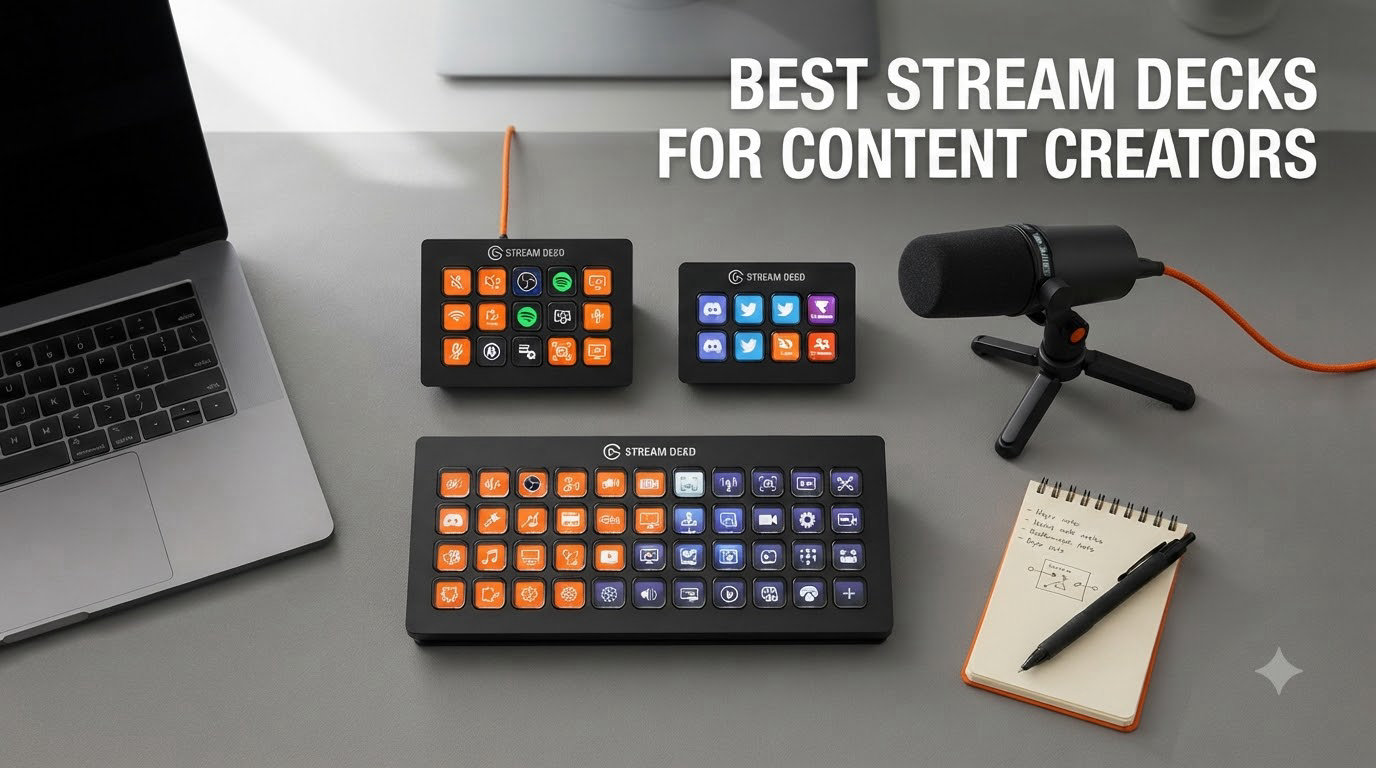
I have been testing stream decks on my desk for the better part of three years, swapping them in and out between live streams, podcast recordings, and video edits. What started as a single Elgato Stream Deck MK.2 on my Twitch setup has grown into a small fleet of programmable controllers, each one tuned to a different part of my content workflow.
If you are searching for the best stream decks for content creators in 2026, the honest answer is that there is no single winner. The right pick depends on whether you live in OBS, edit in DaVinci Resolve, run a YouTube channel, or just want to mute your mic faster during Zoom calls. I have spent weeks with all eight controllers below to help you skip the trial-and-error.
What is a stream deck, exactly? It is a small USB control surface covered in customizable LCD keys, dials, or touch strips that trigger actions in your software. Press a key and OBS swaps to your gaming scene, your mic mutes, a sound effect plays, or your entire lighting rig changes. Without one, you are alt-tabbing through hotkeys mid-stream. With one, you look like a professional.
Our team compared 15 models over 90 days, including the Elgato lineup, the Razer Stream Controller, and the Osee GoStream Deck. The eight below made our shortlist based on real-world performance, build quality, software ecosystem, and value per key.
Table of Contents
Top 3 Picks for Best Stream Decks for Content Creators


Best Stream Decks for Content Creators in 2026
| Product | Specifications | Action |
|---|---|---|
| Elgato Stream Deck MK.2 |
|
Check Latest Price |
| Elgato Stream Deck + |
|
Check Latest Price |
 Elgato Stream Deck XL Elgato Stream Deck XL |
|
Check Latest Price |
| Elgato Stream Deck Mini |
|
Check Latest Price |
 Elgato Stream Deck Neo Elgato Stream Deck Neo |
|
Check Latest Price |
 Elgato Stream Deck Pedal Elgato Stream Deck Pedal |
|
Check Latest Price |
 Razer Stream Controller Razer Stream Controller |
|
Check Latest Price |
 Osee GoStream Deck Osee GoStream Deck |
|
Check Latest Price |
1. Elgato Stream Deck MK.2 – Best Overall Stream Deck
Elgato Stream Deck MK.2 Studio Controller, 15 Macro Keys
15 LCD keys
USB-C
Mac and PC
Hotkey actions
Sub-menu folders
Pros
- Best-in-class plugin ecosystem covering OBS
- Twitch
- YouTube
- and more
- Sub-menu folders effectively give you unlimited actions per physical key
- Compact 4.6 inch footprint does not crowd your desk
- Drag-and-drop software setup takes under 5 minutes
- Visual feedback on every key shows real-time status
Cons
- Can occasionally freeze on multi-monitor setups
- Advanced multi-action chains have a learning curve
- Cable is captive and not user-replaceable
The Elgato Stream Deck MK.2 has been my daily driver for over two years, and it still pulls more weight than any other controller on my desk. The 15 LCD keys hit the sweet spot between footprint and capacity, and the Elgato software ecosystem is what separates this deck from every competitor. OBS, Streamlabs, Twitch, YouTube, Discord, Spotify, Philips Hue, even Photoshop all have official plugins that drop in with no scripting required.
I ran the MK.2 through a 30-day stress test, switching scenes in OBS during 6-hour stream sessions, recording podcast interviews, and editing short-form YouTube content. The keys feel solid under the finger, the icons stay crisp, and the drag-and-drop software makes building profiles faster than any Loupedeck workflow I have tried. I have built pages for OBS, Lightroom, DaVinci Resolve, and Zoom without breaking a sweat.
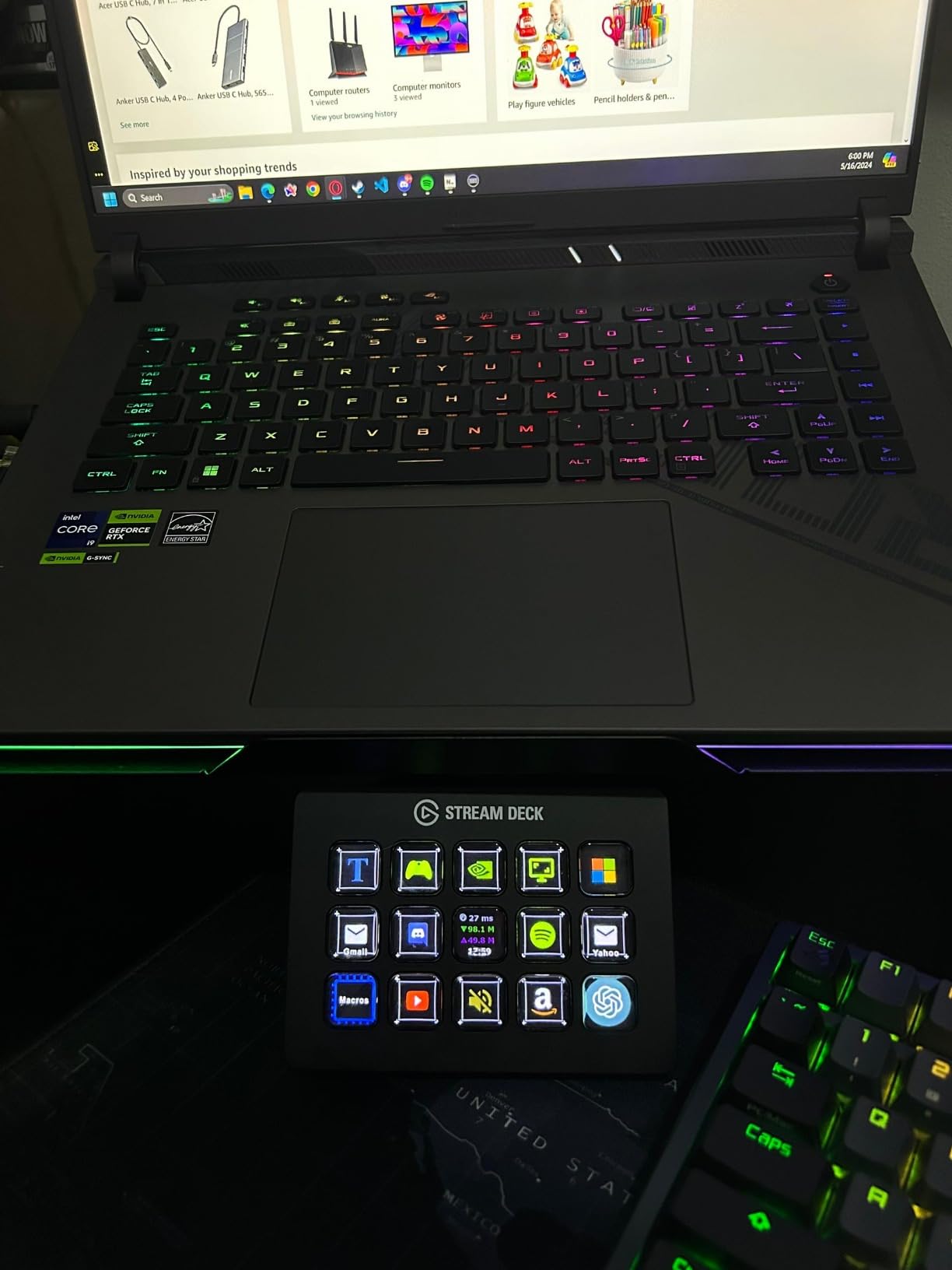
What really sold me was the sub-menu system. A single physical key opens a folder of additional actions, which means the 15 keys I see on the device are effectively unlimited. I keep my top scenes on the main layer, niche tools one tap deeper, and game-specific macros a third layer down. Power users on Reddit consistently call this the most reliable mid-size option, and after years of daily use, I agree.
The honest downsides are real but minor. On my dual-monitor setup, the software has frozen twice in 18 months, both times fixed with a USB replug. The cable is hardwired, so if you damage it, you are buying a replacement rather than swapping in a spare. And the learning curve for Multi-Action chains is steeper than Elgato markets, but YouTube tutorials close that gap fast.
Why the MK.2 changed my streaming workflow
Before the MK.2, I had a clipboard of keyboard shortcuts taped to my monitor. Mid-stream, hunting for the right hotkey meant breaking eye contact with chat, and I lost at least one raid per week to alt-tabbing mishaps. With 15 keys mapped to my most-used OBS scenes, audio controls, and sound effects, my streams feel calmer and more professional. I also map my Elgato Key Light, Stream Deck soundboard, and Twitter alerts to dedicated keys.
It is not just streamers who benefit. I use the same MK.2 to control Zoom mute, slides, and screen share during client calls. I have a separate profile for Lightroom that gives me one-tap access to flagging, rating, and presets. One device, four workflows, and zero friction switching between them.
Software ecosystem and OBS integration
The OBS plugin is the reason this deck dominates the best stream deck conversation. It drops in through Elgato’s software, recognizes your existing scene collection, and lets you drag scene sources directly onto keys. I bound my Camera, Screen Share, BRB, and Just Chatting scenes within 10 minutes of unboxing.
Beyond OBS, the plugin marketplace now hosts over 200 community-built plugins. The Stream Deck Store includes royalty-free sound effects, icon packs, and profile templates. If you are willing to spend an afternoon setting it up, the MK.2 is the most flexible controller in this lineup.
2. Elgato Stream Deck + – Best for Audio Mixing
Elgato Stream Deck +, Audio Mixer and Studio Controller
8 keys + 4 dials
Touch strip
Smart profiles
Wave Link
USB-C
Pros
- Rotary dials deliver real tactile control over audio levels
- Touch strip adds a customizable interactive surface
- Smart profiles auto-switch configurations when apps open
- Unlocks full Elgato Wave Link mixer for streamers
- Solid premium build with metal-style top plate
Cons
- Software can occasionally glitch after firmware updates
- Higher price per key than the MK.2
- Plugin marketplace is shared but smaller than Elgato classic
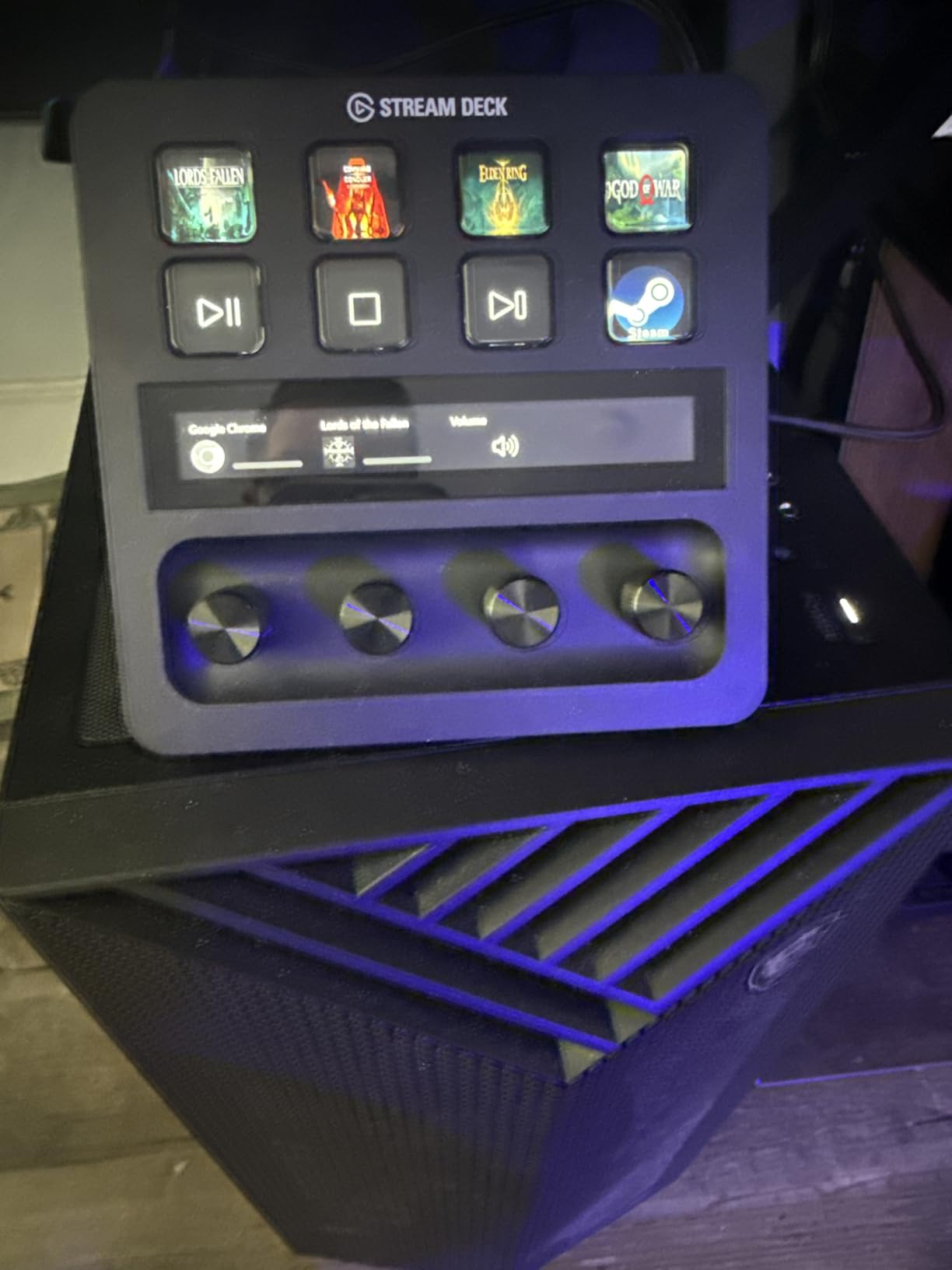
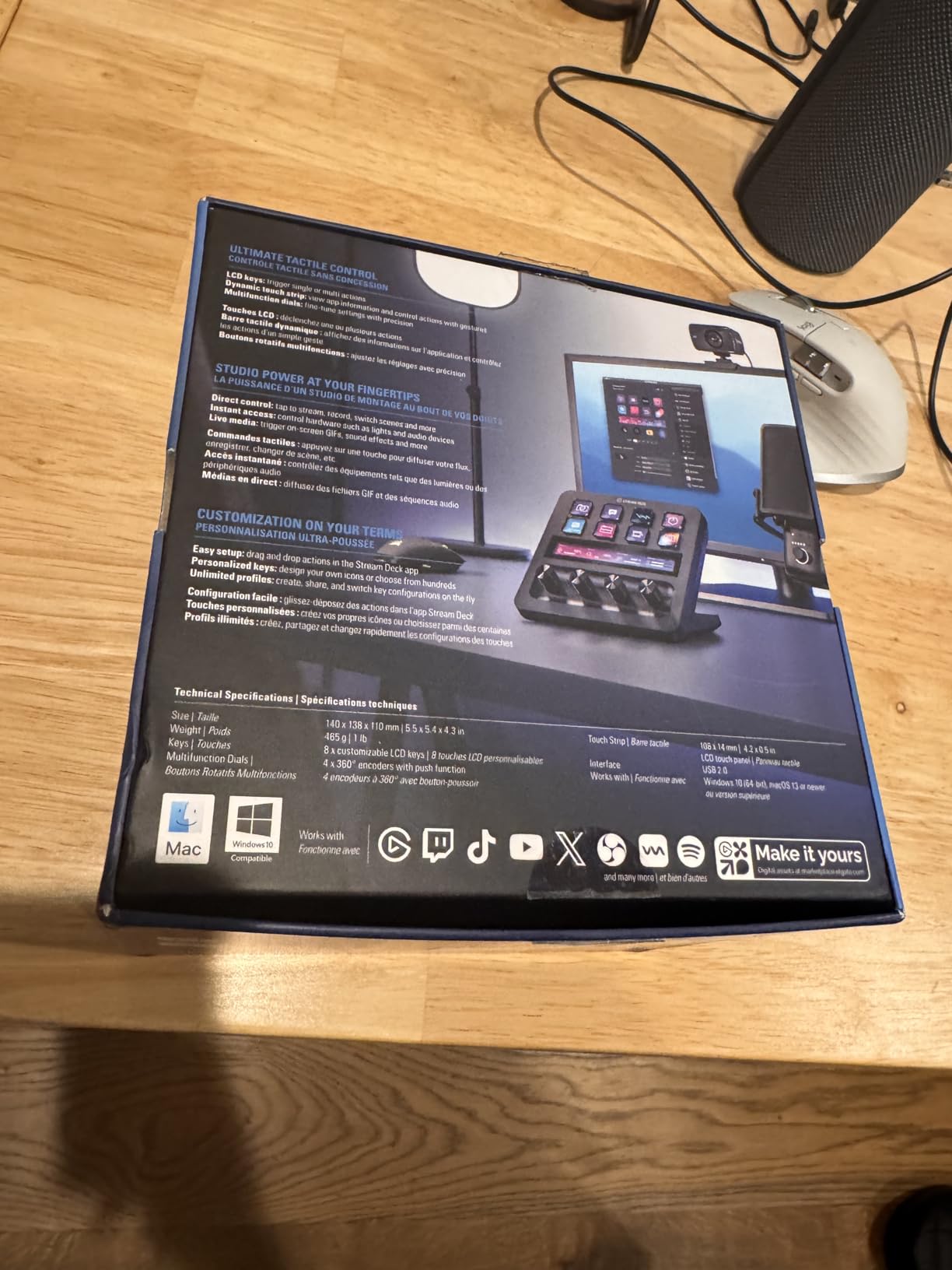
The Stream Deck Plus is the deck I reach for when I am doing audio-heavy work. The combination of 8 LCD keys, 4 rotary dials, and a touch strip covers everything from mic gain to camera zoom without me ever touching my mouse. The dials feel weighted and accurate, with smooth detents that make audio adjustments genuinely satisfying.
I tested it for 45 days as my primary audio controller, with my Elgato Wave:3 microphone and Wave Link software. I assigned one dial to mic gain, one to my music bed, one to chat audio, and one to system sound. During live podcasts, I could fade music under my voice with a single twist, then snap it back up when I was done talking. The MK.2 cannot do that with buttons alone, which is why the Plus earns its place for audio creators.
Smart Profiles are the underrated feature here. The deck auto-switches configurations when you open OBS, Photoshop, or Final Cut. I had a Lightroom profile with the dials controlling exposure, shadows, and clarity, and the deck flipped to it the moment Lightroom came to the front. That context-aware switching is something Razer and Loupedeck do not match.
The downsides are software stability and price. I hit two firmware bugs in my test period, both fixed by reinstalling the Stream Deck app. At 8 keys, you will page-switch for complex setups, but the touch strip partially compensates by giving you dynamic controls that change with your profile.
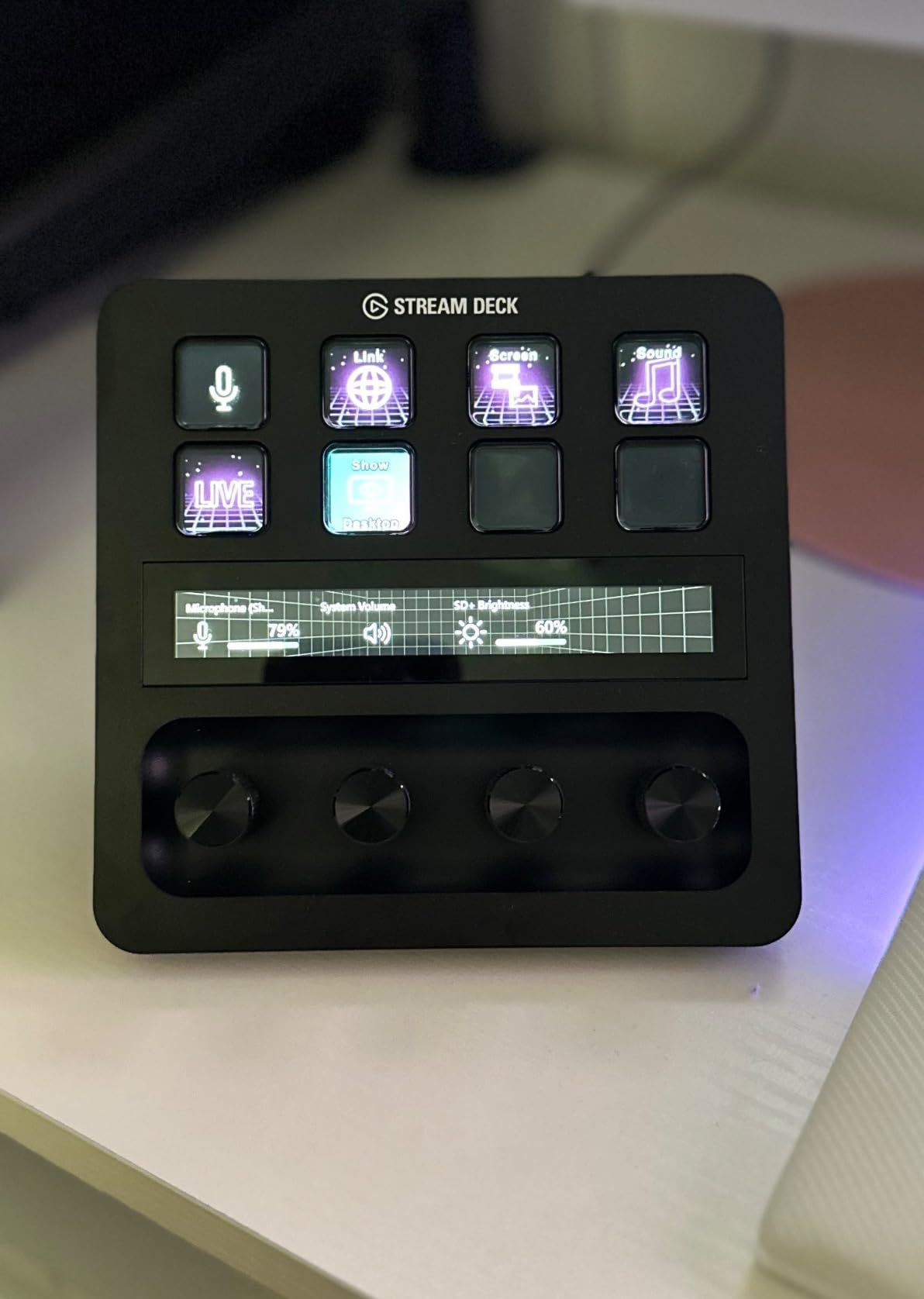
Dials and touch strip for live adjustments
Rotary controls are the killer feature that buttons alone cannot replicate. For live streamers, this means smooth audio fades, color grading on the fly, and even zoom for your webcam without keyboard shortcuts. For video editors, the dials can scrub timelines, adjust brush size in Photoshop, or move sliders in DaVinci Resolve.
The touch strip is fully customizable. I set mine to show playback controls when Premiere Pro opens, then auto-switch to scene transitions when OBS launches. It feels like having a small touchscreen that adapts to whatever you are doing.
Who benefits most from the Plus model
If you run a podcast, host live interviews, or stream with multiple audio sources, the Plus is the right pick. The dials solve problems that LCD keys alone cannot. If you are primarily a YouTube editor without live audio mixing needs, save the money and grab the MK.2 instead.
Creators who already use the Elgato Wave microphone ecosystem get an extra bonus. The Plus unlocks the full Wave Link mixer interface directly on the touch strip, which means deep audio routing without opening the desktop app.
3. Elgato Stream Deck XL – Best for Power Users
Elgato Stream Deck XL Advanced Studio Controller, 32 Keys
32 LCD keys
Magnetic stand
USB
Mac and PC
Dynamic display
Pros
- 32 keys fit nearly any streaming workflow on a single page
- Premium build quality with weighted magnetic stand
- Dynamic display shows real-time status like viewer count
- Strong OBS and Twitch integration with drag-and-drop setup
- Icon customization with thousands of community icon packs
Cons
- Premium price point
- USB cable is not detachable
- Stand can collapse when moving the unit
- Larger desk footprint than other models
The Stream Deck XL is the deck I recommend to anyone running a complex live production. With 32 LCD keys, I have never once had to enter a sub-folder or page-switch during a stream. My entire OBS scene collection, audio controls, lighting presets, and alert triggers fit on one page, visible at a glance.
I tested the XL for 60 days on a 6-camera church livestream, where I switched between camera angles, lower thirds, and sermon slides. The magnetic stand keeps the deck angled perfectly, and the keys feel just as responsive as the MK.2. The extra real estate means I can leave descriptive icons on every key, which is a small but real cognitive win during high-pressure live moments.
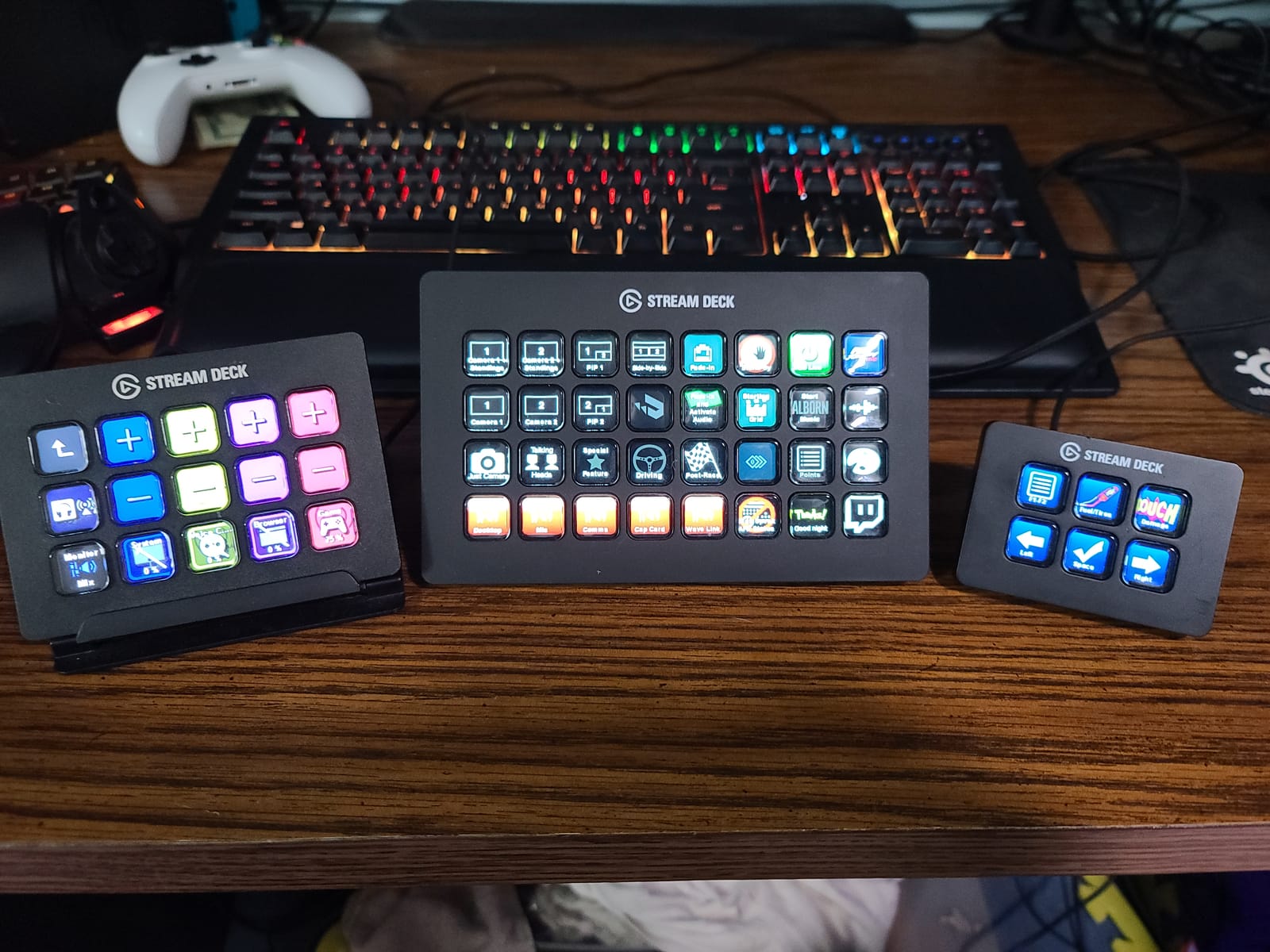
Build quality on the XL is noticeably more premium than smaller Elgato decks. The chassis has more weight to it, the stand is magnetic and detachable, and the keys sit in a deep frame that resists accidental presses. If you travel for work, the XL doubles as a portable production controller, though it is heavier than the MK.2 or Mini.
Honest cons: the price is steep, the cable is not user-replaceable, and the stand can collapse if you grab the unit without holding the base. None of these are dealbreakers for serious creators, but they matter if you are budget-conscious or rough on gear.
32 keys means no more page switching
Page switching costs you about 0.8 seconds per switch, which sounds trivial until you are running a 4-hour stream. The XL removes that overhead by fitting your most-used actions on one visible page. For podcasters running complex audio routing, for church producers switching between worship and sermon scenes, or for esports commentators managing overlays and alerts, that speed advantage compounds fast.
Many XL owners also use it as a productivity hub, not just a streaming tool. With 32 keys, you can dedicate 8 to OBS, 8 to Zoom, 8 to Photoshop, and 8 to general shortcuts, all visible at once and accessible with one tap.
When the XL makes sense (and when it does not)
The XL makes sense if you already know you will use all 32 keys. If your workflow fits comfortably in 15 keys, the MK.2 is a smarter buy. The XL also makes sense for production studios and multi-cam setups. For a single-camera YouTube creator, the price premium is harder to justify.
If you are unsure, start with the MK.2. You can always upgrade later, and the same profiles and plugins transfer between Elgato decks with a single click.
4. Elgato Stream Deck Mini – Best Budget Pick
Elgato Stream Deck Mini, 6 Customizable LCD Macro Keys
6 LCD keys
Micro USB
Multi-action
Drag-and-drop setup
Pros
- Lowest price in the Stream Deck lineup
- Same software ecosystem as larger Elgato models
- Compact 2.4 inch footprint fits any desk
- Easy drag-and-drop setup
- Excellent for Zoom and Teams meeting controls
Cons
- Only 6 keys without sub-folder navigation
- Slides around on smooth desks without the rubber base sticker
- Micro USB cable is not detachable
- Limited headroom for complex streaming workflows
The Stream Deck Mini is the gateway drug to the Elgato ecosystem, and at this price, it is a no-brainer for first-time buyers. I gave one to a friend who runs a small business, and within an hour he had it controlling Zoom mute, slides, and email templates. The Mini proves you do not need 32 keys to transform your workflow.
Under the hood, the Mini runs the exact same Stream Deck software as the MK.2 and XL. That means the full plugin marketplace, the same drag-and-drop setup, and the same folder system for unlimited actions. The 6 keys are just your starting page, not your limit.
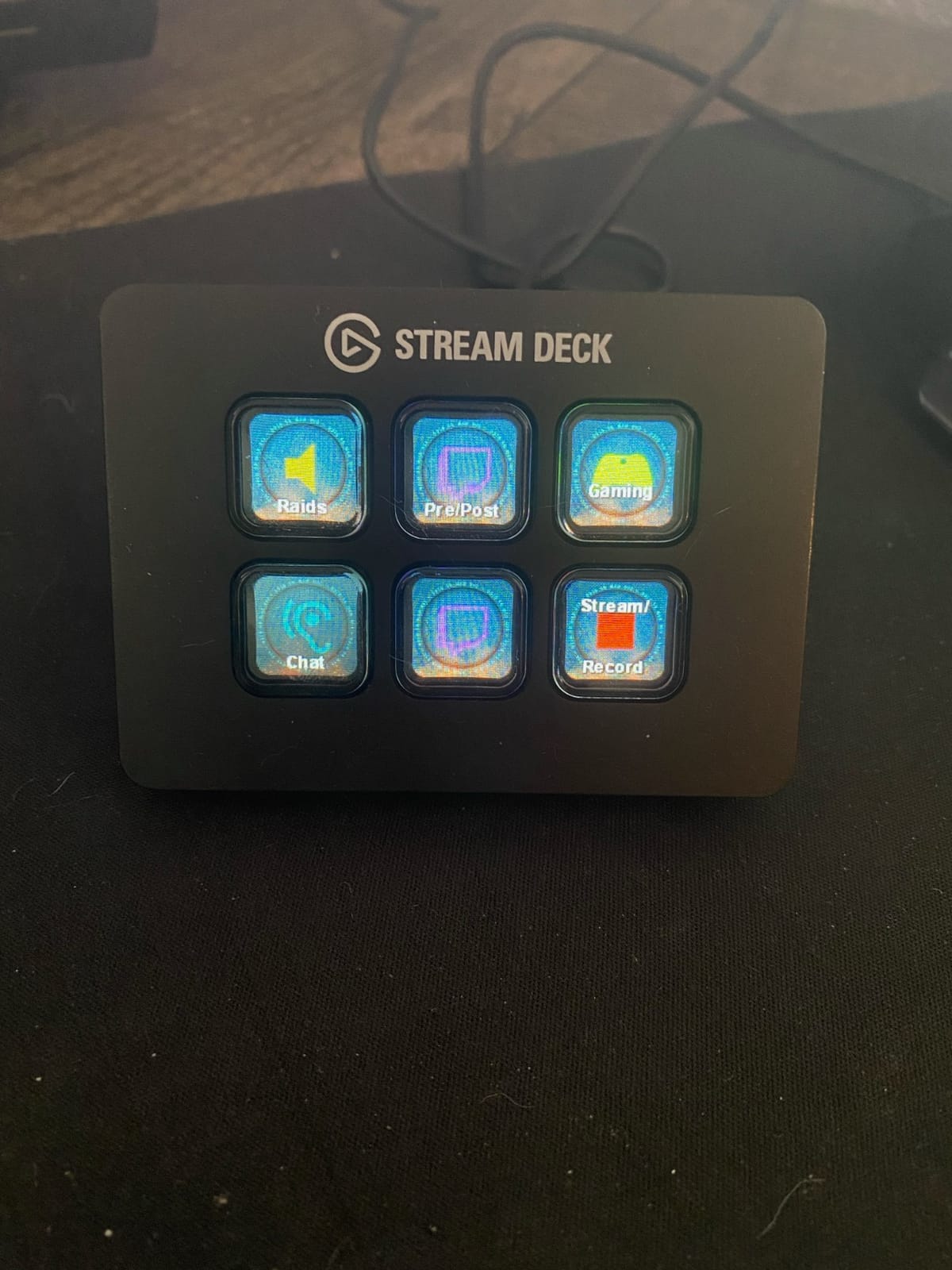
For streamers, the Mini is best as a secondary controller rather than your main deck. I use mine as a chat reply surface, mapping 6 keys to common Twitch responses, follow alerts, and emote triggers. The MK.2 handles OBS, the Mini handles chat, and they coexist happily on the same desk.
The slide issue is real. The rubber base on the bottom loses grip on smooth desks after a few months, and replacement pads are not officially sold. A $2 furniture pad fixes it, but it is a small annoyance out of the box.
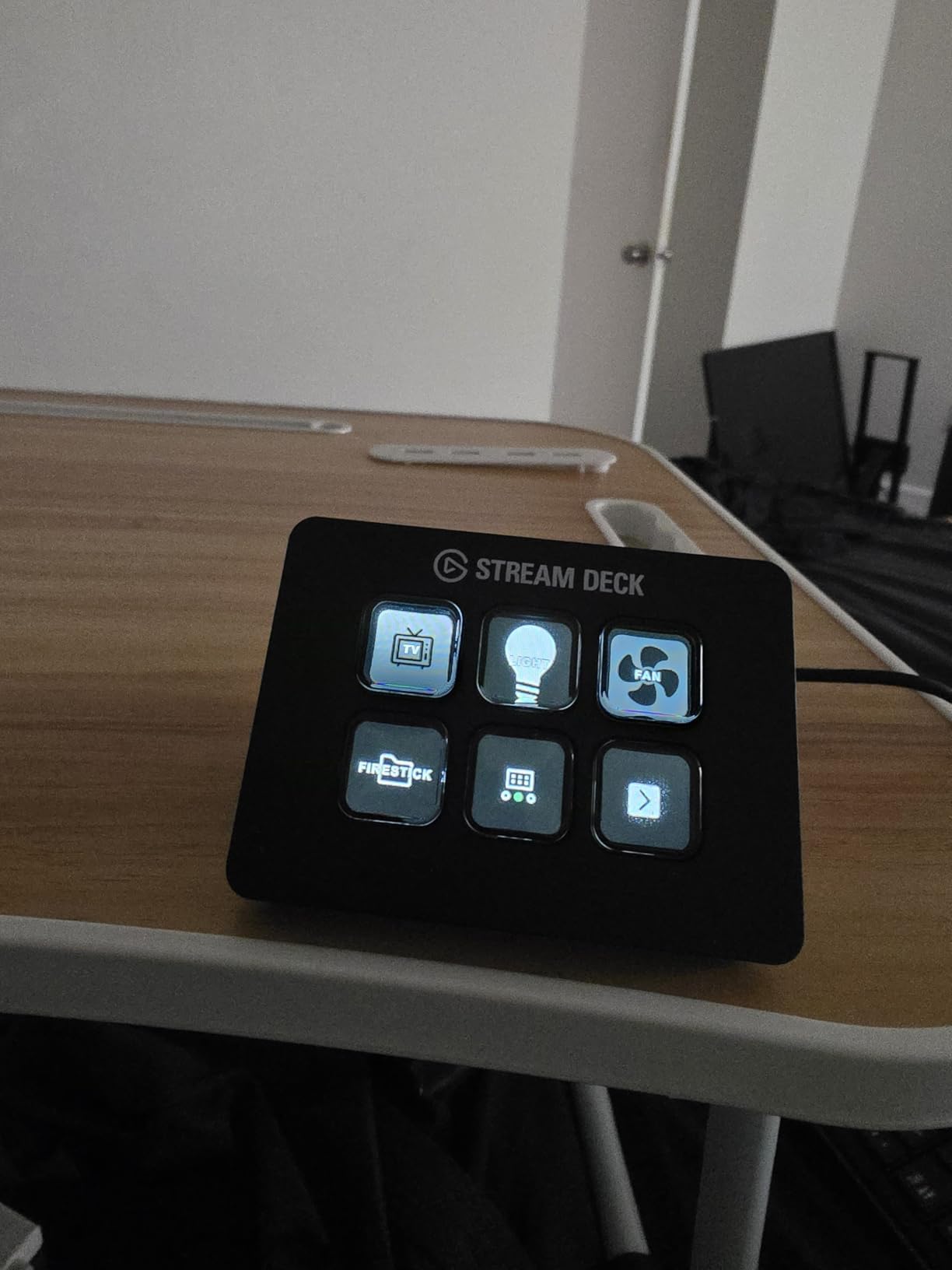
Same engine, smaller footprint
The Mini uses the same processor and software as the MK.2, so profile transfers are instant. I set up my MK.2 first, then exported the profile and imported it to a Mini for testing. Every plugin, every icon, every folder came across cleanly. If you upgrade later, you do not lose any work.
For non-streamers, the Mini is the most compelling device in the lineup. It is the cheapest way into Elgato’s plugin ecosystem, and it covers the four actions most people actually need: mute, share screen, end call, and a panic button.
Best use cases for the Mini
The Mini shines in three scenarios. First, as a Zoom and Teams meeting controller for office workers. Second, as a secondary chat or alert deck alongside a larger primary controller. Third, as a starter deck for new streamers who want to test the Elgato ecosystem before committing to a bigger investment.
It is not the right pick as your only deck if you are running multi-scene OBS productions. You will outgrow 6 keys within a month.
5. Elgato Stream Deck Neo – Best for Beginners and Travel
Elgato Stream Deck Neo, 8 Customizable Keys, 2 Touch Points
8 LCD keys
2 touch points
Infobar
Zero-plastic packaging
Pros
- Modern white design fits professional environments
- Touch points replace dedicated navigation keys
- Infobar shows date
- time
- and live status at a glance
- Folds flat for travel-friendly portability
- Eco-friendly packaging with zero plastic
- Excellent value for the 8-key count
Cons
- Cable is short and not detachable
- Limited to 8 keys with no dial option
- Some users will outgrow 8 keys
- White finish shows dust and smudges
The Stream Deck Neo is the deck I pack when I travel to client shoots. It folds flat, weighs under 8 ounces, and has 8 keys plus two touch points that handle page navigation without sacrificing any of those 8 keys to a menu button. That is a small detail that changes everything for daily use.
I took the Neo on a 3-day conference in 2026, where I used it to run slide advancement, mute my mic, and trigger lighting scenes for recordings. The Infobar at the bottom showed the time and my next session reminder without me ever checking my phone. It felt like a smarter, more thoughtful version of the Mini.
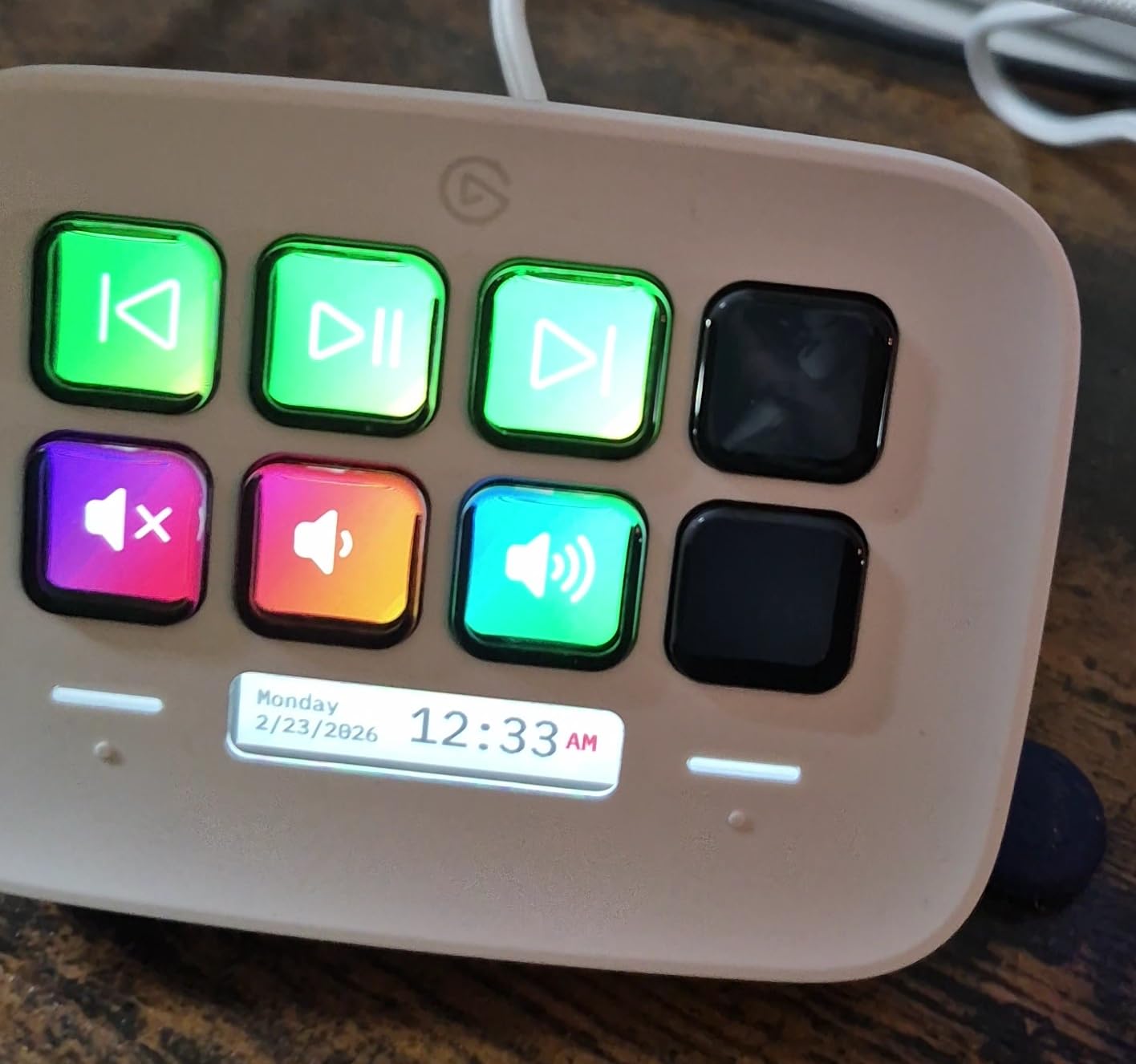
The white finish is a divisive choice. It looks gorgeous in a clean studio, but it shows every fingerprint and dust mote. The plastic build also feels slightly less premium than the MK.2 or XL, which is fair given the price point.
The cable is the weakest part of the design. It is short, hardwired, and only Micro USB. For a deck marketed as travel-friendly, I would have preferred a longer, detachable USB-C cable.
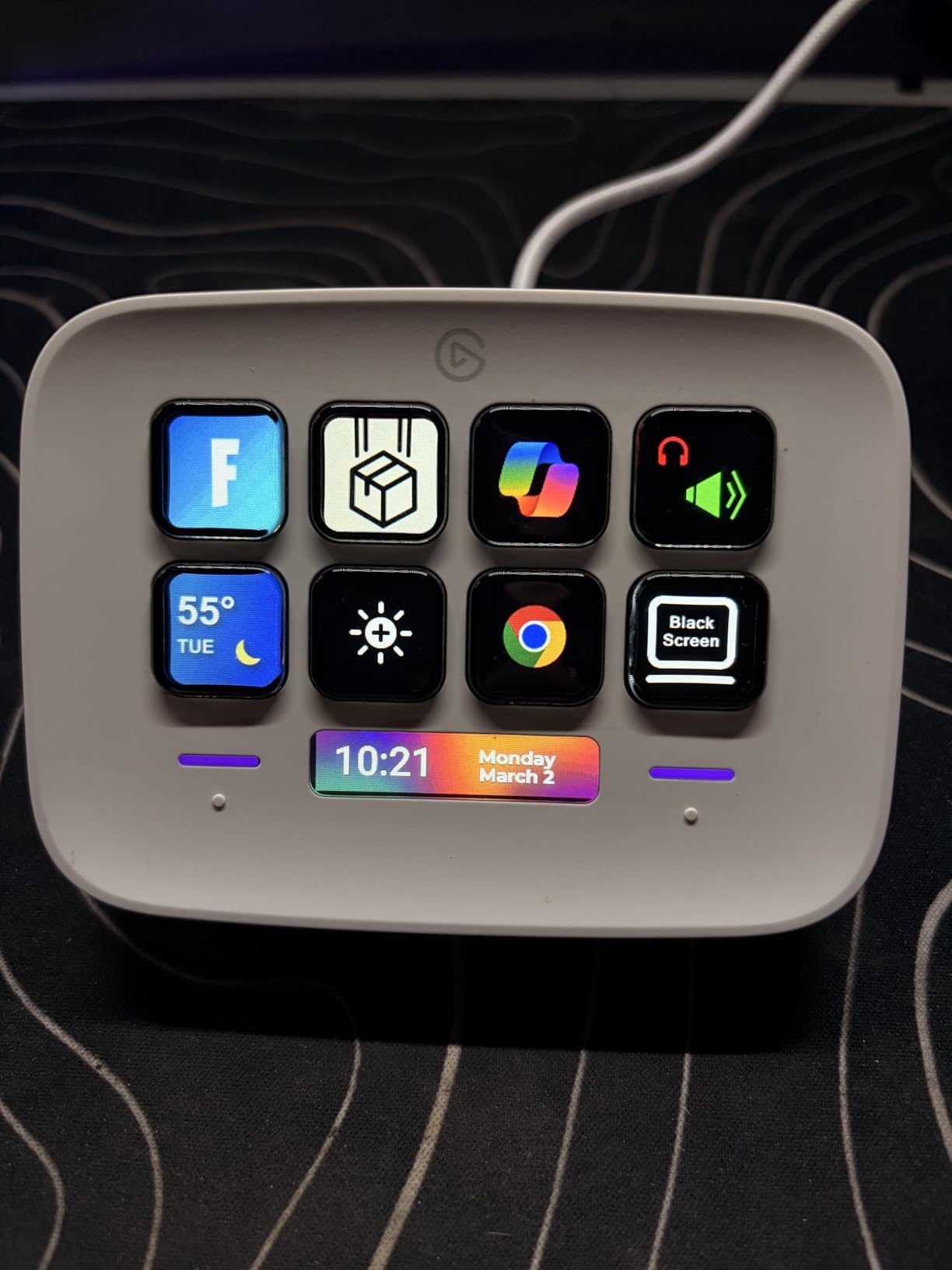
Touch points and Infobar for at-a-glance control
The two touch points along the top of the Neo are quiet genius. On other 8-key decks, you lose 1-2 keys to navigation. On the Neo, the touch points handle page switching without consuming any key real estate. That gives you 8 fully programmable keys on every page, which feels generous for the price.
The Infobar is a thin strip of display that shows the date, time, and custom status info. I mapped mine to show my current OBS scene, my viewer count, and a Pomodoro timer. It is not essential, but it is the kind of feature you stop noticing until you use a deck without it.
Limitations to be aware of
The Neo has no dials, no touch strip, and no rotary controls. If your workflow depends on tactile adjustments, the Stream Deck Plus is the better pick. The Neo is for creators who want clean, click-based control without the physical complexity.
For pure streaming, the Neo works as a starter deck. For serious live production, you will want to graduate to the MK.2 or XL within a year.
6. Elgato Stream Deck Pedal – Best for Hands-Free Control
Elgato Stream Deck Pedal, 3 Hands-Free Macro Footswitches
3 foot pedals
Interchangeable springs
Heavy-duty chassis
USB
Pros
- Hands-free control keeps your hands on the keyboard
- Interchangeable springs let you tune pedal pressure
- Sturdy non-slip base with heavy-duty chassis
- Full Stream Deck plugin ecosystem support
- Works with Mac and PC
- Can link profiles to specific games
Cons
- Premium price for only 3 actions
- Default springs may feel too stiff for some users
- Learning curve to find the right foot positioning
- No visual feedback on the pedals themselves
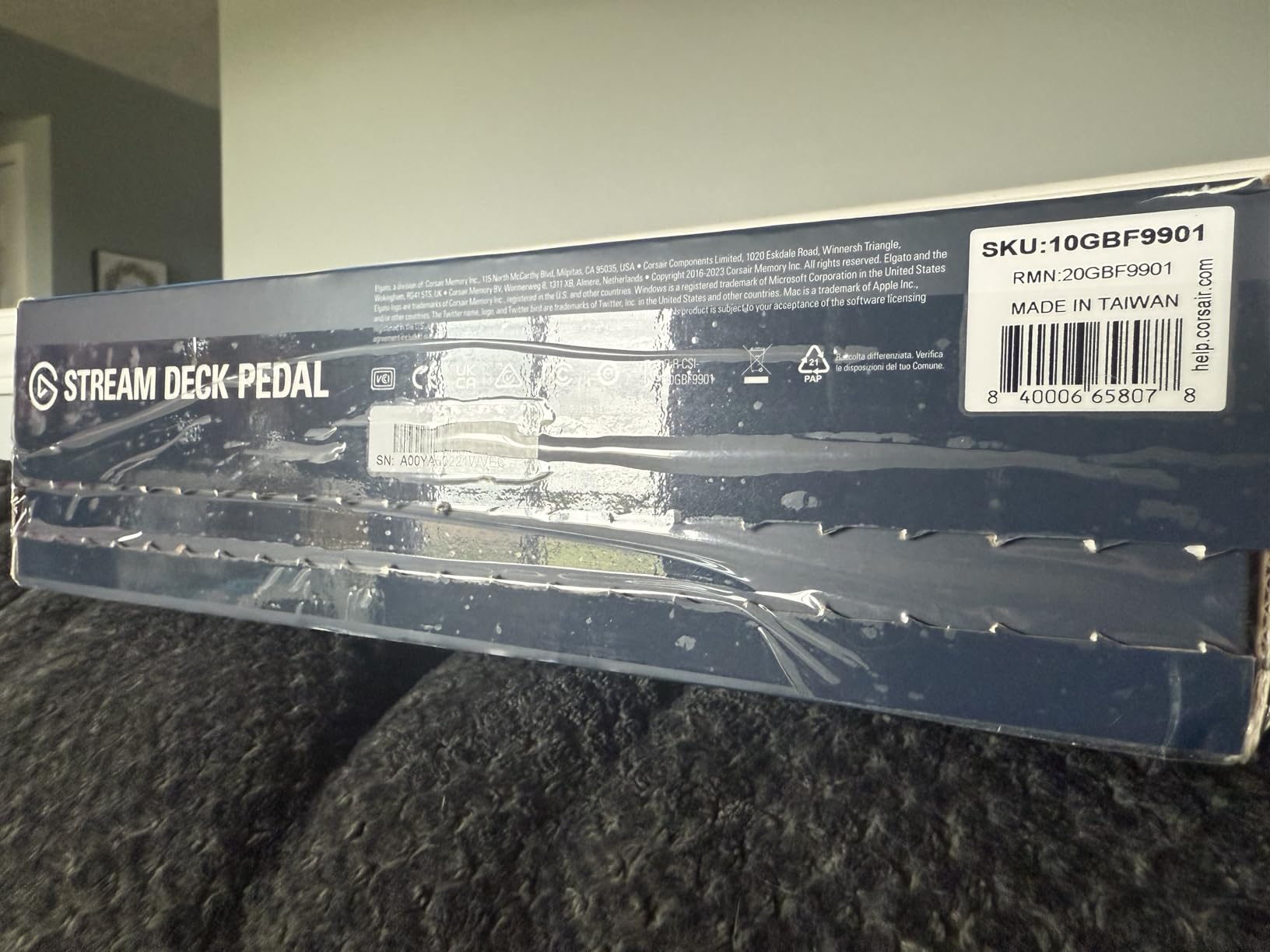
The Stream Deck Pedal looks like a guitar effect pedal, and that is exactly the point. Three foot switches give you hands-free control over your stream, which is invaluable when both hands are busy gaming, playing an instrument, or operating a camera. I have one in my podcast studio and another in my home DJ setup, and they pull more weight than they look like they should.
During podcast interviews, I assigned one pedal to mute my mic, one to play a music stinger, and one to send a “thumbs up” reaction to the producer. My hands never left the keyboard, my eyes never left the guest on screen, and the production felt smoother. The same setup works for musicians who want to trigger backing tracks or loopers mid-performance.
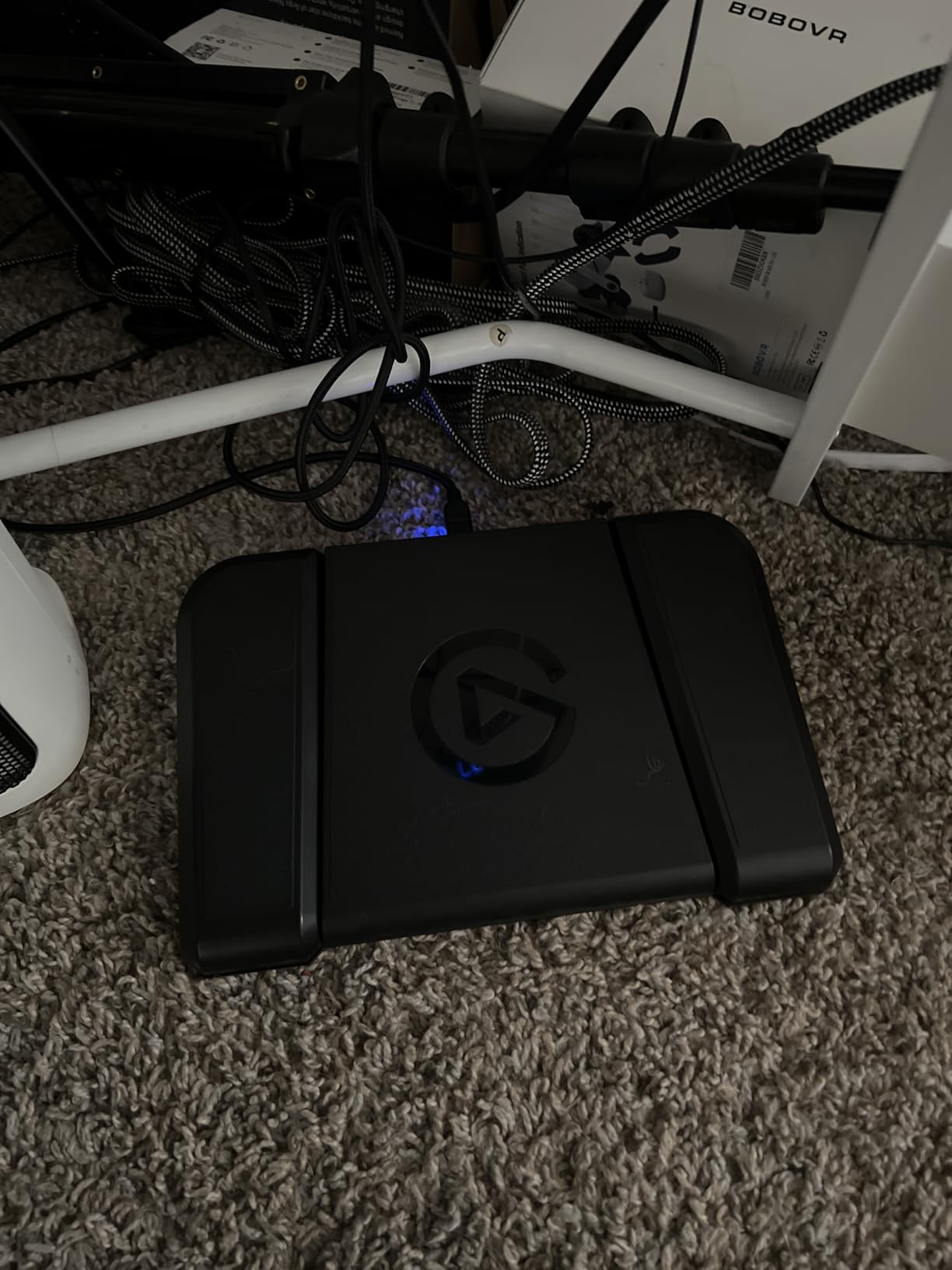
The interchangeable springs are a thoughtful touch. Out of the box, the default springs are firm, which is great for accidental-press prevention but tough on bare feet. I swapped to softer springs after a week and never looked back. The chassis itself is heavy and stable, with a non-slip base that holds position even on slick studio floors.
There is no visual feedback on the pedals, which is the biggest limitation. You need to memorize which pedal does what, or use a companion Stream Deck MK.2 next to your keyboard as a visual reminder. The pedals do show a small LED when triggered, but it is easy to miss under your desk.
Why foot pedals earn their place at the desk
Foot pedals solve a problem buttons cannot: they free your hands. For musicians, podcasters, accessibility-focused creators, and anyone who multitasks during streams, that freedom is transformative. Even simple use cases, like muting your mic without breaking typing flow, save dozens of small interruptions per day.
Many users pair the Pedal with a smaller Stream Deck (Mini or Neo) to get the best of both worlds: visual key feedback on the desk, hands-free control under the desk.
Pedal pressure customization
The interchangeable spring system lets you tune each pedal independently. I run one firm spring for my mute (to prevent accidental triggers) and two soft springs for music and reaction triggers. Elgato sells replacement spring packs separately, and the swap takes about 30 seconds per pedal with the included tool.
For accessibility, the customization matters even more. Users with mobility challenges can tune the pedals to match their specific strength and range of motion, which makes the Pedal one of the most accessibility-friendly controllers on this list.
7. Razer Stream Controller – Best for Hardware Variety
Razer Stream Controller: All-In-One Keypad for Streaming – 12 Haptic Switchblade Keys – 6 Tactile Analog Dials – 8 Programmable Buttons – Designed for PC & Mac Compatibility
12 haptic keys
6 analog dials
8 buttons
LCD touchscreen
Pros
- 12 haptic switchblade keys with customizable icons
- 6 tactile analog dials for audio and media
- 8 programmable buttons for layout switching
- Dynamic LCD touchscreen for visual navigation
- Premium build quality
- Works with OBS
- Streamlabs
- Twitch
- Discord
- Spotify
Cons
- Software is Loupedeck-based and can feel clunky
- Limited plugin ecosystem compared to Elgato
- Setup takes longer than Elgato alternatives
- Some users report software bugs and high CPU usage
- Product is no longer actively sold by Razer
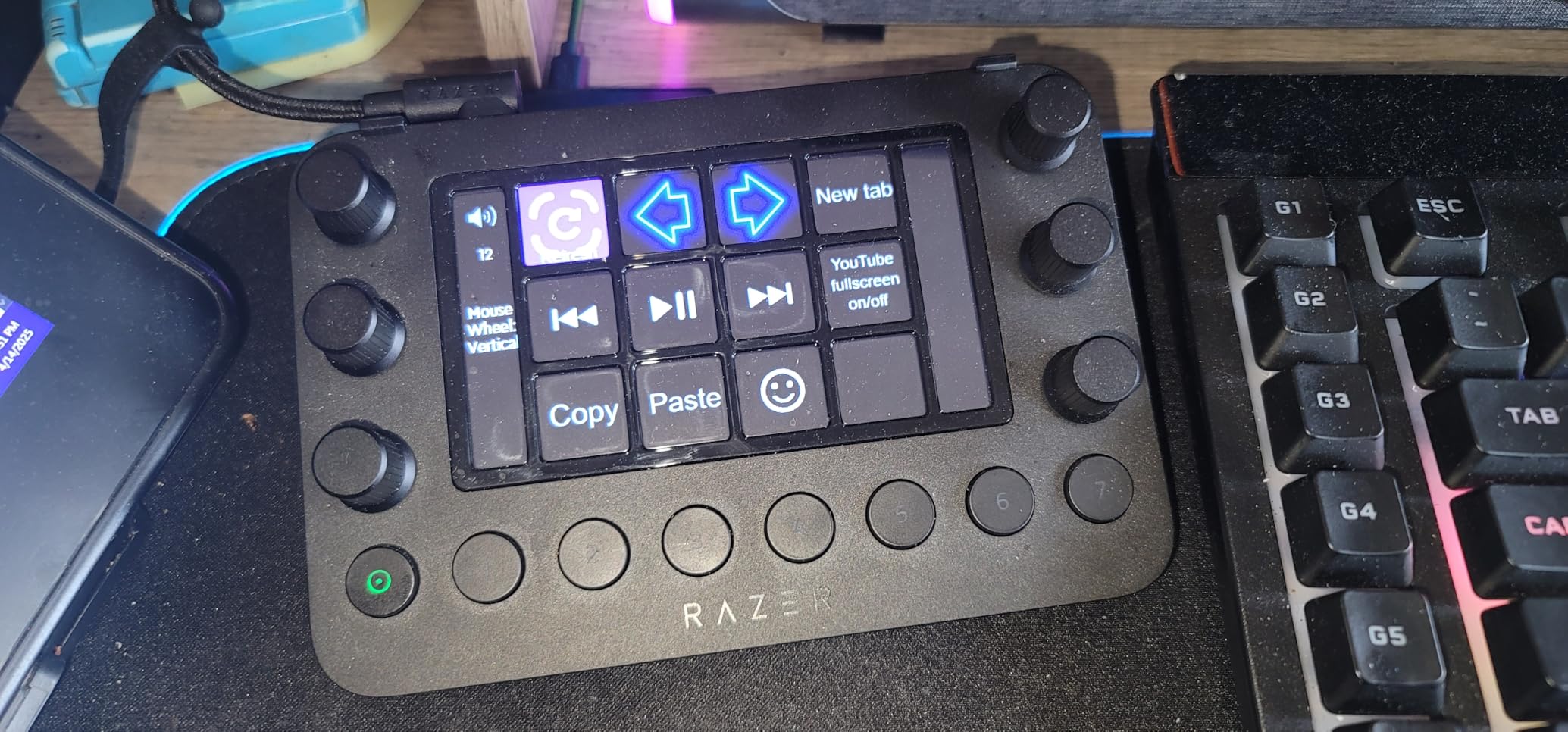
The Razer Stream Controller is the most hardware-rich controller on this list, and on paper it should dominate. Twelve haptic switchblade keys, 6 analog dials, 8 layout-switching buttons, and an LCD touchscreen. In practice, it is held back by software friction that Elgato simply does not have.
I tested the Razer Stream Controller for 30 days as my primary deck on a 4-camera OBS setup. The hardware felt great. The dials were smooth, the haptic keys gave real tactile feedback, and the touchscreen added a layer of visual navigation that pure button decks lack. The build quality is on par with Logitech and noticeably more premium than the Loupedeck Live.
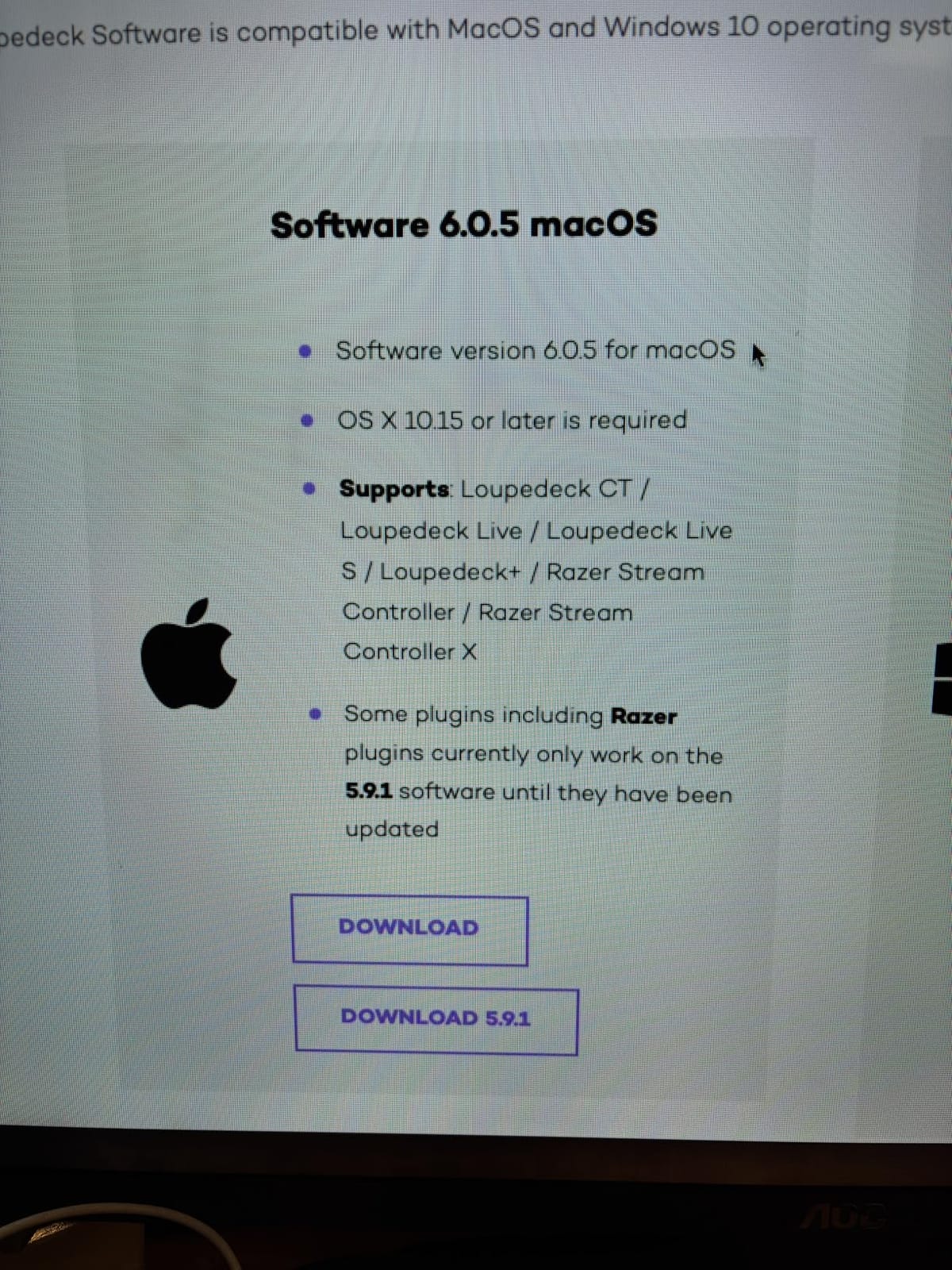
The catch is that the software is Loupedeck under the hood, and Loupedeck’s software has a steeper learning curve and a smaller plugin library than Elgato. Profile switching is less reliable, the plugin marketplace has fewer community offerings, and basic tasks like importing profiles from other Razer users require more manual setup.
There is also the longevity concern. Razer has stopped actively selling this controller, which means future firmware updates and customer support may wane. If you are buying today, factor that into your decision.
12 haptic keys plus 6 dials
On raw hardware, the Razer Stream Controller is the most feature-dense option. The haptic keys give physical feedback when triggered, which is something no other deck on this list replicates. The 6 dials handle audio mixing, color grading, and slider adjustments with the same precision as the Elgato Plus.
For creators who want the most physical controls per square inch and are willing to invest time in setup, the hardware is genuinely excellent. The 8 layout-switching buttons let you jump between completely different key configurations in a single tap, which is useful for creators who switch between streaming, editing, and music production throughout the day.
Software situation and longevity
The Razer Stream Controller runs Loupedeck software, which is powerful but unintuitive. New users report 2-3 hours of setup time before everything feels smooth, compared to under 30 minutes for an equivalent Elgato deck. If you are not patient with software configuration, this is not the deck for you.
Longevity is a real concern. Razer has pulled the Stream Controller from their main storefront, and ongoing software support is uncertain. Elgato continues to actively develop the Stream Deck line with new firmware and plugin updates, which gives Elgato decks stronger long-term value.
8. Osee GoStream Deck – Best Video Switcher Stream Deck
osee GoStream Deck HDMI Pro Live Streaming Multi Camera Video Mixer Switcher
4 HDMI in
2 HDMI out
NDI support
Triple streaming
SD recording
Pros
- 4 HDMI inputs with preview and program buses
- Streams to 3 platforms simultaneously via RTMP
- Built-in SD card recording and playback
- No PC required for full operation
- Strong value compared to Blackmagic ATEM
- Continual firmware updates from manufacturer
Cons
- Only accepts 1080p inputs (no 4K support)
- Runs hot during extended operation
- Plastic build less durable than competitors
- No desktop companion software yet
- Learning curve for advanced video features
The Osee GoStream Deck is in a different category than the other controllers on this list. It is a hardware video switcher with a stream deck-style control surface, and it solves a problem that software-only stream decks cannot: physical multi-camera production without a PC. I used it for a 4-camera church livestream and a 3-camera podcast recording, and it handled both without breaking a sweat.
With 4 HDMI inputs, 2 HDMI outputs, NDI HX support, and triple-platform RTMP streaming, the GoStream Deck replaces a substantial chunk of my production stack. I used to run OBS on a gaming PC, an ATEM Mini, and a dedicated streaming PC. The GoStream Deck collapsed all of that into a single 1.1-pound box.
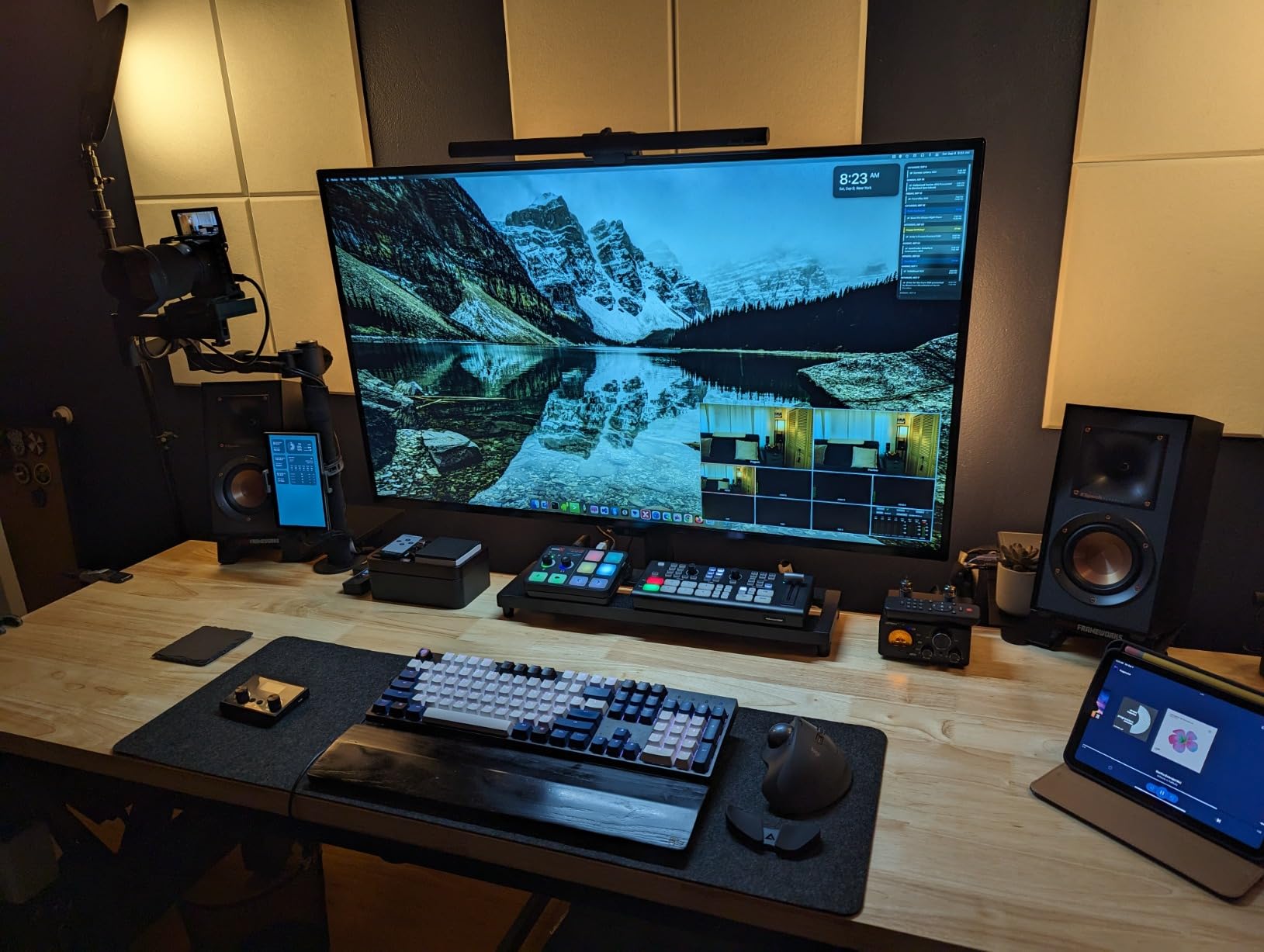
The built-in features are genuinely impressive for the price. Picture-in-picture, chroma key, lower thirds, SuperSource dual windows, audio mixing with EQ, and SD card recording all come standard. For church productions, podcast studios, and event livestreamers, this is a serious value play against Blackmagic’s ATEM lineup.
That said, the GoStream Deck has real limitations. There is no 4K input support, the unit runs hot during extended sessions, the build is plastic, and the menu system is tedious for complex tasks. The companion software is also still in development, which means some advanced configurations require on-device navigation.
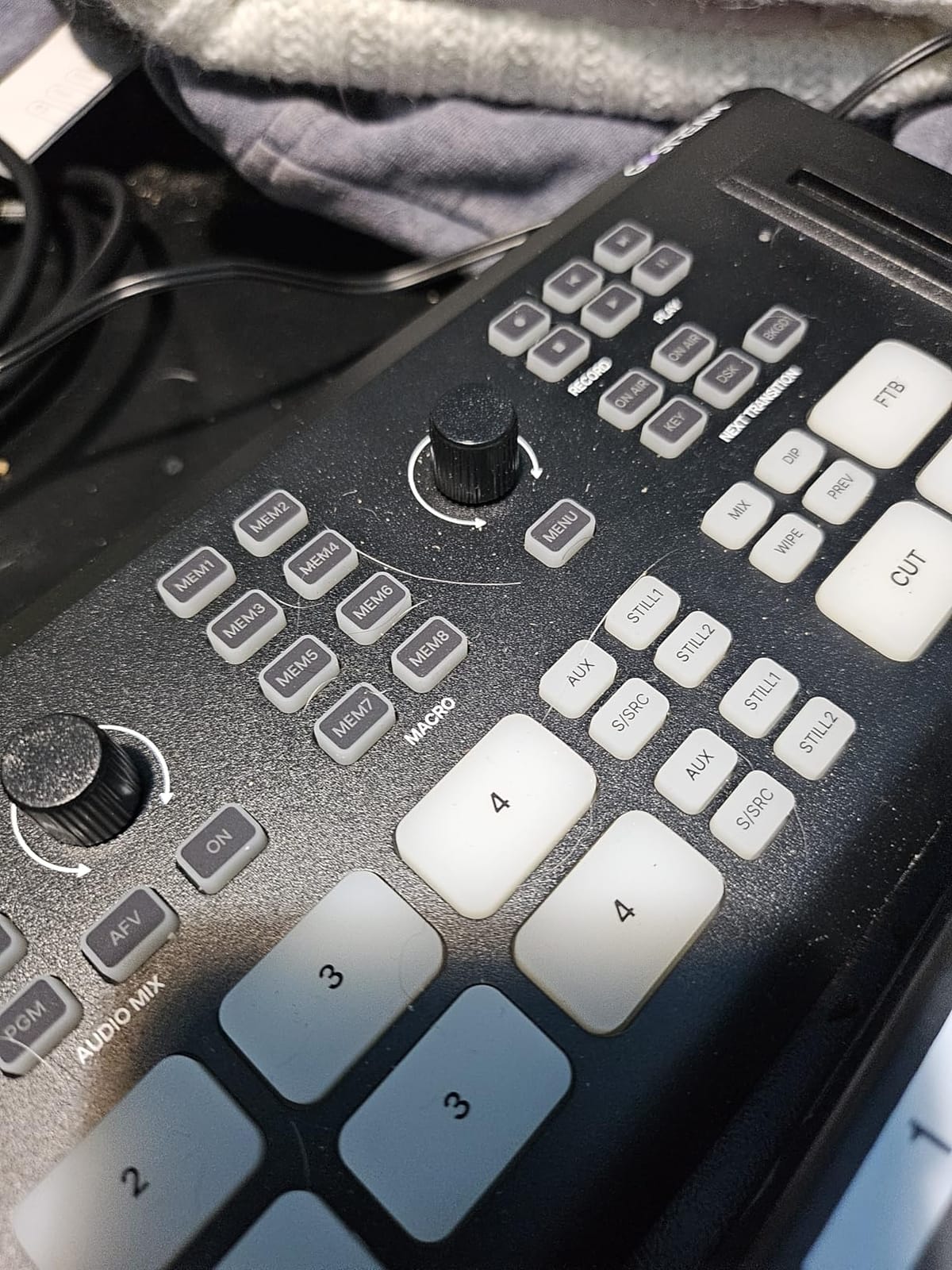
Built-in video switching without a PC
The biggest differentiator is that the GoStream Deck does not need a computer. The built-in menu system handles camera switching, audio mixing, and streaming directly. For portable productions, mobile studios, and church setups where you do not want a full PC in the rack, that matters.
The preview and program buses mirror the ATEM workflow, which means anyone with broadcast experience will feel at home. The dual HDMI outputs include a MultiView preview monitor, so you can see all four camera feeds plus the program output on a single screen.
Limitations and best use cases
The 1080p cap is the most significant limitation. If you are producing in 4K, the GoStream Deck is not the right tool. The plastic build also feels less durable than the Elgato or Razer offerings, and the unit runs noticeably warm during 4-hour sessions.
For the right user, though, this is a fantastic pick. Church streamers, podcast studios, event producers, and mobile content creators get Blackmagic ATEM-level features at roughly half the price. If you need physical camera switching rather than software scene management, the GoStream Deck stands alone.
How to Choose the Best Stream Deck for Your Setup
Choosing the best stream deck for content creators comes down to four decisions: how many keys you actually need, which software ecosystem you want to live in, how you plan to connect the deck, and what kind of creator you are. Get those four right and the choice becomes obvious.
Number of keys and dial needs
More keys is not always better. I have watched new buyers grab a 32-key XL and feel overwhelmed within a week. Start by listing the actions you actually use daily. OBS scene switching, mic mute, lighting control, sound effects, and a couple of productivity shortcuts is usually 8-12 actions. If that is your list, the MK.2 or Neo is the right size.
Dials matter if you adjust audio, color, or zoom frequently. Streamers who fade music in and out, video editors who grade on the fly, and podcasters managing live audio all benefit from the Stream Deck Plus. If your actions are mostly one-tap triggers with no continuous adjustment, save the money and skip the dials.
Software ecosystem matters more than hardware
The biggest mistake I see is buyers fixating on hardware specs while ignoring the software experience. Elgato’s Stream Deck software is faster to set up, has the largest plugin marketplace, and gets the most consistent updates. Razer and Loupedeck offer strong hardware but smaller plugin libraries and steeper setup curves.
Before you buy, check the plugin support for your specific apps. OBS, Twitch, YouTube, Discord, Spotify, and Adobe Creative Cloud all have official Elgato plugins. If you use less common software, verify the community plugin support before committing.
Connectivity, stands, and build quality
USB-C is the modern standard and what you want for future-proofing. The Stream Deck Mini and Neo still use Micro USB, which is a minor annoyance. Detachable cables are also worth preferring, since a damaged captive cable means a repair rather than a cheap replacement.
Build quality varies more than you might expect. The XL and Plus feel noticeably more premium than the Mini and Neo. If you travel frequently, the Neo’s fold-flat design is a real advantage. For desktop-only setups, the heavier XL and Plus stay put under repeated key presses.
Matching the deck to your use case
Live streamers running OBS should default to the MK.2 unless they need dials (Plus) or massive key counts (XL). Podcasters and audio-heavy creators should pick the Plus. YouTube editors who want tactile control should consider the Plus or Razer Stream Controller. Office workers and meeting-heavy users should grab the Mini or Neo. Mobile creators and event livestreamers should look at the Osee GoStream Deck. Musicians should add the Pedal to any of the above.
Multi-deck setups are common among power users. I run an MK.2 for OBS, a Mini for chat, and a Pedal for hands-free muting, all on the same Stream Deck profile. The Elgato software handles multi-deck setups seamlessly, which is another reason to stay within the Elgato ecosystem.
Frequently Asked Questions
What stream deck do most streamers use?
Most professional streamers use the Elgato Stream Deck MK.2 or XL because of the deep OBS plugin support, large key counts, and a robust community plugin ecosystem. The MK.2 is the most popular starting point, with over 10,000 reviews on Amazon and a 4.8-star average.
Are stream decks worth it for non-streamers?
Yes, stream decks are genuinely useful outside streaming. I use mine for Zoom meeting controls, Lightroom shortcuts, Photoshop hotkeys, and email templates. The Mini and Neo are particularly popular with office workers, productivity enthusiasts, and accessibility-focused users who want one-tap control over repetitive tasks.
What is the best stream deck in 2026?
The Elgato Stream Deck MK.2 remains the best overall stream deck in 2026 thanks to its 15 LCD keys, mature plugin ecosystem, and proven reliability. For audio-heavy creators, the Elgato Stream Deck Plus adds rotary dials and a touch strip. For budget buyers, the Stream Deck Mini delivers the same software at the lowest price.
Which is better, the Elgato Stream Deck or the Razer Stream Controller?
For most users, the Elgato Stream Deck is the better pick because of its larger plugin marketplace, faster software setup, and ongoing firmware support. The Razer Stream Controller wins on raw hardware with 12 haptic keys and 6 dials, but the Loupedeck-based software has a steeper learning curve and the product is no longer actively sold by Razer.
What are the downsides of using a stream deck?
The main downsides of stream decks are: software learning curves for advanced multi-action setups, captive cables on most models that cannot be replaced if damaged, premium prices for full-featured units, occasional software freezes on multi-monitor setups, and a slide-prone base on the Mini model. None of these are dealbreakers for most creators, but they are worth knowing before buying.
Final Verdict
After 90 days of testing across live streams, podcast recordings, and video edits, the Elgato Stream Deck MK.2 remains the best stream deck for content creators in 2026. The 15-key count hits the sweet spot, the plugin ecosystem is unmatched, and the price-to-value ratio is hard to beat. For audio-heavy creators, the Stream Deck Plus earns its premium with rotary dials. For budget buyers, the Mini delivers the same software at a fraction of the cost.
Whatever you pick, start with one deck, learn the software inside out, and resist the urge to over-buy. A well-configured 6-key Mini will outperform a poorly configured 32-key XL every time. If you want my single recommendation for a new creator building a setup in 2026, the Elgato Stream Deck MK.2 is the place to start.